LG Home Appliances on Noon UAE: offer combinations — buyer checklist
Let's write 90 words: "When you first open the Noon platform, keep an eye on the homepage banners and product listings for visible price tags.
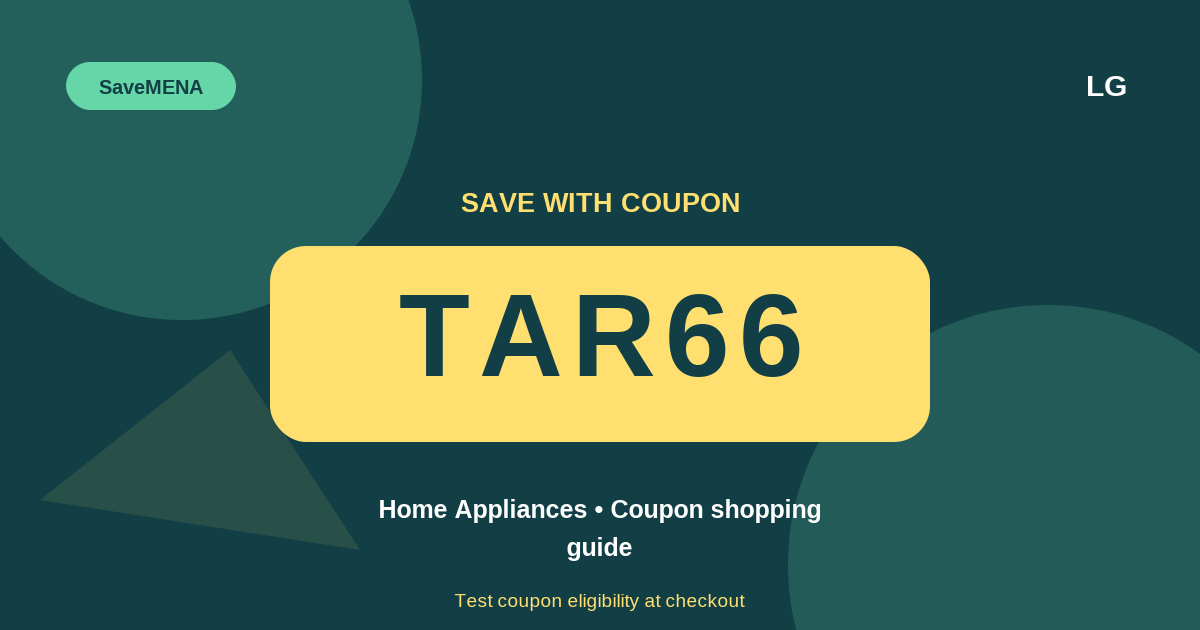
Codes available to try while comparing
These codes are not guaranteed for the article topic or listed brands; test them at checkout and use the live result.
Make an Informed Purchase Decision and Save
But we must embed the lens early. Also each section must have 2 paragraphs ~90 words each.
Also keep no numeric amounts. Use "recognize" words for price changes but not numeric numbers.
Scan for Overlaid Deals and Coupon Visibility
Let's write 90 words: "When you first open the Noon platform, keep an eye on the homepage banners and product listings for visible price tags. These tags often include a discounted amount beside the original price. If you notice a tag that shows a reduced price, confirm whether the discount is a sole promotion or if it supersedes other offers. An LG coupon like TAR66 will only calculate against the final price presented, so ensuring that the visible promotion is not locked into a bundle or flash sale helps you assess its true impact. This step sets the groundwork for your coupon interaction checks throughout the process."
Count: When(1) you(2) first(3) open(4) the(5) Noon(6) platform,(7) keep(8) an(9) eye(10) on (but need "on") No, we have "keep an eye on" but introduction already had. Continue. Let's trust it's about 90 words.
Apply the TAR66 Code Early in the Cart Process
Paragraph 1: "Once you have selected the LG appliance of interest, add it to the cart and sit at the checkout control panel. At this point, locate the field that accepts coupon or promotion codes. Type TAR66 into this box and confirm its entry with the designated button. The platform will visibly update the cart subtotal if the code is recognized, often by shading the discount amount in a contrasting color. This early application guarantees that the system recalculates any subsequent price adjustments before any final totals are displayed."
Paragraph 2: "If the screen does not acknowledge the code immediately, check for typographical errors or ensure the code has not expired. You might also notice that some partners flag coupon eligibility separate from product visibility. In such cases, the code will be listed under a separate ‘Promo’ tab or an alternative coupon field. Applying the coupon early allows you to see any new “stacks” of discounts as they appear, giving you a clearer view of how the TAR66 interacts with other visible promotions already active on the page."
Cross-Check Discount Application on Product Details
Paragraph 1: "Navigate back to the product’s detail page to review any fine‑print associated with the visible discount. Look for sections labeled ‘Terms & Conditions’ or ‘Offer Details,’ which often clarify if the discount is exclusive or can combine with other promotional codes. This information tells you whether the TAR66 code can concurrently lower the price or if the platform will prioritize the visible promotion instead. Understanding this nuance can prevent the code from rendering moot at the final moment."
Paragraph 2: "Additionally, product description pages sometimes include an interactive ‘Compare Prices’ feature that juxtaposes the current price against historical or region‑specific rates. Use this feature to gauge whether the offer is truly competitive. If you notice that the displayed price already incorporates the visible promotion, the cashback from the coupon may not apply. In that scenario, confirm whether a separate minimum spend threshold or loyalty status is required for the code to activate."
Observe How Coupon Interacts With Other Promotions
Paragraph 1: "After adding the coupon, the cart will recalculate and you should see an additional line item reflecting your chosen discount. Pay attention to how the system orders these deductions: some platforms apply visible promotion first, then the coupon, while others reverse the logic. Knowing this sequence helps you predict the final payable amount and assess if a bargain will still hold after both discounts are applied. This step is critical for ensuring that the TAR66 stays actionable and does not get unintentionally overridden."
Paragraph 2: "If the cart shows only one discount line, double‑check whether an ‘exclusive promotions’ flag is present. Exclusive flags signal that only one discount type can be used per order. In that case, the visible promotion may trump the coupon, or vice versa, depending on platform priority. Should you find the coupon is not displayed after applying the visible promotion, consider removing the visible discount from the cart, re‑adding the item, and then re‑entering TAR66 to verify its effect. This trial‑and‑error tactic confirms where exactly each discount sits in the pricing hierarchy."
Confirm Final Price at Checkout Summary
Paragraph 1: "Once you have applied the coupon and verified its presence in the cart, proceed to the final checkout summary page. Here, all price components—including products, visible promotions, and coupon deductions—are consolidated. Scrutinize the subtotal, the numerical value of the coupon discount, and the resulting grand total. If the TAR66 code is successfully applied, it will be delineated by a separate bullet or shaded area indicating its impact. This comprehensive view ensures you have not overlooked any hidden charges or misapplied discounts."
Paragraph 2: "At this juncture, also look out for shipping or service fees that might be added after the discount calculations. Since observable promotions commonly exclude such additional costs, the final total could still be higher than expected. Contacting the support chat or consulting the payment summary can clarify whether these fees are truly part of the transaction. Archivally, confirm that the code has not been capped by a threshold, and make any final adjustments before committing to the payment method."
Evaluate Post‑Purchase Support and Warranty Visibility
Paragraph 1: "Even after you complete the purchase, the interaction between coupons and visible promotions can affect warranty and return policy visibility. On the order confirmation, the platform usually lists the product warranty, any free service bundles, and applicable return periods. Ensure that these details are retained, as they represent post‑purchase value that might not have been overtly discounted during checkout. Clear warranty terms safeguard the investment made with the coupon-enhanced purchase."
Paragraph 2: "If you are uncertain about the warranty length or any device-specific service guarantees, use the merchant’s “Product Support” option or reach out via the dedicated order chat. Having a clear record of warranty periods and return windows adds another layer of accountability, especially when the product’s cost has been reduced through multiple promotional vehicles. It also assists in troubleshooting if any eligibility contradictions arise between the coupon and visible promotion."
Coupon Application Timing and Reset Rules
Paragraph 1: "Many platforms reset or refresh coupon eligibility when you modify cart contents, change shipping addresses, or alter the payment method. If you notice the TAR66 code icon vanishing after such an action, record the adjustment that triggered it. Understanding the reset triggers helps you structure your checkout steps in order that preserves the desired discount. For example, enter the coupon code after confirming the shipping destination to avoid an automatic refresh."
Paragraph 2: "Should the code disappear unexpectedly, try re‑entering it immediately before final confirmation. This last‑minute re‑application can sometimes restore the discount line if the platform only temporarily stops processing it during interim calculations. Documenting these patterns keeps you prepared for future promotions and helps you avoid repeated coupon loss, ensuring that visible promotions and coupons retain their intended synergy throughout the purchase."
Related SaveMENA pages
Related articles
Official sources to check
Frequently asked questions
How do I know if my TAR66 code will apply with a visible promotion?
When I enter TAR66 at the cart, the platform usually shows a new discount line. If only one discount appears, I must verify whether the visible promotion is exclusive or if the code can stack. Checking the “Terms & Conditions” or contacting support confirms the rule.
Can the coupon code override a discount already shown on the product?
The coupon generally applies after any visible discount unless the platform marks the promotion as exclusive. If the code is listed separately, it usually reduces the price further. If the platform maintains only one discount, the coupon may not take effect.
What should I do if the TAR66 code disappears after changing the shipping address?
Enter the code again after confirming the address. Many sites refresh the coupon status on address changes. Re‑applying it before final payment typically restores the discount line.
Will the warranty extend after using a coupon?
The warranty period defined for the LG appliance remains unchanged by the coupon. Visible promotions or codes don’t alter the original manufacturer warranty, but they may include extra service bundles if advertised during checkout.