Samsung TVs on Noon UAE: size and quantity — buyer checklist
Noon UAE deals TVs Samsung quantity and size: The first step to finding the perfect Samsung TV on Noon UAE is knowing exactly what screen size and how many units
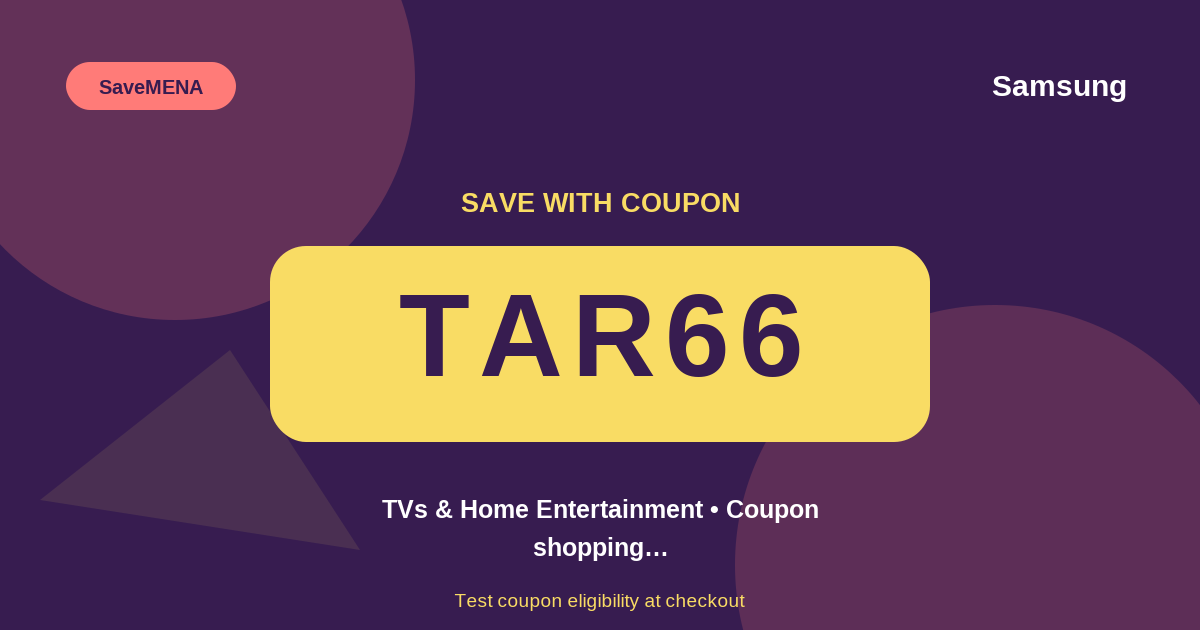
Codes available to try while comparing
These codes are not guaranteed for the article topic or listed brands; test them at checkout and use the live result.
1. Measure Your Viewing Distance to Pick the Right TV Size
Start with a clear understanding of the distance from your seating area to the wall or stand that will house the TV. A rule of thumb often used by many UAE home buyers is to multiply this distance in metres by 1.5 to 2 to get a rough estimate of the screen diagonal that will offer optimal clarity and immersion. However, you should also consider the room layout—if you have a wide sofa or a long dining table that you use for movie nights, you might want a screen a few inches larger for better coverage of the audience span.
When you open Noon’s Samsung TV listings, filter the results by the exact size you’ve measured. This prevents you from browsing the entire catalogue of 32‑inch, 43‑inch, or 55‑inch models that would otherwise clutter your comparison. By narrowing down to a single series of televisions that fits those measurements, you save time and avoid overlooking a model that might have a more appealing colour scheme or a slightly better price point when coupon‑eligible.
2. Decide on a Single TV or Several for Multi‑Room Living
Homes in the UAE come in varied shapes—some have a spacious living area that can comfortably host a large screen. For most living rooms, a single premium Samsung 55‑inch or larger TV can satisfy most viewers. If you live with a partner, friends or children and anticipate shared usage across rooms, adding one more TV could be practical. Think about how often you share the space for movie nights or gaming—two TVs might let each family member’s favourite TV have a dedicated space.
While deciding how many units to buy, reflect on your budget constraints. Even though the coupon code TAR66 might offer a discount, note that applying the code applies to the list price at checkout, not each individual model’s value. Shopping a single larger TV often reduces the overall carbon footprint and power consumption compared to purchasing two smaller units for equivalent viewing experience.
3. Compare Samsung’s 4K, 8K, and HDR Capabilities
Samsung offers a range of resolutions that affect picture clarity, brightness, and colour accuracy. If your typical watching medium includes high‑definition streaming services, a 4K screen generally delivers the best balance between image quality and everyday cost. On the opposite spectrum, 8K models are still emerging in the UAE market and tend to have very high price points—check whether you’ll actually benefit from those extra pixels in your viewing environment.
HDR (High Dynamic Range) is another key feature to inspect. Samsung’s HDR10+ or AQUOS HDR may provide deeper contrast and a more lifelike visual experience. When using the Noon platform, limit your search to TVs that explicitly show HDR compatibility, and double‑check that the screen size you selected supports it. This ensures that the model you pick is indeed capable of showcasing the best visual content your system can provide.
4. Evaluate Smart TV Operating System and Connectivity
Samsung’s Tizen operating system powers many of its mainstream televisions. Look for a model that supports the latest Tizen version, which generally offers smoother navigation, updated streaming app libraries, and better voice‑control integration with Alexa or Google Assistant—popular in UAE households. It’s common for older Tizen versions to have limited updates; verify that the description or product details on Noon mention the software version to be certain.
Next, assess the connectivity options. A strong USB port array, HDMI 2.1 support for 4K 120Hz gameplay, and Wi‑Fi 6 connectivity can future‑proof your investment. If you need to connect gaming consoles, streaming sticks, or soundbars, you’ll want enough ports and a reliable wireless standard. Check the product listing for the number of HDMI ports and confirm whether they are labelled for high‑speed use in the description.
5. Verify Delivery Timing, Fees, and Local Availability
Delivery specifics can sway your decision, especially when planning a large purchase. Noon’s UAE listings allow you to see the estimated delivery window before checkout. If you’re buying a single high‑value TV, it’s prudent to choose a delivery window that avoids peak dates like Ramadan or Eid holidays when shipping can be delayed. For larger families, consider whether you need a same‑day delivery slot—though this may not be offered for every variant.
Read the terms for delivery fees carefully. Some sellers provide free shipping for certain cart totals or specific product categories, but these terms vary. Ensure that the unit you’ve selected, along with the quantity you intend to buy, falls within the free‑delivery threshold if that matters to you. This also helps you foresee any potential extra cost you might incur unrelated to the TV’s price.
6. Trial the TAR66 Coupon at the Checkout Page
During the checkout process on Noon, locate the “Coupon” field on the order total page. Input the code TAR66 and press apply. If the coupon is valid for the chosen Samsung model and quantity, the system will calculate a new amount; if the coupon is ineligible or already exhausted, the code will not be accepted and the amount will remain unchanged. Never assume a surcharge or discount will apply without seeing the confirmation on the screen.
Because coupons can be subject to change, it is a sensible practice to take a screenshot of the success or failure message before confirming the final purchase. This record, should you encounter any discrepancy later, serves as evidence of the attempt to use the coupon and the outcome per the site’s checkout flow. It also reminds you that the code was tried rather than guaranteed.
7. Choose a Secure Payment Method to Finalise the Transaction
Once the order total is finalized and the coupon code is applied, pick a payment option that offers you protection and convenience. Noon UAE accepts credit cards, debit cards, and electronic wallets. If you prefer a bank‑issued card, ensure it has sufficient credit limit to cover the TV’s price and any delivery charges. Check whether your card issuer offers purchase protection or extended warranties for large electronic purchases.
After confirming your card details, review the final amount one last time. Noon will show the total payable, inclusive of any fees. Hitting “place order” should bring you to the confirmation screen that reiterates order details and shipping information. If there are any discrepancies—such as mismatch of size or quantity—contact Noon customer care immediately before the final payment is fully processed.
8. After Purchase: Tracking Delivery and Activation Steps
Once your order is confirmed, you’ll receive a shipping confirmation email with a tracking number and estimated arrival. Use Noon’s order tracking portal or the courier’s website in the UAE to monitor progress. Keep an eye out for any scheduled delivery pass‑through times or special pickup requests. Noting the date and time of arrival will ensure you’re home to receive the high‑value television and inspect the box for any visible damage before signing for it.
When the unit arrives, set up a test by powering on the TV and verifying picture and sound quality. Document any issues and gather support contacts readily, as most Samsung TVs come with a remote support hotline. Don’t hesitate to reach out to Noon’s customer service if you suspect a defect or if the TV’s quantity (for instance, two TVs were ordered but only one arrived). This communication can facilitate a fast resolution.
Related SaveMENA pages
Related articles
Official sources to check
Frequently asked questions
Can the TAR66 coupon be used on all Samsung TVs sold on Noon UAE?
The coupon code TAR66 can be entered during checkout for any applicable item. However, eligibility depends on the product category and the seller’s terms. Apply the code to see whether a discount appears; if the code is not accepted, review the product’s coupon eligibility on the listing page.
What is the typical delivery time for a Samsung TV purchased on Noon in the UAE?
Delivery times on Noon UAE vary by seller and order location. Listing pages show estimated arrival windows before checkout. For large electronics like Samsung TVs, updates often occur at least twice a day, and you may receive a confirmation on receipt of shipment.
Does buying multiple TVs influence the delivery fee on Noon?
In many cases, ordering more than one TV can qualify you for a lower or free delivery rate if the combined total meets a threshold set by the seller. Verify the shipping policy on the product page, and ensure you add all intended quantities before checking the cart’s total.
How can I confirm the screen size of a Samsung TV before placing an order?
On Noon’s product detail page, the GPU’s manufacturer includes the exact diagonal size in inches as part of the specifications. Check this figure against your room’s measured viewing distance to confirm it meets your visual comfort preferences. If any doubt remains, contact the seller through Noon’s chat or the product call‑button for clarification.