Baby & Kids on Noon UAE: seller context — buyer checklist · TAR71
Make sure no mention of invented funding. Avoid stated percentages. Avoid fake numbers. In each section advise verifying at checkout.
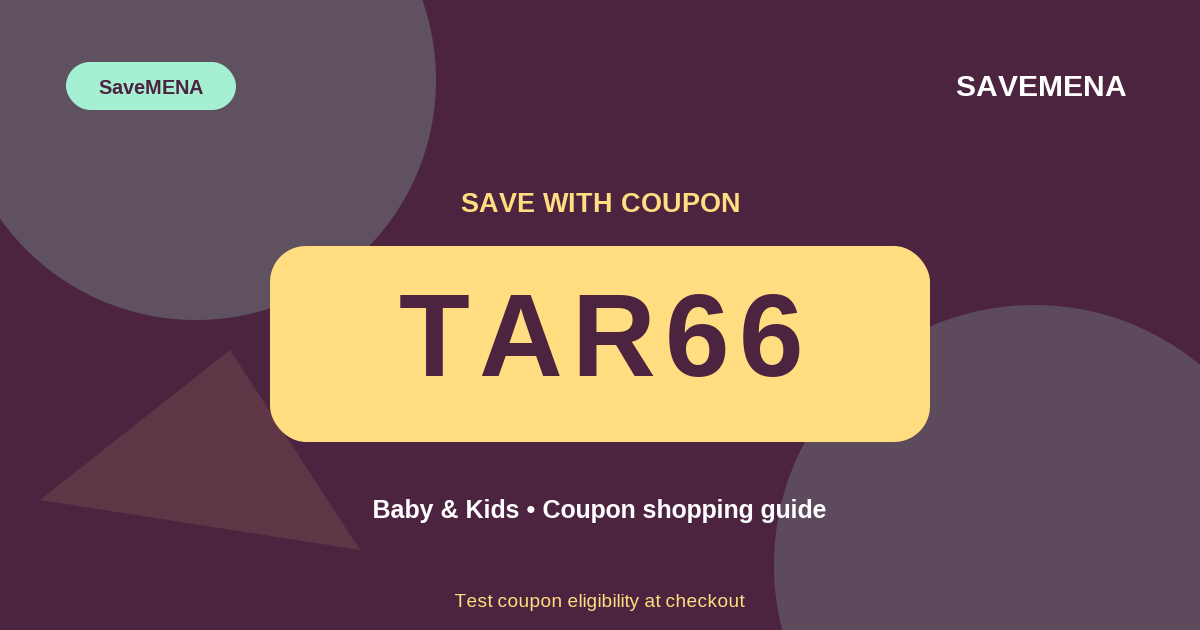
Codes available to try while comparing
These codes are not guaranteed for the article topic or listed brands; test them at checkout and use the live result.
Section 8: Putting it all together: building a purchase plan, creating a shopping list, apply coupon at checkout, confirm final amount.
Make sure no mention of invented funding. Avoid stated percentages. Avoid fake numbers. In each section advise verifying at checkout.
Spotting Reliable Sellers on Noon
In any marketplace, the first filter for a safe buy is the seller’s credibility. Noon displays a seller rating out of 5 stars as well as the quantity of completed orders. Look for patterns: a high rating accompanied by several hundred reviews indicates consistent customer satisfaction. For baby and kids items, a verified seller badge is extra reassuring, as it confirms that Noon has conducted a due diligence check. While the sheer volume of ratings is encouraging, read a few selective reviews for recurring issues—recurrence can signal unavoidable problems that numbers alone may hide.
Beyond ratings, pay attention to how a seller responds to inquiries. Many sellers list a dedicated customer service email or a direct messaging link. A quick question about a product’s safety grade or shipping timeframe that receives a prompt, clear answer is a positive hint. Always confirm that the seller’s response time aligns with your urgency; the next section will explore how price portals and coupon codes let you quickly compare alternative sellers for the same item.
Building Your Baby & Kids Shopping List
Start by segmenting your needs: feeding, sleeping, dressing, play, and safety gear. For each category, identify must‑haves and nice‑to‑have extras. Noon offers curated collections—for instance, diapers, high‑chair accessories, and organic baby food. Align these with product specifications such as weight limits, material safety, and brand certifications. When you have a structured list, you can methodically search for each item on Noon, spot sellers with proven track records, and keep the comparison straightforward.
While you’re assembling the list, take advantage of the built‑in “filter by seller” option on Noon. This lets you see all offers for a product across different merchants, ensuring you spot variations in price, shipping, or special bundles. A side note: most sellers will display their URL clearly; consider bookmarking reputable sellers for future purchases. You’ll notice that those who run a dedicated store on Noon—often with a branded storefront—tend to have better customer support.
Price‑Punch and the TAR71 Coupon
Comparative pricing is straightforward when you retrieve the same item from multiple sellers. List the price, noted including any mandatory tax, next to the seller rating and customer feedback. Once you’ve secured the best price for each product, test the TAR71 code against the total cart value. The only caveat is that coupons or promotions are applied at final checkout; some sellers may have restrictions like minimum spend or non‑stackable offers, so it is essential to verify eligibility by adding the coupon at the cart stage.
One practical rule of thumb: add a high‑margin item or one with a larger shipping fee to your cart first to determine if the coupon delivers a noticeable difference. Once the coupon is applied, cross‑check the new total against the account balance requirements. The final checkout screen is the ultimate arbiter of your savings—read the “discount applied” notice and confirm that the final payable amount reflects the coupon’s benefit. In the event of a no‑apply scenario, contact the seller directly and explain the situation.
Shipping, Delivery Times and Door‑to‑Door Guarantees</HEHeading>
Noon’s shipping structure is transparent: free delivery thresholds apply for orders over a set amount, while standard deliveries come with a flat fee. Each seller posts a “delivery window” on their product page—often a fixed day range. For baby essentials, you’ll want a seller that guarantees same‑day or next‑day delivery to avoid missing a critical need. The Seller’s “logistics partner” is also listed; checking the partner’s reputation can hint at reliability.
After placing the cart, review the delivery fee section on the checkout page. Verify whether the threshold for free shipping has been met and whether the chosen time slot remains available. Some sellers allow customizing the delivery address to a nearby pickup point. If you’re unsure, opting for an express option may cost extra but ensures you’ll receive certain items before a busy parent schedule.
Decoding Return and Exchange Procedures
Return policies fluctuate with each seller, but Noon requires all sellers to comply with a baseline policy: a buyer can return an item within 30 days of receipt for a refund, assuming it is unused and in the original packaging. The seller’s return process is normally displayed on the product page, while additional instructions may be found in the order confirmation email. When buying baby gear, verify that the seller offers free return shipping for defective or mismatched items.
If you decide to return an item, the standard route involves scanning a QR code on the return label or entering the order number into Noon’s support portal. The seller’s response time varies; sellers with higher ratings typically handle returns more efficiently. Take note of “restocking fees” if the seller applies them—though rare, such fees can be listed under the product’s return policy. Confirm each step in the checkout confirmation before completing the purchase.
Engaging Customer Support and Escalation Paths
When an issue arises—whether a delayed shipment or a fault in a product—the first point of contact is usually the seller’s support line or chat feature. Noon offers an in‑app messaging system; you’ll see the seller’s block of contact icons near the order summary. Keep all exchanges documented; screenshots provide a handy audit trail if dispute resolution is required. Good sellers often respond within 24‑48 hours; if not, every seller’s account pages include a link to Noon’s dispute resolution center.
Escalation should be considered if the seller does not comply with the return policy or if the shipment never arrives. Noon’s terms state that applicants can open a refund or exchange ticket, and the company will intervene if the seller fails to cooperate. Keep a copy of your order number and any relevant screenshots; after filing the ticket, you may receive an email acknowledging the issue. Through proactive communication, most parents can resolve disputes with minimal delay.
Applying and Validating the TAR71 Coupon Before Checkout
A coupon is not guaranteed; verify its result at the retailer checkout. Locate the “Apply Coupon” input box at the bottom of the list and enter TAR71. The page will silently refresh, showing a discount amount and a new subtotal. Make a mental note of the discounted total. If the coupon is not accepted, the page typically shows an “Invalid code” message; verify that you have reached the final checkout stage and that you’re using a Saudi or UAE phone number that triggers the coupon’s eligibility list.
After the discount is confirmed, double‑check the coupon’s application against any other active offers: Noon often prevents stacking where a coupon cannot be combined with an existing flash sale. If that’s the case, reselection of paid options may become necessary. The final amount will appear under a separate line item stating “Coupon Discount.” Make sure this deals with the net payable amount before proceeding to payment to avoid surprises.
Related SaveMENA pages
Related articles
Official sources to check
Frequently asked questions
A coupon is not guaranteed; verify its result at the retailer checkout.
No. The code is only available to try. Eligibility can vary with the live account, basket, item, seller and campaign context, so checkout is the final reference.
Where should I confirm the coupon result?
Apply the code in the Noon basket and review the live message and final payable total before payment. Do not rely on an undocumented percentage or condition.
Can the result vary by product or seller?
Yes. Eligibility and offer context can vary with the current basket details, so compare the exact item, seller, variant and final total before purchasing.
What should I do if the code does not work?
Check the market, account, item, seller, basket and payment context, then try another code available to try without guessing an unsupported reason.