Gaming on Noon UAE: seller context — buyer checklist · TAR71
Noon’s search bar accepts a variety of modifiers: “includes controller” or “HDMI compatible.” When you search for a PlayStation 5, add “plus 50,000 free credits” to
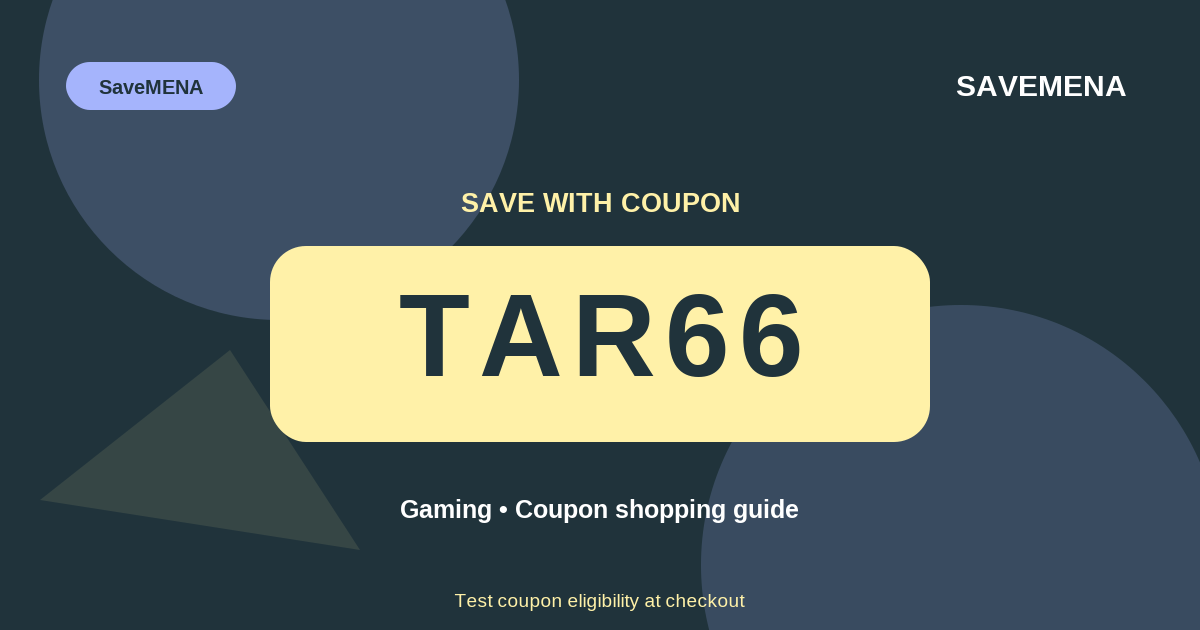
Codes available to try while comparing
These codes are not guaranteed for the article topic or listed brands; test them at checkout and use the live result.
2. Use Keyword Filters to Locate the coupon code Gaming Deals
Noon’s search bar accepts a variety of modifiers: “includes controller” or “HDMI compatible.” When you search for a PlayStation 5, add “plus 50,000 free credits” to narrow results to bundles that truly include extra value. Keep an eye on the price breakdown; many sellers separate the base console from add‑ons, allowing you to adjust the number of items or add-ons in your cart. Filtering with these terms ensures you’re only seeing options that meet your specific gaming needs, rather than generic “gamer” products that may not match your console preference.
After applying filters, sort by customer rating or ‘Deals from Noon’d sellers. Marketplace displays often show the seller’s identity, enabling you to cross‑check their profile and see if it’s a single‑store owner or a large retailer with multiple outlets. This step is crucial, because sellers with a high volume of related counts tend to have better return policies and consistent fulfillment. Stick with those who appear consistently in search results and have solid, recent buyer feedback.
3. Decode Delivery Times and Shipping Fees for Gaming Kits
Delivery time estimates on Noon are calculated based on the seller’s location and the courier chosen. Gaming consoles often arrive in padded boxes that require additional handling, making the seller’s reliability a major factor. If a deal shows a shipping window shorter than two weeks, double‑check the seller’s floor to verify it’s an established distributor with a proven track record. An unusually quick delivery could also mean the item was dropped from a warehouse that is officially partnered with Noon.
Shipping fees are reflected in the cart before checkout. No declared discount is automatic; instead, look for “Standard” versus “Express” options. If the seller uses courier partners that Noon lists on the product page, trust that the logistical process adheres to local regulations. If you’re concerned about over‑charging, contact the seller via Noon’s messaging system before finalizing the payment. A reliable seller will clarify shipping costs promptly and provide proof of freight handling if you request it.
4. Validate Console Accessories and Peripherals from the Same Seller
When assembling a gaming system, the same seller that provides the console should ideally supply the controllers, headsets, and charging docks. Cross‑checking product listings ensures that the accessories comply with the console’s compatibility standards. A reputable seller will list the necessary USB adapter or wireless protocol on the item description. If the accessory appears from a different vendor, verify its authenticity by reading the seller’s policy on returns and warranties. This approach catches potential counterfeit or poorly matched add‑ons before purchase.
Noon’s platform often correlates product categories under a single store banner. Use the “Related Products” widget on the console page to see if the accessory items are from the same seller. Sellers that support premium bundles usually include bundle codes and multi‑item discount statements. If a bundle includes a support package, confirm that it comes from the same storefront. Attention to this detail often saves you from paying pro‑bably premium costs for an accessory that could compromise your console’s performance.
5. Secure Digital Game Codes by Reviewing Seller’s Redemption Process
Digital titles can be delivered instantly via code or in a downloadable link. Seller transparency is especially crucial for virtual goods, as any delay or non‑delivery is difficult to rectify. Check that the seller’s policy states “Code Sent Immediately After Payment.” A high rating on previous game downloads is a strong sign a seller manages codes correctly. Sellers that historically return or delay codes often have lower ratings, so avoid them to protect your gaming schedule.
Some sellers bundle digital codes with hardware offers, providing a voucher or discount from a game publisher.A coupon is not guaranteed; verify its result at the retailer checkout. If the detail is missing, reach out to the seller or read the most recent buyer comments for clarification. The additional step protects you from being stuck with a non‑redeemable or expired code.
6. Apply the TAR71 Coupon at Checkout Under Eligible Conditions
The TAR71 coupon is available to all customers who complete the checkout process, regardless of the item category. When you reach the final payment screen, a coupon field appears where you can paste TAR71. Activation of the coupon usually confirms discount eligibility in real time, and you will see the updated total before you finalize the purchase. A reliable seller’s checkout interface will display the coupon’s effects immediately. If the seller does not accept the coupon, notice that a message often clarifies the reason during that step.
Because coupons are not guaranteed to apply for all sellers or product bundles, it is wise to double‑check that the coupon is still active by visiting Noon’s support page or contacting customer service. Some sellers’ promotions may conflict with coupons, meaning the final price reflects the highest applicable discount. A clear understanding of this dynamic at the moment of purchase prevents surprises in the final billing amount, and ensures you have the most accurate cost.
7. Handling Returns and Warranties Directly Through the Seller
After delivery, no matter how satisfied you are, a solid warranty and return policy are a must. On the product’s page, scroll to the “Seller Policies” section to review the precise conditions. A trusted seller will make it simple to initiate a return or claim warranty support via Noon’s order status page. They should also provide the seller’s direct contact details so you can discuss potential defects or shipping damage outside of Noon’s standard flow if needed.
Refunds for defective games or broken consoles usually take a few days to process. Some sellers automatically refund and replace within 24‑48 hours, while others might need to ship a replacement unit first. Before verifying the seller’s credibility, read all buyer feedback regarding after‑sales support. If a seller’s history denotes many “long‑time unresolved issues,” approach the purchase with caution. A reliable seller keeps transparent records of resolved claims, promoting faster action if any problem arises.
8. Keep Track of Future Game Deals and Sale Announcements
Noon often rolls out flash sales or exclusive bundles aligned with major gaming anniversaries or new-release dates. To stay ahead, subscribe to the Noon newsletter or use the app’s push notifications specifically for game sections. Sellers that consistently announce upcoming deals can be spotted in their “About” section or by observing frequent promotional updates on their store page. By tracking these sellers, you’re more likely to catch limited‑edition bundles or special edition consoles as soon as they drop.
Purchasing from seasoned sellers also offers the advantage of knowing refund windows and return timelines during holidays or special sales. Some sellers add a note on the product page indicating whether the deal’s warranty covers holiday mishaps. Tracking deals through multiple seller channels ensures you can compare short‑term savings, long‑term reliability, and immediate availability when the perfect gaming package becomes available.
Related SaveMENA pages
Related articles
Official sources to check
Frequently asked questions
Do all sellers accept the TAR71 coupon on gaming products?
Only sellers that allow coupons in the product category can apply TAR71. At checkout, you’ll see if the coupon is accepted; if it is not, the system will show a message explaining the reason.
Is the seller’s shipping fee included in the final total before checkout?
The shipping fee is displayed on the cart page. Confirm it once it is shown, as it may vary based on the seller’s location and courier partnership.
What should I do if I receive a defective console after purchase?
Use Noon’s order history to start a return or warranty claim. Contact the seller directly if additional clarification is needed, and document any damage with photos for the support ticket.
Can I use TAR71 on digital game codes as well?
Norton its use is tested at the checkout; if the coupon is eligible for the sale, the discount will be applied to the final price field before payment confirmation.