Laptops on Noon UAE: seller context — buyer checklist · TAR71
Noon UAE deals Laptops seller context: match the exact Laptops and seller context, then test TAR71 in the Noon UAE basket and use the live checkout message and
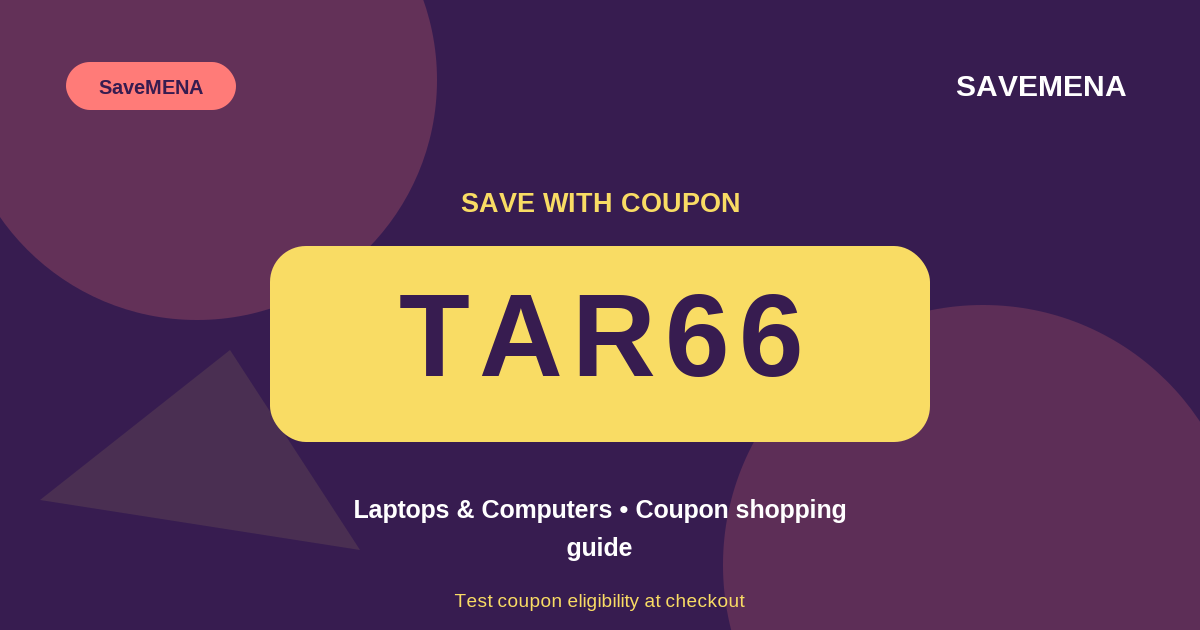
Codes available to try while comparing
These codes are not guaranteed for the article topic or listed brands; test them at checkout and use the live result.
Understand the purchase intent and basket context
2. Evaluating Processor and Memory Specs in Noon UAE Deals 3. Storage, Display, and Graphics Deep Dive for Professional Tasks 4. Connectivity, Battery Life, and Port Selection: Practical Considerations 5. Warranty and After‑Service: Seller Reliability and Return Policies 6. Leveraging the TAR71 Coupon: Steps and Checks on Noon UAE 7. Delivery Options and Fees: Planning Your Laptop Arrival 8. Final Checklist: From Product Page to Checkout with Seller Context Need two paragraphs each. Make sure we don't mention any numeric amounts. No price. Can't mention expiry date. Avoid mentioning discount
percentages. Not guarantee coupon. But we can instruct how to verify coupon at checkout. Let's write accordingly. Ensure each paragraph 80-100 words. We'll count roughly. Paragraph 1 intro: 140-180 words.
Match the exact product and seller
to match performance needs, build quality, and after‑sales support with the practicality of a coupon like TAR71. This guide takes you through the essential technical specs, the importance of seller reputation, and the exact steps to apply the coupon at checkout. By the end, you’ll know which factors to weigh and where to double‑check eligibility so your purchase goes smoothly and saves you money without surprises. Choosing the Right Laptop Tier for Your Everyday Use When you first browse Noon UAE, decide whether your routine demands a mainstream device for
browsing, office work, and streaming, or a high‑performance model for gaming, design, or software development. Look for clear segmentation on the product page—entry‑level, mid‑range, or gaming/workstation categories. These labels give a quick sense of typical CPU tiers, GPU presence, and memory limits, helping you avoid overpaying for features you don’t need. Seller context matters: a product listed by a store specializing in electronics will often provide more reliable support than a generic third‑party seller. Check the seller’s rating, display of return policies, and communications. Even if the laptop meets your
Test the coupon at checkout
technical niche, the vendor’s track record ensures you can get help if hardware issues arise. Evaluating Processor and Memory Specs in Noon UAE Deals Choose a processor that fits your workload. For light tasks, a dual‑core or quad‑core CPU from mainstream families will suffice. If you create content or run simulations, look for higher core counts and newer generation architectures. Pay attention to the clock speed listed on the product page; it gives a baseline of how swiftly the laptop can initiate processes. The seller context helps verify whether the
stated CPU matches the actual hardware inside the unit. Memory is equally critical. Minimum 8 GB is common for general use, but creative or virtual‑machine workflows demand 16 GB or more. Verify if the stated memory is soldered or upgradeable—some listings indicate built‑in RAM while others show potential for future upgrades. A reliable seller will note whether the laptop supports memory expansions and how many slots are available. Storage, Display, and Graphics Deep Dive for Professional Tasks Storage choice—SSD vs. HDD, and capacity—directly impacts boot times and file transfer speeds.
Compare the final payable total
Watching for solid‑state drives (≥256 GB commonly) on Noon UAE saves you latency. Notice the SSD interface (SATA or NVMe) and ensure it matches your budget for speed. Samsung, Western Digital, and Kingston are typical brand options, but always read the seller’s product description for exact drivel details. The display must align with your visual requirements. Full‑HD (1080p) is adequate for most, but a 4K or IPS panel offers sharper colors and wider viewing angles if you work in design or graphic media. GPU details are also vital; built‑in Intel
or AMD graphics are suited to everyday tasks, while discrete Nvidia or AMD GPUs become necessary for rendering or gaming. Verify the GPU model and whether it’s a mobile variant, as this informs power consumption and heat performance. Connectivity, Battery Life, and Port Selection: Practical Considerations USB-C, USB‑3.0, HDMI, and SD card readers each play a role in your daily workflow. Check the number of each port on the product page and cross‑reference the seller’s description to confirm compatibility with your peripherals. Some laptops still include legacy ports that are
Review delivery, fees and payment context
softened in newer models, so ensure you need the connections your devices require. Battery endurance is reported as an estimate; sellers often indicate “up to X hours” under certain workloads. Contextualize that figure by considering your usage pattern—heavy video playback vs. light office browsing—and ask the seller about real‑world performance or user feedback. Combined with a warranty that guarantees power issues, you gain confidence in the laptop’s longevity outside the showroom. Warranty and After‑Service: Seller Reliability and Return Policies Warranty duration and inclusivity vary by seller. A standard one‑year warranty
covering defects is common, but some vendors offer extended coverage or on‑site support. Carefully read the seller’s warranty details—often found in their “Guarantee” section—to understand which components are covered and how a claim is processed. Return policy terms are equally essential. Some listings allow returns within 15 days of receipt, while others offer a 30‑day window. Confirm whether restocking fees apply and if the laptop must be returned in original packaging. A reputable seller will make these policies clear, ensuring you aren’t caught off‑guard after receiving the product. Leveraging the
Compare alternatives fairly
TAR71 Coupon: Steps and Checks on Noon UAE Adding a coupon such as TAR71 to your cart is straightforward but requires verification at checkout to confirm that the discount applies. Drag the coupon into the toolbar after you have selected the desired laptop, and wait for the system to validate it against the product. If it does not apply, double‑check that the seller supports coupon usage, as some vendors opt out of third‑party discounts. Even after validation, remember that a coupon may not be stackable with other offers, free shipping,
or exclusive seller vouchers. Review the final amount in the cart grand total before proceeding to payment. The checkout page is the definitive reference for coupon applicability and any associated conditions. Delivery Options and Fees: Planning Your Laptop Arrival Noon UAE offers varying delivery modes—from standard to express. On the product page, sellers list estimated delivery windows; use these to estimate when the laptop will arrive. The delivery fee can vary based on your location, the seller’s fulfilment center, and the selected delivery speed. Scenarios such as “white‑label” logistics, where
Use only visible eligibility conditions
the seller handles shipping, or third‑party fulfilment can influence delays. If your project timeline is tight, prioritize sellers that provide the shortest estimated delivery and confirm any additional handling fees before finalizing the purchase. Final Checklist: From Product Page to Checkout with Seller Context Before you hit “buy”, run through a quick audit: technical specs match your use case, seller rating is satisfactory, return and warranty terms are clear, and the TAR71 coupon is accepted in the cart. Also verify that the laptop’s form factor and port selection meet your
workstation setup. Cross‑check the seller’s contact information; a reliable vendor will list a direct phone line or active chat support. Proceed to checkout only after confirming that the coupon is applied and you see the final payable total. Pay attention to any unexpected fees or restrictions. Once payment is processed, keep the order confirmation and expected delivery dates handy for tracking. With this methodical approach, you’ll secure a laptop that meets performance expectations while benefiting from coupon savings without hidden pitfalls. What steps should I take if the TAR71 coupon
Complete the final checkout verification
isn’t accepted on the product page?A coupon is not guaranteed; verify its result at the retailer checkout. If it does, try applying the coupon again or add the item to cart before entering the coupon code. If the issue persists, contact Noon’s customer support or the seller directly for clarification. Can I combine the TAR71 coupon with Noon’s free‑shipping option? Coupon restrictions vary by seller. When you apply TAR71, the system will indicate if free shipping is still available. Always check the final cart amount for any conflicts before proceeding
to payment. How do I verify the warranty coverage for my purchased laptop? Check the seller’s product page for warranty details, usually listed under “Guarantee” or “Specifications.” If unclear, reach out to the seller’s support team or Noon’s help center for confirmation before finalizing the order. Is it safe to rely on a laptop seller with a lower rating? A lower rating can signal past customer dissatisfaction. Evaluate the number of reviews and the nature of complaints. If the seller offers clear return policies and responsive support, it may still
Related SaveMENA pages
Related articles
Official sources to check
Frequently asked questions
What steps should I take if the TAR71 coupon isn’t accepted on the product page?
A coupon is not guaranteed; verify its result at the retailer checkout. If it does, try applying the coupon again or add the item to cart before entering the coupon code. If the issue persists, contact Noon’s customer support or the seller directly for clarification.
Can I combine the TAR71 coupon with Noon’s free‑shipping option?
Coupon restrictions vary by seller. When you apply TAR71, the system will indicate if free shipping is still available. Always check the final cart amount for any conflicts before proceeding to payment.
How do I verify the warranty coverage for my purchased laptop?
Check the seller’s product page for warranty details, usually listed under “Guarantee” or “Specifications.” If unclear, reach out to the seller’s support team or Noon’s help center for confirmation before finalizing the order.
Is it safe to rely on a laptop seller with a lower rating?
A lower rating can signal past customer dissatisfaction. Evaluate the number of reviews and the nature of complaints. If the seller offers clear return policies and responsive support, it may still be acceptable, but proceed with caution and consider alternative sellers.