Samsung Mobiles on Noon UAE: seller context — buyer checklist · TAR71
Extract key specs from the Samsung listing – processor type, memory, camera resolution, and battery capacity – and then compare those features within the same price
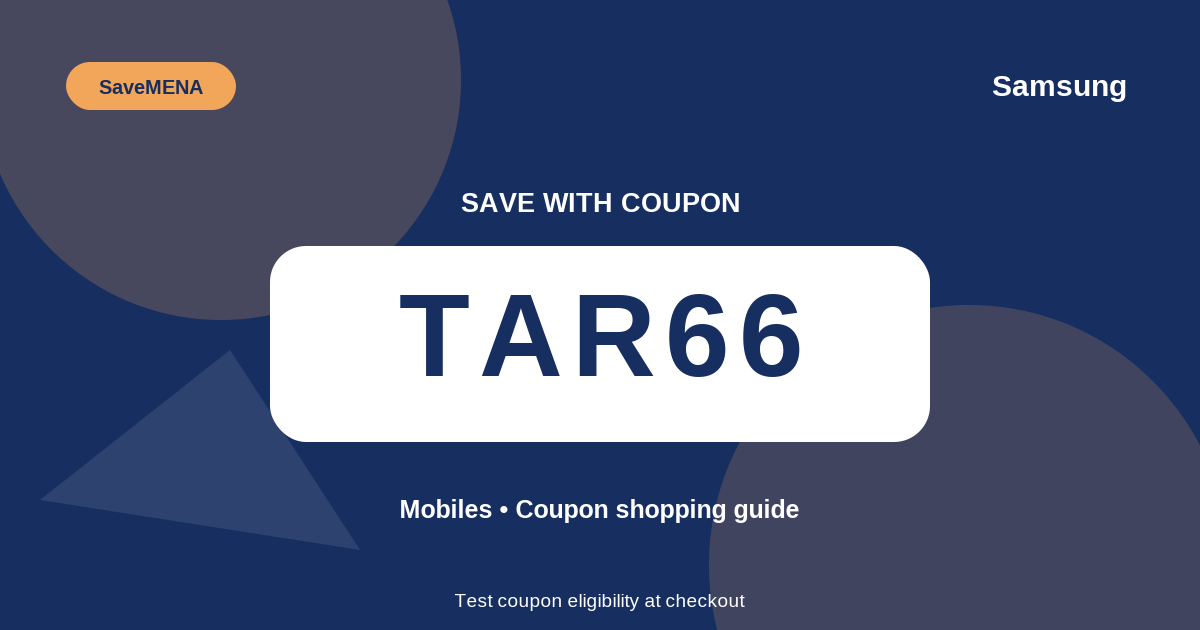
Codes available to try while comparing
These codes are not guaranteed for the article topic or listed brands; test them at checkout and use the live result.
Evaluating Samsung Mobile Options on Noon
Extract key specs from the Samsung listing – processor type, memory, camera resolution, and battery capacity – and then compare those features within the same price band on Noon. Even though Noon aggregates offers, priorities differ: some sellers emphasize premium models, while others push entry‑level phones with competitive pricing. Align the device’s core features with your own usage patterns, such as gaming, photography, or daily streaming, to avoid overpaying for unused capabilities.
While comparing, keep an eye on seller‑specific notes like “Free Apple‑Cordon,” “Extended Warranty,” or “In‑House Repairs.” These extras add to value but only if the seller delivers on the promise. Synchronize your spec preferences with those extras; for instance, a Samsung phone with a larger battery is best paired with a seller that offers an extended warranty, ensuring protection when battery performance changes over time.
Sponsored vs Standard Listings: What to Look For
Noon sometimes promotes certain Samsung models through paid placements, which can make them appear more prominent than other vendors’ listings. Sponsored items may carry 1‑Seller incentives like faster delivery or exclusive pledge guarantees. A well‑placed promotional badge can help you spot a seller that Noon previously rated highly in service approvals, but always review the seller profile irrespective of sponsorship status.
Standard listings offer a larger pool of sellers, including independent resellers or established brands. Rather than relying solely on placement, verify each seller’s lead time, customer support options, and return terms. The value of a seller‑endorsed Samsung phone often lies not just in the device but in how smoothly your order progresses from payment to final delivery, and how readily the seller responds to post‑purchase queries.
Leveraging TAR71 Coupon for Better Deals
TAR71 is a coupon code that users can try at checkout on Noon UAE deals for Samsung mobiles. Input it in the designated field before the final payment to see if a discount applies. Be sure to click “Apply” and watch the price update instantly; if the field clears, the coupon did not activate and you need to proceed without it. Verify what the discount covers: usually it is a monetary reduction, not an offset to shipping or taxes.
A coupon is not guaranteed; verify its result at the retailer checkout. If the code has no effect, double‑check the spelling and ensure you are on the correct Samsung mobile page. If it works, pay attention to how the deduction appears under “Order Summary” before your final confirmation, so you have a clear record of the reduction applied versus the original list price.
Return Policies and Warranty from Noon Sellers
Samsung devices sold on Noon usually carry a manufacturer warranty that starts from the first day of use. Verify that the seller re‑says this point and confirms that warranty documents will be packaged or uploaded digitally. Some sellers attach extended warranty papers for extra peace of mind; if available, confirm the coverage timeframe, claim procedure, and whether the seller itself will handle a warranty claim or redirect you to Samsung’s official service center.
Review the return window shown just before final checkout. Sellers with longer return periods usually score higher customer confidence, but some may impose stricter return conditions for high‑value phones. Knowing whether a return requires original packaging or can be shipped back as is will guide your post‑sale patience. Capture the return policy details as part of your purchase record to reference if a discrepancy occurs down the line.
Payment Methods and Checkout Transparency
Noon accepts a range of payment options – credit or debit cards, cash on delivery, and e‑wallets. Pick the method that best suits your budget and security preference. If you choose a card, check for any device‑specific security tokens that may need set‑up in your bank’s app before the merchant auto‑authorizes the amount at checkout. Regardless of the method, keep an eye on the “Authorization” section so you know when the payment is initiated and when the charge is finalized.
The checkout page is the final reference for all fees, discounts, and taxes. Confirm that the Cherry‑picked Samsung model’s final price reflects the applied TAR71 coupon. Ensure there are no hidden fees such as “processing cost” or “card convenience fee.” If the vendor lists any extra handling fees, verify their inclusion before confirming the purchase. The goal is a transparent transaction where the final amount on the receipt matches what you saw in the order synopsis.
Final Tips for Long-Term Value and Customer Support
Once you’ve locked in your Samsung mobile on Noon, keep a digital snapshot of the confirmation email, the seller’s contact information, and the coupon code entry screen. This backup aids you if the seller’s support team needs contact for warranty, firmware updates, or troubleshooting. Sellers that allow customers to reply directly through Noon’s messaging channel tend to resolve post‑purchase concerns faster than those that require separate email chains.
For long‑term satisfaction, check that the device supports future software updates and cloud services. A Samsung phone with a robust developer ecosystem and active manufacturer updates is a better long‑term investment. Similarly, a seller that links to official Samsung support lines or offers a local repair network ensures you won’t be stuck waiting for a return package during unscheduled downtime. Prioritising seller trust and post‑sale resources you can secure a smoother, more rewarding experience overall.
Compare alternatives without guessing
When you compare another option in samsung, keep the specifications, quantity and seller as consistent as possible and compare the total shown at checkout. A different coupon does not automatically make a deal better because delivery, fees and the live basket context can change the outcome. Use the final payable total as the practical comparison point.
If the retailer shows a specific condition, rely on that visible message; if it does not, do not turn an assumption into a general rule. Test available options one at a time and note any real change in the total or eligibility message. That creates a verifiable shopping comparison instead of a recommendation built on an unsupported marketing claim.
Related SaveMENA pages
Related articles
Official sources to check
Frequently asked questions
Can I return a Samsung phone purchased through Noon if it has a manufacturing defect?
If the device shows a defect, you can use Noon’s return policy to file a claim within the stated return window. Since warranty coverage starts on day one, you should also contact the seller or Samsung for a repair or replacement as per the manufacturer’s warranty terms.
Will Noon apologize for shipping delays from a particular seller?
Shipping delays are governed by the seller’s own logistics. Noon may coordinate with the seller for notices, but it’s the seller that owns the responsibility to fulfill the promised delivery time. Contacting the seller’s support via Noon’s platform is the quickest way to request an update.
Is it safe to use my credit card for Samsung phones on Noon?
Yes, Noon uses secure payment processing for credit card transactions. The platform encrypts all payments and offers card‑holder protections. Ensure your card is enabled for online purchases and monitor your account for any suspicious activity after checkout.