HP Office on Noon UAE: seller context — buyer checklist · TAR73
When you’re looking for a reliable office tool that delivers performance and efficiency, HP’s range of printers, scanners, and all‑in‑ones offer a versatile fit for
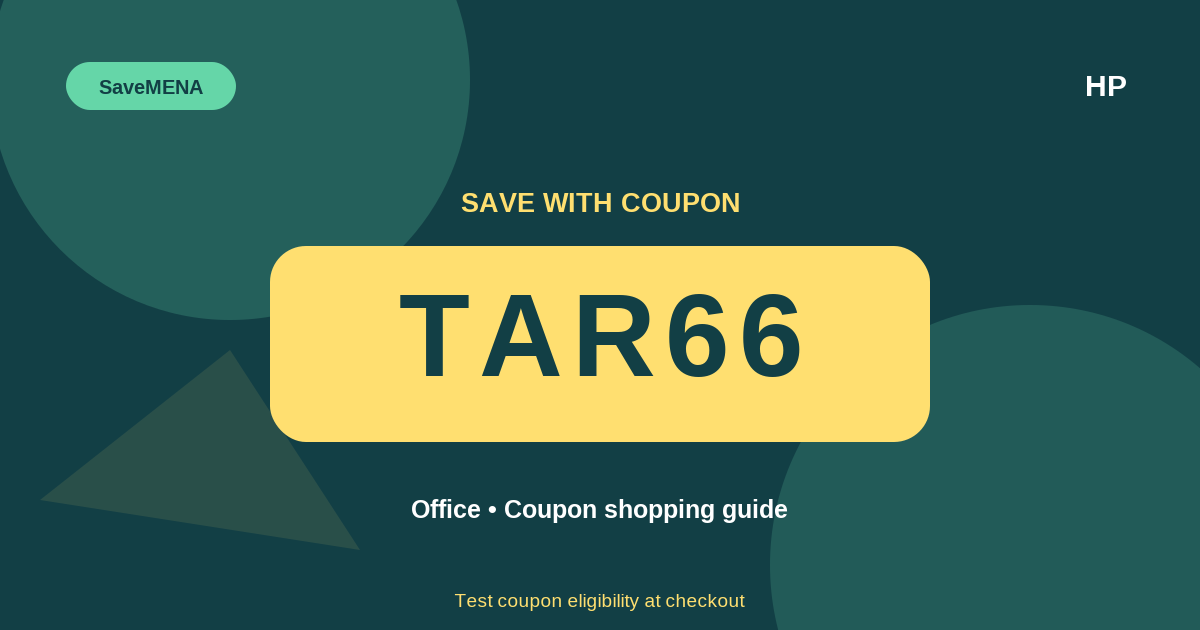
Codes available to try while comparing
These codes are not guaranteed for the article topic or listed brands; test them at checkout and use the live result.
Choosing the Right HP Office Solution on Noon UAE
HP’s office portfolio on Noon UAE ranges from compact monochrome printers to high‑speed color workstations. When comparing models, consider the primary use case: daily printing, high‑volume document processing, or multitasking that includes scanning and copying. Most sellers on Noon provide detailed specifications, so focus on key metrics such as print speed, paper capacity, and connectivity options that align with your office’s workflow. By assessing these features, you can narrow down your choices before evaluating pricing structures.
Once you’ve pinpointed a handful of models, examine each seller’s reputation on Noon. The platform displays seller ratings and verified transaction histories, which can give insight into delivery reliability and customer support. A seller with consistent 5‑star feedback is often a safer bet for office equipment, as issues like delayed delivery or incomplete warranties are less likely to occur. Remember to log any coupon details at this stage, ensuring the coupon code TAR73 is ready for checkout.
Comparing HP Models for Different Office Needs
Small workspaces often benefit from HP’s Mobile Print series, offering portability and USB connectivity. If office space allows, a full‑featured HP DeskJet can serve as a mid‑range solution, handling color printing efficiently. For larger teams, HP’s LaserJet Enterprise line delivers higher speeds and dual‑side printing, supporting increased output needs. Each model’s specifications—such as monthly duty cycle, ink type, and energy consumption—should be weighed against the office’s volume and environmental goals.
When evaluating these models, look for sellers that provide plain product descriptions without hidden jargon. Noon’s listing format usually includes user manuals, maintenance guides, and warranty claims. Transparent listings help ensure the device will perform as advertised. At this stage, you might also check if the seller offers bundle options or extended warranties, as these can add value beyond the base price. Keep the TAR73 code in a separate note so you can immediately apply it during the buy‑now or checkout process.
How to Use Noon UAE Deals to Maximize Savings on HP Equipment
Noon UAE frequently features promotional deals on HP office essentials, but the visibility of these deals changes often. Use the search filters to narrow by category, and sort results by price low to high or by “deal” label. Sellers often indicate “Free Shipping” or “Extended Warranty” bits. While the platform does not display explicit discount percentages for most items, you can still benefit from bundled offers if the seller emphasizes them.
To determine if a deal applies to your chosen HP product, add it to your cart and proceed to checkout. At that point, you can ask the system to apply the TAR73 coupon, which is available to try. Even though Noon does not guarantee its success, the coupon application step lets you confirm if a discount has been accepted. Once applied, the final payable amount—including any shipping or handling fees—appears on the checkout screen, solidifying the actual cost.
Order and Delivery Insights for Offices
Noon UAE’s delivery policies for office equipment require verification after placement. Sellers typically provide a delivery window in days, and all electronic devices come with protective packaging. It’s advisable to request delivery during business hours if possible, ensuring someone is present to verify correct arrival. Some sellers allow assignment of a local or office pickup location, which can reduce shipping delay risks.
Input official office address details accurately at checkout; this helps the seller to confirm delivery completeness. Noon’s logistics partners give the buyer a tracking ID, allowing real‑time monitoring. For larger office equipment, sellers might ship in multiple packages, so coordinate the arrival times with your office team to reduce downtime. On completion, review the package contents on a trusted device to confirm all parts—such as cables, power adapters, and instruction manuals—are present before formally closing the transaction.
Understanding Warranty and Support from HP Sellers on Noon
HP offers a standard one‑year warranty on its office devices, but the coverage scope can vary by seller. Noons listings often confirm whether the warranty is manufacturer‑backed or seller‑issued. When purchasing, check that the seller provides a clear warranty statement, including contact details for support and how to initiate a claim if the device fails within coverage.
Another aspect to verify at checkout is whether the seller includes a service plan, especially for high‑use printers. Extended service plans can provide proactive maintenance, which is beneficial for busy offices. If the seller’s listing does not explicitly mention these options, it is wise to seek clarification before finalizing the order. Keep any confirmation of warranty terms handy for future reference.
Customer Experience: Reviews and Ratings on Noon for HP Office Gear
Noon’s review system lets customers rate both product performance and seller service. For office purchases, consult reviews focused on durability, print quality, and ease of setup. A higher rating usually indicates easier onboarding and consistent product performance—key for minimizing office downtime.
It’s also helpful to read any comments discussing the seller’s responsiveness to post‑purchase queries. If multiple reviewers mention helpful communication, that signals a reliable seller. Before placing your final order, make sure the averaged rating and volume of reviews align with typical HP performance expectations.
Office Accessories That Pair Well with HP Products
Augmenting your HP device with compatible accessories can enhance overall efficiency. Items such as multi‑functional trays, high‑capacity ink cartridges, or protective protective‑in‑case sleeves for hard‑copy storage can be found across Noon’s office supply range. Seller listings usually provide compatibility details to ensure the accessories will fit your HP model.
When selecting accessories, particularly when buying from a new seller, verify that the item’s description lists precise dimensional data and the official HP machine model it supports. This step mitigates the risk of an incompatible accessory, which could otherwise cause delayed setups or reduced print quality. Keep any matched accessory coupon in a separate text file so that it can be applied later if the seller offers a promotion.
Final Tips for Your HP Purchase on Noon UAE
Before making a final commitment, revisit the product’s seller profile, ensuring it remains active and responds to inquiries. Confirm any changed shipping policies or return conditions, as these factors can influence your post‑purchase experience. Once the product is in your cart, apply the TAR73 coupon to assess its effect on the total cost. The checkout screen is the authoritative reference for the final payable amount.
After purchase, store the confirmation email and the appended order ID in a shared office location. This record simplifies future support requests or warranty claims. Regularly monitor the device’s performance and, if your office’s usage changes, consider reviewing Noon’s new HP deals or evaluating an upgraded model to keep productivity streamlined.
Related SaveMENA pages
Related articles
Official sources to check
Frequently asked questions
Can I use the TAR73 coupon on any HP office printer in Noon UAE?
The coupon code is available to try during checkout. Its acceptance depends on the current promotion settings for the specific HP product. Apply it when you’re about to finalize the purchase to see if it is accepted.
Are Noons sellers for HP equipment guaranteed to be reliable?
Check the seller details directly; do not infer identity verification or reliability from a badge. Check the seller’s rating and read recent reviews to gauge overall trustworthiness before purchasing.
What should I do if an HP device I ordered from Noon isn’t functioning properly?
Check the warranty details provided in your order confirmation and the seller’s listing. Contact HP or the seller’s customer service as instructed, and follow the steps outlined for warranty claims. Keep all related documentation handy.
Does Noon provide free shipping for HP office devices?
Shipping policies vary by product and seller. Some listings mention free or discounted shipping, but it’s best to confirm the shipping fee on the checkout screen before finalizing your purchase.