Samsung TVs on Noon UAE: seller context — buyer checklist · TAR71
Looking for the best Noon UAE deals on Samsung TVs while staying coupon‑aware? This guide gives you a detailed roadmap to navigate Noon’s listings, focus on Samsung
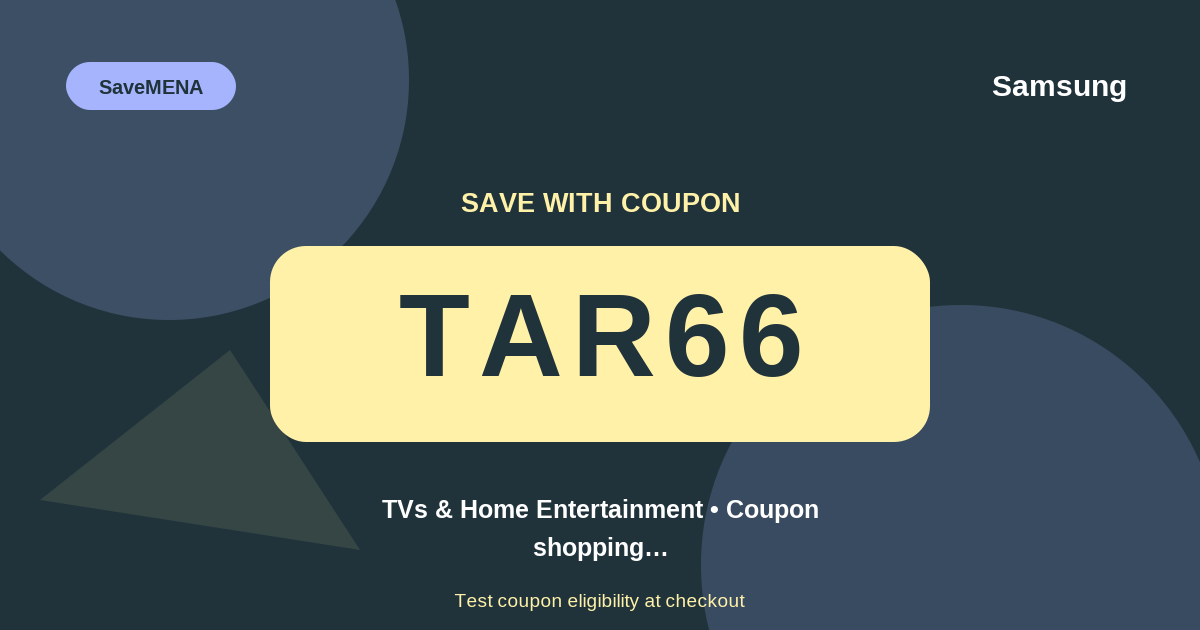
Codes available to try while comparing
These codes are not guaranteed for the article topic or listed brands; test them at checkout and use the live result.
Start With Your Viewing Needs: Samsung TV Options on Noon UAE
When you first glance at Samsung’s range on Noon UAE, take a moment to identify the key features that matter most to you—screen size, resolution, smart capabilities, and connectivity options. Samsung offers a spectrum from compact models to large‑screen cinematic experiences, each the coupon code different usage scenarios like gaming, streaming, or everyday cinema. By listing your primary use cases, you can quickly filter the options and avoid spending time on models that don’t meet your needs. This focused approach reduces confusion and lets you explore only the configurations that align with your space and entertainment goals.
Once you have your shortlist, compare the feature sets side‑by‑side. Pay attention to panel technology specifics such as QLED, Ultra‑HDR, or Quantum Processor, which impact picture quality and color accuracy. Also, note whether the model supports the latest HDMI versions or streaming app ecosystems that are popular in the UAE. Having a clear feature comparison minimizes the chance of neglecting future‑proofing, and it prepares you to assess the seller’s listing credibility and added benefits in the next step.
Seller Reliability Matters: Choosing Trusted Samsung TV Sellers on Noon UAE
On Noon UAE, several sellers offer Samsung TVs, and their reliability can vary. A reliable seller typically maintains a history of positive customer interactions, promptly responds to inquiries, and offers clear product descriptions with verified photos. Look for indicators such as read reviews, total sales count, and seller rating that provide an overall sense of trustworthiness. Reliable sellers also usually provide their contact information and support channels, allowing you to clarify any doubts before purchase.
When evaluating a seller, verify that they explicitly state the VA details such as model authenticity, condition (new or refurbished), and packaging guarantees. Also, search for any mention of their return policy or warranty add‑ons. By confirming these factors early, you mitigate risks related to product misrepresentation or post‑purchase complications. This ensures that your Samsung TV investment aligns with your expectations for quality and after‑sales support.
Warranty & Support: How Buyers Should Verify Seller Coverage for Samsung TVs
Samsung TVs come with manufacturer warranties that vary by region and model. When a seller lists a product on Noon UAE, they should clarify whether the original warranty is retained and if it can be transferred to the buyer. If not, some sellers offer extension plans that extend coverage, often at additional cost. Make sure you read any warranty details included in the product description or ask the seller directly.
Support is another critical factor. Confirm whether the seller provides post‑sale assistance, such as a dedicated help line or troubleshooting resources. Some sellers partner with local electronics services that can handle repairs or installations. By verifying both the warranty coverage and the availability of support channels, you help safeguard your purchase against future technical issues and expedite resolution if a problem arises.
Cost Breakdown Without Disclosing Prices: What to Check at Checkout
At the point of purchase on Noon UAE, the checkout screen consolidates all monetary elements: product cost, taxes, shipping charges, and any applied discount or coupon codes like TAR71. While the platform will not reveal the numeric discount, it will show the final payable total after applying the code. It is prudent to review each component, ensuring there are no hidden fees or unexpected charges that can inflate the final amount.
In addition to the final total, confirm the payment method options available for your region, and whether the chosen method influences the total cost or delivery time. Some platforms may provide instant shipping for certain payment cards or through specific voucher combinations. By carefully inspecting all variables before confirming the purchase, you maintain control over the final transaction and avoid post‑purchase surprises.
Applying the TAR71 Coupon: Steps and What You Should Confirm
To try the TAR71 coupon on Noon UAE for a Samsung TV, enter the code at the checkout coupon field. The platform will attempt to apply it and may indicate whether the code was accepted. Keep in mind that the success of the application is not guaranteed; suitability depends on the seller’s current promotions and the product’s eligibility criteria.
After entering the code, double‑check that the discount has been reflected in the total payable amount. If the code does not seem to apply, verify that there are no restrictions such as a minimum cart value or a specific seller limit mentioned in the product listing or on the coupon’s terms. If in doubt, reaching out to the seller’s support can clarify whether the TAR71 code can be applied to your chosen Samsung TV at that time.
Delivery and Shipping Preferences: Timing and Fees for Samsung TVs in UAE
Delivery options on Noon UAE typically include standard, expedited, and sometimes same‑day or scheduled deliveries, depending on your location. When you add a Samsung TV to the cart, the expected arrival window will appear beneath the price summary, alongside any applicable shipping fees. These details are crucial for planning large appliance deliveries, as space and timing can affect installation.
Inspect the seller‑specific shipping policy, which outlines responsibility for damage during transport and any offered protection plans. Some sellers provide free standard delivery, while others may charge for expedited options or for delivery to remote or high‑altitude locations. Knowing these distinctions before purchase can prevent last‑minute charges and help you choose the most convenient and cost‑effective delivery method for your schedule.
Returns and Exchanges: What the Seller States for Samsung TV Purchases
Returns and exchanges on Noon UAE are governed by seller‑specific policies, not the platform‑wide standard. Sellers should define the return window, restoration of original condition, and whether a return shipping fee applies. For costly items like Samsung TVs, it’s common to see a longer return period to account for testing and re‑packaging.
Verify what the seller lists regarding the return process—whether you need to ship the item back in its original package, if a restocking fee is assessed, and whether the original payment method will be refunded. Checking these details at the product page or during checkout ensures you understand the implications if the TV does not meet your expectations or arrives damaged. This knowledge gives you peace of mind and a clear recourse plan.
Final Checklist: Ensuring a Smooth Noon UAE Samsung TV Purchase
Before confirming your order, cross‑check each critical element: confirm the seller’s trustworthiness, verify warranty and support claims, confirm the final total after any coupon application, and review shipping expectations. Also double‑check the return policy and any required steps for warranty claims. Completing this checklist reduces risk and helps avoid post‑purchase complications.
Once you’re satisfied, submit the order, keep a copy of the confirmation receipt, and monitor the shipment status. If any issue arises during delivery or post‑delivery support, refer to the seller’s contact details listed on the platform. A documented trail of communication ensures you can resolve any disputes efficiently. With these precautions, you’ll enjoy your new Samsung TV while safeguarding your investment against unforeseen issues.
Related SaveMENA pages
Related articles
Official sources to check
Frequently asked questions
Will the TAR71 coupon always apply to Samsung TVs on Noon UAE?
The coupon can be applied during checkout, but its success depends on the seller’s promotion terms and product eligibility. Checking the code’s status after entry will confirm if it’s accepted. If it isn’t applied, verifying seller restrictions is recommended before proceeding.
What should I do if my Samsung TV arrives damaged?
Contact the seller immediately using the support contact provided on the order details. Provide photos and a description of the damage. The seller’s return or repair policy will guide the next steps, often including a return shipping label or a service appointment.
Can I exchange my Samsung TV for a different model without a fee?
Returns or exchanges are subject to the seller’s policy. Some may allow exchanges within the return window if the TV is in its original condition, while others may require a restocking fee. Review the policy prior to purchase for precise details.
How can I verify the warranty coverage of my Samsung TV after purchase?
After the sale, the warranty details are typically listed in the confirmation email or under the order details. You can also log into your national Samsung support portal and search by serial number to confirm coverage and registration.