Sony Electronics on Noon UAE: warranty and support — buyer checklist
Noon UAE deals Electronics Sony warranty and post-purchase support: Looking for the best Noon UAE deals on electronics while safeguarding your Sony purchases with
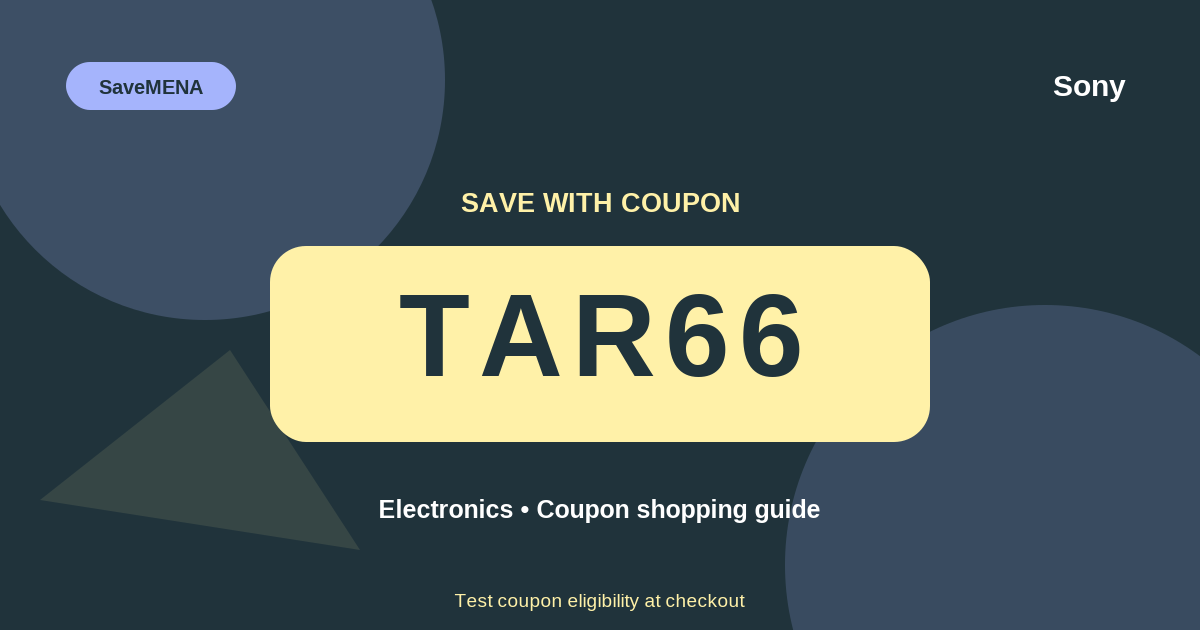
Codes available to try while comparing
These codes are not guaranteed for the article topic or listed brands; test them at checkout and use the live result.
Verify Sony’s Manufacturer Warranty Coverage
Before placing an order, examine Sony’s official warranty terms for the specific electronic category—TV, audio, or gaming console. Check whether the warranty is device‑specific, covers parts and labor, and whether it is valid within the UAE. Keeping the printed warranty card or digital confirmation handy will ease any future claims. This initial verification protects against duplicate coverage or a voided warranty if a distributor’s policy conflicts with Sony’s standard terms.
Once the product arrives, register the serial number on Sony’s website to activate the warranty automatically. Registration often opens a seven‑day grace period during which you can cancel or return the item. Be sure to record the registration receipt; it serves as proof for any service request under Sony’s limited liability. This simple step unlocks the full post‑purchase support that Sony offers globally.
Confirm Seller‑Included Protection Plans
Check whether the Noon listing records a separate protection plan or extended warranty sold directly by the platform or a third‑party vendor. Review the plan’s duration, covered incidents, and whether it complements or duplicates Sony’s own warranty. Seller‑included plans sometimes cover accidental damage, which Sony’s standard warranty might exclude. Verify the scope before proceeding; missing or conflicting coverage could leave you under–insured.
During checkout, pay close attention to any strings attached to the protection plan, such as minimum purchase thresholds or required accessories. If the plan’s benefits are unclear, contact the seller’s customer service channel for clarification. Documenting the plan’s details in your order record ensures you can reference it when requesting a claim or renewal later.
Evaluate the Seller’s Return and Replacement Policy
Return policies differ across Noon sellers. Examine the listed return window and the conditions mentioned—whether it is a full refund, store credit, or replacement. A return policy that corroborates Sony’s warranty terms can streamline troubleshooting if the device fails within the warranty period. Consistency between policies reduces complexity when filing a claim.
Take note of any shipment‑specific conditions, such as return shipping costs or the need for the original packaging. Sellers who allow free return shipping often hand over a more customer‑friendly experience. Log these details alongside your order receipt to reference when you navigate the return center after delivery.
Register Order Information for Post‑Purchase Tracking
After payment, gather all details related to the transaction: invoice number, shipping address, and email confirmation. A correctly recorded order ID enables seamless communication with Noon’s support team if you need to report a defect or arrange a repair. If the seller is a registered Noon partner, they may assist with a quick ticket that references your warranty status.
Save the confirmation in a dedicated folder or cloud storage so it remains accessible if you encounter a claim. Many warranty portals require proof of purchase, and having a digital copy obviates the need to request a duplicate from Noon. Organizing your shipping documents also aids in any customs or tax inquiries that may arise during shipment.
Understand Sony’s UAE Service Centers and Repair Network</HEIGH>
Sony operates authorized service centers throughout the UAE in the capital, Dubai, and Abu Dhabi. Locate the nearest center via Sony’s official website or the support app. Knowing the physical repair address in advance helps you plan a visit if the device requires onsite servicing under warranty. Authorized centers typically perform repairs using genuine parts, ensuring compliance with Sony’s quality standards.
If you prefer remote assistance, Sony’s UAE support portal offers chat and phone options. Sending the serial number and describing the issue allows technicians to diagnose potential software fixes before dispatching a repair kit. Documenting the channel used (phone, chat, or ticket) stores a reference point for any subsequent warranty activity.
Leverage the TAR66 Coupon for Immediate Savings
The coupon code TAR66 is available for use on Noon UAE electronics. While its application is not guaranteed, it is worth attempting during checkout for possible savings. Input the code in the designated field after selecting your Sony device; the interface will confirm whether it applies.
Even if the code does not activate, the checkout page will show the applicable price, any GST, delivery fee, and final payable total. Knowing the final price helps you assess the overall value of the purchase and how it fits within your budget prior to confirming the order.
Monitor Delivery and Verify Product Condition
Once shipping is confirmed, track the delivery status through Noon’s app or website. During arrival, inspect the device for any visible damage or missing components. If issues surface, photograph the condition and contact the seller immediately as they may facilitate a return or repair under the seller’s guarantee.
Keep the product cover intact until you confirm every part functions as expected; Sony’s warranty is void if the device is tampered with outside the open‑box process. Recording a timestamped video of the initial setup can serve as evidence should a later claim arise related to installation issues.
Prepare for Long‑Term Post‑Purchase Support
After setup, install any official Sony software updates and activate warranty registration as soon as possible. Apple screwing. Becoming familiar with Sony’s user manual and support app lessens future troubleshooting time. Marching, once you have a digital backup of any registration steps, keeps the entire lifecycle of the product straightforward.
Recording notes on customer support interactions—dates, agent names, and resolutions—creates a private reference should additional service be required years later. This proactive documentation is especially valuable for high‑end devices where comprehensive documentation can avoid delays that accompany warranty complicates.
Related SaveMENA pages
Related articles
Official sources to check
Frequently asked questions
How do I know if the TAR66 coupon applies to my Sony purchase?
The coupon is available for trial but not guaranteed to apply. Enter the code during checkout; the system will confirm whether it is accepted and will adjust the price accordingly. If not accepted, the checkout will show the full price including GST and delivery fees.
Can Sony’s warranty cover accidental damage on my device?
Sony’s standard warranty typically covers manufacturing defects and mechanical failures but generally excludes accidental damage. If you want coverage for drops, spills, or mishandling, look for an extended protection plan offered by the seller or search for third‑party warranty providers approved in the UAE.
What should I do if my product arrives damaged?
Document the damage with photos or video before opening the packaging. Contact Noon’s support team quickly and provide your order ID. The seller may arrange a return, replacement, or initiate a warranty claim if the damage falls within Sony’s coverage.
How can I verify that the seller on Noon is an authorized Sony partner?
On the product listing, check for seller credentials such as “Authorized Sony Dealer” or a verified badge. If uncertain, request direct confirmation from Noon’s customer support. Maintain the seller’s contact details for future warranty or servicing needs.