Grocery on Noon UAE: warranty and support — buyer checklist
Noon UAE deals Grocery warranty and post-purchase support: Looking for a practical coupon‑aware buying guide that helps you shop groceries on Noon UAE while keeping
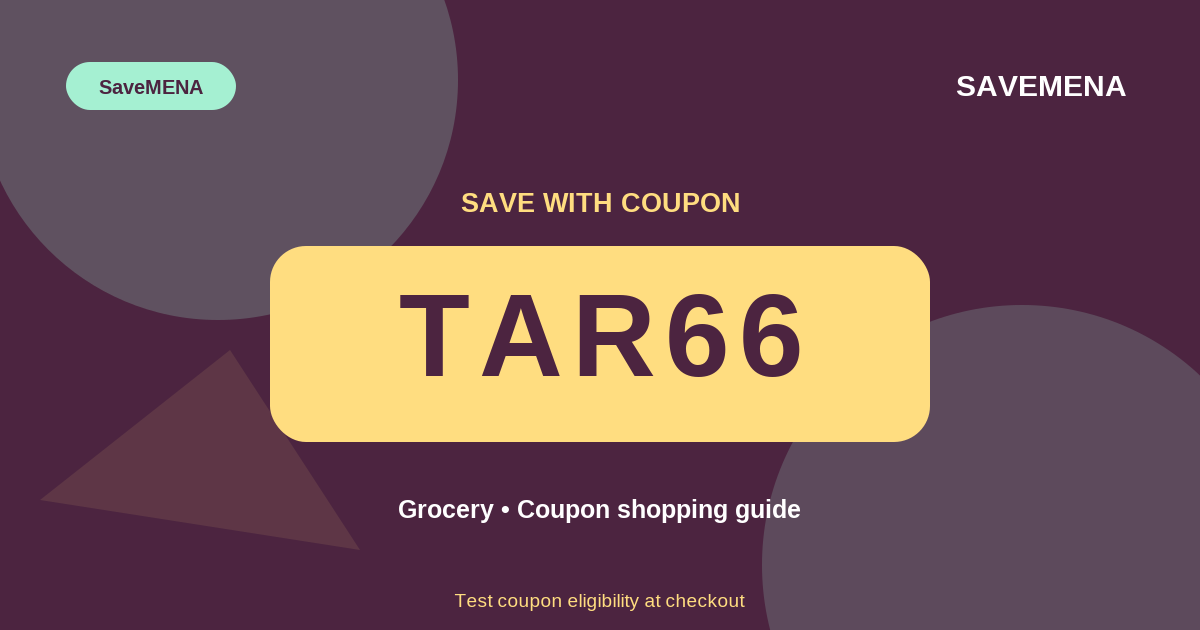
Codes available to try while comparing
These codes are not guaranteed for the article topic or listed brands; test them at checkout and use the live result.
1. Choosing Grocery Listings with Clear Warranty Information
When you browse Noon’s grocery section, start by filtering products with explicit warranty statements in the item description or FAQ. A reputable seller often lists a warranty period or guarantees product quality for a certain time after purchase. To adopt the decision lens of warranty, note how the seller phrases the protection promise: “limited warranty against manufacturing defects for 30 days” or “full seller support for 90 days.” Capture this phrasing for later. If a grocery item, such as a wine or dairy product, lacks any warranty mention, it may not have a formal post‑purchase guarantee, and you may want to seek alternatives.
Check that the warranty’s conditions match your usage scenario. For perishable goods, a warranty might cover packaging issues only. For household staples, a warranty could include stuffing or packaging faults for a longer period. Compare the warranty details of similar items. A well‑defined warranty gives you another layer of confidence in the product’s quality and in Noon’s compliance with consumer laws in the UAE.
2. Verifying Seller Authenticity and Return Policies
Once you find a grocery item with an expressed warranty, verify it is sold by a reputable Noon seller. Look for the seller’s rating, presence of a store badge, and a history of positive feedback coupled with actual seller responses. An authentic seller usually provides clear return and refund terms for grocery items. Check whether the seller mentions a return window—often 7 or 14 days for groceries—and under what circumstances returns are accepted (e.g., damaged packaging).
Confirm that the return process is covered by the warranty or by the seller’s return policy. A true warranty usually protects against manufacturing defects, while a return policy covers delivery issues or consumer dissatisfaction. Both forms of support should be clearly stated. If the seller does not list return terms, exercise caution and consider alternative listings that clarify post‑purchase service.
3. Understanding Post‑Purchase Support Channels
After confirming warranty and return details, explore how to access post‑purchase support. Look for a dedicated support URL or contact email in the product listing or the seller’s shop page. Some sellers provide a simple customer service link or a chat function for real‑time assistance. Note any stated response times; while Noon does not promise specific timelines, reputable sellers often commit to 24–48 hour replies.
Record the support address, phone number, or chat link as part of your decision lens. Have this ready before you proceed to checkout so you can immediately reach out if you encounter product defects within the warranty period. Good post‑purchase support means you can claim a repair, replacement, or refund without unnecessary paperwork.
4. Checking License and Authenticity Certifications for Imported Grocery
Many grocery items on Noon are imported and may come with certifications such as USDA, Halal, or Organic labels. These certifications can sometimes be tied to seller warranties, ensuring compliance with safety standards. Look for the certification badge in the product image or description and confirm it matches the seller’s authenticity claim.
Verify the certificate’s issuer through the issuer’s website or contact information, which can improve confidence in the product’s quality. A certified product also often includes an extended support window for defects related to packaging or labeling, which can be useful if you later need to file a claim.
5. Appropriately Applying the TAR66 Coupon Code
The TAR66 coupon code is available to try on Noon UAE. Before you finalize your cart, locate the “Coupon Code” field during checkout. Enter TAR66 exactly as shown, then submit. The system will automatically scan for any applicable discount on your grocery items. It is important to note that coupon eligibility may vary by product type or seller, and that applying a code is not a guarantee of discount, only the opportunity to try.
After submitting the code, review the updated cart summary. If the discount applied, the new subtotal should reflect. If not, the summary will indicate the coupon was not valid for the current selection. In that case, consider adjusting the cart or exploring other items that may accept the code, or simply proceed without a discount if the warranty and support benefits suffice.
6. Confirming Delivery Details and Tracking for Warranty Validity
Once you have added the grocery item to your cart and verified warranty coverage, review the delivery details. Note the estimated arrival window and any available tracking numbers or labels. Fast delivery may reduce the risk of damage, which is important for both warranty integrity and customer satisfaction.
Keep a record of the delivery confirmation email or order number. This documentation can be essential if you need to file a warranty claim for a damaged or defective item, or if the post‑purchase support team requires evidence that the product was received in a timely manner.
7. Initiating a Warranty Claim When Needed
If you find a defect covered under the warranty, initiate a claim by contacting the seller through the post‑purchase support channel noted earlier. Include the order number, a description of the issue, and any relevant photos or videos that illustrate the defect. A clear, concise claim is less likely to be dismissed and provides the seller with all needed information to process a replacement or refund.
After submitting your claim, follow up using the provided tracking or reference number to monitor progress. Reputable sellers usually provide updates via email or the Noon app. Knowing the expected resolution timeframe, often 5–10 business days, helps you plan accordingly.
8. Retaining Documentation for Future Claims and Returns
Preserve copies of your purchase receipt, warranty statement, and any communication with the seller. A downloadable receipt can be saved in your Noon account under “My Orders,” while screenshots of warranty details and customer support conversations provide tangible evidence if a dispute arises.
Store these documents in a dedicated file, either digitally or physically, so they’re easily retrievable should you need to revisit the warranty period or initiate a return. Good record‑keeping ensures that when a post‑purchase support situation emerges, you can reference the original terms and avoid misunderstandings.
Related SaveMENA pages
Related articles
Official sources to check
Frequently asked questions
How does the warranty work on groceries sold on Noon UAE?
Warranty terms for groceries are listed in each product description or the seller’s shop page. They usually cover manufacturing defects for a set period, often 30–90 days. Read the policy before buying and keep the order confirmation for any later claim.
Can I return or exchange a grocery item if I have a warranty claim?
If a warranty claim proceeds, some sellers allow an exchange or refund. However, the returned item may need to be staged for the warranty or comply with the seller’s return policy, such as packaging and condition requirements. Always check the seller’s terms first.
How do I use the TAR66 coupon code when purchasing groceries?
During checkout, locate the “Coupon Code” input field, type TAR66, and press apply. If the code works, the discount will show in your cart summary. If not, you’ll see a message indicating the coupon was invalid for the selected items.
Who should I contact if I encounter a defective grocery product after delivery?
Contact the seller through the post‑purchase support link or email provided in your order details. Provide the order number, issue description, and any visual proof so the seller can assess and process any warranty or return actions.