Logitech Gaming on Noon UAE: account eligibility — checkout checklist · TAR73
Check the checkout details before you tell Noon UAE that you’re ready to pay, especially when you’re about to use a Noon UAE coupon for gaming gear.
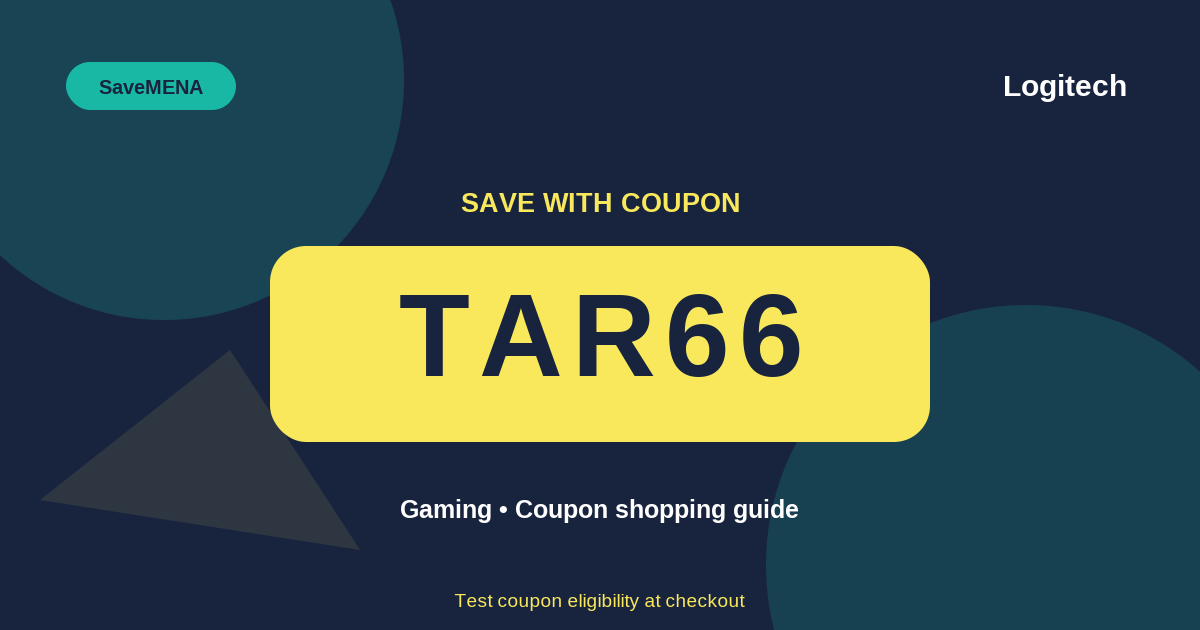
Codes available to try while comparing
These codes are not guaranteed for the article topic or listed brands; test them at checkout and use the live result.
Why a Noon UAE Coupon Matters for Gaming Gear
Gaming peripherals built by Logitech are designed for performance, precision, and comfort, yet their prices can still take a toll on a gamer’s budget. A Noon UAE coupon offers a straightforward way to offset some of that cost, allowing you to invest more in higher‑quality gear or to add additional accessories. Importantly, the coupon’s status—whether it’s active, has any restrictions, or applies to a specific range of Logitech products—depends on your Noon account and the current catalog. This means you’ll need to pay close attention to the coupon’s eligibility before you finalize your purchase.
For UAE gamers, the Noon UAE marketplace is a favored destination because of its solid shipping network and a broad selection of Logitech offerings. The marketplace also adjusts prices frequently, so a coupon could be a decisive factor in timing your purchase. Having a clear understanding of how a coupon interacts with your account settings—such as membership tier or account verification level—lets you make an informed decision before you commit the final payment.
Hunting the Right Logitech Gaming Seller on Noon
Not every product listed under the Logitech banner on Noon is created equal. Sellers may differ in shipping speed, return policies, and even product warranty details. As you search for gaming items, filter by “Logitech” and then further narrow your results to “verified sellers” to reduce the risk of counterfeit or overloaded items. Additionally, check seller ratings and the number of sales—they’re useful indicators of service quality, especially when shipping time matters for your gaming sessions.
Reading customer reviews on the product page can give you real‑world insights into how the items perform under typical gaming conditions. It’s also wise to confirm whether the item you want is listed with the same specifications across multiple sellers; if not, the difference could influence how a Noon UAE coupon is applied—some sellers may not support coupon redemption even if the product is a Logitech listing.
Checking Your Noon Account for Coupon Eligibility
Your Noon account governs whether a coupon like TAR73 can be applied. Begin by logging into Noon and verifying your email and phone number, because uncaptured accounts sometimes see limited discount options. Note the type of account you hold—regular or premium membership, for instance—and whether it has any special status that could impact coupon redemption. Keep a copy of the terms displayed on the coupon page for future reference.
Additionally, ensure that your account has no outstanding balances or holds, as these can prevent coupons from being processed during the checkout flow. Knowing your account eligibility beforehand prevents surprises when the final payable amount is shown, ensuring that you receive the intended benefit of the coupon without a delay or loss of goods.
Selecting the Perfect Logitech Gaming Peripheral
When picking a Logitech gaming peripheral, focus on the primary use case—whether it’s a mouse for quick reflexes, a keyboard for macro‑heavy sessions, or a headset for immersive sound. Pay attention to features such as DPI settings, customizable buttons, and ergonomic design. These features translate directly into performance, so aligning them with your gaming style ensures that the peripheral adds real value.
Once you have zeroed in on a specific product, verify that the variant you’re choosing (for example, buttons, DPI range, or color) displays the same price across the Noon's catalog. Variants can have differing discount structures, and the coupon may apply only to certain versions. Double‑checking these details before adding to the cart can save you time at the final payment stage.
Adding the TAR73 Coupon Before You Checkout
After selecting your Logitech item and ensuring your Noon account supports coupon redemption, locate the coupon field on the cart or checkout page. Entry of TAR73 should prompt a temporary update to the cart total. It is crucial to notice whether this update reflects the full intended discount or if it appears only as a suggested reduction on the next screen.
If the coupon’s effect is not shown immediately, it can be wise to double‑click the “Apply Coupon” button or navigate away from and back to the cart. Doing so forces Noon to recalculate any new totals.A coupon is not guaranteed; verify its result at the retailer checkout.
Confirming the Final Payable Total at Checkout
When you reach the final order review screen, the total payable amount will combine the product price, any applicable delivery fee, and the applied coupon adjustment. Your Noon account context—including any loyalty points or tiered discounts—must be visible here for you to see how they affect the bottom line. Pay close attention to any promotional messages that may appear; they could indicate a change in discount application based on the product or cart total.
At this stage, if the the coupon code coupon has not been fully applied or omitted, contact Noon customer support or use the chat feature for clarification.A coupon is not guaranteed; verify its result at the retailer checkout.
Observing Shipping, Delivery, and Return Policies
On the final confirmation page, Noel lists the shipping method, expected delivery window, and any associated fees. Verify that logistic details align with your gaming schedule—if you need the peripheral by a certain competition date, you may need to choose a faster option. Remember, coupon usage does not typically alter shipping eligibility, but some sellers sometimes offer free shipping separately.
Before confirming the order, check the return policy for the Logitech product. Return windows vary by seller and by product category, and some return conditions differ for electronic gaming gear. Confirming these policies at checkout ensures that you understand the steps you may need afterward if something goes wrong with your purchase.
Post‑Purchase Steps and Support for Gamers
After you pay, you’ll receive a confirmation email detailing the order and a tracking link. Use the link to monitor the shipment and update yourself on any potential delays that might impact your gaming plans. For technical questions, you can reach out to Logitech’s support or the Noon help center for assistance with setup or firmware updates.
Should you encounter any issues such as a missing coupon benefit or an unexpected charge, document the transaction details and contact Noon’s customer service promptly. Keeping a record of your Noon account status, the applied code, and the resulting total will expedite any troubleshooting and help maintain a smooth purchasing experience for future gaming gear.
Related SaveMENA pages
Related articles
Official sources to check
Frequently asked questions
Can I use the TAR73 coupon with any Logitech item on Noon?
The coupon’s applicability depends on both the product and your Noon account status. It may not apply to all Logitech listings or to items from certain sellers. Verify the coupon terms at checkout to see if your chosen item qualifies.
What happens if my Noon account has an outstanding payment?
If your account shows pending charges or holds, you might be prevented from applying coupons. Resolve any outstanding balances before attempting to checkout so the coupon can be processed.
Will the coupon affect my shipping fee?
Typically, coupons reduce the item price but not the shipping fee. However, some sellers might offer combined offers. Check the final total to confirm whether shipping remains unchanged.
My Zoom, Logitech peripheral was delivered late—does Noon cover return?
Return policies vary by seller and by product. Typically, electronics can be returned within a set period if they’re unused. Contact Noon’s help center to confirm the policy for your specific Logitech item.