Laptops on Noon UAE: account eligibility — checkout checklist · TAR71
Before you hit the “Pay” button, take a deliberate pause. A checkout checklist is not just a list; it’s a safeguard that ensures every detail aligns with your Noon
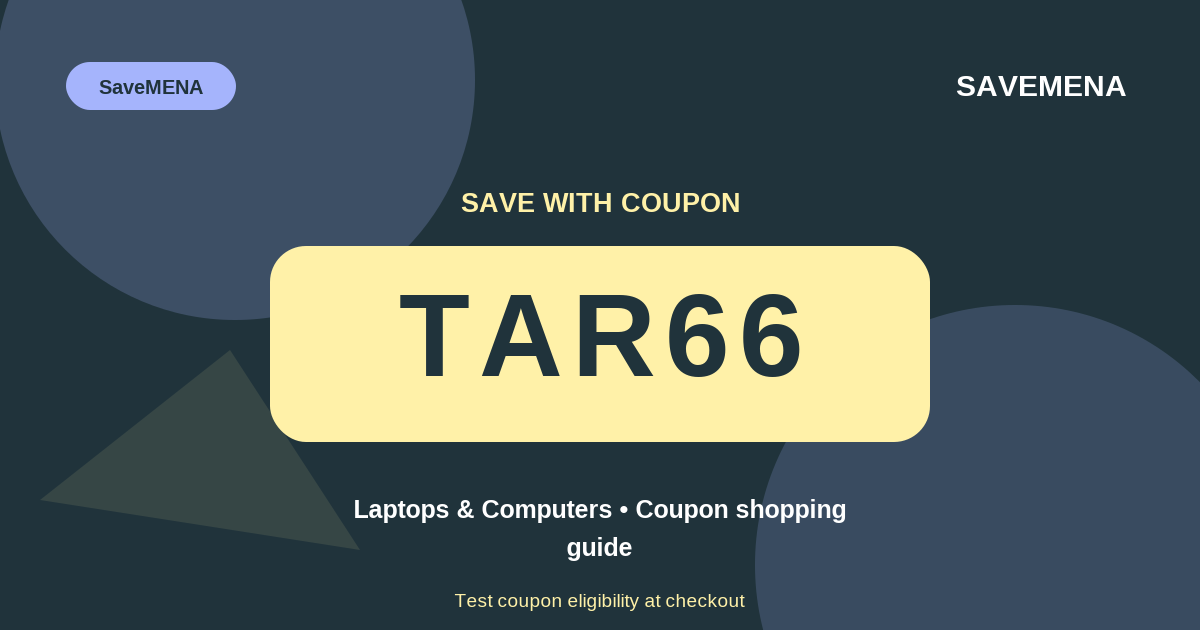
Codes available to try while comparing
These codes are not guaranteed for the article topic or listed brands; test them at checkout and use the live result.
Check Your Noon Account Status Before Adding Laptops
Login into your Noon UAE account and review your profile settings. Confirm that your mobile number, email, and payment cards are up to date; these details often dictate eligibility for certain delivery options or security verifications. An active, verified account reduces the chance of a payment gate‑closing mid‑checkout, especially when high‑value items like laptops are involved.
Additionally, note whether you are a regular customer or a guest. Guest accounts may lack access to saved addresses or loyalty points that can influence the final price. If you haven’t activated your Noon account before starting to add laptops to the cart, do so now—this small step can prevent a mid‑transaction cutoff.
Verify Shipping Address Accuracy for Laptop Deliveries
In your Noon account, navigate to the “Addresses” section before placing a laptop in the cart. Laptops demand careful delivery handling; an incorrect or incomplete address may trigger a delivery fee or even a return. Double‑check the ZIP code, building number, and floor details as these can affect the courier’s ability to reach you promptly.
Consider adding a contact person or a delivery notification preference. Some couriers allow real‑time updates or will contact you in case a delivery person cannot find the correct location. An accurate, detailed address keeps the laptop’s dispatch on schedule and lowers the risk of delayed invoicing or additional logistics charges.
Review Add‑Ons and Warranty Options in Your Cart
While laptops often include optional accessories—continuous or extended warranties, accessories packs, or premium support—these add-ons can significantly modify the total. In the cart, look for a summary that lists each selected add‑on along with its description and price. Verify that the warranty terms align with your personal usage and not just the default duration offered by the seller.
Take a moment to compare warranty coverage across different sellers listed for the same laptop model. Sometimes a slightly higher upfront cost yields better support, especially if you plan to travel or work outdoors. Use the account’s “Track Orders” feature to see how each warranty’s service centers are located near you; this avoids future headaches if you need a replacement.
Confirm Coupon Eligibility: Using TAR71 with Laptops
When you’re ready to apply the Noon UAE coupon code TAR71, navigate to the checkout page’s “Apply Coupon” field. Enter the code and watch the cart recalculate. The system will automatically determine if the coupon applies to the laptop you’re purchasing. Note that the coupon may only be valid for certain categories or price ranges, and it might not stack with other discounts.
Because Noon’s coupon system is dynamic, you might see the discount reflected or not. If the discount does not appear, review any notices or tooltips that explain the coupon restrictions. Verify that the laptop’s listing appears in the “eligible items” list; if it does not, you might need to adjust your cart or look for a similar product that qualifies.
Inspect Payment Method Compatibility with Noon UAE
Noon UAE supports multiple payment methods—credit cards, debit cards, and e-wallets. In your account, check that the selected payment method is active and has sufficient credit. Some high‑value purchases, such as laptops, may trigger a higher security check for credit cards; ensure your card is verified under your Noon profile to avoid a payment decline.
Also, consider whether your bank supports the dynamic currency conversion services that Noon might require. If you’re using a prepaid card or a new e‑wallet, confirm at the start of the checkout that the balance covers the laptop’s subtotal plus any shipping or handling fees, so the payment does not stall mid‑transaction.
Understand Return Policies for Laptops via Noon
Laptops bought within the Noon UAE ecosystem are subject to the platform’s return policy, which can differ from the seller’s own terms. In your account, view the “Return Policy” that applies to the laptop’s category. Pay special attention to the time frame and return shipping fees that may be involved.
Additionally, check if the laptop’s seller offers a pre‑purchase guarantee or quality check documentation. A placed order implies acceptance of those conditions, so understanding them beforehand helps you plan if you need to cancel or exchange.
Monitor Seller Ratings and Reviews in the Context of Your Account
Even with a verified Noon account, the seller’s reputation plays a crucial part in laptop purchases. In the cart, click on the seller's name to view ratings, buyer comments, and response time. Higher ratings generally correlate with better customer support and lower risk of missing shipment details.
Consider the seller’s fulfillment speed—check if they are flagged as “Fast Deliveries.” A seller’s policy regarding packaging can also affect a fragile laptop’s safe arrival. Use your account’s “Track Orders” function to see if the seller has a history of on‑time deliveries for similar items.
Final Pre‑Payment Audit: Quantity, Fees, and Total
Before confirming payment, review your cart’s final breakdown. Confirm that the quantity matches your intended purchase—especially if you added multiple laptops, you might have mis‑clicked a button. Check the total displayed under “Order Summary,” ensuring it includes the laptop price, selected warranties, any shipping fees, and the applied coupon impact.
Verify that the order total reflects the current exchange rate and that no hidden fees are present. If the total seems off, double‑click on the “Edit” button beside each line item to correct mistakes. Once satisfied, proceed to the payment step with confidence that your Noon account context has guided you to a smooth, accurate transaction.
Related SaveMENA pages
Related articles
Official sources to check
Frequently asked questions
How do I know if TAR71 will work on my laptop purchase?
When you enter TAR71 in the checkout “Apply Coupon” box, Noon UAE will instantly display whether the coupon is valid for that item. If it isn’t, the system will typically show a note explaining the restriction.
Can I use a Noon UAE coupon with a guest checkout?
Coupons usually require a logged‑in Noon account to apply.A coupon is not guaranteed; verify its result at the retailer checkout.
Will the final payable amount change after I finish payment?
Occasionally there are dynamic adjustments such as currency conversions or hidden fees; however, Noon displays the final amount at the payment screen to prevent surprises.
What should I do if my laptop doesn’t arrive on the scheduled delivery date?
Use the “Track Order” feature in your Noon account to see real‑time updates. Contact Noon customer support for a swift resolution if the delivery is delayed.