Nike Men’s Fashion on Noon UAE: account eligibility — checkout checklist · TAR73
First paragraph outlining importance of checking account and order details before purchase, mention verifying coupon code usage possibility.
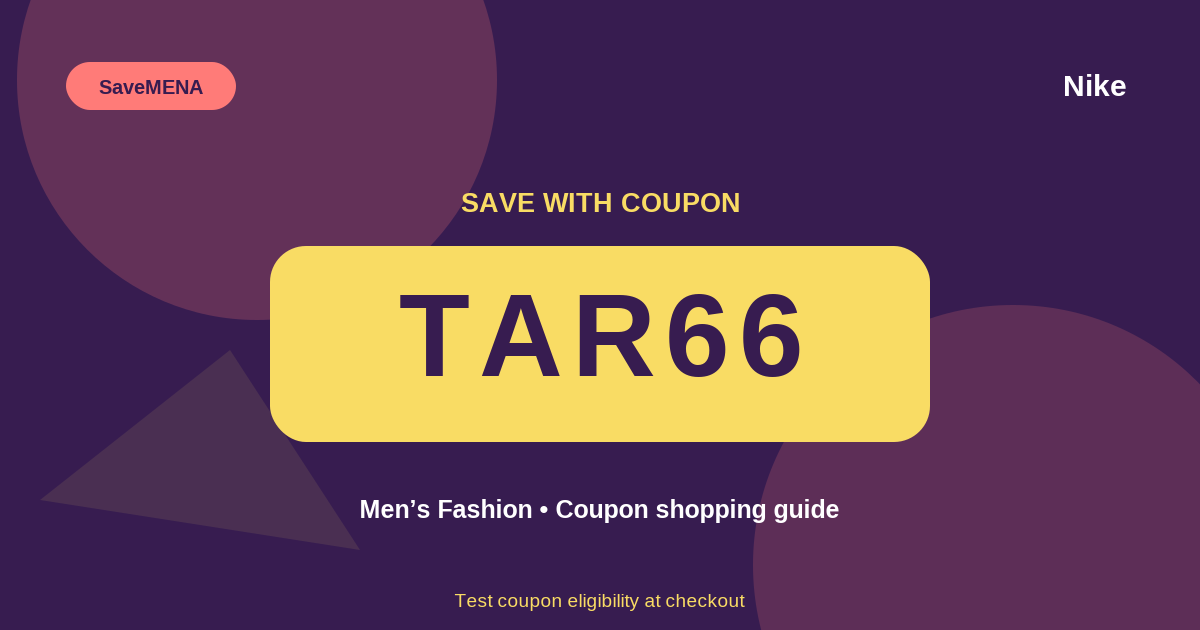
Codes available to try while comparing
These codes are not guaranteed for the article topic or listed brands; test them at checkout and use the live result.
Why a Checkout Checklist Is Pivotal for Men’s Fashion Purchases
First paragraph outlining importance of checking account and order details before purchase, mention verifying coupon code usage possibility.
Second paragraph emphasizes account context and importance of confirming profile before adding Nike items.
Step 2: Inspect Your Cart Items and Size Accuracy
Before you even consider using a Noon UAE coupon, it’s crucial to understand the role of your Noon account. The account holds your payment options, saved addresses, loyalty status, and any stored offers. A comprehensive pre‑payment review means checking that your email is confirmed, your profile reflects accurate shipping details, and your preferred payment method is active. This step ensures that the coupon code you plan to use—TAR73 in this case—can be applied without conflict and that the checkout process won’t pause due to an account glitch.
Equally important is the “Men’s Fashion Nike account context.” Your intended purchase may include Nike items that carry specific branding requirements, return rules, or size guidelines. Confirming that the items fall within your account’s eligibility limits, and that you’re in a region where the product is officially sold, prevents order cancellations after payment. A meticulous audit of these elements keeps the transaction flow uninterrupted.
Step 1: Confirm Your Noon UAE Account Status
Log into the Noon app or website and navigate to the account dashboard. Check that your profile picture and name match the official account details. A mismatched profile often indicates a secondary or duplicate account, which can affect coupon applicability. Look for any alerts or notifications that require resolution before you can complete purchases.
Next, confirm that your payment method is current and verified. Whether you use a credit card, debit card, or digital wallet, the payment option must be active. If you have set up two‑factor authentication or a PIN, ensure that it’s working smoothly, as a failed verification during checkout can trigger a delayed or cancelled transaction.
Step 2: Inspect Your Cart Items and Size Accuracy
Open your cart and double‑check each item’s description, size, color, and quantity. Men’s fashion, particularly sports apparel like Nike, relies heavily on accurate sizing. A mis‑entered size can lead to returns that bypass the immediate checkout phase and create logistical headaches later.
Tap on each product card to view the detailed product page, verify that the styling falls under “Men’s Fashion” and that the brand is indeed Nike if that’s your preference. If you’ve added any variations such as color or fabric type, confirm that they are displayed correctly and that no discount‑only options are omitted inadvertently.
Step 3: Apply the TAR73 Coupon and Verify Applicability
Proceed to the checkout page and locate the coupon or promo code field. Input TAR73 carefully, respecting any capitalization or spacing guidelines that may exist. After entry, watch for a confirmation badge or acceptance message indicating that the coupon is recognized.
Because the coupon is available to try, do not assume guaranteed savings. The system will only apply the discount if the cart total and item categories meet the hidden criteria. If the notice shows “cannot be applied,” double‑check that the items indeed belong to the “Men’s Fashion” segment and that no conflicting offers or previous discounts are present.
Step 4: Review Delivery Options and Potential Fees
Select your preferred delivery method—express, standard, or pickup. Each option may come with its own fee structure, which is displayed during checkout. Note whether the delivery timeframe aligns with your schedule; a delay can affect subsequent returns or exchanges.
Check for any regional restrictions on delivery dates or locations applicable to your account. While Noon typically lists the exact fee, SaveMENA advises you to cross‑verify by entering the same address in the checkout view. Confirm that the shipping cost appears before confirming payment, ensuring no hidden cost surprises.
Step 5: Double‑Check Payment Method and Currency Settings
Verify that the currency set in your Noon account matches the one displayed during checkout. In the UAE, transactions usually default to AED, but some sellers may list prices in USD. Ensure that the conversion rate is current and that you are comfortable with the final amount displayed.
Confirm that the selected payment method is the same one you prefer for tracking. If you use a gift card or store credit, some promotions may void these options; check the policy notes next to the coupon code. This ensures that any variation—like an applied discount change—doesn't inadvertently override your payment choice.
Step 6: Review Order Summary Before Final Confirmation
Read the order summary carefully: product titles, sizes, prices, applied coupon, shipping fee, and any other fees. A discrepancy here can lead to a delayed or rejected payment; it’s better to catch a typo now than at the payment gateway.
Check that the total matches the sum of individual items, shipping, and taxes. Even though no specific numeric values are confirmed, the interface usually presents the final payable amount. At this point, verify once more that the coupon appears as a discount line, not as a hidden adjustment that might be rescinded on a system update.
Related SaveMENA pages
Related articles
Official sources to check
Frequently asked questions
A coupon is not guaranteed; verify its result at the retailer checkout.
During checkout, after entering TAR73, look for a success message or a discount line. If it’s missing, double‑check that the cart contains eligible items and that you’re logged into the correct Noon account.
What happens if my payment method fails mid‑checkout?
Should a payment error occur, Noon usually shows a prompt with error details. You can retry with a different card or refresh the page; but first confirm that the account is active and the chosen method is within your available limits.
Will the coupon survive a cart refresh or adding new items?
Once applied, the coupon remains embedded for that session. Adding new items that aren’t eligible may remove the discount. Re‑apply TAR73 if you make changes to the cart after a refresh.
Can I use the coupon with another discount or loyalty point?
Noon’s policy typically restricts stacking, especially with coupon codes. The terms displayed by Noon indicate whether an additional discount is permissible; default to the higher discount available for smooth checkout.