Puma Men’s Fashion on Noon UAE: account eligibility — checkout checklist · TAR73
Before you hit pay, here's how to make sure every detail is correct when you use a Noon UAE coupon in Men’s Fashion context for a Puma account.
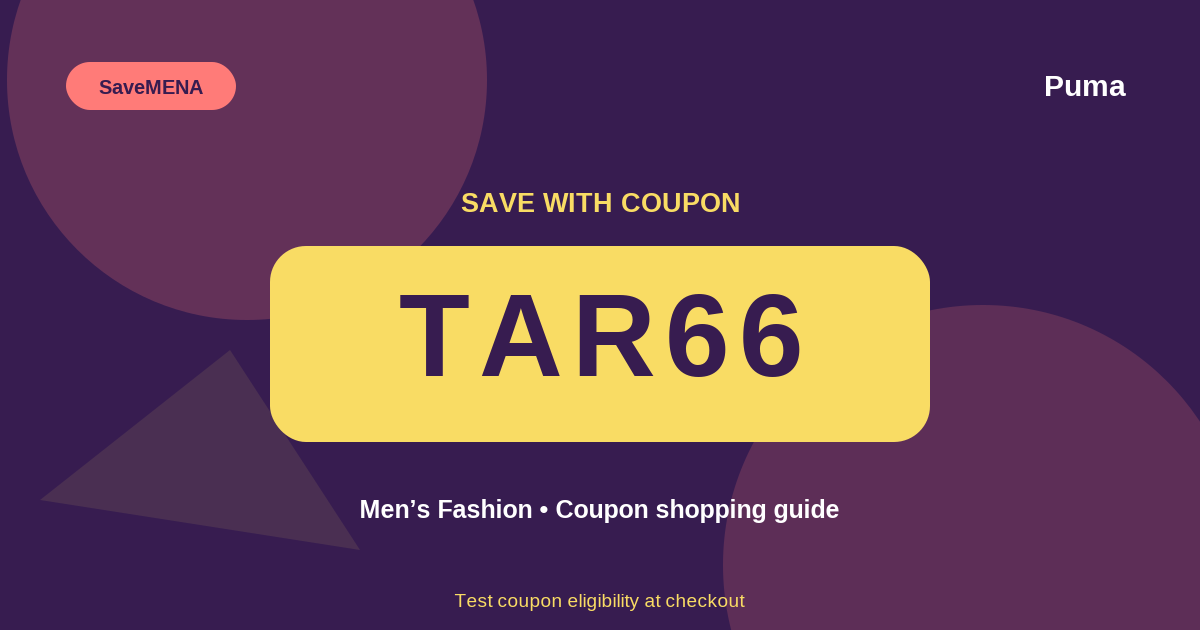
Codes available to try while comparing
These codes are not guaranteed for the article topic or listed brands; test them at checkout and use the live result.
Verify Product Details Ahead of Checkout
Start by reviewing the exact item you’ve added to the cart. Confirm the size, color, and any customizations match what you intended. Remember that a single mistake—such as selecting the wrong chest size—can lead to a return that costs you time and money even if the coupon was applied correctly.
Next, check the seller’s ratings and inventory status. Noon lists product availability and restock dates for each seller, so a “low stock” notice may mean the item could ship later, affecting your delivery expectations. Always verify that the seller’s fulfillment mode aligns with your preferred delivery window.
Confirm the Fate of the “TAR73” Coupon
In your cart, locate the coupon input field. Type TAR73 and press apply. The page will display whether the code is accepted or declined. If it is accepted, the subtotal will adjust accordingly. If it’s declined, you’ll see an error; this may happen if the code is expired or not applicable to the selected items.
After the coupon is applied, scroll to the order summary. The discount will be shown as a separate line item. Verify that the discount has been subtracted from the subtotal before shipping and tax are added. Do not assume a discount has been granted just because you entered the code. The final amount shown after this step is the real reference for eligibility.
Ensure the Account‑Related Promotions Apply
Log into your Noon account and check the “Promotions” tab. Any ongoing promotions that apply to a Puma account or to Men’s Fashion items will appear there. These may include free delivery thresholds or seasonal sales. Observe whether the promotion has a minimum spend or requires a specific payment method; fine‑tuning these details can impact the order total.
Next, review the “Account” section for loyalty points or credit balances that can reduce your payable amount. If you have any reward balances, add them before reviewing the final total. The updated final amount will reflect all applied account‑related deductions, giving you an accurate picture of what you will owe.
Double‑Check Shipping Options and Fees
Scroll down to the shipping section, where you can choose between free delivery, expedited, or standard options. Some premium shipping choices may carry additional fees that could apply after the coupon discount is taken into account. Before confirming, compare these fees with the order total; an extra fee might offset a coupon benefit.
Also ensure the delivery address is correct. The system will calculate shipping fees based on the chosen destination. Verify that the entered address does not fall into a restricted zone that might incur additional handling costs. Accuracy here prevents post‑checkout adjustments or delivery delays.
Validate Payment Method Compatibility
Choose a payment method that is accepted for all items in the cart. Some payment types are excluded from high‑value or international purchases. If you are using a credit card, check that your card is activated for international e‑commerce and has sufficient credit to cover the subtotal after all discounts.
For account‑specific payment methods like Noon cash on delivery, confirm the availability in your region. Some services may not be offered for all categories, including some Men’s Fashion items. The payment method must match the final payable figure displayed that day.
Review Order Summary for Hidden Costs
Before you hit "Place Order", scroll to the bottom of the order summary. Here you’ll see the final amount, including lot or invoice taxes, shipping fees, and the discount from TAR73. No additional hidden costs should appear; if a surprise line item appears, double‑check whether it’s a mandatory fee such as a convenience tax or a re‑shipping fee.
Examine the text size, weight, or material specifications of the product. Sometimes a heavier or premium variant incurs an extra fee at checkout. Make sure that, if any is applicable, it is reflected in the summary before you proceed.
Securely Complete the Checkout Process
When you click “Place Order,” the system locks in all selections made up to that point. At this stage, the platform may display a final confirmation of the total payable amount. Pay close attention; this screen shows the exact amount that will be debited from your chosen payment source.
After confirming, you’ll receive an order confirmation email. Save that email for reference. It includes a tracking number, order number, and summary of items, nested within your Noon account’s order history. This record is essential for tracking returns or complaints.
Final Confirmation and Post‑Purchase Steps
Once the order is placed, check your account dashboard for the updated status. Depending on your chosen shipping speed, you’ll see the expected delivery window. If your preference had limited availability, you could request a change before the courier picks up the parcel.
Lastly, keep an eye on notifications for any updates. If a coupon like TAR73 sometimes only applies momentarily or if the seller changes the SKU, the system may alert you to rescind or adjust your order. Staying informed ensures you can respond promptly if any adjustment is required.
Related SaveMENA pages
Related articles
Official sources to check
Frequently asked questions
What if the TAR73 coupon doesn’t work at checkout?
If the coupon is declined, check that it isn’t expired and that it applies to the specific Puma item in your cart. Verify the code length and case‑sensitivity, and ensure you’re still logged into a Noon account that supports Men’s Fashion promotions.
Can I use the coupon with a cash on delivery payment option?
Most Noon coupons can be combined with cash on delivery, but it depends on the seller’s payment policy. Verify in the payment step whether COD is listed as available for the selected items.
Will shipping fees be deducted as well as the discount?
Discounts from coupons usually apply only to the item subtotal. Shipping fees are added afterward and may remain unchanged unless a free‑delivery threshold is met through the account or a bundled offer.
What happens if my chosen Puma item is out of stock after I place the order?
Should the item become unavailable, Noon will notify you via email and offer an alternative or a refund. You can cancel the order in your account dashboard before the shipping confirmation is sent to avoid unnecessary charges.