Perfumes on Noon UAE: account eligibility — checkout checklist · TAR71
Every Noon UAE coupon is designed to be flexible, but the perfume category has its own nuances. When you decide to use a coupon, the first thing you need to verify
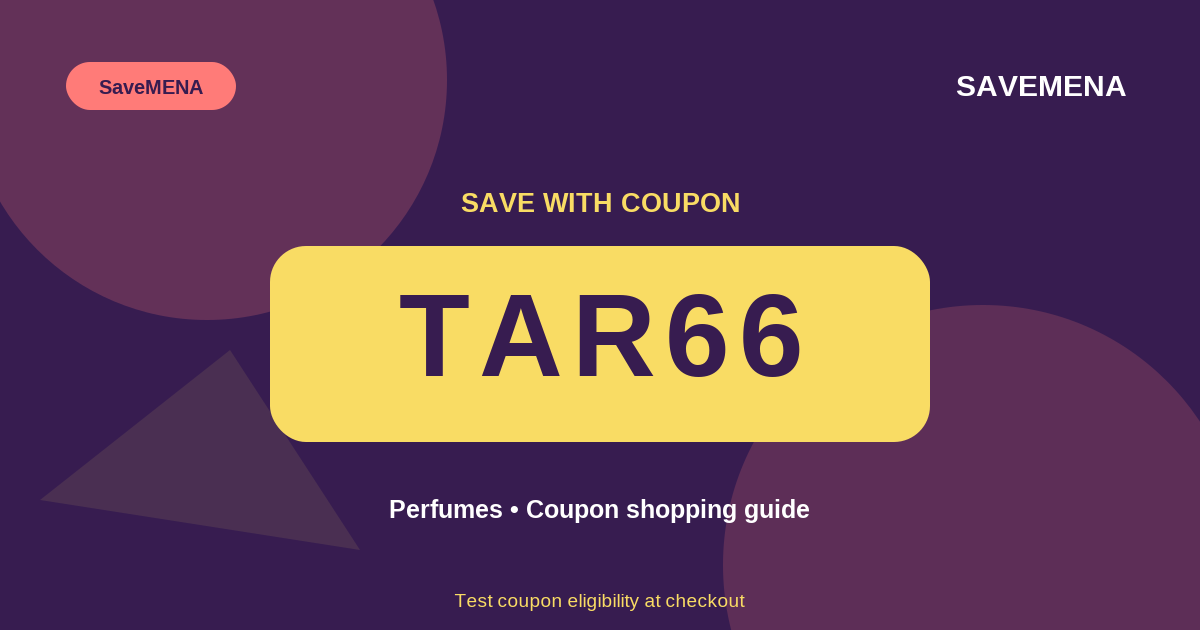
Codes available to try while comparing
These codes are not guaranteed for the article topic or listed brands; test them at checkout and use the live result.
Understanding Your Noon UAE Coupon in the Perfume Section
Every Noon UAE coupon is designed to be flexible, but the perfume category has its own nuances. When you decide to use a coupon, the first thing you need to verify is that your account is signed into the Noon app or website with the correct profile. Perfume purchases often come from multiple sellers, so the discount eligibility can vary by vendor and product.A coupon is not guaranteed; verify its result at the retailer checkout.
With your Noon account authenticated, look for the copy of the coupon you want to try, for example TAR71. The next step is to familiarize yourself with how Noon lists discount options at checkout. Some coupons are automatically applied if they match the cart, while others require manual entry. Make sure you know the exact field to type the code in, as this will affect whether the coupon is recognized for your perfume selection.
Preparing Your Perfume Wishlist and Ensuring Account Synchronization
Before adding any fragrance to your cart, compile a clear wish list within your Noon account. This avoids accidental purchases and allows you to track which items you intend to checkout. By logging those preferences in the app’s wish list feature, you maintain a synchronized record that reflects all active selections for your enjoyment.
Attention to account synchronization matters. Your wish list items stay linked to your Noon profile until you shift them to the cart. If you switch devices or log in from a new browser, your saved items should appear automatically. A misaligned account can cause items to drop out or double count, which interferes with coupon calculations during the final payment step.
Checking Eligibility: How Your Noon Account Affects Coupon Application
Coupons on Noon may have hidden tier conditions that depend on your account status. Whether you’re a regular shopper with a loyalty tier or a new buyer, the coupon’s eligibility can differ. Carefully review your account dashboard for any flags that indicate active benefits or restrictions that might impact the TAR71 code.
After confirming your valid account status, log into the Noon app close to checkout to preempt any session expiration that could invalidate the coupon. Some coupons automatically deactivate if the user is logged out mid‑transaction. By staying logged in, you keep the coupon active throughout the payment process, guaranteeing its potential application.
Verifying Product Variants and Stock Before Adding to Cart
Perfume products often come in multiple sizes, scents, and limited edition batches. The TAR71 coupon may apply only to certain variants. When you select a fragrance, double‑check the product page for stock status and the exact variant available before placing it into your cart.
Misaligned inventory can trigger an automatic removal from the cart during checkout, possibly nullifying the coupon. By confirming that the chosen variant is in stock and matches your exact preferences while still inside the profile, you reduce the chance of last‑minute surprises that could affect the code’s validity.
Confirming Cart Totals: Items, Fees, and Coupon Placement
Open your cart and review every line item, confirming the fragrance chosen, its size, and the vendor. Beneath the item list, Noon typically displays a subtotal, optional service fees, and any extra charges. Ensure there are no hidden fees that could raise the payable amount beyond what the coupon is designed to offset.
In the same review, locate the coupon input field. Depositing TAR71 here should prompt the platform to update the cart total in real time. If the total does not reflect any change, double‑check the field and the specific spelling of the code before proceeding to payment.
Applying the TAR71 Code Safely During Checkout
Once the cart reflects every correct item, proceed to the checkout area. As you move to payment, the Noon interface will ask for your payment method, shipping address, and any coupon codes. Enter TAR71 in the designated box and click apply.
Watch for any system replies that confirm whether the code was accepted or rejected. A successful application will typically update the lower portion of the checkout screen, indicating the discount applied. If no change occurs, circumvent by refreshing the page or re‑adding the item to the cart, and then retrying the code entry.
Reviewing Final Payable Amount within Account Limits
At the final payment screen, Noon recalculates the total to reflect the applied coupon, any taxes or service fees, and possibly shipping charges. Make sure the figure that appears is the amount you intend to pay. This is the final checkpoint before hitting “Place Order.”
Because Noon displays the final payable figure in real time, you have a final chance to confirm that the coupon has yielded the expected benefit. If the number is higher than expected, double‑check to see if the code wasn’t updated or if there is an incompatibility with the selected items or your account tier.
Post-Checkout: Tracking Delivery and Managing Account Receipts
After confirming the payable amount and submitting the payment, you will receive an order confirmation screen. This screen usually includes a summary of your perfume purchase, including variant details and the applied coupon. Keep this screen or capture it for your records, as it represents the official receipt of the transaction.
Return to your Noon account dashboard to locate the order under “Orders” or “Track Order.” Monitor the shipment status, delivery times, and any notifications about potential delays. By maintaining a clear transaction record, you can resolve any post‑purchase issues promptly.
Related SaveMENA pages
Related articles
Official sources to check
Frequently asked questions
What happens if my account is active but the coupon doesn’t apply?
When a coupon code like TAR71 fails to apply, double‑check it against the exact coupon field on the payment page. Ensure no typographic errors, and confirm that your Noon account is still logged in. If it still fails, the code may not be eligible for the selected perfume or your account tier.
Can I combine the TAN71 code with other Noon promotions?
The system normally applies only one discount code at checkout. If you attempt to use NAM check, the first valid code will override any others. You can view the current cart summary to see which coupon was successfully applied before finalizing payment.
Will the coupon affect my delivery speed?
Noon’s standard delivery times remain unchanged by coupon use. The primary impact of the code is on the final payable amount. Delivery fee or schedule may still apply based on shipping address and retailer policy.
Is the coupon timezone‑sensitive for UAE shoppers?
The validity of Noon UAE coupons is usually global, regardless of local time. Nonetheless, confirm your account’s time zone settings if you authenticate from another region to avoid potential issues with session timeouts or code expiration.