Toys on Noon UAE: account eligibility — checkout checklist · TAR73
When you’re ready to finalize a toy purchase on Noon UAE, a simple checkout checklist saves frustration and ensures the final total reflects every benefit you’re
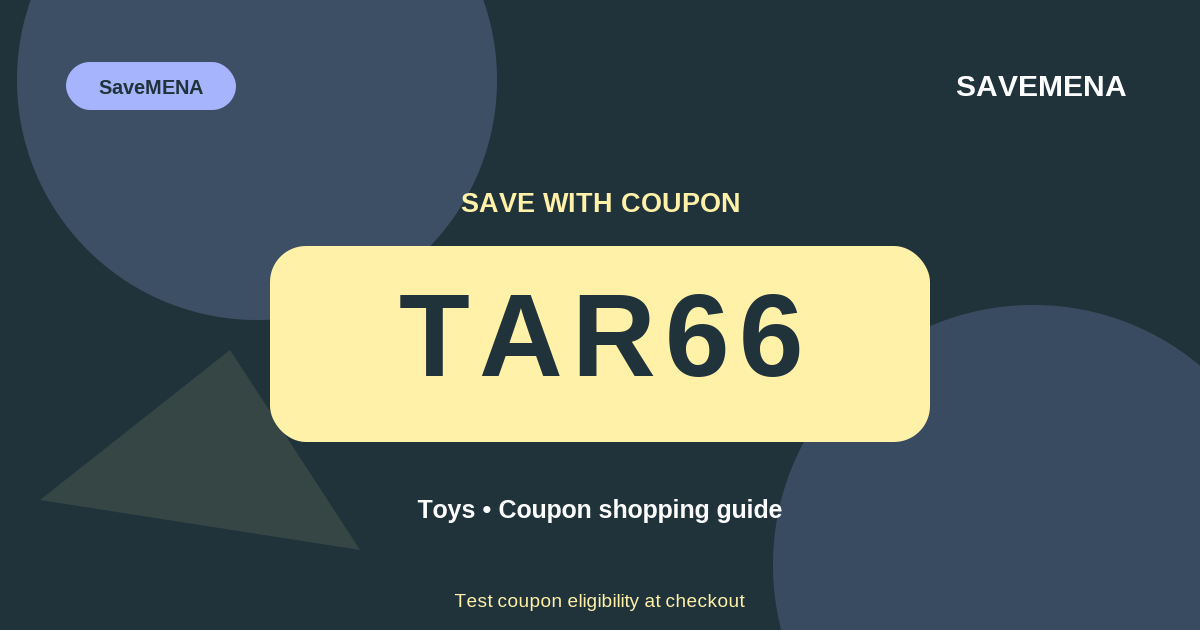
Codes available to try while comparing
These codes are not guaranteed for the article topic or listed brands; test them at checkout and use the live result.
1. Verify Your Noon UAE Account Status
Start by logging into Noon UAE to confirm your account is active and updated. Check that your email, phone number, and address fields are current; these details influence delivery options and eligibility for loyalty points or promotions that can impact the final checkout cost. If you’ve recently changed your payment method, ensure it is saved and verified in the account settings, as an unverified card can delay payment acceptance.
On the My Account page, glance at your membership level, if applicable, and note any virtual wallet balance or gift card credit that may auto‑apply at checkout. These balances can reduce the amount you pay at the final screen, so make sure they’re available and correctly reflected in the payment summary before you proceed.
2. Add Your Toy Favorites to the Cart
Identify the specific toy items you want, paying attention to variations such as size or color. Each variation might affect shipping weight or packaging, so enforce consistency in your chosen options before adding the product to your cart. If you’re ordering multiple units, verify the quantity will not exceed any store limits or restock notices displayed on the product page.
Once the items are in your cart, review the product listings for any optional accessories or warranties that may be available. Adding these extras will alter the subtotal; noting them now prevents surprise fees later at checkout. Double‑click the cart icon at the top right to confirm all items are present and correctly listed.
3. Navigate to the Checkout Page
From your shopping cart, tap “Proceed to Checkout.” The page that appears will summarize the toys you’ve selected, including images, sizes, and prices. Scrutinize each line item to confirm it matches the product details you intended to purchase. If a toy appears mislabelled or at an incorrect price, use the “Adjust” option or return to the product page.
Next, verify the shipping address. Even if you entered this automatically from your account, double‑check the street, building, and ZIP code fields. An address typo can lead to delivery delays or incorrect shipping charges, directly affecting the final figure you’ll see.
4. Apply the TAR73 Coupon Code
Below the product list, locate the “Coupon Code” field and enter TAR73 exactly as shown. After submission, the system will attempt to apply the discount and recalculate the cart total. A successful application will be denoted by a brief confirmation; if the code does not work, notice that the subtotal remains unchanged.
Because Noon UAE does not guarantee the validity of every code, do not presume a savings if the topside message does not reflect a reduction. The only reliable way to confirm the coupon has been accepted is by comparing the displayed discount amount right before final payment.
5. Review Shipping and Delivery Fees
Scroll to the section listing shipping options. The free‑shipping threshold may vary by toy category; verify whether your current order qualifies. Reading the fine print in the shipping summary will show any additional delivery hash fees for specific addresses or delivery windows.
Make sure any displayed shipping cost corresponds to the selected shipping speed. If you choose expedited delivery, note the extra charge in the summary. The final cost you see at checkout will factor these fees in, so ensure they align with your budget and expectations.
6. Order Summary & Last‑Minute Checks
At the bottom of the checkout screen, examine the full order summary. This includes each toy’s price, the delivered fee, the displayed coupon reduction, and any account balances applied. This is the definitive stage where you’ll see the final amount that will be debited from your chosen payment method.
Take a few moments to confirm that every line item appears correct and that no unfamiliar charge is present. Likewise, check that the coupon discount you expected after applying TAR73 is reflected in the total. If any discrepancy appears, revisit the previous steps for corrective action before you confirm the order.
7. Choose or Confirm Payment Method
Select a payment mode: credit/debit card, Noon wallet, or other accepted methods. If you’re using a card, ensure the number, expiry, and CVV are entered correctly; an incorrect entry will halt the final transaction.
When paying from your Noon wallet or relevant balance, confirm the available credit after the cart total. If the wallet balance is insufficient, ensure an alternative payment method is active to cover the shortfall. The system will refuse order placement if the chosen method cannot cover the total.
8. Final Confirmation & Post‑Purchase Steps
Before clicking “Place Order,” give the system a final glance at the total credited amount and the order date.A coupon is not guaranteed; verify its result at the retailer checkout.
Once your order is accepted, you will receive a confirmation page with an order number and a receipt email. Save this for tracking and return purposes. If you encounter any captcha or verification prompt, complete it to ensure the order goes through. After the final click, you can exit the app knowing all checks were completed on time.
Related SaveMENA pages
Related articles
Official sources to check
Frequently asked questions
A coupon is not guaranteed; verify its result at the retailer checkout.
No, the coupon code is available to try. It may or may not apply during checkout, and if it does not, the total will be based on the regular item and shipping costs.
Can I apply multiple coupons on the same Noon order?
Noon only accepts one coupon code per order. Once you enter a coupon like TAR73, any additional coupons will not be applied.
Will my Noon account balance automatically deduct from the payable amount?
Yes, if you have balance or store credit in your Noon wallet, it will automatically subtract from the total once you select that payment method.
Do I need a Noon UAE account to use the TAR73 coupon?
Yes, you must be logged into your Noon UAE account to apply any coupon and complete the checkout process.