Calvin Klein Women’s Fashion on Noon UAE: account eligibility — checkout · TAR73
Open your cart on Noon UAE and confirm every Calvin Klein item you added truly reflects your intention—right style, shade, and quantity.
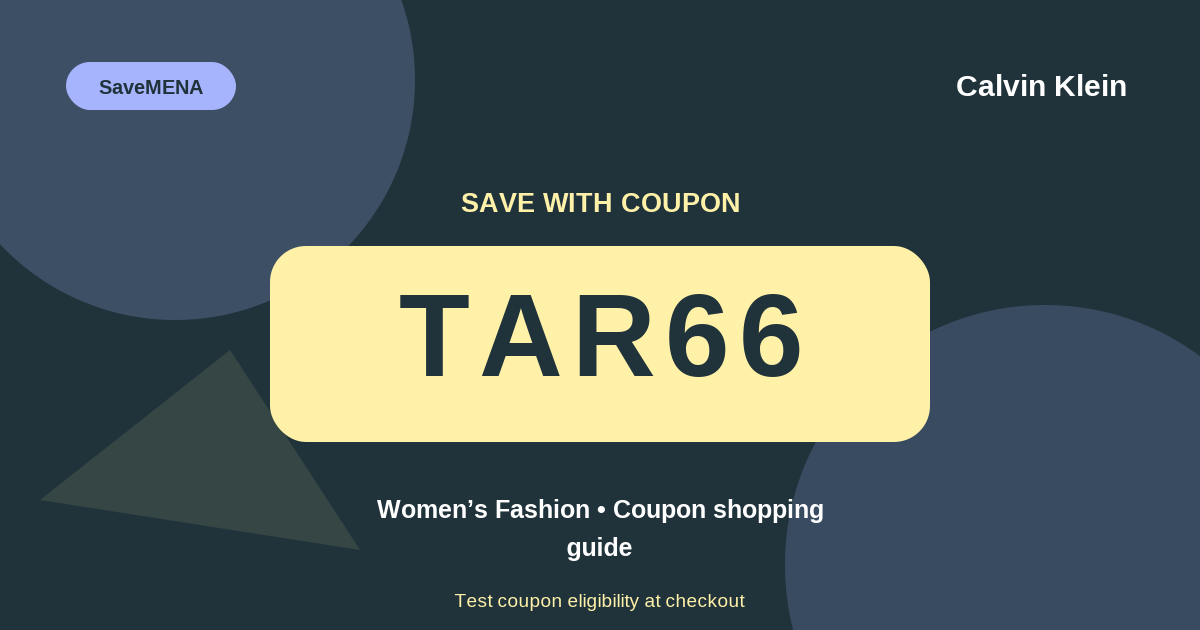
Codes available to try while comparing
These codes are not guaranteed for the article topic or listed brands; test them at checkout and use the live result.
Verify Your Cart Items
Open your cart on Noon UAE and confirm every Calvin Klein item you added truly reflects your intention—right style, shade, and quantity. Each product line will list its title, size, and color; double‑check that the bag and price match the description. This simple step saves you from later disputes over mis‑ordered items or unwanted duplicates that could double the final cost.
Next, inspect the product images and specifications on the individual listing page to ensure the item meets your expected quality. Match the size chart to your measurements, and note any special fabric care instructions. If a product isn’t available for immediate shipping, you may need to adjust the delivery date or select a different model to avoid unpaid waiting lists.
Confirming the Sizes and Colours
Check the size option selected for each Calvin Klein piece. A mis‑picked size can cause a return tag fee or a delay that may affect your overall delivery schedule. Click on the size box and preview the garment correctly aligned to the chosen dimension. If you’re unsure, glance at the brand’s online sizing guide and cross‑reference your own measurements.
Colour or pattern variance can appear between product photos and the final item. Hover over any shade preview and verify that the offered variation meets your preferences. If the colour is a primary concern, some sellers offer a static preview that shows off‑season options; confirm that this is the right drop before proceeding.
Checking Account Benefits and Loyalty Points
Your Noon UAE account may have accrued loyalty points or special membership perks. Navigate to the “My Profile” tab and review the points balance and any current promotional offers. Remember that loyalty points can be redeemed at checkout to lower the final payable amount or to upgrade shipping speed, depending on the account standing at that moment.
If you recently joined a NoonClub tier, read the eligibility criteria for that tier to ensure you qualify for the perk during this transaction. The eligibility assessment is performed in real‑time during the checkout screen, so if the tier differs after you leave the account page, re‑enter the checkout and re‑check the benefits displayed there.
Applying the Noon UAE Coupon
To attempt a discount, type the coupon code TAR73 into the coupon field provided on the Checkout page. Only the the coupon code code is supplied here; no other promotional codes should be combined. Explicitly note that coupon sufficiency and validity are confirmed only at the final recalculation step during checkout.
After submitting the code, watch for an instant acknowledgement from the system. If the code returns an error, double‑check that your cart contains an eligible item such as a Calvin Klein garment that triggers the coupon condition. If the code does not appear valid, consider adding a different item from the same store or contact Noon support to confirm you meet the apply‑now requirements.
Reviewing Shipping Options and Fees
The checkout screen displays a list of available shipping methods. Shorts, mid‑length, or longer carts may present an extra handling confirmation. For each option, the interface will specify the estimated delivery window and whether a shipping fee applies. Choose the method that fits both your timing preference and budget for the overall cost.
If the chosen Shipping option includes a second‑day guarantee, make sure your Noon UAE account has the right region settings; delivery charges or travel time can change based on your current address and the seller’s location. Should a later delivery option be in line with your need, observe how the shipping fee recalculates after the discount application step.
Selecting the Right Payment Method
Your Noon UAE account offers several payment routes—debit card, Credit score, Net Banking, or Wallet balance. The checkout interface will retrieve whichever payment type is linked to your account or ask you to set one at that moment. Observe any discount thresholds tied to a particular method as some may offer a small additional saving or a faster processing time.
If a direct debit unlocks a zero‑interest installment plan, confirm that your account has sufficient credit limit and that your choice won't affect the coupon's application. Pay attention to fraud protection alerts; setting up two‑factor authentication via your mobile app can prevent payment interruptions during transactions of higher complexity.
Double-Checking Order Summary
Before you finally confirm your purchase, the Order Summary lists every item, the applied coupon code, shipping fee, and any loyalty point deduction. Cross‑reference each line to the earlier cart check. Make sure the total displayed is exactly what you expect, considering any applied discounts and fees that have been calculated by the system.
Touch on the final payment amount, and note any tax or customs duty that may apply based on your delivery region. The field will update as soon as you change deletion or add an item. Only when every component checks out in this snapshot do you need to trigger the final “Place Order” button.
Final Confirmation and Troubleshooting
When the final confirmation pop‑up appears, ensure the address you selected matches the shipping details you reviewed earlier. Any mismatch could result in a delayed delivery or an added handling fee. Read each sentence carefully because the last adjustments are governed only by this final screen before the purchase is locked in.
If you encounter a frustrating glitch—such as a discount that doesn’t appear to apply, an unexpected fee, or a frozen payment prompt—pause and refresh the page. Close the browser, log out, and re‑login to your Noon UAE account before revisiting the checkout. If the problem persists, use the in‑app chat to report the situation, referencing the coupon code TAR73 and your account ID for quick resolution.
Related SaveMENA pages
Related articles
Official sources to check
Frequently asked questions
Is the TAR73 coupon valid for Calvin Klein items?
The coupon code TAR73 may be eligible for certain Calvin Klein products. However, its usage must be confirmed at checkout. If the code does not activate, verify that the specific item meets any coupon eligibility criteria listed on the product page.
Will shipping costs be added after I apply the coupon?
Yes, shipping fees are recalculated after discounts are applied. The final price displayed on the order summary includes any shipping charges applicable to the selected delivery method at that time.
Does my Noon UAE loyalty tier affect coupon eligibility?
Your loyalty tier can influence extra benefits or special offers, but it does not normally alter general coupon acceptance rules. Coupon eligibility is still determined by the product category and cart value criteria.
Can I use multiple coupons on one purchase?
Only the one coupon code entered in the checkout coupon field will be applied. Attempting to enter additional discount codes will result in the system showing that only the first code remains active for the order.