Women’s Fashion on Noon UAE: account eligibility — checkout checklist · TAR73
When you’re ready to finalize a Women’s Fashion purchase on Noon UAE, the first step is a clear account‑centric checklist—ensuring your Noon account is fully
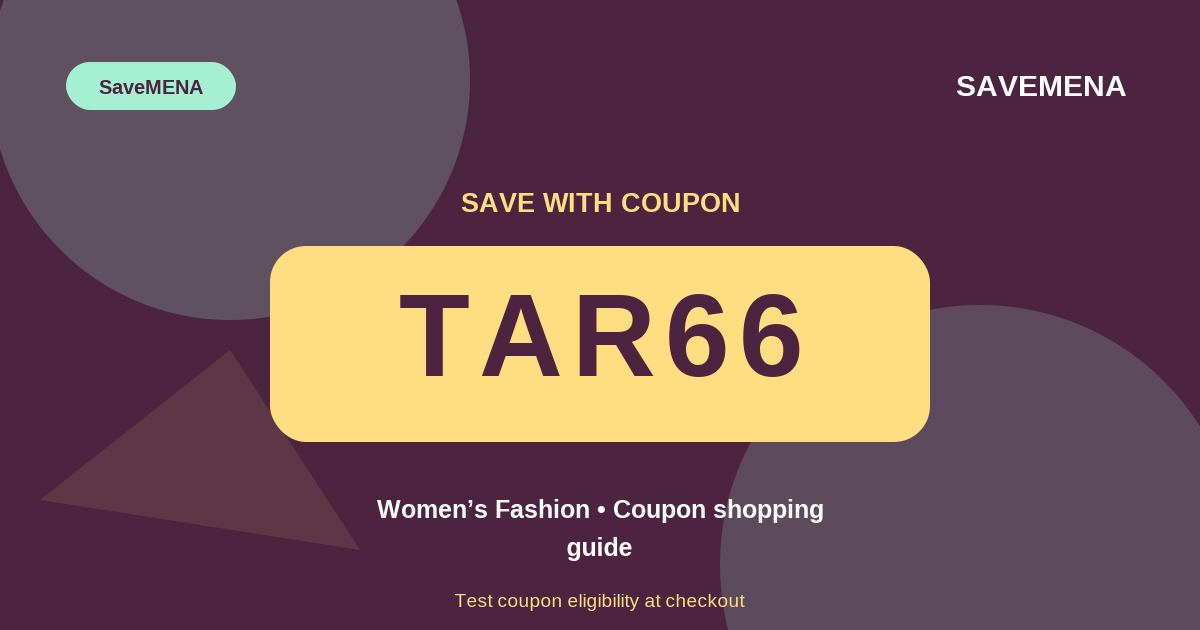
Codes available to try while comparing
These codes are not guaranteed for the article topic or listed brands; test them at checkout and use the live result.
Account Login Verification
Before adding any product to your cart, confirm you are logged into your Noon account. A logged‑in session links your order to your personal data—addresses, payment methods and selected preferences.A coupon is not guaranteed; verify its result at the retailer checkout. Check that the username displayed reflects the correct account; mismatched logins often cause coupon rejection at checkout.
Test your login by navigating to your profile tab. Ensure the dashboard shows recent orders and saved items—this confirms your session is active and the system has recognized your credentials. If prompted to reset your password or verify your phone number, complete those steps now; otherwise, you might be exiting the session or missing a login verification notice that can interrupt the application of coupons or savings.
Profile Settings & Personalisation
Review your Noon profile for personal details such as gender, preferred size ranges and style guides. Accurate profile data smooths the recommendation engine and helps the vendor set appropriate return windows and sizes. Since you’re the coupon code Women’s Fashion, double‑check that the profile gender is set correctly; otherwise, the catalogue may restrict certain design options or influence delivered product suggestions.
Navigate to the “Settings” or “Preferences” section and look for language or currency options. The default currency is AED, but if you have alternative preferences, update them before checkout. Also, confirm if you have any saved payment methods that prefer specific card types—some vendors have brand‑specific partnerships that apply only to certain cards during a sale period.
Address Management & Delivery Preferences
A valid delivery address is key for order processing, especially when applying a coupon that may apply only to local deliveries. Open the “Address Book” in your account and verify that the default location matches your intended delivery destination—whether it is a residence or a coworking space. Correct postal codes are vital; discrepancies can trigger re‑verification at checkout, potentially delaying the application of the TAR73 coupon.
You should also confirm that the preferred delivery slot aligns with Noon’s available windows. If you have multiple addresses saved, set the one with the fastest shipping window as default; this reduces manual selection on the final page. Keep an eye on any special handling notes—such as fragile apparel—which might preclude the use of certain coupons if the item is assigned a different shipping method.
Payment Methods & Balance Checks
Add a reliable payment method that Noon recognizes for Women’s Fashion ro set of transactions. Credit or debit cards are the baseline; ensure the card active for online purchases and confirm no missing CVV or expiry date entries on your saved cards—otherwise, payment authorization stalls and coupons won’t fire until resolved.
If you use a balance or store credit, verify its current amount against your estimated order total. Since coupons modify the discount amount only after the cart is evaluated, an insufficient balance may require you to switch to another payment method. Also, check that any saved PayPal or Apple Pay details are linked correctly to avoid double confirmation prompts.
Loyalty Points & Rewards Eligibility
Even though the TAR73 coupon is independent of loyalty points, an active loyalty status can still influence final pricing. Explore your “Rewards” or “Points” tab to see if you’re eligible for extra reductions or complimentary shipping, especially if you intend to purchase multiple items. Loyalty credentials are auto‑applied at checkout, but only after coupon application, so sequence matters for optimal savings.
To avoid confusion, list the loyalty preference separately before placing items in the cart. Then, once items are added, check that the “Apply Points” toggle in the cart appears active; you can later adjust the number of points applied depending on how the final price appears. In many cases, the points are applied automatically or after the coupon rule is processed.
Coupon Application & Eligibility Criteria
Enter the TAR73 coupon code in the dedicated “Coupon” field after adding your desired Women’s Fashion pieces to the cart. Ensure that your cart is generated from the same session where the account is active; otherwise the coupon may be flagged as invalid. The spot lands in the cart or checkout summary—verify the label “Use a Noon UAE coupon Women’s Fashion account context” for contextual clarity.
At this step you should watch for a real‑time validation message. If the code does not recognize your account or the item category, a pop‑up will appear—check the wording carefully. The voucher is a trial offer, so hotels procedure might not auto‑apply; if still in doubt, contact Noon support through the chat assistant for confirmation that the code is accepted for your account and selected product line.
Order Summary Review & Final Checks
Before clicking “Checkout,” inspect the order summary: itemized costs, any applied discounts, shipping fees, and the final payable amount. In the summary, locate the section flagged for “Coupon Discounts” and verify that the TAR73 coupon is listed with its discount value. If it’s missing, re‑sandbox the coupon or refresh the cart—this can remedy a session hiccup.
Also double‑check the excluded items list. Many coupons restrict accessories or baby items. If your Women’s Fashion selection holds such items, the system will automatically deduct them from the coupon discount portion. Confirm the shipping option is the preferred one; if a free or reduced shipping threshold is needed for the coupon to activate, ensure your subtotal meets that condition.
Confirmation & Post-Purchase Validation
Once you hit “Pay,” Noon issues a payment authorization that is tied to your account balances, loyalty adjustments, and the coupon’s effect. Wait for the order confirmation email that appears after payment; this email will state the discount applied, final amount, and expected delivery date. It also includes a tracking number link—save this for post‑delivery inquiries.
Log back into your Noon account after the transaction and verify that the order appears in the “Order History” tab. This confirms that the coupon’s discount is reflected in the transaction record. If you see any discrepancies, use the “Track Order” utility or reach out to Noon customer service, noting the coupon code and the mismatched amount for expedited handling.
Related SaveMENA pages
Related articles
Official sources to check
Frequently asked questions
How do I check if my card can accept the Noon coupon?
Verify in your account’s payment method settings that your card is active for online use and that no restrictions block promotional codes. If unsure, test a small payment to see if the coupon processes correctly; otherwise, contact the card provider for clarification.
Can the TAR73 coupon be combined with free shipping offers?
Free shipping is typically applied after coupon validation. If your subtotal meets the free shipping threshold post‑discount, Noon will add it automatically. If not, you may need to adjust your cart size or order additional items to reach the threshold.
What if the coupon code is not recognized at checkout?
Double‑check that you are logged into the correct Noon account and that the code is typed accurately. If the issue persists, clear the cart, re‑add items, and reapply the coupon, or contact Noon support via chat for assistance.
Does my loyalty points count after applying the coupon?
Yes—loyalty points are applied after the coupon discount is processed. The final price shown includes both the coupon effect and any eligible loyalty points deduction, ensuring you benefit from all available savings.