Philips Home Appliances on Noon UAE: basket contents — checkout checklist
When you’re about to hit “Checkout” after adding a Philips range of Home Appliances to your Noon UAE cart, the last step should be a quick review of your basket
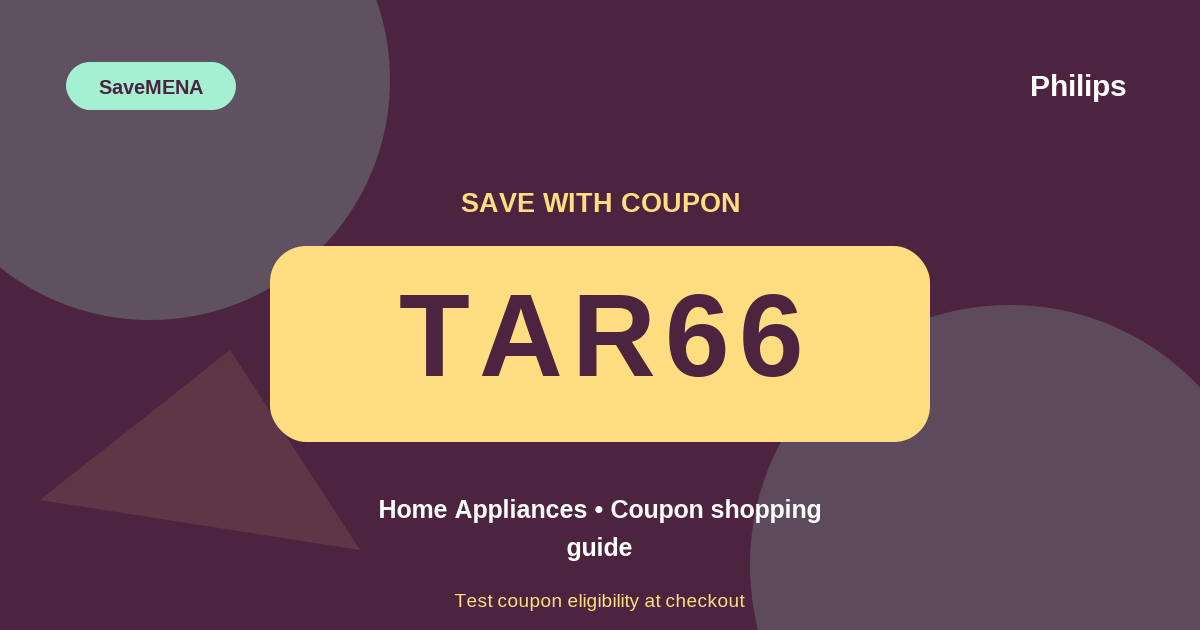
Codes available to try while comparing
These codes are not guaranteed for the article topic or listed brands; test them at checkout and use the live result.
The Ultimate Checkout Checklist for Home Appliance Basket
Each item in your Philips Home Appliances basket triggers a chain of confirmations: item ID, compatibility codes, and inventory accuracy should all be verified. Cross‑check the model number in the description against the number on your shopping list—typos are common when coordinating multiple Philips appliances like a fridge, oven, and dishwasher. If the item’s SKU differs even by a single character, the product might be of a varied capacity or feature set. This ensures consistency between what you intend to buy and what you will actually receive.
Next, check the delivery date field. Noon UAE allows standard and express options; confirm that the chosen delivery window fits your home renovation schedule or cleaning routine. Pay attention to the “Estimated Delivery” note; if it falls on a weekend or during a peak holiday period, unexpected delays may occur. Ensuring your buyer‑side logistics align with your kitchen upgrade plan keeps your renovation timeline intact.
Ensuring Philips Product Compatibility with Your Home
With a Philips Home Appliances basket, electrical compatibility is critical. Verify that each appliance’s voltage rating matches the UAE standard of 230 V. Though most Philips units are designed for this voltage, double‑checking the product spec sheet on the Noon page can prevent later surprises. Likewise, confirm the amperage requirement does not exceed your outlet’s capacity—particularly important for high‑power appliances like ranges or mopping robots.
Next, assess physical fit by referencing the dimensional figures in the product details. Measure your kitchen cabinets, countertop clearance, and ventilation requirements before adding items such as a built‑in oven or a cooktop. The “Dimensions” tab displays internal and external measurements; use these to confirm that your appliance will slot in without compromising airflow or door swing, reducing installation headaches after checkout.
Understanding Energy Efficiency and Power Ratings
Philips Home Appliances often boast energy‑saving classifications. When reviewing your basket, locate the “Energy Efficiency” label on each item’s description; ratings like A++ or A+ give a quick sense of yearly consumption. Compare these against your household’s average electricity usage to ensure a long‑term cost benefit. While Noon does not display consumption in kWh on every listing, the energy label is a reliable indicator of relative efficiency.
Furthermore, examine the power rating (Wattage) for each appliance, particularly for heaters, blenders, or robotic vacuums. Knowing the peak power draw helps you avoid over‑loading your circuit, especially for multi‑device setups. When the wattage is listed under “Performance” or “Electrical Information,” cross‑check with your local electrician’s plan to secure a safe and efficient home environment.
Analyzing Warranty Policies and Return Options
Philips appliances typically come with a manufacturer warranty that covers parts and labor. On Noon’s product page, check the “Warranty” link for duration, eligible repairs, and whether the warranty is transferable. This is essential if you plan to refurbish or resell your kitchen at a later date, as exceeding the warranty period can invalidate future claims.
In addition to the manufacturer’s coverage, confirm Noon’s return policy for the seller listed. Some mid‑tier Philips items show seller‑specific return windows; make sure that the chosen Philips store offers a full refund or exchange within the standard 15‑day window for defective items. This safeguards your purchase until the device proves its performance at home.
Verifying Quantity and Delivery Details
For each Philips appliance in the cart, double‑check the quantity. Even a single unit mis‑entered can trigger a discrepancy when Noon processes the order, resulting in partial shipments or higher shipping fees. Use the “Edit” function to confirm that the quantity matches your kitchen layout needs, especially for multiple units like two robotic vacuums or a pair of Philips air purifiers.
Delivery terms should also be verified: free shipping is often tied to thresholds that may change due to the application of a coupon. Check that your total, pre‑coupon, meets the requirement for free delivery, and that the post‑coupon amount remains within the threshold. This prevents a last‑minute surprise charge that could alter your final cost.
Assessing Seller Reputation and Product Reviews
In Noon UAE, every Philips product is sold by a specific vendor, and their seller rating influences customer trust. Hover over the seller’s name on the product card to view their overall rating, number of transactions, and comment scores. A high seller rating often correlates with timely dispatch and responsive customer service, both crucial when handling fragile appliances.
Additionally, scroll to the product reviews on the listing page. Look for comments that mention delivery speed, packaging quality, or after‑sales support for Philips devices. While individual experiences vary, patterns in shopper feedback can help you anticipate potential issues before you commit to payment.
Applying the TAR66 Coupon: A Step‑by‑Step Guide
When you’re ready to apply the TAR66 coupon, locate the “Apply Coupon” field on the cart page. Type the code exactly as displayed—no extra spaces or characters. Noon will validate the code against the current promotional database and provide real‑time feedback on eligibility, such as the portion of your Philips basket that qualifies. Because the code’s applicability is not guaranteed, be prepared to see “Coupon not applicable” if the discount condition isn’t met.
After the coupon is applied, notice the alteration in your subtotal. If the code fails to apply, review the cart composition: double‑check brand consistency, item price tiers, and whether any bundled offers conflict with the coupon’s eligibility rules. Noon’s real‑time confirmation keeps you informed, avoiding freeze‑framed surprises right at checkout.
Final Confirmation: What to Look for on the Checkout Page
Before leaving your cart for payment, take a final run‑through of the checkout page. Verify that the grand total reflects all product prices, shipping fees, and the TAR66 discount if eligible. Ensure that the payment method is active and that your billing information matches your Noon account profile. Any mismatch can delay processing or trigger an order cancellation.
Finally, review the “Order Summary” section, where each Philips appliance is listed with its model, quantity, and specifications. Scan the icons that indicate whether the item is on‑stock, back‑ordered, or requires custom assembly. Confirm that the delivery date shown is still within your required timeframe. Once every item passes this visual audit, the payment button is your green light.
Related SaveMENA pages
Related articles
Official sources to check
Frequently asked questions
A coupon is not guaranteed; verify its result at the retailer checkout.
No. The code is only available to try. Eligibility can vary with the live account, basket, item, seller and campaign context, so checkout is the final reference.
Where should I confirm the coupon result?
Apply the code in the Noon basket and review the live message and final payable total before payment. Do not rely on an undocumented percentage or condition.
Can the result vary by product or seller?
Yes. Eligibility and offer context can vary with the current basket details, so compare the exact item, seller, variant and final total before purchasing.
What should I do if the code does not work?
Check the market, account, item, seller, basket and payment context, then try another code available to try without guessing an unsupported reason.