Sony Cameras on Noon UAE: bundle contents — checkout checklist
use a Noon UAE coupon Cameras Sony bundle and accessories: When you reach the final steps of buying a Sony camera bundle on Noon UAE, verify every detail before you
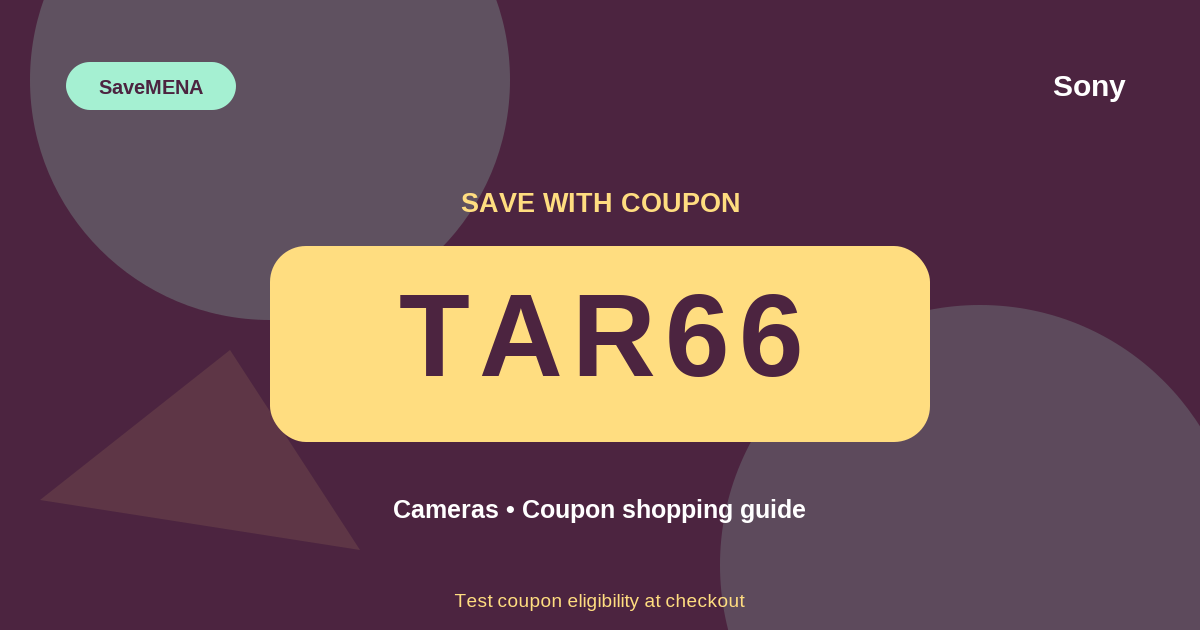
Codes available to try while comparing
These codes are not guaranteed for the article topic or listed brands; test them at checkout and use the live result.
1. Bundle Composition and Total Cost
First, double‑check the items you have placed in the cart. A Sony bundle typically includes the camera body, a standard lens, and a selection of accessories such as memory cards or straps. Confirm that each listed part appears, and that no unintended variations have slipped in. The platform will display the combined price before the coupon is applied, giving you a baseline for what you are paying in total.
Pay close attention to any extra charges that may be added at the item level, such as optional warranty premiums or protective cases. These appear separately in the cart summary; missing them can alter the overall cost unexpectedly. Re‑enter each quantity to ensure the total stays accurate and make any necessary adjustments before proceeding.
2. Accessory Compatibility and Performance
Because cameras and lenses often thrive on complementary accessories, search for each component’s compatibility notes. Verify that the memory card size matches the camera’s maximum supported capacity, and that the lens is designed for the camera’s sensor type and mount. Most listing pages provide this information, but always double‑check especially if you’re adding extra items like external flashes or battery grips.
Consider the future performance of the accessories: if you plan to use the camera for video, you may want a dedicated microphone or external recorder. Ensure any addon is supported by the camera or lens firmware, and confirm that the seller offers a return for a defective or mismatched accessory without further charge.
3. Warranty and Support
Sony products often come with a manufacturer warranty, but sellers sometimes offer extended or third‑party warranties. Confirm the warranty duration, coverage limits, and whether it applies to the full bundle or only the camera body. A shared warranty on accessories may be limited; read the fine print carefully to avoid surprises during a repair.
Look for a seller contact point for post‑purchase support. Being able to reach out directly for queries about firmware updates or accessory troubleshooting can save time. Verify that the seller’s return policy indicates support for warranty claims, and note any pre‑purchase documentation overrides.
4. Return and Exchange Terms
Return policies differ significantly between carriers, especially for bundled products. Confirm that the seller allows returns for the camera body, lens, and each accessory. Some bundles may restrict the return of accessories separately if sold together. Check the timeframe for returns—most online deals grant a 15‑30 day window from receipt.
Understand the condition requirements for a refund: cameras typically need to be in original packaging, with all original parts and accessories. The seller may impose a restocking fee or require a return label. Look for an explicit statement about “free return shipping” to gauge whether shipping costs will burden you.
5. Shipping Options and Fees
Shipping charges can change dramatically based on who is shipping and how quickly you want the item. Verify the cost of each shipping option—standard, express, or same‑day—listed in your cart. If you specify a preference, ensure the chosen option appears in the final breakdown before payment.
Check that the seller’s delivery timeframe aligns with your schedule, especially if you need the camera for a specific project. Peaks in demand can affect delivery dates. The platform often indicates an estimated arrival window; confirm that it’s acceptable before completing the order.
6. Payment Options and Confirmation
Review the payment methods available for the bundle price, including credit cards, debit cards, and digital wallets. Some platforms may restrict certain payment types for large orders or for bundles that exceed a specific amount. Confirm that the payment gateway accepts your chosen method.
After selecting your payment option, revisit the order summary to validate that the total matches your expectation. The final cost will already reflect any shipping fees or handling charges. If the platform lists a “final payable total,” that figure is the amount that will be charged once you confirm payment.
7. Coupon Code Application
To explore the potential discount, locate the coupon box in your cart. Input TAR66 and press “Apply.” The screen will refresh; watch whether the price shifts. If the coupon does not apply, the screen usually displays an error or simply doesn’t change the amount. Keep in mind that coupon application is not conditioned on the bundle; the platform handles eligibility automatically.
Regardless of the outcome, reload the cart to confirm that your intended bundle, accessories, shipping method, and payment details remain unchanged. The final payable total should accurately reflect any adjustment—or lack thereof—so you won’t be surprised at checkout.
8. Final Checklist Summary
Before you hit the payment button, run through a quick pre‑payment audit: ensure every line item in the bundle appears, confirm accessory fit and performance, double‑check warranty and return terms, review shipping fees and timelines, verify your payment method, and confirm whether the coupon code has been applied. The final payable total should reflect the summation of each element plus any additional fees. Once you’re satisfied, confirm payment and keep the order confirmation for record.
Staying vigilant at this final stage protects your investment in high‑value photography gear. By methodically verifying these factors, you reduce the risk of hidden costs, mismatched accessories, or overlooked return limitations. This disciplined approach is the key to a seamless purchase experience on Noon UAE for your Sony camera bundle and its accessories.
Related SaveMENA pages
Related articles
Official sources to check
Frequently asked questions
Can I use the coupon code after I’ve added the bundle to my cart?
The coupon code is entered in the cart section before final payment. Entering it afterward won’t change the order; you’ll need to do it before hitting the checkout button.
What if the accessories don’t fit my camera model?
Check the compatibility section for each accessory. If it’s not suitable, you can remove it from the cart before purchase or contact the seller if it’s a seller‑included item.
Will I incur extra fees for shipping the bundle internationally?
Shipping fees depend on the seller and the destination selected. If you’re ordering within the UAE, standard or express costs appear before payment; if shipping abroad, those charges will reflect in the cart total.
What happens if the bundle arrives damaged?
Contact the seller or Noon UAE support through the platform’s order query interface. The return process typically requires proof of damage and may involve restocking fees; review the return policy before shipping to understand your rights.