Logitech Gaming on Noon UAE: delivery fees — checkout checklist · TAR92
Selecting the gaming equipment that aligns with your play style is the first move in any successful purchase.
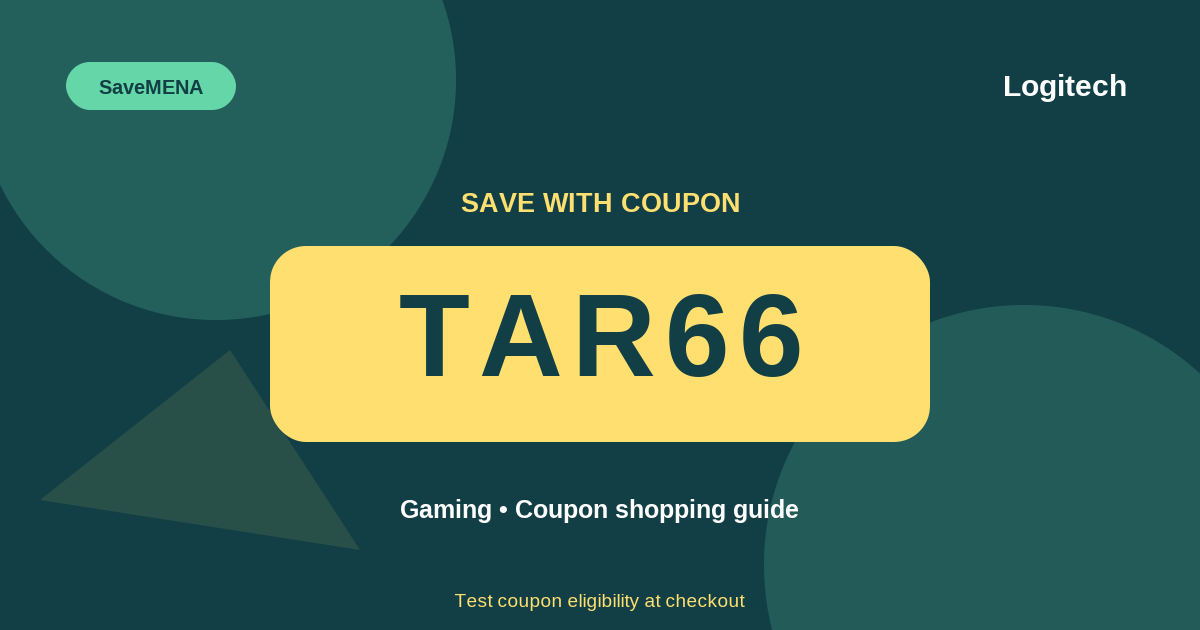
Codes available to try while comparing
These codes are not guaranteed for the article topic or listed brands; test them at checkout and use the live result.
Choosing the Right Gaming Gear
Selecting the gaming equipment that aligns with your play style is the first move in any successful purchase. For UAE buyers, Noon offers a broad catalog of Logitech products—everything from mechanical keyboards to precision gaming mice. Start by identifying the core peripherals you need and confirm that the model appears available for purchase at the time you plan to check out. Pay close attention to product specifications listed in the item description, such as sensor resolution or key rollover, to ensure the gear matches your technical expectations. Doing this upfront reduces the chances of discovering a hidden price or shipping restriction at the final step of the journey.
Once you’ve narrowed down your choices, review the seller ratings and comments. A strong seller rating can be an indicator of reliable shipping times and clear fee structures. If a listing includes a dedicated delivery notice, that often reflects only the product pricing while additional charges will surface during checkout. Checking these details early helps you avoid any last‑minute surprises related to delivery windows or unforeseen fees that could derail the satisfaction you’re aiming for with your Logitech gaming setup.
Understanding Logitech Products on Noon
Logitech’s reputation for quality is well documented, but the range available on Noon may include exclusive bundles or special editions that vary from other marketplaces. When browsing, look for clear information about each model’s warranty and return eligibility. While Noon centralizes a large portion of the logistics chain, the actual delivery arrangements—such as use of local couriers or same‑day service—are still subject to the distributor’s policies. This means that some items may have longer lead times or specific fee structures that only show up when you proceed to the cart.
Another layer to consider is the product’s compatibility with local hardware. For instance, USB hubs purchased in the UAE will be shaped for the regional power standards, but the USB type or plug orientation may differ from North America. These logistical nuances don’t impact the fee count but can affect shipping or handling. Checking for a ‘Local Availability’ note gives insight into whether an item is prepared for immediate dispatch or is still in the regional distribution center, which in turn influences the fee estimate you’ll see during checkout.
Applying Coupons at Checkout
On Noon, applying a coupon is a straightforward step, but not all codes function on every category or brand. The TAR92 coupon is generally listed under the ‘Promotions’ section of the shopping cart. When ready to enter it, click the coupon box and paste the code, then confirm. The system will automatically recalculate the subtotal and display the new value once accepted. If the code doesn’t apply, a standard message will appear and you’ll need to identify another valid discount.
Keep in mind that coupon eligibility is assessed before shipping calculations are finalized. This means any discounted price will still allow Noon to append delivery and handling fees that apply to the order as a whole. As soon as the coupon is accepted, you can move to the next section to review any potential delivery costs. If you were expecting the coupon to cover shipping fees, double‑check the terms in the confirmation window to confirm this assumption; otherwise, the fees will be listed separately after your subtotal is adjusted.
Checking Delivery Options
Delivery on Noon is usually listed in two formats: standard shipping and express or courier‑specific options. When you add a Logitech gaming accessory to your cart, the system will automatically propose an estimated delivery window based on your chosen address. Take note of the earliest possible arrival date, as that will anchor the anticipation and any additional logistics fees that may appear for expedited service. If you prefer a specific courier, see if Noon allows selection; this choice may tweak fee details and continuity of delivery.
The next step is reviewing the delivery cost itself. This fee is calculated after discount applications and will be displayed prior to payment confirmation. You should verify that the amount is consistent with other similar orders by comparing it against your experience ledger. If the fee seems out of line, re‑check the region setting on Noon or confirm that the item isn’t part of a bundle that carries a different shipping surcharge. An accurate fee listing at this stage ensures no hidden charges emerge during payment.
Reviewing Potential Fees
Beyond the visible delivery fee, other charges can surface during checkout. Commonly, Noon may add a handling or processing fee for certain payment methods or for non‑prime items. Sometimes, there’s an optional insurance fee or a delivery surcharge for special instructions, such as leaving the package with a neighbor or specifying a delivery time block. These are all displayed in a dedicated ‘Fees’ breakdown after the coupon and shipping amounts, allowing you to review them before committing to payment.
The best way to stay in control of these potential fees is to pause before hitting ‘Confirm Payment’. In the fee summary, each line item appears with a brief description, giving you time to decide whether to opt out of optional services. If you are uncertain about any figure, reach out to Noon support or double‑check the FAQ section on the platform. Validating every line ensures that the final amount does not surprise you once the transaction is processed.
Finalizing Payment
When all the fees and discounts have been validated, it's time to select your payment method. Noon supports a range of options, including bank cards, e‑wallets, and cash‑on‑delivery, but each may display a distinct fee or condition. For example, some cards require a two‑step verification that can add a minor processing charge. Ensure you clear any additional charges before the final confirmation appears, and note any updated delivery time that may arise if you choose a different payment stream.
Before clicking the final ‘Pay’ button, read the confirmation page one more time. It should present the subtotal, the applied coupon, the delivery fee, and any other additional charges in a single list. This master view is your last checkpoint to guarantee that no element has shifted during the final calculation. After confirming, your purchase will lock the selected shipping method and the coupon, excusing you from future confusion when your gaming gear is on its way.
Tracking Your Order
Once payment passes, Noon supplies a tracking number linked to the shipping method chosen earlier. Visit the ‘Order Tracking’ area or use the provided link to see real‑time updates on your package. If any delays occur, the platform usually alerts you via email or app notification with a revised expected delivery date, allowing you to adjust expectations accordingly. Tracking is also the primary way to confirm that the agreed delivery fee is honored.
Maintain regular communication with the courier if you have a dedicated service. Many logistics partners allow you to schedule a delivery window. Should the courier request additional information—such as a contact number or a specific delivery address—respond promptly to reduce the likelihood of a delayed shipment. For gaming accessories, timely delivery is critical; use the tracking data to plan for when the items arrive and to prepare for any potential customs or handling fees that might appear once the gate of the UAE is crossed.
Related SaveMENA pages
Related articles
Official sources to check
Frequently asked questions
Can I use the TAR92 coupon on Logitech gaming gear?
Yes, the TAR92 code can be entered during checkout. However, its applicability depends on Noon’s listed coupon conditions and the specific product selection. If the code does not apply, the page will display a notification and you’ll need to use another valid discount.
How do I identify delivery fees during the checkout process?
During the checkout, Noon displays a fee summary after coupon application and before payment. This section enumerates the delivery cost and any associated handling or processing fees, allowing you to review and, if necessary, adjust options before confirming your order.
Is there a minimum spend required to qualify for free delivery on Noon?
The free delivery threshold is subject to Noon’s current promotion rules and may vary by product or seller. Check the fee breakdown at the checkout stage; if the item total meets the required amount, the delivery fee will be zero. Otherwise, a small delivery charge will appear.
What steps should I take if my Logitech gaming accessory does not arrive within the estimated window?
Use the tracking link provided in your order details to check status. If the package remains undelivered beyond the expected date, contact Noon’s support or the courier directly with your tracking number. They can clarify delays or arrange a replacement.