Headphones on Noon UAE: delivery fees — checkout checklist · TAR53
When you’re ready to buy your next pair of headphones on Noon, the last step before you hit “Pay” is the checkout checklist.
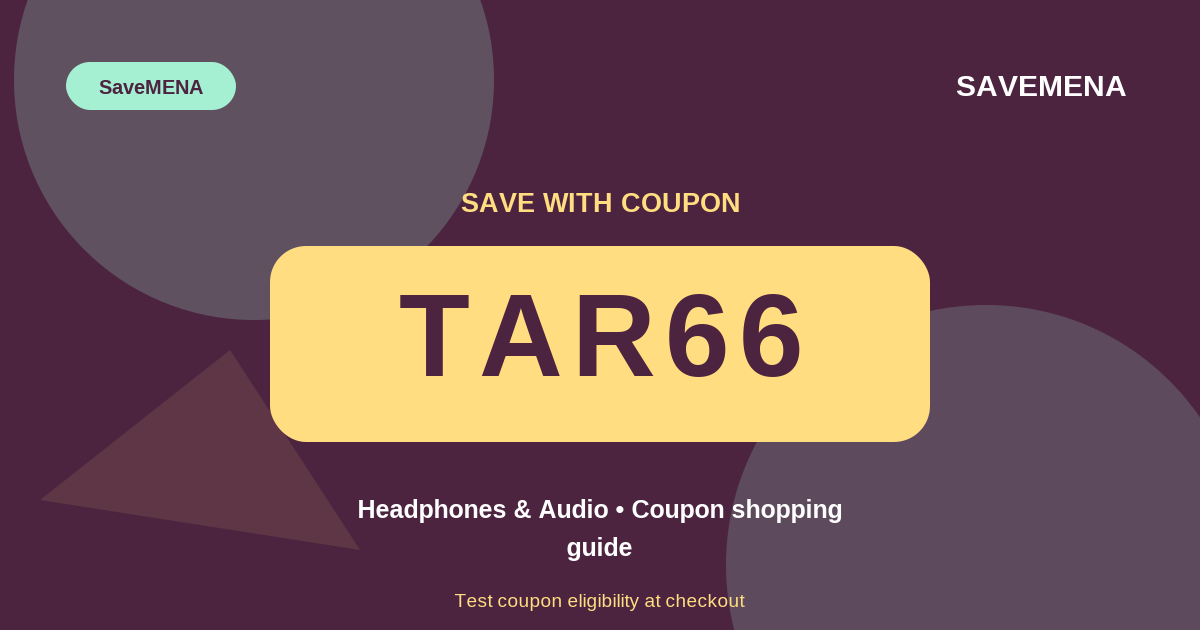
Codes available to try while comparing
These codes are not guaranteed for the article topic or listed brands; test them at checkout and use the live result.
1. Selecting the Perfect Headphones for Your Needs
Begin by finalising the headphone you want. Look at sound quality, battery life, and whether you prefer over‑ear, on‑ear, or in‑ear models. Consider your budget and the use case—commuting, gaming, or studio mixing. Use SoonShop or the Noon app to filter by brand, price, and customer rating, but remember that ratings are best interpreted in context; a model that works for “good audio” may be okay for casual listening but insufficient for professional needs. Mark the chosen item on your cart and double‑check the product description: it should include connectivity type (Bluetooth, 3‑pin jack), frequency response, and any noise‑cancellation features you require.
Next, confirm the item’s stock status. Headphones can run out quickly, especially during sales periods. The product page will list “Order Now” if the store has in‑stock inventory, or “Pre‑order” if it is out of stock but expected soon. If you headline your final choice to the “Pre‑order” section, the final price you see at checkout may change, and you should be prepared to confirm that the price remains unchanged before payment. This prevents late‑stage surprises that can increase the final cost.
2. Understanding Noon’s Delivery Options
Noon offers several delivery classes, from “Standard” to “Express,” each with different timelines. Standard shipping generally takes 4‑7 business days, while Express can deliver in 1‑3 days. Carefully read the estimated delivery window on the cart summary. If you need the headphones urgently, verify that the selected delivery method matches your required timeline. Availability can vary by location; some areas may only see Standard delivery, while others can use Noon’s same‑day delivery vouchers for a fee.
The delivery fee itself is displayed in the cart totals. For standard delivery, the fee may be a fixed amount for all items; for express, it could be higher. If you are already registered on Noon, login at checkout to see if any delivery credits apply, especially if you have an active membership or a promo code. This is the optional step to ensure the cheapest potential cost before you apply any coupons.
3. Hidden Delivery Fees and How to Spot Them
Noon’s platform separates the item cost, delivery fee, and any applicable tax, so you can spot each part of the total. The delivery fee can be influenced by factors like item weight, fragility and whether it is pre‑ordered. Look for the “Delivery & Handling” line on the order summary; if it says “Free for next 7 days” it will disappear at final purchase, so keep it noted. Weight‑based fees may add a surcharge if the headphones plus packaging exceed a threshold. Knowing this can help you anticipate the final payable amount.
When you see a “Service Charge” line beneath delivery, this usually references a transaction fee or additional handling cost for larger orders. Some sellers require a minimum purchase for free delivery; otherwise a modest fee is assessed. It’s essential to verify that the service charge is not duplicated if you use a coupon that references shipping. Avoid assuming the total will cover all fees—always review the detailed breakdown before confirming payment.
4. Applying the Noon UAE Coupon at Checkout
Once you have the final price plus delivery and fees displayed, you are ready to use a Noon UAE coupon. Type the coupon code TAR53 in the coupon field before you click “Apply.” Noon’s system will automatically adjust the subtotal if the coupon offers a discount; however, this does not alter delivery or handling charges unless the coupon explicitly states that. To keep the figure transparent, verify that the changes in the cart simply reflect on the product price or a direct discount line, leaving delivery and fees untouched. It is your responsibility to confirm that the final amount shown after applying the coupon equals the total you intended to pay.
Never assume the coupon applies across all categories or to bundled items. If you are buying a single pair of headphones, the coupon may still apply but not to the delivery fee. After confirming the coupon has applied, double-check the new subtotal and adjust if needed. This section ensures you do not overlook that your coupon cannot cancel out the delivery and handling fees—these remain in the final total.
5. Payment Methods and Final Confirmation
Choose a payment method that suits your convenience: Credit/Debit cards, Noon Pay, or an external bank transfer. The checkout screen will list any card security features or additional fees that apply—especially if you prefer a non‑Noon payment option. Some payment methods may add a small surcharge, typically well‑specified in the payment method description on the screen. This helps you avoid unexpected cost increases that could misalign the coupon savings.
Before you click the final “Pay” button, watch for the final order summary. At this stage the list shows: item price, delivery fee, any service charge, ongoing promotional discount from the coupon, and the calculated tax. The total payable amount is the final amount for the transaction. Make sure you accept the updated terms and conditions and confirm that the final payable total matches your expectations. No guarantee exists that the coupon remains valid after this step, so you are advised to submit payment only when satisfied.
6. Reviewing the Order Summary Post‑Payment
Once the payment is processed, Noon will provide an order confirmation email. The email contains the same order breakdown: subtotal, delivery fee, service charge, discount from coupon, and final total. Cross‑check that the totals in the email match the final totals on the app—especially if you paid with a method that incurs outside fees. Any discrepancy indicates an error that should be reported to Noon’s customer support immediately.
The order summary will also indicate the estimated delivery date, which is calculated from the delivery option you selected. If your headphones are pre‑ordered, the notice will include an expected release date. Monitoring this information in the “My Orders” section allows you to track shipment progress and reminds you of delivery times, preventing any miscommunication.
7. Troubleshooting Common Checkout Hiccups
It is common for errors to pop up during checkout. These can be caused by a session timeout, a mismatch between listed items and cart totals, or unapplied coupon codes. If the system prompts you to re‑enter a coupon, re‑enter TAR53 after ensuring the cart is regated. Should a delivery option disappear after the coupon is applied, contact Noon support, because some delivery fees may retract if the coupon covers shipping, but this is not guaranteed.
If you encounter a “Payment Failed” message, verify that the card has sufficient balance or that the card issuer has not blocked the transaction. Some banks flag large purchases or new online transactions. Updating your card details in the account settings often resolves the issue. Following these troubleshooting tips can keep the checkout process smooth and avoid last‑minute cancellations.
8. Maintaining Records for Future Returns or Exchanges
Save the order confirmation PDF or screenshot, which will list the final total, delivery fees, applied coupon code TAR53, and the shipping method. This record is essential in the event of a return or exchange, as it verifies the exact amount paid and the acceptance of the coupon. Noon’s return policy applies after the package arrives, so be sure to keep track of the expected delivery date and any shipment tracking numbers issued.
Keep your receipts and the digital confirmation safe. Should you need to contact Noon’s support for a refund or exchange, referencing the order number and the coupon code used can streamline the process. By noting each step, you ensure a clear audit trail from cart to delivery, reinforcing confidence in the calculated fees and final payment.
Related SaveMENA pages
Related articles
Official sources to check
Frequently asked questions
How do I confirm the free delivery eligibility after applying the coupon code TAR53?
You can see the delivery fee in the cart summary after applying the coupon; if it remains unchanged, the coupon does not affect delivery. If it drops to zero, the coupon includes forwarding to free delivery. Verify by checking the final totals before you pay.
Can the coupon TAR53 also reduce the service charge listed in my order?
Noon’s coupons typically apply to the item price or the overall subtotal, not to the service charge. The service charge is shown separately in the order and remains unchanged unless a specific policy states otherwise.
Will the coupon refund carry over to a second brand of headphones if I purchase more than one?
The coupon’s effect is evaluated on each order separately, and it applies only to the current checkout. To use the coupon on a second purchase, you will need to re-enter it during that checkout.
What if a delivery fee changes after I confirm the order?
Any fee modifications after payment would normally be reflected in the order confirmation email. If you notice a discrepancy, contact Noon’s customer support promptly to verify the final amount paid.