Samsung Mobiles on Noon UAE: delivery fees — checkout checklist · TAR53
Before you reach the final payment stage, sketch a checkout checklist that covers the Samsung model you’re buying, the retailer’s delivery method, and any fees that
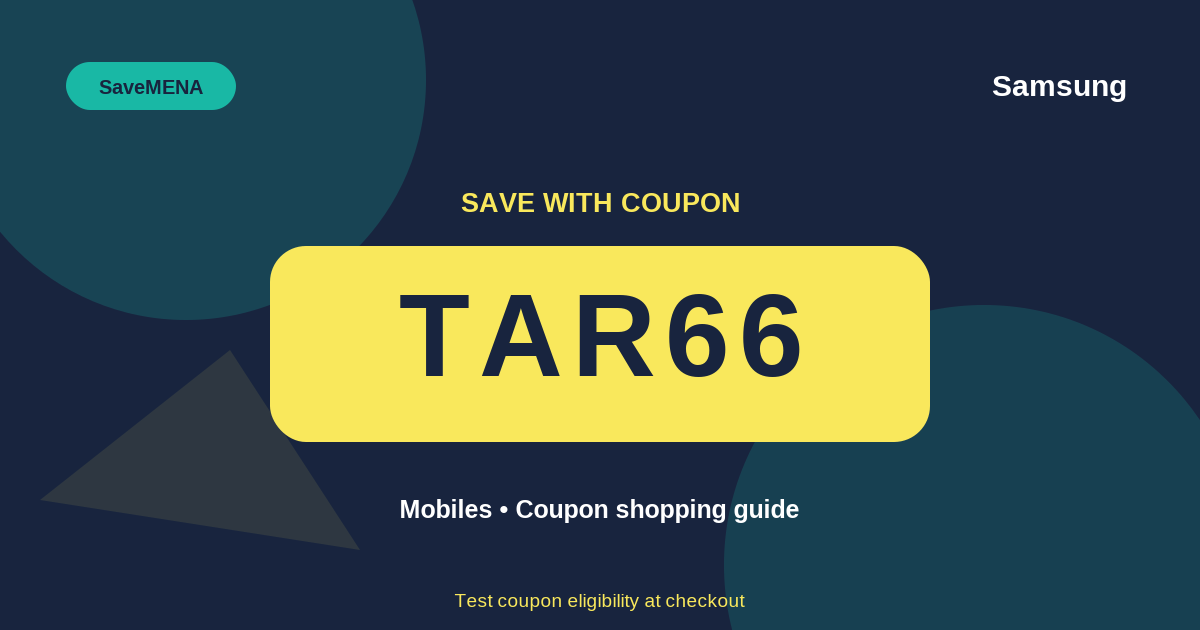
Codes available to try while comparing
These codes are not guaranteed for the article topic or listed brands; test them at checkout and use the live result.
Choosing the Right Samsung Model
When preparing your checkout checklist, start by confirming the Samsung model you intend to purchase. Identify the exact variant – for example, Galaxy S23 Ultra with 128 GB storage, or a Galaxy A54 in the mid‑range line. Verify the model’s specifications against the seller’s details: camera resolution, processor, battery capacity, and available color options. Ensuring accuracy at this point prevents future returns and keeps your final cost predictable, because the price of each Samsung model can differ by a few hundred dirhams.
Next, check that the chosen Samsung phone is in stock with the seller on Noon UAE. A full stock status reduces the risk of delayed delivery or an accidental out‑of‑stock cancellation. Many sellers offer real‑time inventory updates; use these to confirm that the exact variant, colour, and storage size are available before adding it to your cart. This step also helps you anticipate any special handling or premium shipping that might affect the delivery fee.
Reviewing Delivery Options
In your checklist, the delivery method is the second greatest variable to assess. Noon UAE typically offers multiple options, such as standard, expedited, or same‑day delivery. Each option comes with different timing and associated costs. For instance, choosing a same‑day option may entail a higher fee than a standard delivery window, but it can also mean you receive your Samsung phone sooner, which may be important if you have a deadline to meet.
Compare the estimated delivery times for each available option, and note whether any minimum order value is required to qualify for free shipping. This information is often displayed on the product page or the cart summary before you hit checkout. Take note of the window you prefer, because once you select a faster option, that decision typically locks in the corresponding delivery fee, which will appear under the final payment summary.
Identifying Potential Fees
Fees can alter the final price of your Samsung phone, sometimes unexpectedly. For example, a processing fee may appear when you choose a certain payment method, such as a specific credit card or digital wallet. In other instances, a small handling fee may be applied to customers who order from remote areas where logistic costs are higher. These fees are typically displayed only after you reach the checkout and therefore should be noted rapidly during that step.
Being aware of potential fees at checkout means you can pre‑select your preferred payment method or opt for an alternative delivery window that avoids a surcharge. Realizing that you can switch from a fast shipping slot to a standard slot, or from a credit card to a COD payment, can prevent the total from rising unexpectedly. Incorporate this fee‑watching step as a core part of your “delivery and fees” decision lens.
Applying and Testing the Noon UAE Coupon
Once the Samsung phone, delivery, and fee checks are complete, it’s time to explore the coupon use. The promo code TAR53 can be entered into the coupon field at the checkout. It is best practice to test the coupon before finalizing the payment: enter the code, watch the cart total update, and confirm whether the discount is applied. The coupon’s effectiveness is subject to the seller’s terms, and it is not guaranteed to work on every order.
Do not rely solely on the coupon for the final price. After applying any discount, revisit the final payment screen to confirm that the delivery fee and any applicable handling costs remain consistent. The real value of using a coupon lies in the clear display of how it affects the total; so verify every number and keep the recipe to check against a later invoice if needed.
Evaluating Payment Method Choices
The checkout checklist must also weigh the payment method’s influence on both the total amount and the delivery experience. Selecting a particular payment option can trigger a processing fee, or it might offer a promotional incentive, such as a small cashback. It is essential to examine the fee structure associated with each payment type before choosing, because that determines the exact amount you’ll owe once the coupon is applied.
Additionally, some payment methods may impact the delivery schedule. On occasion, paying with a debit card can unlock a faster delivery window, while choosing cash on delivery (COD) might obligate a different shipping plan. Because these nuances affect both cost and convenience, list each payment possibility with its fee implications in the “delivery and fees” part of the checklist.
Cross‑Checking the Final Order Summary
Before you hit the final “Pay” button, double‑check the order summary for any misprints or overlooked charges. The summary should list the Samsung model, chosen delivery option, any fees, the applied coupon, and the final amount total. A simple script of these items ensures no surprise charges appear after the transaction is processed. Because the coupon may apply after fees are added in some systems, verify if the discount remains intact after all fees settle.
In addition to the numeric check, confirm that the seller’s name, contact information, and estimated delivery date are correct. The final checkout screen is the place where all prior decisions – from the chosen Samsung model to the delivery method, coupon application, and payment choice – converge into a single, tangible cost. Only after all these elements match your expectations should you proceed to payment.
Confirming and Tracking Your Order
After completing payment, you should receive an order confirmation email or SMS. Save this document, as it contains the receipt and the order reference number. The receipt will also reflect the final price, the applied coupon code, and any fees that were added. Keep the confirmation in the “delivery and fees” folder for later reference when you want to confirm the delivery schedule and cost integrity.
Use Noon UAE’s order tracking feature to follow the shipping progress. Many sellers update the carrier status automatically on the platform. Since delivery times can vary based on your chosen shipping method, verify that the estimated delivery date matches the schedule posted at checkout. In case of any delay or discrepancy, knowing the delivery and fee details you recorded earlier helps you discuss the issue accurately with customer support.
Reflecting on the Shopping Experience
The checkout checklist is not only a step-by-step guide; it’s also a reflective tool for future purchases. Note which Samsung model’s specifications delivered the best value, how the delivery fee impacted your total cost, and whether the coupon code TAR53 made a noticeable difference. This reflection can be a quick reference for the next time you shop at Noon UAE, ensuring you won’t repeat any costly missteps.
Additionally, consider sharing your findings with friends shopping for Samsung mobiles or at forums for UAE consumers. Discussing real costs, delivery flexibility, and coupon trials takes the burden of uncertainty off new shoppers and amplifies the community’s collective knowledge about Noon UAE’s “delivery and fees” landscape.
Related SaveMENA pages
Related articles
Official sources to check
Frequently asked questions
Can the TAR53 coupon be applied to any Samsung mobile?
The coupon can be entered during the Noon UAE checkout process. Its applicability to specific Samsung models depends on the seller’s terms, so it’s advisable to test the code after adding the desired phone to your cart.
Will the delivery fee change after I apply a coupon?
Usually, the delivery fee is set before applying a coupon. However, it’s best to re‑check the final payment summary after the coupon codes are applied to confirm the fee remains unchanged.
Can I choose a different delivery option after applying a coupon?
Yes, you can modify the delivery option before completing payment. Changing to a more expensive option will add its appropriate fee to the final total, even after a coupon is applied.
What if the Samsung model I want is out of stock?
Check the seller’s stock status at checkout. If out of stock, you may need to select a different variant or seller; otherwise, the order will be delayed or canceled, affecting delivery fees.