Puma Sports on Noon UAE: delivery fees — checkout checklist · TAR92
Before you hit the “Place Order” button for your latest sports gear, especially a pair of Puma sneakers or a training kit, there are a handful of non‑negotiable
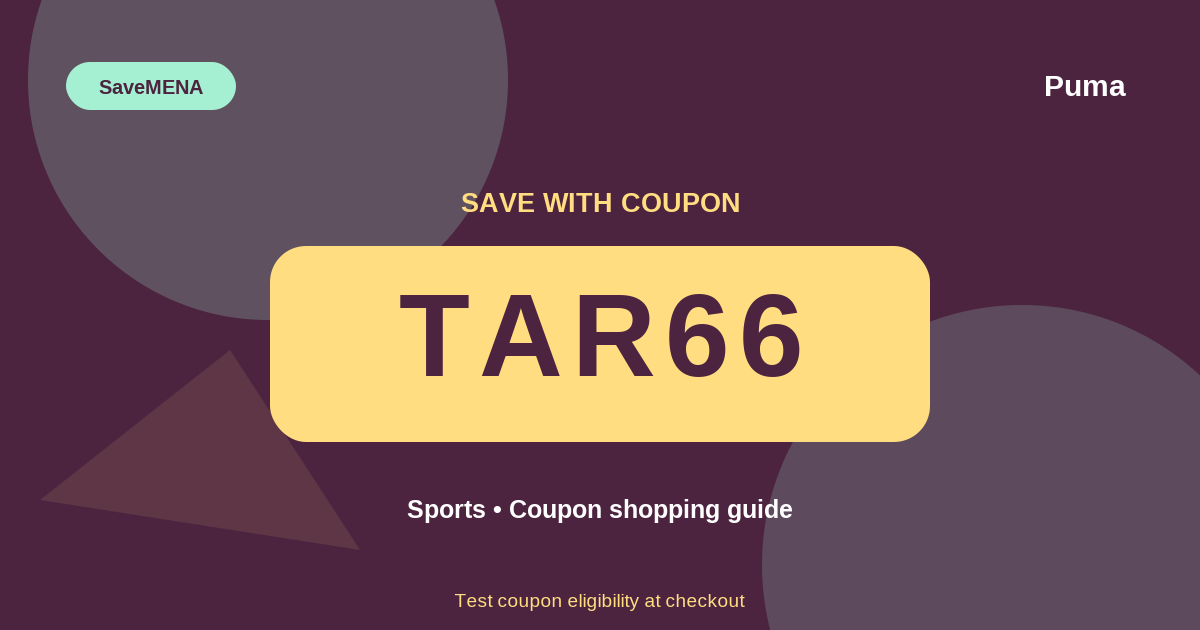
Codes available to try while comparing
These codes are not guaranteed for the article topic or listed brands; test them at checkout and use the live result.
Read the Fine Print for Noon UAE Coupon Use
Most shoppers start by brainstorming how to apply a coupon, but the real question is whether the coupon qualifies for the items in your cart. The TAR92 code is a generic Noon coupon that may apply to a variety of categories, so verify its eligibility for sports items specifically. During the checkout process, the coupon field usually auto‑validates against the existing cart contents. If you see a note that the coupon is ineligible for sports, the code will be rejected before you can progress.
Even if the coupon accepts the items, note that the application check happens after you hit the “Apply” button. At that point, the system might remove or replace the coupon if there are conflicts, for example if a purchase is under a promotional sale already. It’s therefore critical to place the coupon in the designated field once your cart contains solely sports garments to see the final effect on the subtotal before seeing the delivery fees. Be sure to perform this step on the final checkout page, where the coupon’s status is confirmed in real time.
Verify Puma Product Details and Seller Ratings on Noon
Puma sports equipment ranges from footwear to activewear, and each SKU can come from multiple sellers on Noon. To avoid extra delivery charges associated with a less reliable seller, double-check the product details including size, color, and edition before adding to your cart. Hover over or tap the “Seller” badge to view star rating and transaction volume. A seller with higher ratings and longer delivery history usually promises the less complicated fee structure.
Also confirm that the Puma item is verified as an authentic brand product. While authenticity does not reduce fees, it influences return policies. If the seller has a “Prime” badge or a dedicated Noon delivery slot, the fee may be waived or lower compared to a third‑party vendor. Checking these details ahead of checkout ensures you do not face unforeseen surcharges tied to a less reputable supplier.
Confirm Sports Item Dimensions to Avoid Delivery Overheads
On Noon, certain sports products—especially larger items like gym kits—can trigger an added delivery charge if they exceed a predefined size limit. Before finalizing your cart, review the dimensions listed in the product description. Look for a line that reads “Dimensions” or “Weight” to estimate whether the package will fall into a standard or oversized category.
Because the fees can vary by region, this check is essential. If your sports gear is close to the threshold, you may want to group your purchases, pair them with a free shipping basket that can offset the cost, or change the delivery address to a region with a lower fee bracket. Note that this dimension assessment must happen before you move to the checkout window, where the final delivery cost is calculated based on weight and size.
Assess Total Delivery Charges for Sports Puma Items on Noon
Delivery fees on Noon vary with distance, order size, and the selected delivery slot. When you proceed to the payment page, the platform typically lists the fee amount next to the breakdown of product subtotal and taxes. Confirm that no extra surcharge is added because of a sports item category or due to a seller’s specific fee policy.
If you notice an unexpected fee, revisit the chosen delivery time. Noon sometimes offers a "Same‑Day" or "Next‑Day" slot that carries a premium, whereas standard scheduling may grant a lower cost. Additionally, you can check if a free delivery threshold applies—perhaps you can add a minimal item to cross the threshold and eliminate the fee entirely. These adjustments should be made before confirming payment to align with your budget.
Evaluate Additional Fees and Optional Services during Checkout
Beyond basic delivery charges, Noon occasionally offers optional services such as extended warranties, gift wrapping, or exclusive delivery windows that carry extra fees. On the final summary page, these options appear as separate line items. For sports gear, check if the seller offers any extended warranty that could influence your net expenditure.
Choosing whether to opt‑in at this stage is critical because these costs are not bundled with the coupon discount. For example, a gift wrap fee of AED10 would not be reduced by TAR92. Similarly, opting for a brand‑exclusive delivery shift might raise the total payable amount. Make these decisions after confirming the coupon has been applied and after you review the overall delivery fee.
Apply the TAR92 Coupon Sparingly: What to Expect
Once the cart reflects all items, seller choices, dimensions, and estimated delivery costs, proceed to the coupon field. Insert TAR92 and click “Apply.” The platform will toggle the coupon next to the subtotal, indicating the discount applied. Since the coupon may or may not be applicable to sports categories, this step confirms if it actually reduces the cost.
If the coupon fails, you will see a message explaining the issue—often you’ll learn that the coupon does not qualify for sports items or is limited to specific brands. Should the coupon succeed, the amount it subtracts will be reflected in the total payable line. It is vital to take note that this discount does not affect the fee calculations of delivery or optional services. All subsequent fees are added after the coupon effect.
Re‑check the Final Payable Amount Before Placing Order
After the coupon’s influence, the summary section now lists three main components: the discounted subtotal, any delivery fee, and optional service charges. Add them together to arrive at the final payable figure. Noon displays this figure prominently before the “Place Order” button, ensuring transparent understanding of the end cost.
At this point, you have the full picture: the product price after coupon, the precise delivery fee based on your location and item size, and any added services. Confirm your payment method, read the terms again, and click “Place Order.” This final checkpoint guarantees no hidden surprises once the order leaves your cart at Noon UAE.
Post‑Purchase Tracker: Managing Delivery and Returns
Once your order is placed, Noon may send a confirmation email or push notification. This message will usually include a tracking number, anticipated delivery window, and a summary of fees paid, including delivery and any optional charges. Retain the receipt as a reference for any disputes or exchanges.
Should a delivery fee or an optional service have been applied incorrectly, contact Noon’s customer support with your order number. The support channel often includes live chat, email, and phone options. By verifying the amounts against your receipt, you can address potential errors quickly and receive a refund or adjustment as applicable.
Related SaveMENA pages
Related articles
Official sources to check
Frequently asked questions
Does TAR92 automatically apply to all sports items on Noon?
No, the coupon must be manually added to each order and its applicability is verified during the checkout process. Use the coupon field after adding your sports items to see if it applies.
Will a delivery fee change if I order multiple sports items?
Delivery fees can vary based on the combined weight and size of the items. Noon calculates the final fee during checkout after all items are added.
Can I get a free delivery for my sports purchase?
Some orders may qualify for free delivery if they cross a certain order value or if the seller offers a promotion. Check the summary line for any free delivery indicator before finalizing payment.
What should I do if a seller’s rating contributes to a higher delivery fee?
Higher fees can sometimes be tied to sellers with lower ratings or limited logistics. You can try selecting a different seller with a better rating or wait for a promotion that reduces the fee. Verify before checkout.