Xiaomi Tablets on Noon UAE: delivery fees — checkout checklist · TAR92
When you’re ready to buy a Xiaomi tablet through Noon UAE, you must pause at checkout and verify a few critical pieces of information.
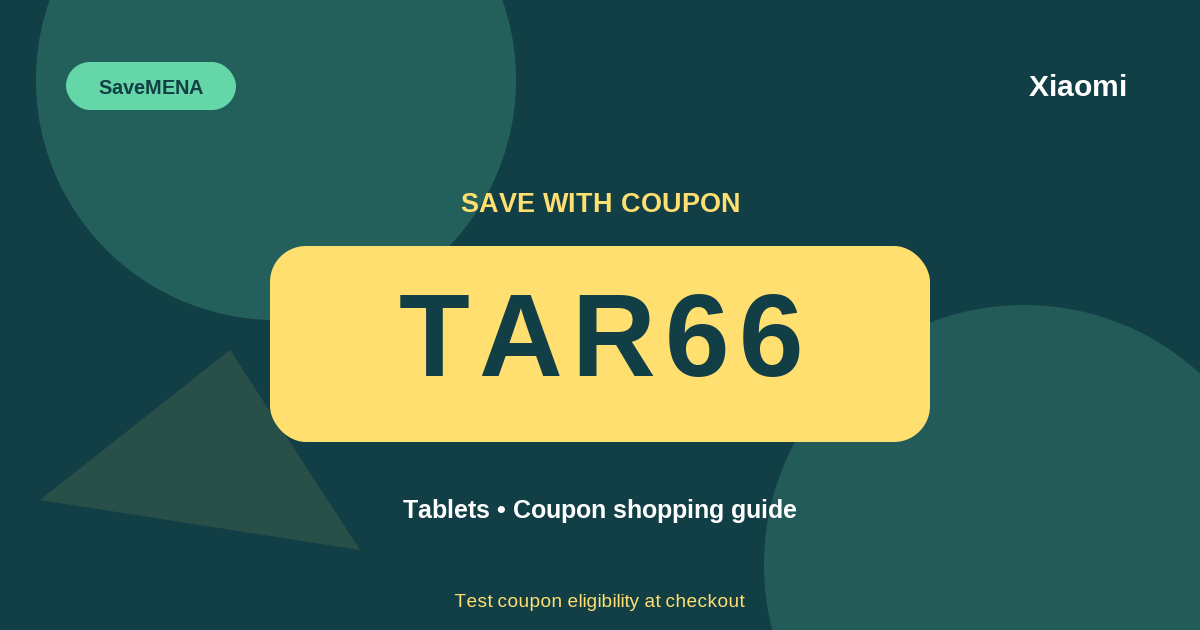
Codes available to try while comparing
These codes are not guaranteed for the article topic or listed brands; test them at checkout and use the live result.
Confirm the Tablet Model and Seller
First, double‑check the Xiaomi tablet model you added to your cart. On Noon’s product page, confirm that the specifications—screen size, processor, RAM—match your desired purchase. A single display diff can result in a different price. View the seller’s profile on the listing; Noon lists multiple sellers for most items. Select a seller with a clear delivery promise within the UAE, as smaller sellers sometimes charge extra shipping or have longer wait times. If you’re unfamiliar with the seller’s ratings, you can quickly glance at the overall rating and number of reviews from the listing sidebar. This initial check saves you from accidentally adding a different variant or a version from a less reliable source before you even hit checkout.
Keeping the tablet and seller correct also influences the availability of the Noon coupon. Some sellers may not support coupon application for their listings. When you reach the checkout, a missing coupon option is a red flag that the selected seller doesn’t honor Noon’s discount system. If the coupon is unavailable, consider redoing the selection with another seller that does. In the UAE market, many sellers offer free or low‑cost shipping, so verify that the seller you choose aligns with your delivery preferences and will accept your coupon code at the final step.
Review Cart Quantity and Variants
Cart integrity is essential. In the cart view, confirm the quantity of Xiaomi tablets you intend to purchase. If you only want one unit, ensure the number displayed is '1' and no extra items have accidentally entered. Also check that the variant—color, storage, or special edition—is accurate. Mistakes in any of these fields can affect the total cart value. Because Noon UAE sometimes displays promotional bundles similar to your chosen tablet, double‑check that no unintended accessories are included before moving on. This step is just as important for verifying that the coupon will apply to the correct line items, as some coupon conditions depend on the presence of a single product rather than a bundled offer.
A clear cart also helps you spot hidden fees earlier. When the cart total updates after a quantity change, watch for any additional charges appearing beside the item. UAE shoppers often see service fees for expedited shipping or special handling; these will show separately before you proceed to payment. Ignoring these details can cause a discrepancy between the cart preview and the final checkout page. By setting the correct quantity now, you can avoid frustration later when the total calculation includes extra shipping or handling costs that weren't initially visible.
Apply the TAR92 Coupon at Checkout
Once you’re on the checkout screen, locate the coupon input field. Enter the code TAR92 precisely; Noon’s interface is case‑insensitive, but typing it correctly prevents a missed discount. After you click apply, confirm that the code shows as “Applied” next to the field, and that the discount appears above the total price. If the code fails, Noon will register an error message. At this point, double‑check for typos and confirm that the coupon is still valid for a Xiaomi tablet. Some coupons on Noon are not tied to any brand or category, so its availability is not guaranteed until the server confirms it during checkout. Be prepared to revisit the cart if the code isn’t accepted, in case the selected seller does not support coupons.
The coupon’s effect is displayed as a line item reduction in the summary box. If you see no reduction, Noon's interface typically leaves the discounted amount at zero. This outcome signals that your coupon isn’t applicable for the specific product or seller. In that case, you can either remove the coupon and search for another savings strategy or swipe back to the cart and verify if another seller listed for the same tablet allows coupon usage. Ensuring the coupon applies correctly before you look at delivery fees is crucial because Nahani’s Horn gets a bit urgent once the method of shipment and its associated costs appear on the screen.
Inspect Delivery Options and Regions
Below the subtotal, Noon presents a “Choose Delivery” section, offering one or more options. The default typically matches the seller’s standard shipping panel—free or a fixed price. UAE shoppers should verify that the delivery address is within the UAE; certain sellers offer free shipment only when the destination is inside the country. If you find a cheaper option—Freight for the same day or 24‑hour delivery—check the availability window. Noon often mentions a delivery date or “estimated arrival” that depends on the chosen method. Because delivery schedules influence the final cost, read this information carefully before any payment.
Pay particular attention to the fee notation next to each delivery method. If a specific option shows a “+ AED X.00” or “+ SAR X.00” figure, that is the additional shipping or handling fee you’ll incur. Unlike some global e‑commerce sites, Noon may adjust the fee line based on seller policies. For example, a seller may offer free shipping only if the cart total reaches a certain threshold, otherwise charging a fixed amount. These fees appear in the total summary, and any misreading here can distort the expected final price. Checking this section against your budget ensures you won’t be surprised by an extra cost at the payment screen.
Scrutinize Delivery Fees and Tax Calculations
Next to the chosen delivery method, Noon presents a consolidated “Total” line that merges the product price, applied discount, and all fees. This total includes taxes, which in the UAE might be zero or a nominal amount depending on the item classification. The fee section may separate “VAT” or “Service Charge” from generic “Delivery” fees. If you see two separate lines—such as “Delivery Fee” and “Service Charge”—add them together to understand how many fluctuations influence the final amount. Even a nominal change can affect your budget if you’re tracking spending precisely.
Taxes on electronics in the UAE are often negligible, but verify that the line reads “the amount shown at checkout” or “the amount shown at checkout” before proceeding. If the tax is not displayed, it may be included in the product price. In either case, the total line should mirror the amount shown on your payment gateway. If the fee section lists numbers that appear incorrectly—such as an unusually high delivery charge—contact Noon customer support, especially after you have confirmed the cart contents and used your coupon. It’s vital to catch any aberration in fee calculation at this juncture, because once you move past the “Review” page, the amounts become locked.
Select the Payment Method and Currency
Upon final confirmation of shipping and deductions, Noon prompts you to choose a payment method. Options include debit/credit cards, Apple Pay, or Noon’s credit line. UAE shoppers should note the currency displayed during this step: Noon operates predominantly in UAE dirhams (AED) for local orders. The system will convert any remaining amount into AED before sending the transaction to your bank. Ensure your card supports this currency, as some foreign cards may incur conversion fees. If you’re using an international financing option, double‑check with the issuer to avoid extra charges that Noon’s interface cannot preview.
Pay attention to any “additional charge” notices that appear once a payment method is selected. Some banks add a 2–the discount shown at checkout surcharge on foreign currency transactions. Since the checkout page reflects the exact payable amount, these fees are already included in the final total. It is wise to verify the amount after selecting your payment method, because the system will capture the exact figure and bypass any prospectively applied coupon adjustments or delivery fee revisions that might emerge from a change of seller or delivery speed.
Review the Final Summary Before Placement
The last stage before you click "Place Order" is an extensive summary. It repeats the product, discount, shipping fee, tax, and final payable total. There will also be a statement like “You are about to pay AED X.XX”, which is a final audit. Carefully compare this line against earlier figures on each of the preceding screens. If the order includes any packaging or optional extras, they should appear here too. Should any line item be wrong—such as a shipping fee you expected to be waived—reach out to Noon support before finalizing.
You’ll see your shipping address followed by the selected delivery method and its estimated arrival. These are also settings you can change prior to placing the order. For example, you may swap a cheaper “Standard” delivery for a paid “Express” option if urgency matters. Since the total updates dynamically as you make changes, it’s a perfect time to review how a different method impacts the final cost. Once you’re satisfied with every line, acknowledge the terms and conditions, and click “Place Order”. After that, you’ll enter the payment screen, but all fees should now be locked.
Post‑Order Confirmation and Tracking
After placing the order, Noon will display a confirmation number and provide an email receipt. This receipt aggregates the same information seen on the final summary: product details, voucher code TAR92, deductible amount (if any), shipping fee, and total payable. Store this receipt for warranty and return purposes. If you notice a discrepancy between the confirmation and your bank statement later—such as a higher charge or missed discount—the confirmation’s details serve as evidence for contacting Noon support.
Use the tracking number provided in your account’s order history to follow the shipment. Several delivery options include real‑time updates showing the package’s current status—warehouse, in transit, out for delivery, and delivered. Tracking links will often reveal whether the shipment is being handled directly by Noon, a third‑party courier, or a local partner. By staying attentive to the delivery progress, you can anticipate any partial late delivery or misdelivery and act promptly.A coupon is not guaranteed; verify its result at the retailer checkout.
Related SaveMENA pages
Related articles
Official sources to check
Frequently asked questions
What happens if the TAR92 coupon code doesn’t apply to my Xiaomi tablet?
The coupon code may not be supported by the selected seller or the specific tablet variant. At checkout, if Noon's interface rejects TAR92, try a different seller or remove the item from the cart and re‑add it under a seller that honors Noon coupons. If it still fails, it may be discontinued.
Can I change my delivery method after the order is placed?
In most cases, delivery mode can be modified within Noon’s order management portal before the package leaves the warehouse. Contact Noon support if the shipment is already out for delivery, as changes will not be permitted after that point.
Is there a tax or duty to pay on Xiaomi tablets purchased through Noon UAE?
Most electronic products in the UAE carry zero VAT or a minimal rate. Noon lists tax details in the checkout summary. If a duty appears, it’s added automatically and shown in the final total, so the amount you pay matches the displayed total.
How do I verify the final charge before I click “Place Order”?
Before confirming, review the order summary page for product price, coupon deduction, shipping fee, any taxes, and the total payable. The amount shown there will be charged after you complete payment. Make sure every line matches your expectations.