Apple Tablets on Noon UAE: delivery timing — checkout checklist
use a Noon UAE coupon Tablets Apple estimated delivery timing: When you’re about to purchase an Apple tablet on Noon UAE, the last thing you want is a surprise at
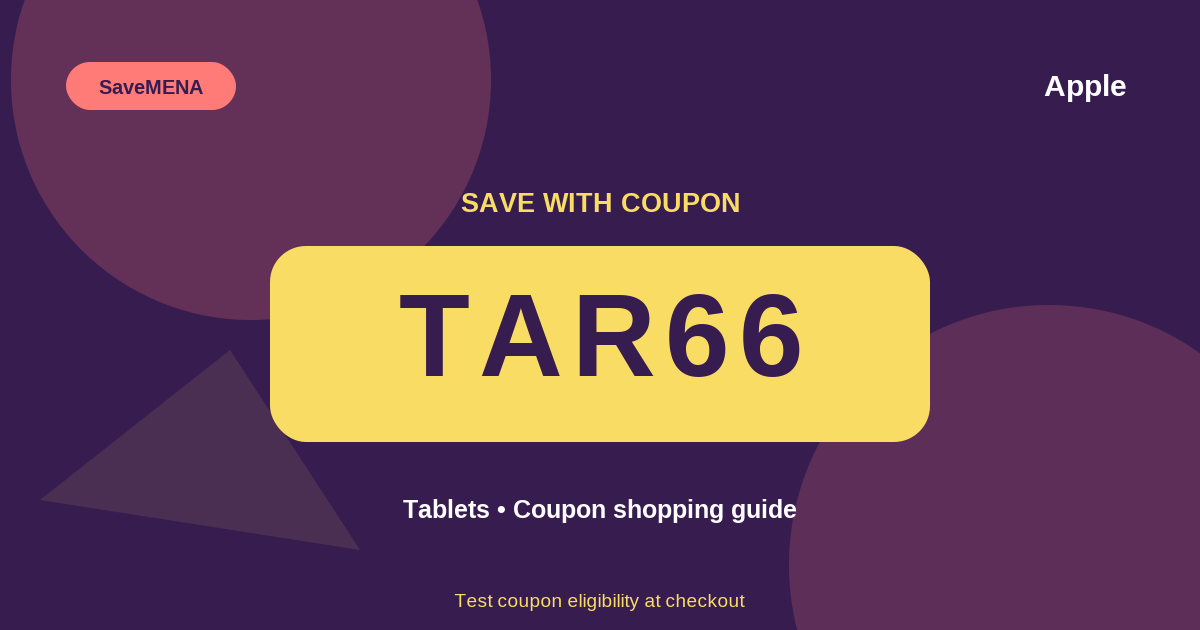
Codes available to try while comparing
These codes are not guaranteed for the article topic or listed brands; test them at checkout and use the live result.
1. Identify the Exact Tablet and Variant
Before you even add an Apple tablet to your cart, double‑check that you’re looking at the right model and configuration. Even though Noon UAE lists broad Apple tablet ranges, differences in screen size, storage, and generation can affect availability and pricing. Use the filters on the product page to narrow the options to the precise model you want—be it the 10-inch, 12.9-inch, or the latest generation. Ensuring the correct variant it not only prevents surprises but also confirms the seller’s stock of that specific version, meaning you’ll receive the tablet you actually wanted.
After confirming the variant, scroll down to the product description for a quick summary. Pay close attention to any notes about special editions, color choices, or bundled accessories. A complete understanding of your chosen tablet’s specifications helps match the delivery estimate with what you expect, and it guards against accidental tax or shipping cost differences that may appear later in the checkout flow.
2. Confirm Seller Reputation and Customer Ratings
Once you’re set on a particular tablet, examine the seller’s standing on Noon UAE. Visibility of seller tenures, verified reviews, and overall rating are printed near the product title. A higher rating and consistent reviews typically correlate with smoother delivery experiences. Check that the seller has responded to recent customer queries about shipping timelines, especially regarding their Apple tablet stock. This clarity lets you anticipate whether the seller usually delivers on time and in the condition advertised.
In addition, look for any seller-specified shipping guarantees. While Noon UAE may label a seller as “highly rated,” this does not automatically mean faster delivery. Use the seller’s past shipping data, if available, to compare their delivery times with Noon’s own estimated window. This step ensures that the estimated delivery timeframe you’ll see at checkout is realistic for that particular seller’s operations.
3. Verify Warranty Coverage and Return Policy Details
Apple tablets normally carry manufacturer warranty; however, what Noon UAE lists can differ by seller. Verify that the warranty attached to the listing matches Apple’s standard coverage period and that the seller is authorized to provide it. Check the policy for any nuances—such as limitations on returns, exchange timelines, or related costs—that may cause a delay if an issue arises after you receive the tablet.
Read through the return policy text carefully; this will contain crucial clauses that can affect your overall order experience. For instance, some sellers require a pre‑authorization period to process a return, which could push back the official ‘estimated delivery timing’ if a return is initiated. By confirming these details early, you’ll avoid last‑minute complications that can ripple through your order’s completion.
4. Use the Noon UAE Coupon TAR66 During Checkout
Once you’ve added the tablet to your cart and confirmed seller ratings, generate the shopping cart and proceed to the checkout page. Locate the promo code box before you finalize your payment. Enter the code TAR66 as prompted; this is your chance to test whether the coupon applies to your selected product and seller. Because the coupon’s applicability cannot be guaranteed class‑wide, verify that the discount appears—or, if it does not, check that it appears only in the order summary after you confirm your payment method.
Do not skip the coupon step because a small discount might seem trivial; a few dollars saved translates to a better purchase experience. Remember, however, that the coupon’s presence in the final order total is contingent on the seller’s agreement with Noon and any relevant promotions active at checkout time. Checking this early helps you avoid unanticipated changes in the final price.
5. Assess Shipping Fees and Delivery Estimate
Look for the shipping cost line in the checkout summary. Noon UAE displays the shipping fee you’ll be charged; this fee can vary by seller, distance, and whether the item is within a certain weight threshold. In most cases, a flat rate applies, but extra fees for expedited shipping may add to the final total. Confirm that the shipping fee matches what you anticipate based on the seller’s location and the product’s weight.
The estimated delivery timing is typically shown beside the shipping cost. This window reflects the seller’s promise, based on their local dispatch center and transport partner. If the delivery estimate extends beyond your timeline for using the tablet, consider whether a different seller or a more economical shipping option could better suit your needs. This review is vital because it aligns the delivery promise with your personal schedule and the coupon’s impact on the overall cost.
6. Choose a Suitable Payment Method and Understand Final Total
After verifying shipping and coupon trials, select a payment method available on Noon UAE: credit card, debit card, net banking, or mobile wallet. Each channel may have different processing times, especially net banking and certain wallets. Knowing the processing window ensures your order moves to the fulfillment stage without unnecessary delay. Also, confirm that your chosen method supports the currency used for the order and that it can withstand the final calculated amount, inclusive of coupon discount, shipping, and any tax.
When you reach the final total, triple‑check that every line item—product price, shipping fee, coupon discount, tax—matches your expectations. The final total is the definitive amount Noonnan will charge. If any figure seems off, review the earlier steps (seller rating, shipping cost, coupon code entry) to locate the source of the discrepancy. Clear confirmation of the final total safeguards against surprise charges that may prolong payment confirmation.
7. Double‑Check Coupon Eligibility Rules Before Confirming
Even after the TAR66 code has been entered, check the promo code summary on the order page. Some sellers or product categories have hidden eligibility criteria, such as a minimum cart value or specific brands. No guarantees can be made that the coupon will apply if any of these factors are not met. If the summary indicates the coupon is not applicable, update your cart or select a different product that better fits the coupon’s conditions.
Note that coupon terms typically appear in a fine‑print link beside the promo code area. Click through to read any restrictions carefully. These rules may influence the final discount amount and relationship to the delivery timeline—since a delayed or non‑applicable coupon could alter the order’s scheduling. A final review of these terms before you click “place order” prevents missed savings or unwieldy order adjustments later.
8. Keep the Order Confirmation for Follow‑Up
Once you hit “place order,” you will immediately receive a confirmation screen and later an email. Save this confirmation screenshot or print it out. The email includes the exact order number, product variant, payment method, and seller contact details. Keeping a copy allows you to verify the estimated delivery date and shipping address if you need to correct something.
The confirmation also offers a handy reference for tracking the shipment. Most sellers provide a tracking link; use it regularly to monitor the package’s progress. If the package appears delayed beyond the stated delivery window, you can use the order number and confirmation details to quickly contact Noon customer support or the seller for assistance.
Related SaveMENA pages
Related articles
Official sources to check
Frequently asked questions
What if the TAR66 coupon doesn’t apply to my Apple tablet?
If the coupon code does not activate on your chosen tablet, it may be due to seller restrictions or eligible product exclusions. In this case, review the coupon terms on the promo code page or consider choosing a different tablet that meets the coupon conditions. The final order total will remain unchanged, but you may still benefit from a timely delivery.
How can I confirm the estimated delivery window is accurate?
Check the stack of the estimated delivery dates displayed at checkout; this reflects the seller’s promise based on their dispatch logistics. Once you receive the confirmation email, use the included order numbers and tracking link to monitor the shipment. If the package lands beyond its window, contact the seller or Noon support for clarification.
Does the coupon affect the shipping fee or delivery time?
Noon’s shipping fee is calculated independently of any coupon and typically remains the same despite discount codes. Delivery time is also independent; coupons only affect the total price. Therefore, your estimated delivery window stays unchanged whether or not the coupon is applied.
Can the coupon be combined with other promotions or sales?
Coupons on Noon UAE cannot usually be combined with other seller‑specific discounts or flash sales, unless explicitly stated on the coupon’s terms page. You should confirm any such constraints before applying TAR66, as overlapping offers can negate one another.