Calvin Klein Women’s Fashion on Noon UAE: delivery timing — checkout checklist
Planning a new wardrobe can feel like juggling multiple priorities—from style preferences and sizing to shipping windows and promotional codes—all of which can
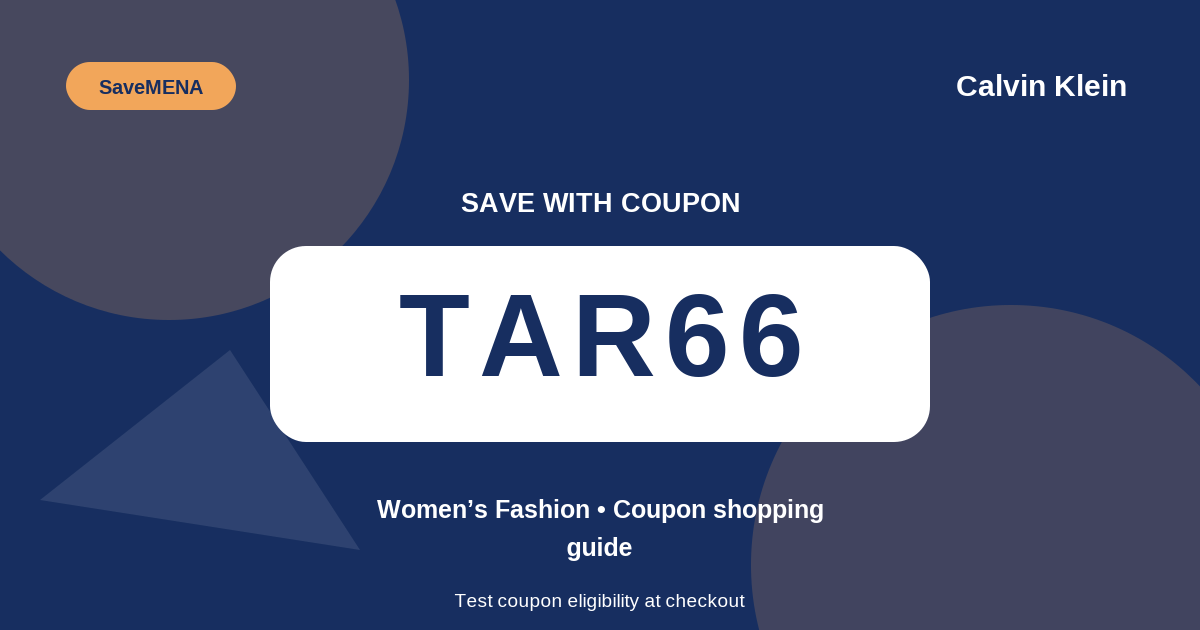
Codes available to try while comparing
These codes are not guaranteed for the article topic or listed brands; test them at checkout and use the live result.
1. Verify Cart Details Before Checkout
As soon as you click “Add to cart,” your browser presents a snapshot of the product you selected. In Women’s Fashion, the details that matter most are variant, size, color, and material type. Take a minute to double‑check that the size chosen is indeed the one you plan to wear. A mismatch at this early stage can trigger a costly return later in the process. Residual impressions of incorrect textures or dimensions can also surface only after the product arrives, meaning a full‑price refund and shipping fees.
You should also confirm that the listed description matches the image, including any limited‑edition markings. If a Calvin Klein blouse appears with a signature tag that toggles between “Limited” and “Regular,” flag that detail. It ensures that the set of features you expect is actually the item that will ship. Some sellers highlight custom packaging options that may affect delivery time. Check that the packing preference aligns with your point of contact or refrigeration needs, if you’re selecting a breathable summer dress for a hot emirate, to avoid delayed returns.
2. Confirm Shipping Address and Delivery Preferences
Your physical delivery address is the keystone of estimated delivery timing. Noon typically projects a window based on the address entered during checkout, distinguishing between home, workplace, or any other type of location. Verify that your postal code and address details are accurate—the system cannot adjust for typographical errors, and a misdirected package can push the estimated date by days or weeks. If you’re traveling or expect a different arrival time, consider selecting a Noon pickup location, which sometimes expedites delivery to the nearest collection point.
Explore delivery options listed in the shipping summary. Standard shipping, expedited, or free shipping with a threshold vary in cost and timing. Keep the estimated window in mind, especially if you need the item for a special event. Double‑check that the chosen method aligns with the event schedule—an extra shipping fee might be justified by a two‑day guarantee, versus a longer window that could miss the deadline. The checkout page aggregates these values, ensuring you feel confident about the final arrival date.
3. Inspect the Estimated Delivery Timing on the Product Page
Every product page on Noon provides a dedicated “Estimated Delivery” section, listing the likely arrival range for the item. This estimate can fluctuate depending on seller inventory and processing speed. Scroll through this section before proceeding to payment and note the earliest and latest possible dates. For a Calvin Klein jacket stocked centrally, a 1‑to‑3‑day estimate may apply, whereas a niche boutique item may require a 5‑to‑10‑day window. Matching this range with your need helps you weigh any potential delays against the commodity value.
If the estimated window appears too long, navigate the seller’s location details. Sellers based in the UAE often offer shorter delivery times compared to those shipping from overseas. If you want a clearer time frame, select a nearby store or ask the seller via the chat function about processing speed. In some cases, Noon’s algorithm splits the estimate into two numbers—one for dispatch and one for delivery. Understanding these nuances lets you filter out options that won’t fit your schedule.
4. Review Payment Options and Order Total
During checkout, the payment section should display available methods: debit/credit cards, an UPOS wallet, or COD, though COD availability varies by area. A coupon code like TAR66 can be entered in the designated field, but the system only applies it if eligibility criteria are satisfied. Until the code is confirmed, the total will reflect the full price. Double‑check that the final amount includes no hidden shipping or handling fees—these can alter your expectation of cost and impact the perceived value of your purchase.
If you prefer a specific payment channel, confirm that it supports the exact amount displayed when the coupon is applied. In some scenarios, a promotional code may reduce the base price but not the shipping fee, keeping the overall cost slightly higher. Reviewing the breakdown ensures that you are not surprised by an unexpected surcharge at the moment of payment, especially when estimating the total financial commitment.
5. Apply Coupon Code and Verify Eligibility
Enter the code TAR66 in the coupon input field located beneath the order summary. The system will immediately show any standard deduction if the code is valid. Because coupon eligibility can depend on product categories, sales events, or order size, test the code on a duplicated cart item to observe the effect. Seeing a reduction in the subtotal confirms that the coupon applies, while retaining the same shipping estimate indicates that delivery timing is unaffected by the discount.
The coupon often does not extend to shipping or handling costs; explicitly confirm that the displayed shipping estimate remains the same post‑application. If the code does not produce a visible change, verify that the cart doesn’t contain a disallowed item type—some sellers restrict promotional codes on exclusive or limited collection pieces. Repeating the entry after a short wait can help to account for temporary processing delays on Noon’s side.
6. Examine Store and Seller Information
Sellers on Noon vary from brand‑direct storefronts to third‑party retailers. On the checkout page, the seller name appears under the product title; click to reveal details such as user ratings, return policies, and shipping location. Sellers operating out of the UAE are more likely to deliver faster, as they are less constrained by international customs. Knowing the seller’s logistics path can influence your trust in the estimated delivery timing.
A reputable seller often populates a “Seller Profile” URL that lists completed orders and customer reviews. While it doesn’t guarantee shipping speed, it provides insight into satisfaction levels related to delivery experience. Additionally, check if the seller participates in Noon’s “Fulfilment (Home)” program; items shipped from a Fulfilment center normally adhere to the platform’s promised delivery window. Confirming these details further solidifies confidence that the projected timeframe is realistic.
7. Read Return & Exchange Policy
Return policies are critical, especially for fashion items that may need to be exchanged for size or style. On the checkout, a link to the return policy will appear beside your order summary. Take note of the return window (often 14 or 30 days) and how shipping back to the seller may affect your overall timeline. An early estimate can help you plan if you anticipate needing a quick replacement or a second pair.
If you foresee a return, understanding that the return shipping time will add to the original estimated delivery period is essential. For instance, a 3‑day inbound delivery coupled with a 5‑day outbound return could consolidate into a 15‑day resolution period. Consider whether the product’s size chart accurately matches local measurements or if you might need to shop multiple sizes. Aligning your return calculations with your schedule mitigates unexpected waiting times.
8. Final Checkout Confirmation and Delivery Notification
Once every field has been verified—product details, shipping address, payment method, coupon code, seller data, and return conditions—you may click the “Place Order” button. A final overlay will present the order summary, including the final price, delivery estimate, and payment method. Pause to confirm the arrival window reflects your earlier expectations. If it differs, backtrack to the relevant step to adjust any choices that might have altered the estimate.
After confirming, you’ll receive a receipt via email and, if enabled, push notifications. Keep the email handy; it contains a tracking link that provides real‑time updates for the package. Shipping sites aggregate the progress using the seller’s courier network. The tracking entry should show the departure date, expected arrival, and any delays that may arise. Having this live indicator reduces anxiety and lets you manage your time around the confirmed delivery date.
Related SaveMENA pages
Related articles
Official sources to check
Frequently asked questions
Can I apply TAR66 to any Women’s Fashion item?
The TAR66 coupon can be entered on the checkout page; its applicability depends on the product, sales activity, and seller terms. If the item or category disallows promotional codes, the discount will not apply. Always check the cart after entry for confirmation.
How long does the estimated delivery timing remain accurate after placing an order?
Delivery estimates provided during checkout stay valid until the order leaves the seller’s warehouse or is delayed by unforeseen logistics events. Tracking updates show when the package changes status. Monitor these updates to know if the originally posted window still applies.
Does using a coupon change the estimated delivery timing?
Generally, the shipping estimate remains unchanged when a coupon is applied since discounts affect only the billing amount. However, if the coupon causes a product to be sourced from a different seller or warehouse, it could adjust the dispatch timing; verify after applying.
Where can I find the seller’s return policy during checkout?
On the order summary page, a link adjacent to the product listing directs to the seller’s full return policy. Click it to review the window, required condition, and possible restocking fees before confirming the purchase.