HP Laptops on Noon UAE: listing condition — checkout checklist
use a Noon UAE coupon Laptops HP listing condition and displayed item state: Before you add a laptop to your cart, double‑check the listing details that most impact
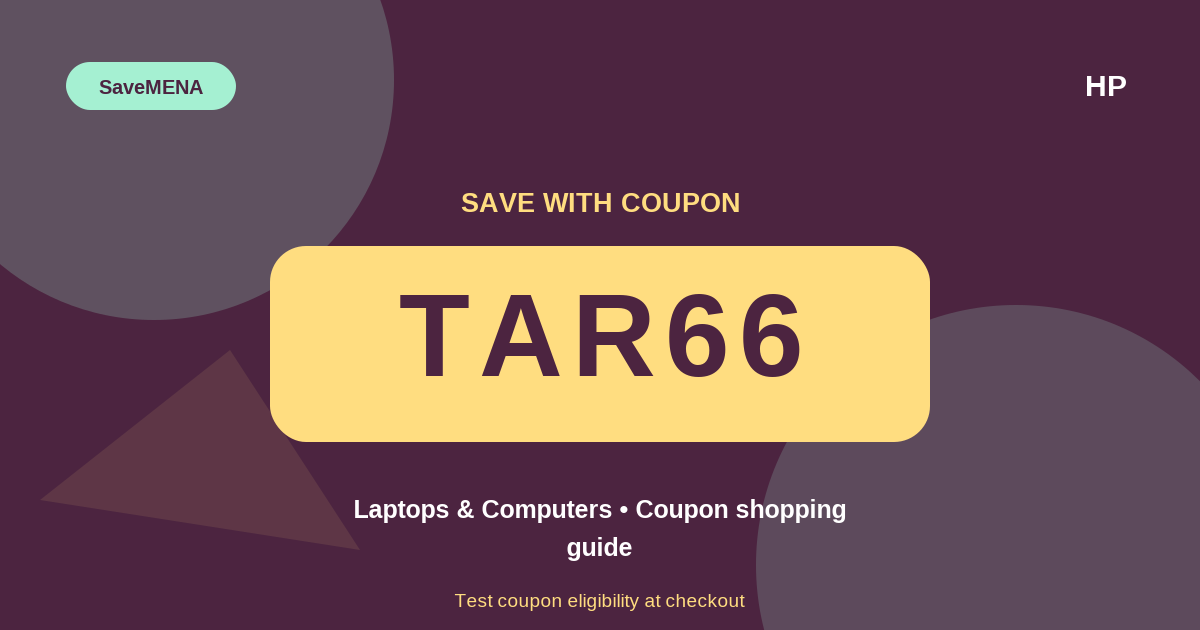
Codes available to try while comparing
These codes are not guaranteed for the article topic or listed brands; test them at checkout and use the live result.
1. Verify the Laptop Title and Seller Credentials
Start by inspecting the product title for clarity and accuracy. A proper title will include the exact model, processor, RAM, storage, and other key specs. If the title is vague such as “HP Laptop 13” without specific details, it may signal an incomplete listing. After confirming the title, tap the seller's profile link. Look for a seller rating close to 5.0 and read a few recent reviews that explicitly mention condition or authenticity. These signals suggest the seller regularly posts genuine, well‑documented listings.
Beyond the seller’s rating, check if the listing includes a “Verified Seller” badge or a “Seller Reputation” score. This badge indicates that Noon’s verification process has scrutinized the seller’s compliance with product quality standards. While such badges don’t guarantee a pristine condition, they reduce the risk of encountering a misrepresented item. Avoid listings where the seller’s reputation is either absent or dipped below average on the platform.
2. Scrutinise the Condition Field in the Listing
Every Noon product listing displays a “Condition” tag, such as “New,” “Like New,” or “Used.” Hover over or click this tag to expand details. A “New” tag should be accompanied by a clear statement of the manufacturer’s original packaging, warranty booklet, and no prior usage notes. If the listing says “Used,” assess whether it includes a no‑return policy or a limited warranty. Taking a screenshot of this tag before proceeding can help you later if you need to dispute a misrepresentation.
Compare the condition description with the visual evidence. The images should match the stated condition: a brand‑new laptop will show pristine white bezels, no scratches, and a sealed box. If the photos include an open box, brown wear marks, or a cracked panel, it contradicts a “New” label. In that scenario, consider flagging the listing or choosing a different seller whose photos reliably reflect the stated condition.
3. Examine the Displayed Item State Through Visuals
Noon’s listings often include multiple high‑resolution images of the laptop’s exterior and internal components. Zoom into each image to read screen markings or icon positions. A pristine screen should have a uniform, glossy finish without dead pixels or dark spots. If screenshots show a dark corner or a pixelated area, this could hint at a defect not disclosed in the text description.
Leverage the “360° view” feature when available. Rotate the device in the image to inspect panels, hinges, and ports for cracks or dents. A missing startup indicator light or a bruised logo on the chassis is a red flag. Additionally, scroll through the photo gallery to check for a close‑up of the battery compartment—absence of a labeled battery might indicate an older model sold with a depleted battery.
4. Confirm Warranty and Return Policy Transparency
A clear warranty statement confirms the product’s eligibility for post‑purchase support. The listing should indicate the duration, whether it’s manufacturer’s or seller’s, and the coverage scope—hardware, software, or both. If the listing says “No Warranty” or “Warranty Not Specified,” consider it a potential warning sign, especially for a high‑value laptop.
Return policy details provide further assurance of the seller’s commitment to quality. Ideally, the policy should allow returns for defects within a set period, such as 14 or 30 days, and specify whether the return is due to the seller’s error or customer change of mind. A comprehensive return policy paired with an “Easy Return” badge suggests higher reliability, reducing the risk of purchasing a misrepresented device.
5. Cross‑Compare Prices Among Multiple Sellers
Different sellers may list the same HP laptop at varied prices. When you encounter a significantly lower price, examine the seller’s background and the listing’s condition closely. A steep price difference often correlates to older hardware, a refurbished unit, or a “Used” condition that may not match pure “New.”
Utilize the “Compare” feature on Noon to overlay price, condition, and seller rating side‑by‑side. Prefer sellers whose listings match the condition you desire and have positive ratings. This comparative approach ensures you are not merely chasing a discount but securing a laptop that truly aligns with your stated condition expectations.
6. Smartly Apply the TAR66 Coupon Before Finalizing
Once you have confirmed the laptop’s condition and visual state, add it to your cart and proceed to the checkout page. Enter the coupon code TAR66 in the promotional field. While Noon may or may not show the discount instantly, the null outcome does not affect the final total because the coupon is only trial‑available; it may be accepted at payment.
If the coupon is rejected, review the error message for clues. Common reasons include ineligibility for the specific seller, product category, or a system outage. In such situations, double‑check that the coupon is entered correctly and that no characters were inadvertently omitted. Because the discount is not guaranteed, remain ready to proceed with the original price should the coupon fail.
7. Review Shipping Options, Fees, and Estimated Delivery
Shipping fees, delivery speeds, and potential customs duties impact the overall cost to the buyer. In the checkout area, scroll to the “Shipping Options” section. The platform usually lists free standard shipping, express, and buy‑now‑ship alternatives. Pay special attention to any “Handling Fees” or “Processing Charges” that could raise the final amount beyond the advertised price.
Check the estimated delivery window. If you require the laptop by a specific date, choose a fast‑track option if the seller offers it. Also, review whether the seller includes the product’s full warranty documentation in the package or if it must be requested separately. These details can affect your experience post‑delivery, especially if swift repairs are necessary.
8. Confirm Final Order Summary Prior to Payment
Before you hit the payment button, the platform presents a summary that consolidates price, shipping, taxes, any applied coupon, and the final payable amount. Ensure that the laptop’s condition and naming exactly match what you verified earlier. Any discrepancy, such as a mismatch in storage size or processor, should prompt a review of the cart and possibly a return to the previous page.
Cross‑check the total with your budget and planned expenditures. If you previously entered the TAR66 coupon, confirm that no other promotional codes are active that could override it. Finally, once you accept the summarized terms and complete the payment, finish the transaction by documenting the order number and maintaining a copy of the receipt. This documentation assists in any future dispute regarding condition or product representation.
Related SaveMENA pages
Related articles
Official sources to check
Frequently asked questions
Will the TAR66 coupon always be accepted on Noon UAE for HP laptops?
The coupon may be trial‑available and its acceptance can vary by seller, product or platform status. It is not guaranteed; verify at checkout.
How can I distinguish a genuinely new HP laptop from a refurbished one on Noon?
Check the listing’s Condition tag for “New” and verify that the images show a sealed box and no wear markers. Look for a manufacturer warranty that matches new‑item terms.
Is it necessary to read the return policy before placing the order?
Yes, a clear return policy indicates seller reliability and specifies how defects or misrepresentations are handled, giving you protection after purchase.
What should I do if the listing images show visible scratches?
Contact the seller or flag the listing for potential misrepresentation. Consider choosing a listing with images that match the ‘New’ condition stated in the product title.