Nike Men’s Fashion on Noon UAE: market and currency — checkout checklist
use a Noon UAE coupon Men’s Fashion Nike market and currency: The first thing every UAE shopper should do before pressing the “Place Order” button is double‑check
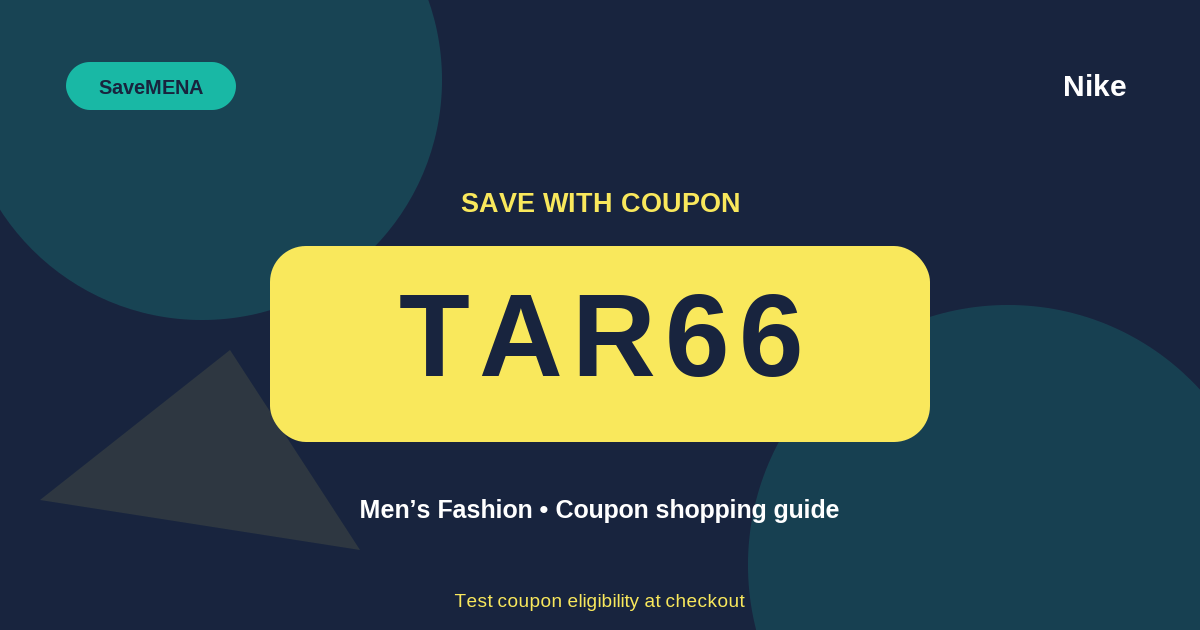
Codes available to try while comparing
These codes are not guaranteed for the article topic or listed brands; test them at checkout and use the live result.
1. Verify Product Price in AED While Shopping
Start by looking at the product listing page to confirm the price is displayed in UAE dirhams (AED). Some sellers list prices in other currencies or provide an estimated conversion that can change later. Hovering or clicking “Change currency” and selecting AED will show the exact figure you’ll pay, preventing any surprises when you later add the item to your cart or during the final checkout step. Always note whether the amount includes VAT or if it’s added separately, as this can affect the net cost in AED.
Once you have your desired Nike item added to the cart, cross‑check the cart subtotal one more time. The cart usually presents the same AED amount as the product page, but if you’re using a third‑party coupon or a negotiated price, keep an eye out for any displayed adjustments. If the subtotal does not match the original price, you may be seeing a dynamic price based on your location, shipping tier, or a temporary promotion—verify that it still matches the AED value you expect before moving on.
2. Check Seller’s Return Policy Currency
When exploring return policies, make sure the stated condition—such as “returnable within 30 days” or “refund in AED”—is clear and expressed in the same currency you’re paying with. UAE sellers usually provide UAE dirhams for refunds, but some international vendors may issue refunds in their local currency, which is converted at a fluctuating rate. Confirm that the policy mentions AED to avoid any confusion over the final amount returned to you.
Also verify whether the return shipping cost is either covered by the seller or your own responsibility. The seller’s return policy page should specify the currency for any return fees. If the policy states that you’ll be responsible for return shipping in AED, ensure that the temporary calculation in your cart already reflects any potential additional charge which could affect your net spend especially if you’re taking advantage of the TAR66 coupon.
3. Confirm Payment Method Exchange Rate Accuracy
If you intend to pay through a card that displays a different currency for the transaction—such as a credit card issued in a foreign currency—check the real‑time exchange rate that Noon UAE will apply. The rate may differ from the mid‑market rate and can influence the final AED amount you actually charge on your card. The checkout page usually shows the applied rate, allowing you to reconcile the expected charge with your card statement later.
Remember that the TAR66 coupon may be applied before or after the conversion, depending on the platform’s rule set. While we cannot confirm from here whether the coupon will affect the exchange rate, it is important to ensure the currency displayed during payment aligns with the AED amount and that you aren’t surprised by a higher or lower charge once the bank applies its own conversion fees.
4. Review Delivery Fees in AED for Noon UAE
Delivery charges are typically added as a separate line item in the cart. Verify that the fee shown is expressed in AED and matches what the seller or Noon UAE says for your region. A mis‑listed fee in a different currency or a hidden surcharge can inflate the cost beyond what was anticipated during the browsing phase.
When the TAR66 coupon is applied, check if it can offset any portion of the delivery fee. Since we cannot ensure a direct deduction, simply note whether the final cart total includes the delivery fee already reduced by any coupon you applied. Confirm that the amount is still presented in AED so that there are no currency conversion surprises in the last step.
5. Examine Cart Total After Applying Voucher
Once you’ve entered the TAR66 coupon on the cart page, the interface should instantly recalculate the cart total. Confirm that the new subtotal, along with VAT, delivery, and any other applicable fees, is displayed in AED. The system may show the original total as a reference or a ‘before’ amount, but the visible amount you’ll pay must reflect AED currency.
If the vendor or Noon UAE doesn’t update the currency label after entering the coupon, double‑check that the wording still specifies AED. A missing or incorrectly labeled currency could expose you to a conversion error later, especially if the checkout system uses a different currency setting in the background. By ensuring the card’s ajax update shows AED, you help avoid later disputes over the charge amount.
6. Double‑Check VAT and Import Duties in UAE
The UAE imposes a VAT rate of the discount shown at checkout on most goods, and some items may trigger additional import duties if deemed imported. Look for a line item describing VAT in AED as part of your subtotal. The displayed figure should be consistent with the current tax regulations. While VAT is typically fixed, it’s essential to ensure your total price in AED already includes the correct amount.
Some brands or sellers might add a “customs service fee” or similar. Verify that any such charges are also displayed in AED and understand how they stack with VAT and delivery. If your TAR66 coupon applies before VAT is added, you’ll receive a discount that reduces the tax base; however, if the coupon is applied after taxes, the discount won’t help reduce your VAT liability. Confirm which one is correct by checking the breakdown during the checkout step.
7. Inspect Coupon Eligibility Before Checkout
The Noon UAE platform will generally inform you whether the TAR66 coupon is valid for the chosen Nike men’s fashion item and any minimum cart value. Since we cannot guarantee its applicability, read the coupon description carefully. Look for any sections that read “no purchase restrictions” or “can be combined with other offers,” but don’t assume that it will automatically apply in all circumstances.
During checkout, verify that the coupon is reflected in the cart’s order summary. If you still see the full AED price, the coupon may have been rejected or queued for manual review. In such a case, contact customer support or try re‑applying the code. Remember that if the coupon does not apply, the price shown will remain unchanged and your final payable amount will be the sole AED amount after taxes and shipping.
8. Final Pay‑At‑Checkout Checklist: Currency and Local Charges
Before hitting the “Proceed to Payment” button, run through a quick triage: 1) confirm the cart total is in AED; 2) review that VAT, delivery, and any declared duties combine to the final AED amount; 3) ensure that the TAR66 coupon is listed as applied or you are ready to proceed without it; 4) double‑check that your chosen payment method will operate in AED and that any conversion fees from your bank are acceptable. This safeguards against hidden fees and ensures you pay the exact needlehood in dirhams.
Once you confirm all these details, you can finalize your order. After placing the order, the system typically presents a receipt in AED and a separate confirmation email with the breakdown. Save that email for your records; if any discrepancy arises, especially concerning currency, you can refer to the documented AED totals rather than currency conversions that may differ by bank or time of transaction.
Related SaveMENA pages
Related articles
Official sources to check
Frequently asked questions
What should I do if my coupon code TAR66 doesn’t apply?
If the coupon code TAR66 does not show a discount at checkout, verify the code spelling, case sensitivity, and that it’s still active on Noon UAE. Since we can’t confirm its applicability, consider reaching out to Noon Customer Support or try re‑applying after clearing browser cache. The coupon may or may not apply based on platform rules.
Will my payment card convert the AED amount to my home currency?
Most cards will showcase the final AED amount you are charged. They may then apply an exchange rate for your home currency, typically at their own rate with an added fee. It’s advisable to check your card’s policy on dynamic currency conversion to avoid surprise charges.
Does Noon UAE add any extra fees after showing the total in AED?
Normally, Noon UAE displays all applicable fees—VAT, shipping, import duties—in AED before you confirm payment. If a hidden surcharge appears, it should be listed on the order confirmation page. The final receipt should reflect any additional fees applied.
Is the dollar to dirham conversion correct on Noon UAE?
Noon UAE uses the current market rate for currency conversion when needed. If any part of your order requires conversion, the rate will appear during payment. For certainty about the exact rate applied, contact Noon support or consult your bank’s exchange fees.