Nikon Cameras on Noon UAE: model specifications — checkout checklist · TAR62
Nikon’s camera family spans from compact digital models to professional DSLRs and mirrorless lineups.
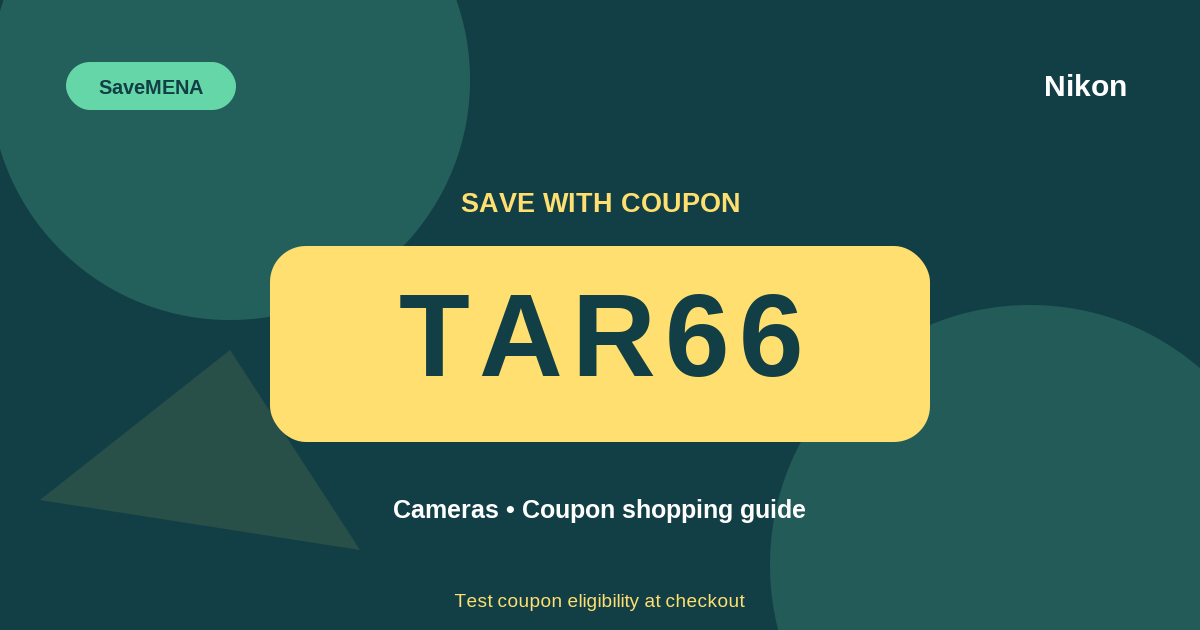
Codes available to try while comparing
These codes are not guaranteed for the article topic or listed brands; test them at checkout and use the live result.
Understanding Your Nikon Camera Lineup
Nikon’s camera family spans from compact digital models to professional DSLRs and mirrorless lineups. Before proceeding to payment, pull up the product page and locate the “Camera System” column; this tells you whether the camera is an entry‑level or flagship model. Pay close attention to the sensor size listed next to the model name, as that directly impacts image quality and depth of field. Knowing the sensor class (e.g., DX or full‑frame) helps you compare across other models before committing. If you’re looking for a specific feature set—such as 4K video or high‑speed burst capture—ensure it’s flagged in the specifications section to avoid surprises once the device arrives.
The “Model Info” tab often contains a brief bullet list of key specifications: shutter speed range, autofocus points, and metering modes. For photography enthusiasts, those details confirm whether the camera aligns with your shooting style. Read each bullet attentively and note any missing features; sometimes a model’s name hides a key limitation. A quick copy‑paste of the spec sheet into a notes file can keep the information accessible if you need to compare several Nikon offerings side‑by‑side. By documenting these specs now, you reduce the risk of later having to return or exchange due to unmet expectations.
The Role of Specifications in Your Decision
Specifications act as a contract between your expectations and the camera’s performance. Check the resolution (megapixels), dynamic range, and color depth—all listed under “Image Quality.” These numbers dictate the fidelity of your photos, especially in challenging lighting. If you plan to print large formats, confirm that the sensor resolution meets your threshold. If the specs fall short, you might consider a higher‑tier Nikon model or an alternative brand, all before the final payment step.
Connectivity features—such as Wi‑Fi, Bluetooth, or USB‑C—are increasingly important for instant sharing and remote control. The specifications page will specify the exact protocol supported. Double‑check that these align with your existing devices or workflows. For example, if you rely on a DSLR tethered to a laptop for live preview, ensure the camera’s USB ports are suitable. Also, examine battery specifications: Kapacities in milliampere‑hours (mAh) and the rated number of shots per charge. Capturing emergency shots without battery worries often depends on these hard numbers, so verify them ahead of checkout.
From Stock to Shipping: What to Check
Verify real‑time inventory by scrolling to the “Stock” or “Availability” badge on the product page. If the camera is marked as “in stock,” it confirms the seller can dispatch immediately. However, note any separate “seller is located in” mention, as that dictates shipping origin. For UAE customers, fast local shipping speeds up delivery, reducing the window in which you may discover you’d rather return a product. Always compare the list of sellers on the same model—sometimes one will offer a shorter wait time or a more favorable delivery route.
Shipping offers more than just speed; the shipping fee can sway the total payable amount. In your cart, locate the “Shipping Details” line, where the fee is calculated based on both weight and distance. For camera models, the weight difference between a compact body and a DSLR body may affect the outbound cost. If you’re purchasing multiple cameras or accessories, check summary boxes for potential bulk‑shipping reductions.A coupon is not guaranteed; verify its result at the retailer checkout.
Pricing, Shipping Fees, and What You Pay
When you move to the cart, a breakdown will show the base price, tax, shipping, and any applied discounts. The base price is the price you see on the product page; it’s a reference point for any price fluctuations. The “Subtotal” line will present the sum before tax, which is fixed according to UAE regulations. The final amount you will see after the checkout simulation is the most accurate representation of what the bank card will be charged.
Coupons are applied via the “Use coupon” box in the cart. Type TAR62 and press apply. The system will re‑calculate the “Subtotal” to reflect any discount valid to that code. Some sellers show the “Discount” line; if it is zero, that means the coupon wasn’t accepted for this transaction. Regardless, the coupon’s presence in your cart does not guarantee a final reduction because the checkout server performs a final validation before payment. Therefore, review the final total carefully once you reach the “Place Order” screen.
Applying the TAR62 Coupon: Resetting Expectations
The TAR62 code is shared as a means to explore potential savings on the Nikon camera you’re considering. Enter it in the coupon field, and the platform may provide a line‑by‑line appraisal of the discount. If it does not, continue reviewing the final price; discounts may be contingent on seller eligibility or buying threshold. This step ensures you’re not surprised during checkout by a missing coupon impact.
Even if the coupon shows a benefit, double‑check the “After Coupon” line against the expected subtotal. Any mismatch signals that the coupon was not applied for the product or seller you selected. In that scenario, revisit the product page to confirm seller eligibility or wait for an alternate seller. This step underscores the importance of confirming each layer—model, specs, stock, shipping, coupon—before the final payment happens. Predicting every variable now eliminates the headache of post‑purchase adjustments.
Bypassing Common Checkout Pitfalls
One of the most frequent pitfalls is forgetting to add accessories required for functionality, such as a specific lens or a camera bag. Once you’ve verified the specifications, re‑open the product page and scroll to the “Accessories” section. Look for mandatory attachments—they are usually listed as separate items. Adding them now prevents the need to reorder or negotiate returns with the seller after payment.
Another common trap involves payment method compatibility. Some sellers allow only certain prepaid cards, while others support e‑wallets. Before hitting “Place Order,” review the payment options available on the checkout page. If your preferred method is missing, swap cards or add a new payment profile to avoid a last‑minute payment denial. By ensuring the payment method is accepted, you secure the “final payment” step from unexpected blocks or delays.
Post‑Purchase Tracking and Warranty
After completing payment, you’ll receive an order confirmation email that includes a tracking number that can be entered on the delivery carrier’s website. Locate the “Track Order” button on the order summary page for live update visibility. Monitoring shipping progress allows you to anticipate arrival, especially if your delivery window is critical for an upcoming event or project.
Warranty details are usually listed in the product description or under a “Warranty” tab. Most Nikon cameras come with a standard one‑year manufacturer’s warranty, but some sellers offer extended coverage for an additional fee. Verify whether the warranty applies to camera bodies alone or includes lenses and accessories. Knowing the coverage scope allows you to register the camera upon receipt and lodge a claim promptly if needed, ensuring you return the device in full compliance with Nikon’s terms.
Final Checklist Review Before You Submit
Pull back to the final order screen. Confirm the model, brand, and exact specifications match your notes. Double‑check the “Subtotal,” “Tax,” “Shipping,” and “Total” to ensure the numbers align with your expectations.A coupon is not guaranteed; verify its result at the retailer checkout. This step prevents surprises or the need for a return, especially since the final payment is irreversible without merchant intervention.
Once you are satisfied, place the order. The confirmation screen will provide a reference number, which you can use to track status changes. Save that number and any shipping details to a dedicated file; this becomes your master record for warranty registration and future service inquiries. By following this checkout checklist, you catalog every essential variable before the payment processes, turning the camera purchase into a confident and satisfying investment.
Related SaveMENA pages
Related articles
Official sources to check
Frequently asked questions
A coupon is not guaranteed; verify its result at the retailer checkout.
No. The code is only available to try. Eligibility can vary with the live account, basket, item, seller and campaign context, so checkout is the final reference.
Where should I confirm the coupon result?
Apply the code in the Noon basket and review the live message and final payable total before payment. Do not rely on an undocumented percentage or condition.
Can the result vary by product or seller?
Yes. Eligibility and offer context can vary with the current basket details, so compare the exact item, seller, variant and final total before purchasing.
What should I do if the code does not work?
Check the market, account, item, seller, basket and payment context, then try another code available to try without guessing an unsupported reason.