ASUS Gaming on Noon UAE: model specifications — checkout checklist · TAR78
model, confirm CPU, GPU, RAM, storage, OS, dimensions, power connector, etc. Paragraph 1: details of spec check; paragraph 2: importance for game performance. 3.
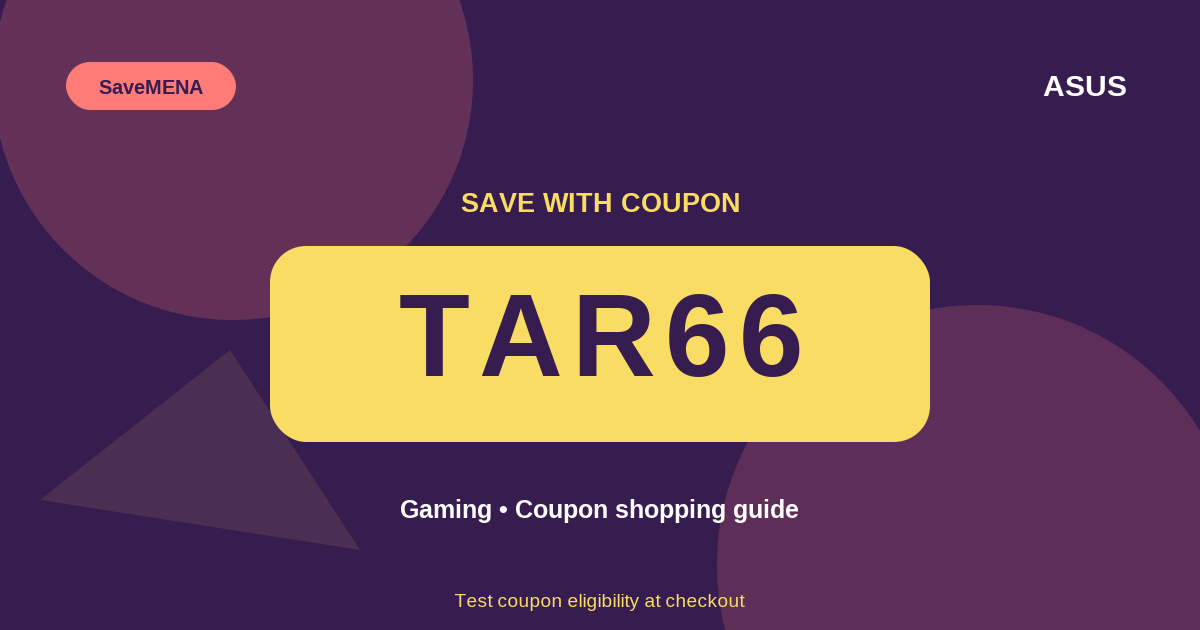
Codes available to try while comparing
These codes are not guaranteed for the article topic or listed brands; test them at checkout and use the live result.
Understand the purchase intent and basket context
model, confirm CPU, GPU, RAM, storage, OS, dimensions, power connector, etc. Paragraph 1: details of spec check; paragraph 2: importance for game performance. 3. Section 2: Verify Product Variant & Seller: Specific variant (Color, memory), seller details; check seller ratings. 4. Section 3: Cart Management & Coupon Application: Steps to add to cart, apply TAR78. 5. Section 4: Review Delivery Options & Fees: Choose shipping, free delivery vs additional fees, confirm delivery address. 6.A coupon is not guaranteed; verify its result at the retailer checkout. 7. Section 6: Double-Check Warranty & Support: Manufacturer warranty, seller extended warranties; confirm terms. 8. Section 7: Final Preview & Guardian Signs: Confirm details
before final checkout; open the final preview page. 9. Section 8: Post-Checkout Actions & Tracking: Tracking order, confirmation, what to do if issue.
Match the exact product and seller
must use Newcastle: Noon UAE coupon at checkout. The coupon is used at checkout, not during shopping. Ensure no extra coupon codes. Now let's produce. We'll embed tags accordingly: ... then 8 blocks. We need to verify that each section has exactly 2 paragraphs.
a number on a screen—especially when you’re looking to push the limits on the latest titles. Before you hit the final payment button, let’s walk through a clear checkout checklist for buying a Gaming ASUS model on Noon UAE using the coupon code TAR78. This guide focuses on the model, its specifications, and every detail you need to verify to ensure a smooth, confident purchase. By following each step, you’ll confirm the correct hardware, secure the best possible price, and avoid surprises after the transaction is complete. Confirm the Exact ASUS Gaming Model Start by locating the product listing for the exact ASUS model you want. Verify the model number and the
Test the coupon at checkout
detailed specifications: processor type and speed, graphics card model and memory, RAM capacity and speed, storage type (SSD or HDD) and size, and cooling solution. Scout the product description, technical sheets, and any user reviews directly on Noon UAE to confirm these details match your requirements. The model’s support for future updates—like BIOS or GPU driver upgrades—can affect performance longevity, so double‑check those aspects before adding it to the cart. Beyond the headline specs, consider the physical attributes that matter to gamers. Measure the chassis dimensions to ensure it fits in your desk or gaming rig space, confirm the power supply wattage and connector types, and verify display outputs (HDMI, DisplayPort) align
with your monitor setup. Check whether the system supports RGB lighting or has features like Addressable RGB, if those are part of your aesthetic plan. These fine‑point checks prevent post‑purchase regrets when the hardware arrives at your doorstep. Verify Product Variant and Seller Credentials ASUS offers multiple variants of a single gaming line—different memory configurations, storage options, or color schemes. On the Noon product page, scroll to the “Select Variant” section and confirm you’re choosing the correct SKU that meets your spec list. Ensure the memory is DDR4 or DDR5 as required, the SSD is NVMe if you need bandwidth, and the GPU capacity fits your gaming resolution. If you want the
Compare the final payable total
16 GB version instead of 8 GB, change the selection before proceeding. This prevents accidental add‑on of a lower‑spec model. Seller reputation matters in UAE e‑commerce. Look at the vendor’s profile: check the rating, number of positive reviews, and any “Verified Seller” badges. Read comments specifically about delivery times, package condition, and customer support responsiveness. If the star rating is low, compare alternative sellers offering the same ASUS model. Confirm that the seller’s terms of service comply with Noon UAE’s return policy for electronics. These steps give you confidence that the product will be authentic and the vendor reliable. Cart Management and coupon application After selecting the correct variant, add the ASUS
gaming PC to your cart. Review the cart summary on Noon UAE—confirm the item name matches the model number, the quantity is one (or your intended number), and the listed price reflects the awaited MSRP. Before proceeding to checkout, locate the “Apply Coupon” field in the cart page’s discount section. Carefully type the code TAR78 and click apply. The page should refresh to show the coupon as “Applied” next to the discount tag; if not, double‑check for accidental spaces or case sensitivity. Once the coupon is applied, notice the updated total. It should subtract the coupon amount from the cart subtotal. Keep an eye on any additional fees—such as VAT or service
Review delivery, fees and payment context
charges—displayed separately. If the discount doesn’t reflect, it may mean the coupon expired or didn’t meet a minimum spend; in that case, finish the checkout to capture the output or contact Noon’s help center for clarification. Carefully noting these figures ensures the final amount you pay matches the screen. Delivery Options and Shipping Fees Navigate to the “Where to deliver?” step and input your UAE address. The system will auto‑detect the nearest fulfillment center and display the expected delivery window. Some Noon UAE items qualify for free standard shipping; others may charge a small fee. Make sure the shipping method selected aligns with your urgency. If you prefer express delivery, compare the
cost against the delivery date before confirming. The payment screen will show the final shipping fee; verify that it matches the earlier estimate to avoid surprises. Check the delivery terms for electronics: clear commodity packaging standards, insurance coverage, and Return‑by‑July/30‑day return window. Inspect whether the seller offers optional delivery protection—covering damage or loss during transit. If such an add‑on is available, weigh its cost against the value of the ASUS model. Confirming these details pre‑payment protects both buyer and seller in case of mishandling during shipping. Review Payment Methods, Total, and Coupon Validity At the Payment step, choose your preferred method—credit/debit card, UAE bank transfer, or Noon Wallet. Each method may have
Compare alternatives fairly
specific fees or transaction limits; double‑check that your card issuer supports the transaction value and that no foreign‑transaction fee applies. Noon UAE receipts display a breakdown: product subtotal, coupon discount, shipping fee, and taxes. Verify that the final total here matches the amount you’ll be debited from your chosen payment source. During this final check, look for the coupon “TAR78” listed under the “Applied Coupons” section. If the discount field says “Not applicable,” the coupon might be invalid for the selected product; in that case, contact Noon support or try a different discount. Confirming this last minute ensures that you’re not charged an inaccurate amount and can proceed with confidence. Warranty, Support,
and Return Policy ASUS gaming laptops and desktops typically include a one‑year manufacturer warranty covering hardware defects. Noon UAE often offers an extended warranty through a partner provider. On the product page, find the “Warranty” subsection—note the duration and coverage specifics, such as inclusion of accidental damage or not. Confirm whether the warranty is automatically included with purchase or must be purchased separately at checkout. Understanding these terms protects your investment in case of hardware failure. Similarly, read the return policy: time period for returns (often 14‑30 days), condition of the item (must be unopened, with original tags), and whether a restocking fee applies. If you’re satisfied with the purchase, you’ll likely
Use only visible eligibility conditions
stay on; but knowing the exit strategy is essential for peace of mind. Verify these policies in the “Order Detail” section before you complete payment. Final Order Preview and Confirmation When you reach the final “Review Order” page, every detail is displayed. Re‑check the ASUS model name, variant details, shipping address, applied coupon, total cost, and all selected options. Scrolling through the page, look for any hidden fees that might have been missed earlier—sometimes a small service charge appears only at this step. If a discrepancy is found, return to the prior stages to correct it before proceeding. After confirming everything is accurate, click the “Place Order” button. An order confirmation will
appear, and you will receive an SMS or email with the order ID, expected delivery window, and a link to track the shipment. Keep this notification accessible; it is your receipt and entry point for any future inquiries. Post‑Checkout Actions and Order Tracking Once your ASUS gaming PC is on its way, use the “Track Order” feature in the Noon UAE app or website. This provides real‑time updates—warehousing, outbound logistics, and estimated arrival. If the tracking status remains stuck beyond the promised window, or you notice an issue such as a delay of more than 48 hours, reach out to Noon’s customer support via chat. Having a clear order reference number speeds
Complete the final checkout verification
the resolution process. Upon receiving the system, inspect the package immediately. Confirm that the enclosure matches the listed specifications, the serial number is present and matches your order confirmation, and that all accessories (power cable, manuals, warranty card) are included. If any discrepancy exists, contact Noon support before unboxing to initiate a claim. Proper post‑delivery documentation is vital for any return or warranty service. What should I check about the ASUS PC before applying the TAR78 coupon? Make sure you have selected the exact variant—processor, GPU, RAM, and storage—matching your gaming needs. Verify product specs and seller rating, then add to cart before applying the coupon in the cart page. Will the
TAR78 coupon affect my shipping fees? The coupon typically applies only to the item price, not shipping. Shipping fees are listed separately; you’ll see any discount applied only to the subtotal before those additional charges. Can I use multiple coupons or promotions on the same ASUS order? Noon UAE allows only one coupon per transaction. If you have other promotional codes, ensure you test their applicability first, but the system will accept a single code at checkout. How do I know the warranty is included with my ASUS purchase? Check the product page’s “Warranty” section and confirm on the order summary that the warranty is listed as a part of the purchase.
Related SaveMENA pages
Related articles
Official sources to check
Frequently asked questions
What should I check about the ASUS PC before applying the TAR78 coupon?
Make sure you have selected the exact variant—processor, GPU, RAM, and storage—matching your gaming needs. Verify product specs and seller rating, then add to cart before applying the coupon in the cart page.
Will the TAR78 coupon affect my shipping fees?
The coupon typically applies only to the item price, not shipping. Shipping fees are listed separately; you’ll see any discount applied only to the subtotal before those additional charges.
Can I use multiple coupons or promotions on the same ASUS order?
Noon UAE allows only one coupon per transaction. If you have other promotional codes, ensure you test their applicability first, but the system will accept a single code at checkout.
How do I know the warranty is included with my ASUS purchase?
Check the product page’s “Warranty” section and confirm on the order summary that the warranty is listed as a part of the purchase. If a separate extension is offered, it will appear as an additional item at checkout.