Anker Mobile Accessories on Noon UAE: model specifications — checkout checklist · TAR78
When you’re browsing Noon UAE for a mobile accessory, the most reliable way to avoid unexpected surprises is to confirm the exact model and all of its
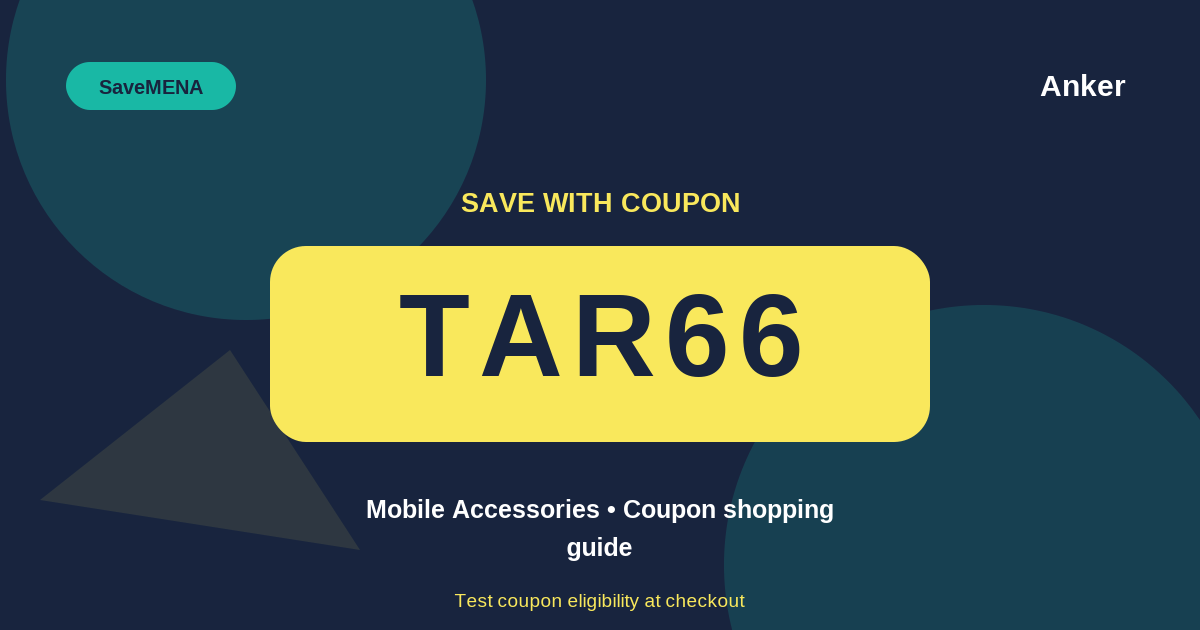
Codes available to try while comparing
These codes are not guaranteed for the article topic or listed brands; test them at checkout and use the live result.
1. Decoding the Model: Anker Mobile Accessory Specs
Start by locating the official product title on Noon UAE, such as “Anker PowerLine II USB‑C to USB‑C Cable (3ft)”. The model number, if provided, is usually a concise alphanumeric string that differentiates this cable from other Anker lines. Pay close attention to the model because Anker often releases variants with slightly divergent specs – for example, a 3ft cable might be rated 5A while a 6ft version could be 3A. By copying the model number, you can cross‑check it later in a search engine or on Anker’s own support portal, ensuring no mix‑up occurs at checkout.
Aside from the model, feature flags are crucial. Verify if the product is MFi certified, USB‑C PD compliant, or rated for 2.4–5A current. These details influence charging speed and safety when paired with your device. Look for a brief description that lists each of these attributes. If a specific spec is omitted or ambiguous, flag it for confirmation in the seller’s product details section before proceeding.
2. Compatibility & Device Pairing
Once the model is confirmed, the next checkpoint is compatibility. The cable’s connector type—USB‑C to USB‑C, USB‑C to Lightning, or USB‑C to USB‑A—must match your smartphone’s ports. Check the device manufacturer’s documentation or the phone’s official website to confirm the required port and charging protocol (e.g., USB‑PD, Quick Charge). A mismatch can lead to slower charges or even prevent charging altogether.
For Anker devices that support Bluetooth or Qi wireless technologies, compatibility extends to the destination device’s firmware. Verify that your phone’s OS version is compatible with the accessory’s firmware or Bluetooth pairing requirements. These checks can often be done by looking at the specification list. If you’re uncertain, consult the Anker FAQ or product support page for device compatibility clarifications before adding to cart.
3. Build Quality: Materials & Certifications
Build quality protects both the owner and the device from physical damage. The Anker PowerLine II cable, for instance, is known for its braided nylon exterior and reinforced micro‑knotted connectors. Note whether the product description cites phantom‑neon or UV‑resistant coating, as these attributes can reduce wear from daily use. The material type should be consistent with Anker’s brand reputation, which typically values durability.
Certificates add further assurance. Look for labels such as UL, CE, or FCC, which indicate that the product meets safety standards in their respective regions. If these certifications are missing, it could be a red flag, especially for a charging cable. Before checkout, ensure that the seller provides these certificates or a link to the manufacturer's certification page.
4. Performance, Power & Battery Life
Performance is measurable through current rating and supported voltage. For an Anker USB‑C cable, a 5A rating at 20V indicates that it will deliver up to 100W of power. If the spec sheet lists 10W or 15W, it may only support faster charge in a lower capacity mode. This directly affects how quickly your smartphone battery replenishes.
Battery life of portable Anker accessories, such as the PowerCore 20100, is typically indicated in mAh. Verify that the capacity matches the advertised value. A discrepancy can lead to a much shorter run‑time than expected. Always double‑check this figure in the product description or nearby technical sheet before proceeding to checkout.
5. Port Features & Future‑Proofing
Ports are future‑proof if they support evolving standards. Anker’s recent cables often come with USB‑C PD 3.0 or Thunderbolt 3 capabilities, enabling not just charging but also data transfer at high speeds. Examine the product’s port specifications to see if it allows multigigabit data rates or firmware updates. This is particularly useful if you plan to use the same cable across multiple devices.
In addition, check if the accessory offers dual‑mode support—like a USB‑C to Lightning cable capable of both charging and data sync on newer Apple devices. Dual‑mode can reduce the number of cables you need to carry, which is a convenience benefit. Verify this feature in the description before adding to cart.
6. Warranty & Support Overview
Anker typically offers a one‑year limited warranty on most of its accessories. The policy usually covers manufacturing defects rather than mechanical damage from normal use. Search for terms such as “manufacturer’s warranty” or “defect‑coverage” in the product details. This clause should be clearly itemized in the seller’s description.
Suspiciously short warranties or ambiguous language may signal a counterfeit or unofficial product. Prior to checkout, verify that the warranty is listed within the product’s official seller page and not buried under a separate “Returns & Guarantees” section. Confirming warranty details early helps prevent hassle later if a defect emerges.
7. User Experience: Feedback & Use Cases
Since SaveMENA remains independent of Noon, any user reviews you encounter should be read with an open eye. Positive comments about the cable’s stretch resistance, quick‑charge capability, or the portable charger’s real‑world endurance can reinforce the model’s suitability for your usage pattern. Look for repeated phrases, such as “kept in my bag for months without fraying” or “charged my tablet in 30 minutes” as anecdotal validation.
Be wary of generic praise or reviews that lack specifics. They can sometimes be generic. If you notice that reviews mention identical purchasing experiences or identical shipping delays, verify that those concerns are addressed in the seller’s information or on the product page. This investigative step ensures you’re not blindly trusting unsubstantiated testimonials.
Related SaveMENA pages
Related articles
Official sources to check
Frequently asked questions
How do I verify the exact model number on Noon UAE?
You should copy the full product title or model string as shown on the Noon product page into a search engine or the manufacturer’s site. This ensures the model you’re buying matches your expectations and that no variant is inadvertently chosen.
What should I do if the Anker product’s specs don’t match the description?
Contact the seller directly through Noon’s messaging system or review the product’s FAQ section. If discrepancies remain unresolved, consider choosing a different item or seller to guarantee the right specifications.
A coupon is not guaranteed; verify its result at the retailer checkout.
No, the coupon is available to try. Acceptance depends on the item’s eligibility and Noon’s current promotion rules. Verify its application after adding the code during checkout.