Apple Mobile Accessories on Noon UAE: model specifications — checkout checklist · TAR62
Start by locating your iPhone’s serial number or model identifier. This information is usually found in Settings → General → About, or on the original packaging.
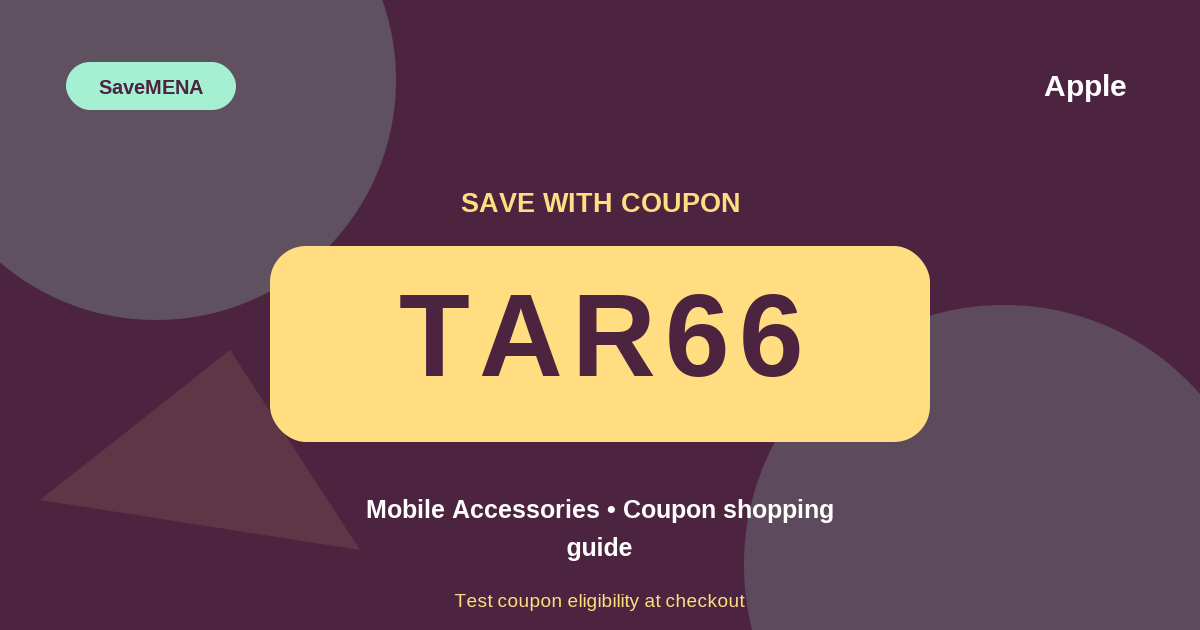
Codes available to try while comparing
These codes are not guaranteed for the article topic or listed brands; test them at checkout and use the live result.
Identify the Exact Apple Model and Key Specifications
Start by locating your iPhone’s serial number or model identifier. This information is usually found in Settings → General → About, or on the original packaging. Each Apple model—such as the iPhone 15, iPhone 14 Pro, or iPhone SE (3rd generation)—has unique dimensions, camera arrangements, and screen technologies that affect accessory compatibility. Visually comparing size or checking the build‑material of a sample case against your phone’s form factor can guide you toward the right product.
Remember that new generation releases often come with updated ports or connector standards. For example, the shift to USB‑C on some newer iPhones may mean you need a cable that accommodates those ports. Checking the specs of your device helps you confirm whether an accessory should include Lightning or USB‑C connectors, and whether it supports specific features like MagSafe. This clarity ensures that every accessory you add to your cart will work seamlessly.
Assess Compatibility with Your Apple Device
After confirming the model, look for accessories that list explicit compatibility. A case or charger may note “Designed for iPhone 15” or “Compatible with iPhone 14 series.” Pay close attention to detailed specifications such as the width, thickness, or mass range supported by a protective case. Products that do not specify or that use generic “iPhone 15/14” wording may work but carry a higher risk of fit issues.
For cables and adapters, check whether they support the power output or data transfer speeds required by your hardware. An iPhone with a larger battery may need a faster charger, and a camera‑heavy model might demand cables that support 4K video output. By matching these technical details—port type, power rating, and support for the device’s features—you ensure optimal performance and avoid harmful over‑charging or data loss.
Confirm Warranty Coverage and Return Policies
Apple accessories often come with manufacturer warranties that differ from standard return policies. Make sure you read the warranty duration, terms, and whether it covers manufacturing defects or accidental damage. Some accessories sold on Noon may include a longer or separate guarantee. This information is vital if the accessory fails within its expected life span.
Before completing the purchase, verify the return window offered by the seller. Look for phrases like “30‑day return” or “refund in 5 business days.” Note whether returns require the original packaging and how shipping for returns is handled. Understanding these policies will give you peace of mind if an accessory does not perform as expected or you decide you need a larger size.
Check Seller Credibility and Customer Ratings
On Noon, sellers vary from official Apple resellers to independent merchants. Look for customers who mention the Apple model they purchased the accessory for and how well it matched. Pay attention to the overall rating; a higher rating often reflects reliable product descriptions and responsive customer support.
Review how promptly the seller addresses shipping queries and how they handle disputes. An established seller with detailed product listings reduces confusion about compatibility and ensures you won’t have to navigate hidden terms later. Using this critical lens safeguards against counterfeit or misleading accessory claims.
Check Product Condition and Authenticity Guarantees
When buying a physical accessory, determine whether it’s brand new, refurbished, or used. New items will usually provide a full list of included parts and a seal of authenticity. Refurbished items may come with a different warranty and a return policy that reflects their condition. Clarify this point before you add the item to your cart.
Authenticity is especially important for high-end Apple accessories. Confirm whether the product is sold by an authorized retailer and whether it carries official Apple labeling or a QR code that verifies its provenance. Purchasing from a reputable source protects your device from potential damage and maintains resale value.
Calculate Total Cost Including Shipping, Fees, and Coupon Application
Online marketplaces sometimes charge separate delivery fees or applied handling charges. Gather all these potential costs by hovering over the “View Fees” link in the cart summary. You’ll see whether shipping is flat‑rate or variable by weight or distance, and whether extra surcharges—such as for expedited shipping—are applied.
In this step, it’s also the right moment to check whether the Noon UAE coupon code TAR62 can be applied. Enter the code in the “Coupon” field before final payment. The coupon’s status will show whether it is accepted, if it fulfills any minimum‑spend conditions, or if it might be invalid for that particular accessory. Because coupons can change, confirm the discount amount at the checkout screen, not just in the cart.
Verify Coupon Eligibility and Apply Before Payment
Once the cart displays the discount from TAR62, review the new total. Since the coupon is available to try, note that its validity might vary per item or per category. If it’s not accepted for the product you’re buying, the system will typically explain why—such as “cumulative coupon limit” or “coupon not applicable.”
If the discount appears, ensure you read any updated terms that may affect the final payable amount, like a new fee that could offset the savings. Confirm that the fee breakdown remains the same after the coupon is applied, and that no extra charges appear post‑application. Only when the coupon is successfully reflected should you proceed to payment.
Final Checkout Checklist and Payment Confirmation
Before you hit the “Place Order” button, perform one last sweep of all items: model numbers, product specifications, warranty details, seller ratings, authenticity markers, shipping costs, and the final payable amount after any coupon deductions. Ensuring each element is correct eliminates post‑purchase hitches.
After confirming all details, note the payment method you’re using—credit card, debit card, or digital wallet. Double‑check that the correct card or account is linked, that the billing address matches your account, and that fraud‑prevention alerts are set. Once everything is verified, click to finalize the order. A confirmation page will display the expected delivery timeline and a reference number for tracking.
Related SaveMENA pages
Related articles
Official sources to check
Frequently asked questions
What should I do if a coupon code doesn’t apply at checkout?
If your coupon TAR62 doesn’t register, double‑check the item’s eligibility. Some accessories or sellers may not accept coupons. Try clearing your cart or applying the code again. If it still fails, contact Noon support for clarification.
How can I confirm that a charger supports my iPhone’s charging speed?
Check the product details for the maximum wattage the charger delivers. For Apple devices, aligning the charger’s output (e.g., 20W) with your phone’s battery capacity ensures optimal charging speed and prevents overheating.
Will I receive a management tool for tracking my warranty if I buy on Noon?
Most sellers list warranty claims procedures in their return policies or FAQs. After purchase, you can check the seller’s support page or contact their customer service via Noon’s messaging system to set up warranty management or return a faulty accessory.
Is it safe to use a refurbished Apple accessory from Noon?
Refurbished accessories are generally inspected and tested for performance. However, confirm that the seller specifies the refurbishment process, provides a warranty, and indicates any cosmetic differences. Buying from an authorized dealer reduces the risk of counterfeit or sub‑standard products.