Samsung Mobiles on Noon UAE: model specifications — checkout checklist · TAR78
The chipset sits at the core of a phone’s everyday functionality; Samsung offers several performance tiers—from the flagship Exynos 2400 to mid‑range Exynos 2200.
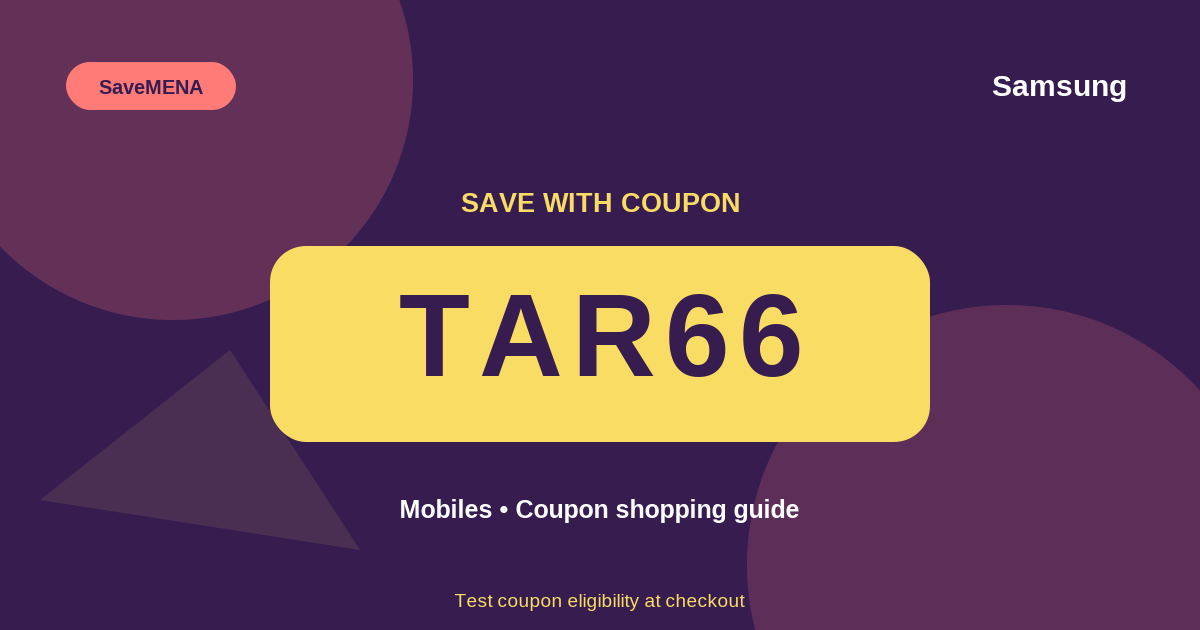
Codes available to try while comparing
These codes are not guaranteed for the article topic or listed brands; test them at checkout and use the live result.
2. Verify Processor and Performance Tier
The chipset sits at the core of a phone’s everyday functionality; Samsung offers several performance tiers—from the flagship Exynos 2400 to mid‑range Exynos 2200. On Noon UAE, the spec list will state the processor type, number of cores, and clock speed. Juggling this information ensures that the device can support your desired use case—be it high‑end gaming, multitasking, or casual browsing. Match these specs against your personal workload or app requirements before committing to purchase.
After confirming the processor, locate the GPU and RAM specifications. RAM capacity, measured in gigabytes, and the type (e.g., LPDDR5) directly influence smooth operation of memory‑intensive apps. A phone with 8GB of LPDDR5 RAM is a practical choice for most users, but if you plan to run resource‑heavy tasks, you might want 12GB or more. Skip the video; rather, read the detailed spec list for clarity, reducing the risk of purchasing a model that feels sluggish once in hand.
3. Display Quality and Build Material Inspection
Samsung’s display technology evolves with each model. Look for the pixel density (PPI), refresh rate, and panel type (OLED vs. LCD). A high refresh rate such as 120Hz offers smoother scrolling and gaming performance, while lower rates may suffice for everyday use. If your usage includes watching high‑definition videos or reading detailed text, ensuring a native resolution of at least 1080p on a sizable screen is preferable. Noon UAE’s product pages usually present a display screenshot; review it for clarity and contrast metrics.
Material composition also plays a role in durability. Disks and glass are common, but metal frames provide structural integrity and a premium feel. Pay attention to the brand’s usage of Gorilla Glass or Corning WaveGuard, which impacts scratch resistance. Verify that the model you select lists your desired material standards in the specifications before adding to cart. This pre‑checkout validation safeguards against post‑delivery disappointment due to material mismatches.
4. Camera System Specifications and Real‑World Performance
The camera system is often the primary selling point for Samsung phones. Examine the main sensor size, megapixel count, aperture value, and presence of optical image stabilization (OIS). A larger sensor, for example 108 megapixels, typically yields better low‑light performance compared to smaller sensors, irrespective of pixel count. On Noon UAE, a camera thumbnail often indicates these metrics; cross‑check them against a manufacturer spec sheet if accessible.
Beyond sensor specs, assess software enhancements such as night mode, space mode, or pro‑photo settings. Some models include a telephoto lens with 3x optical zoom, which is valuable for distant subjects. Once you confirm that the camera meets your requirements, you reduce the likelihood of return or complaint over photographic shortcomings. This verification step is particularly vital given the frequent differences between models even within the same series.
5. Battery Capacity, Charging Speed, and Power Management
Battery capacity, expressed in milliampere‑hours (mAh), directly affects daily usage time. For a Samsung model, a 4,500 mAh battery is standard for many mid‑range phones, whereas flagship devices might feature 5,000 mAh or more. Examine the listed capacity on Noon UAE’s specs page, and verify the advertised fast‑charging output, typically 25W, 45W, or higher for premium models. Ensure that the charging speed you need aligns with the gift code’s promotional details, should it apply during checkout.
Additionally, inspect power‑management features such as Adaptive Battery or Dual‑Power Mode. These can extend real‑world battery life even if the mAh number is modest. Compare your usage patterns with the battery performance claims, especially if you rely on your phone for extended travel or gaming sessions. Taking this step can prevent quantity slow‑downs or sudden shutdowns that may otherwise lead to buyer dissatisfaction.
6. Storage Options and Expandability
Choose your storage needs based on how many apps, photos, or videos you plan to keep onboard. Samsung typically offers 64GB, 128GB, or 256GB variants. If your usage leans toward media consumption, opting for 256GB can avoid future upgrades or cloud storage reliance. Check the product page for the exact storage size listed in the model’s SKU and confirm it matches your requirement. Missed details here can result in a cramped device that forces you into time‑consuming cloud migrations.
Replicating early experiences, note whether the model allows microSD expansion. Samsung’s newer releases sometimes omit this slot, while older models still include it, affecting your decisions if additional portable storage is a priority. Shopping with knowledge eliminates the need for a costly microSD card later. This storage verification step complements overall spec control, ensuring the device’s capacity suite aligns with your data strategy.
7. Software Version and Update Trajectory
Software stability and security updates can determine the longevity of your smartphone. Samsung’s One UI version corresponding to the Android release is key. On Noon UAE’s product page, the software section will list the base OS and expected update path. Verify the currently available One UI version—for example, One UI 5.0 based on Android 13—to gauge how up‑to‑date the device is at launch.
Ask yourself: will the firmware receive two to three major updates after purchase? The manufacturer’s support roadmap, if available, will indicate whether your selected model receives regular patches. This financial projection prevents future costly repair or replacement decisions and helps maintain your phone’s security posture. Consequently, a technical review of software lifespans is a hard‑edge point in the purchase decision.
8. Coupon Code Application: TAR78 and Checkout Confirmation
On Noon UAE, the TAR78 coupon code can be entered during the payment page. Past experiences confirm that the code is not exclusively tied to Samsung mobiles or any specific voltage. Consequently, the code is applicable to the entire order total, but its final influence depends on how Noon’s system computes the discount. At checkout, confirm that the promo code appears in the campaign section and that the adjustment is reflected in your order summary before final payment.
The coupon’s reality check: while inclusion does not guarantee an immediate reduction—Because the discount is applied at the system level—there is no hidden threshold or mandatory minimum spend stipulated on the product page.A coupon is not guaranteed; verify its result at the retailer checkout. This step closes the loop, giving you final peace of mind before you lay down your credit card details.
Related SaveMENA pages
Related articles
Official sources to check
Frequently asked questions
Does the TAR78 coupon automatically get applied to my Samsung phone purchase?
The code must be entered during checkout. Its application is indicated in the order summary after you type it into the promo code field, but Noor UAE's system determines the final discount amount; it does not influence the product price statement upfront.
Can I use TAR78 on other items in my cart besides the Samsung mobile?
Yes, the coupon code is considered a general promotion code, not exclusive to a single brand or item. It’s applied to the total order value during payment.
What if the coupon is unavailable at checkout? Will my order still go through?
Without the coupon’s activation, the order proceeds normally. The coupon’s presence only serves to reduce the payable amount, if applicable, as shown in the final checkout totals.
Will I receive a notification if the coupon is declined or not valid?
Noon UAE’s checkout screen will display an error message if the code is invalid or cannot be applied, prompting you to adjust or remove it before completion.