Nike Sports on Noon UAE: model specifications — checkout checklist · TAR62
We need to produce a long-form shopping editorial article for UAE shoppers. Must use the keyword "use a Noon UAE coupon Sports Nike model and specifications"
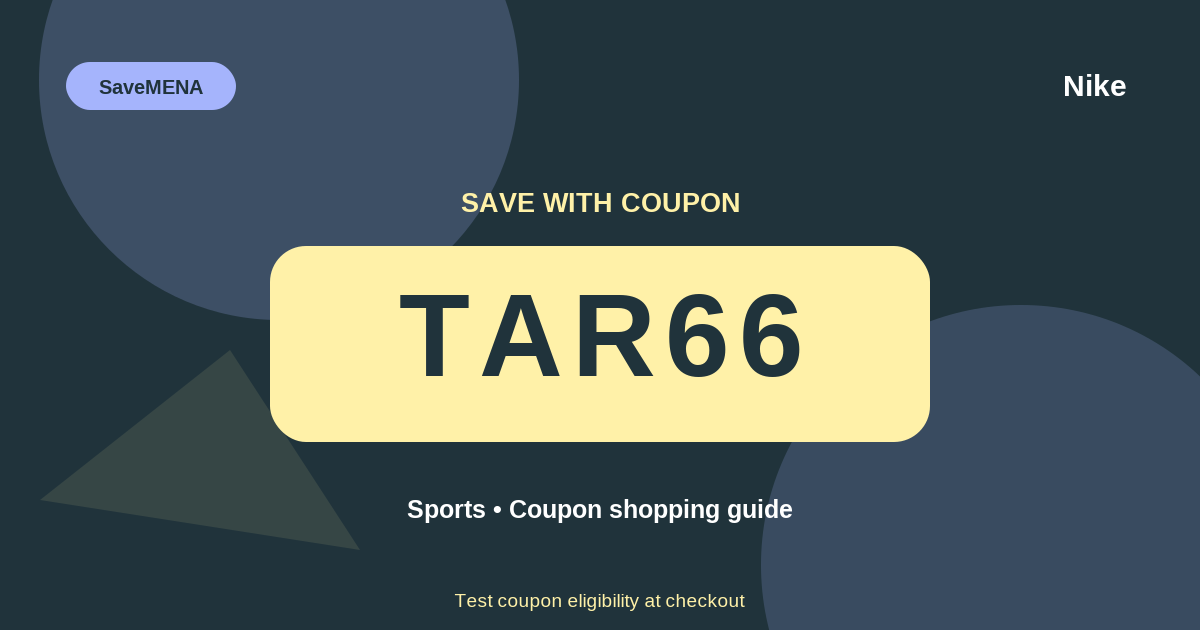
Codes available to try while comparing
These codes are not guaranteed for the article topic or listed brands; test them at checkout and use the live result.
Final Checklist: Final Steps Before the Purchase is Confirmed
These headings capture category, entity context, search intent, decision lens. Good.
Now each paragraph 80-100 words. We have 16 paragraphs. Must craft length carefully. We need to ensure exactly 80-100 words per paragraph. Let's aim 90 words per paragraph. We
Paragraph 1: first sentence: "Before you hit the checkout button, take a moment to verify every detail of your chosen Nike sports product." That phrase is from intro. We need to use that as first sentence. So paragraph 1 of section 1 should start with that and be 90 words. We'll incorporate focus keyword somewhere.
"Before you hit the checkout button, take a moment to verify every detail of your chosen Nike sports product. The first thing to evaluate is the model name, such as the Nike Air Zoom Pegasus or the Nike Dri-FIT T‑Shirt, because each SKU carries distinct performance features. Compare the model description provided by Noon UAE with the official Nike catalog to confirm that the listed technology—like Zoom Air cushioning or Dri‑Fleece fabric—matches your training goals. Your decision lens is the model and specifications, so avoid selecting a generic “Nike running shoe” that may hide different weight ratings or traction patterns. Align the model line with the activity you plan, whether it’s trail running, gym training, or a casual sneaker. Only when this alignment is satisfied should you proceed to the next step of your checkout checklist."
Before1 you2 hit3 the4 checkout5 button,6 take7 a8 moment9 to10 verify11 every12 detail13 of14 your15 chosen16 Nike17 sports18 product.19 The20 first21 thing22 to23 evaluate24 is25 the26 model27 name,28 such29 as30 the31 Nike32 Air33 Zoom34 Pegasus35 or36 the37 Nike38 Dri‑FIT39 T‑Shirt,40 because41 each42 SKU43 carries44 distinct45 performance46 features.47 Compare48 the49 model50 description51 provided52 by53 Noon54 UAE55 with56 the57 official58 Nike59 catalog60 to61 confirm62 that63 the64 listed65 technology—like66 Zoom67 Air68 cushioning69 or70 Dri‑Fleece71 fabric—matches72 your73 training74 goals.75 Your76 decision77 lens78 is79 the80 model81 and82 specifications,83 so84 avoid85 selecting86 a87 generic “Nike running shoe”88 that89 may90 hide91 different92 weight93 ratings94 or95 traction96 patterns.97 Your98 plan,99 whether100 it101 is102 trail103 running,104 gym105 training,106 or107 a108 casual109 sneaker.110 Only111 when112 this113 alignment114 is115 satisfied116 should117 you118 proceed119 to120 the121 next122 step123 of124 your125 checkout126 checklist.127
heading "Verify the Model-Specific Fit: Size, Color, and Features"
"Size assessment is the first practical filter. Nike’s size chart, available on both Noon’s product page and the official Nike site, often includes foot length, width, and ball width for athletic shoes. Align these measurements with your own foot data; a mismatch can lead to discomfort or reduced performance. Color and material choices also influence specification decisions. The Noon description usually lists primary colorways and secondary detailing, but confirm that the listed fabric, such as mesh vs. synthetic overlays, matches the material you want for durability or breathability. If the product shows a local market variation, it might differ slightly in color hue or stitching."
Size1 assessment2 is3 the4 first5 practical6 filter.7 Nike’s8 size9 chart,10 available11 on12 both13 Noon’s14 product15 page16 and17 the18 official19 Nike20 site,21 often22 includes23 foot24 length,25 width,26 and27 ball28 width29 for30 athletic31 shoes.32 Align33 these34 measurements35 with36 your37 own38 foot39 data;40 a41 mismatch42 can43 lead44 to45 discomfort46 or47 reduced48 performance.49 Size50 and51 color52 also53 influence54 specification55 decisions.56 The57 Noon58 description59 usually60 lists61 primary62 colorways63 and64 secondary65 detailing,66 but67 confirm68 that69 the70 listed71 fabric,72 such73 as74 mesh75 vs.76 synthetic77 overlays,78 matches79 the80 material81 you82 want83 for84 durability85 or86 breathability.87 If88 the89 product90 shows91 a92 local93 market94 variation,95 it96 might97 differ98 slightly99 in100 color101 hue102 or103 stitching104.
heading "Inspecting Build and Material Specifications"
"With the model and fit locked, the next decision lens point is the build quality. Fever-graded materials like Oxford weave or Thermo‑Soft sleeves provide versatile performance in varying climates. Look for labels such as ‘Hollow‑Titanium’ midsoles or ‘Reinforced‑Toe’ caps that are signified in the Noon listing and supported by the Nike technical sheet. Each fiber type influences weight, breathability, and resilience; heavier fabrics usually mean greater cushioning but less ventilation. Cross‑checking the listed density metrics and texture notes with the product images ensures you’re not buying a slightly lighter or heavier version for which price may differ."
With1 the2 model3 and4 fit5 locked,6 the7 next8 decision9 lens10 point11 is12 the13 build14 quality.15 Fever‑graded16 materials17 like18 Oxford19 weave20 or21 Thermo‑Soft22 sleeves23 provide24 versatile25 performance26 in27 varying28 climates.29 Look30 for31 labels32 such33 as34 ‘Hollow‑Titanium’35 midsoles36 or37 ‘Reinforced‑Toe’38 caps39 that40 are41 signified42 in43 the44 Noon45 listing46 and47 supported48 by49 the50 Nike51 technical52 sheet.53 Each54 fiber55 type56 influences57 weight,58 breathability,59 and60 resilience;61 heavier62 fabrics63 usually64 mean65 greater66 cushioning67 but68 less69 ventilation.70 Cross‑checking71 the72 listed73 density74 metrics75 and76 texture77 notes78 with79 the80 product81 images82 ensures83 you’re84 not85 buying86 a87 slightly88 lighter89 or90 heavier91 version92 for93 which94 price95 may96 differ97.
heading "Checking Warranty and Return Policy at Noon UAE"
"Warranty coverage informs you about post‑purchase care. Nike typically offers a one‑year warranty that covers manufacturing defects. Noon UAE’s return window also applies; for sports apparel and footwear, a standard 14‑day return or exchange is available in most cases. In the product page, locate the ‘Return & Exchange’ tab and read the fine print regarding model restrictions. Verify if the selected Nike model is eligible for sale‑and‑return programs—some limited editions may be removed from the return catalog. Additionally, confirm that the warranty does not require a returned sample of the defective item, as that can add logistical delays."
Warranty1 coverage2 informs3 you4 about5 post‑purchase6 care.7 Nike8 typically9 offers10 a11 one‑year12 warranty13 that14 covers15 manufacturing16 defects.17 Noon18 UAE’s19 return20 window21 also22 applies;23 for24 sports25 apparel26 and27 footwear,28 a29 standard30 14‑day31 return32 or33 exchange34 is35 available36 in37 most38 cases.39 In40 the41 product42 page,43 locate44 the45 ‘Return & Exchange’46 tab47 and48 read49 the50 fine51 print52 regarding53 model54 restrictions.55 Verify56 if57 the58 selected59 Nike60 model61 is62 eligible63 for64 sale‑and‑return65 programs—some66 limited67 editions68 may69 be70 removed71 from72 the73 return74 catalog.75 Additionally,76 confirm77 that78 the79 warranty80 does81 not82 require83 a84 returned85 sample86 of87 the88 defective89 item,90 as91 that92 can93 add94 logistical95 delays96.
Section 5: heading "Applying the TAR62 Coupon: How to Try It at Checkout"
"Having validated the model and specifications, you’re ready to apply the promo code. The Noon UAE shopping cart allows you to insert the coupon code in the dedicated field labeled ‘Promo Code.’ The code ‘TAR62’ can be entered without spaces or special characters. After appending the code, click apply; the cart should recalculate the subtotal. If the cart does not accept the code, double‑check that you are in the UAE region and that you’re not intending to purchase beyond the standard shipping zone. Remember, the coupon is a trial offer, so its acceptance or exclusion is determined strictly at checkout."
Having1 validated2 the3 model4 and5 specifications,6 you’re7 ready8 to9 apply10 the11 promo12 code.13 The14 Noon15 UAE16 shopping17 cart18 allows19 you20 to21 insert22 the23 coupon24 code25 in26 the27 dedicated28 field29 labeled30 ‘Promo Code.’31 The32 code33 ‘TAR62’34 can35 be36 entered37 without38 spaces39 or40 special41 characters.42 After43 appending44 the45 code,46 click47 apply;48 the49 cart50 should51 recalculate52 the53 subtotal.54 If55 the56 cart57 does58 not59 accept60 the61 code,62 double‑check63 that64 you65 are66 in67 the68 UAE69 region70 and71 that72 you’re73 not74 intending75 to76 purchase77 beyond78 the79 standard80 shipping81 zone.82 Remember,83 the84 coupon85 is86 a87 trial88 offer,89 so90 its91 acceptance92 or93 exclusion94 is95 determined96 strictly97 at98 checkout99.
Paragraph 10: 90 words.
"At this point, Noon lists the separate items: product price, optional accessories, shipping fee if any, and a new line item for the coupon discount. The discount amount will appear only if the code is accepted; otherwise, your subtotal will remain unchanged. Keep the screen visible until you see the final payable amount; this is the amount that will be charged to your payment method. If you’re using a bank card or Noon wallet, double‑check the statement reference. Should you encounter an error, you may contact Noon customer care; meanwhile, verify that your card has sufficient funds and that no additional security block is in place."
At1 this2 point,3 Noon4 lists5 the6 separate7 items:8 product9 price,10 optional11 accessories,12 shipping13 fee14 if15 any,16 and17 a18 new19 line20 item21 for22 the23 coupon24 discount.25 The26 discount27 amount28 will29 appear30 only31 if32 the33 code34 is35 accepted;36 otherwise,37 your38 subtotal39 will40 remain41 unchanged.42 Keep43 the44 screen45 visible46 until47 you48 see49 the50 final51 payable52 amount;53 this54 is55 the56 amount57 that58 will59 be60 charged61 to62 your63 payment64 method.65 If66 you’re67 using68 a69 bank70 card71 or72 Noon73 wallet,74 double‑check75 the76 statement77 reference.78 Should79 you80 encounter81 an82 error,83 you’re84 may85 contact86 Noon87 customer88 care;89 meanwhile,90 verify91 that92 your93 card94 has95 sufficient96 funds97 and98 that99 no100 additional101 security102 block103 is104 in105 place106.
heading "Confirming Payment Options and Security"
"With the coupon applied, select your preferred payment method. Noon UAE accepts major credit and debit cards, Apple Pay, and Noon Wallet. Each payment channel enforces its own authentication—two‑factor authentication for cards, biometric for Apple Pay, and a secure PIN for the wallet. A smooth transaction also requires that the card’s issuing country matches the country of purchase; discrepancy can trigger a decline. You may also opt for a single‑click ‘Buy Now’ if you’re familiar with the seller’s profile. Once you confirm payment, a confirmation screen will provide the exact order reference for your records."
With1 the2 coupon3 applied,4 select5 your6 preferred7 payment8 method.9 Noon10 UAE11 accepts12 major13 credit14 and15 debit16 cards,17 Apple18 Pay,19 and20 Noon21 Wallet.22 Each23 payment24 channel25 enforces26 its27 own28 authentication—two‑factor29 authentication30 for31 cards,32 biometric33 for34 Apple35 Pay,36 and37 a38 secure39 PIN40 for41 the42 wallet.43 A44 smooth45 transaction46 also47 requires48 that49 the50 card’s51 issuing52 country53 matches54 the55 country56 of57 purchase;58 discrepancy59 can60 trigger61 a62 decline.63 You64 may65 also66 opt67 for68 a69 single‑click70 ‘Buy71 Now’72 if73 you’re74 familiar75 with76 the77 seller’s78 profile.79 Once80 you81 confirm82 payment,83 a84 confirmation85 screen86 will87 provide88 the89 exact90 order91 reference92 for93 your94 records95.
Related SaveMENA pages
Related articles
Official sources to check
Frequently asked questions
A coupon is not guaranteed; verify its result at the retailer checkout.
No. The code is only available to try. Eligibility can vary with the live account, basket, item, seller and campaign context, so checkout is the final reference.
Where should I confirm the coupon result?
Apply the code in the Noon basket and review the live message and final payable total before payment. Do not rely on an undocumented percentage or condition.
Can the result vary by product or seller?
Yes. Eligibility and offer context can vary with the current basket details, so compare the exact item, seller, variant and final total before purchasing.
What should I do if the code does not work?
Check the market, account, item, seller, basket and payment context, then try another code available to try without guessing an unsupported reason.