LG TVs on Noon UAE: model specifications — checkout checklist · TAR78
The first step is to recognise that a checkout checklist is more than a safety net; it is a methodical approach to confirming every technical and logistical detail
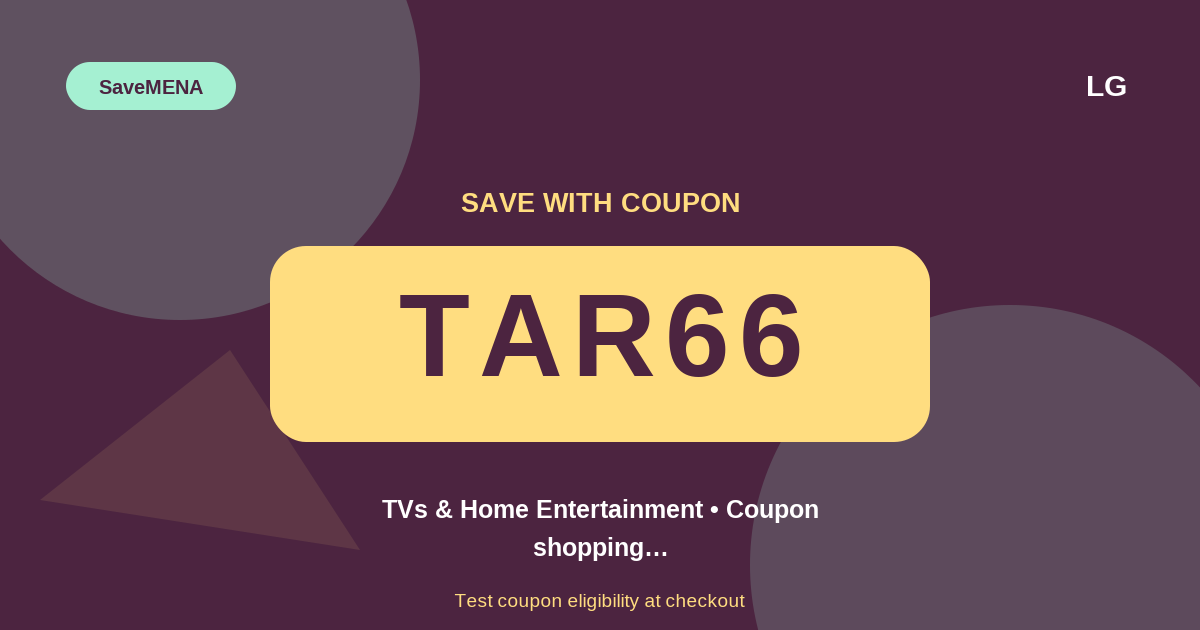
Codes available to try while comparing
These codes are not guaranteed for the article topic or listed brands; test them at checkout and use the live result.
1. Understand the Purpose of a Checkout Checklist
The first step is to recognise that a checkout checklist is more than a safety net; it is a methodical approach to confirming every technical and logistical detail before you finalize payment. For an LG TV, that means cross‑checking the model number, screen size, resolution, and firmware features against what Noon lists in product details. It also means ensuring that the variant you intend to purchase matches your usage scenario—whether that’s a slim 77‑inch 4K panel for a living room or a portable smart TV for a bedroom wall.
By running through this list early, you avoid surprises such as receiving a different colour finish or a variant without smart TV functions. A disciplined checkout checklist therefore reduces return risk, keeps timelines predictable, and ensures you are buying precisely what you asked for on Noon UAE.
2. Choosing the Right LG TV Model
Start by narrowing your options to LG’s current lineup that matches your desired size and feature set. Check the “product title” on Noon for the exact LG model identifier (for example, LG OLED77C2, LG QNED86ZT). Make sure the model name includes the region code if you want a version suitable for UAE power standards and language settings. Verify that the listed resolution—such as 4K UHD or 8K—meets your home theater expectations.
Compare the model across Noon’s “Specifications” tab. Pay particular attention to processor type (Alpha 9 Gen 5 for OLED TVs), HDR support (Dolby Vision, HDR10+), and refresh rate. Align these specs with your intended usage—sports, gaming, or cinematic content—to ensure optimal performance.
3. Diving into LG TV Specifications
Once the model is selected, dive into the technical sheet. For any LG LED screen, look for the backlight technology—LED or OLED—and how it affects contrast ratios. OLED panels typically deliver perfect blacks and 1,000,000:1 contrast, while QNED panels use Mini‑LED for high brightness. Confirm the panel size (e.g., 65 inches) and aspect ratio (16:9), which influence room integration.
Also verify connectivity options: the number of HDMI ports (HDMI 2.1 vs 2.0), USB ports, and network interfaces (Wi‑Fi, Ethernet). For gaming enthusiasts, HDMI 2.1 supports 4K at 120Hz; for set‑top box users, make sure the uplink HDMI supports HDR10+. Confirm Smart TV capabilities—WebOS or LR‑OS—plus the voice assistant compatibility (Alexa, Google Assistant). These details ensure the TV fits seamlessly into your smart ecosystem.
4. Applying a Noon UAE Coupon at Checkout
When you’re ready to move to payment, locate the coupon field on Noon’s checkout page. Enter the TAR78 code, which can be tried to see if it accepts the TV purchase. Keep in mind that applying the coupon is optional and is not guaranteed; simply try the code and observe whether it is accepted for the LG TV variant you selected. No claims should be made about discount size or expiry.
After entering the coupon, review the “Order Summary” to see if any deduction appears. Confirm that the taxable amount, shipping fee, and final payable total reflect all changes. It’s crucial to re‑review the total at this stage, because the coupon may or may not apply, and the final figure should match your budget expectations.
5. Verifying Seller, Variant, and Quantity
On Noon UAE, check that the seller listed is reputable—often Noon or a licensed NV retailer. Swipe through seller rating, order completion time, and buyer reviews. The variant column should show the exact model code, screen size, and colour. This step guarantees that you are not accidentally purchasing an incorrect SKU that differs in colour or functions.
Confirm the quantity selected—usually one, but occasionally you might buy a second TV for a second room. Double‑check that the quantity field reflects your intended purchase and that the subtotal updates accordingly before moving to the coupon field.
6. Delivery and Logistics Confirmation
Near the top of the checkout page, Noon shows estimated delivery dates based on the item, seller, and wallet confirmation. Verify the chosen delivery window aligns with your availability. If your selected date is outside the usual 2–5 business day range, check for any special delivery instructions or pickup options.
The delivery fee, if any, appears under “Shipping & Handling.” Ensure that the fee is accurate for the selected address and that no hidden charges apply. Some high‑value TVs might come with free delivery; confirm this in the order preview.
7. Choosing Payment Method and Final Confirmation
Fine‑print the payment options available—Credit/Debit card, Noon Pay, or cash on delivery. For large purchases like a 77‑inch LG TV, using a credit card can provide payment protection. Ensure your card is authorised for international transactions if the seller is not United Arab Emirates‑based, because some sellers may remain headquartered elsewhere.
When you click “Place Order,” Noon will lock the price, coupon, delivery slot, and currency. At this instant, the order is finalized. Store any order confirmation emails and screenshots. If an issue arises, the confirmation serves as proof of the exact configuration you agreed to.
8. Post‑Purchase Follow‑Up: Peace of Mind
After checkout, keep an eye on the order status via Noon’s tracker. Confirm that the delivery address is accurate and that the date reference remains consistent. Should delivery be delayed, you can contact Noon’s customer support with your order number—no coupon or discount details needed.
Upon receiving your LG TV, verify the model number on the back or side panel. Match it against your order details to confirm correct procurement. Test a simple picture or e‑stop app to make sure the screen is functional before leaving the retailer’s premises.
Related SaveMENA pages
Related articles
Official sources to check
Frequently asked questions
What happens if the Noon UAE coupon is not accepted?
If TAR78 does not apply to the LG TV purchase at checkout, you will see no discount reflected in the order summary. Proceed to place the order with the full listed price; the coupon was merely an attempt and not mandatory. No extra steps are required after order placement. You may still explore other promotions on Noon UAE in the future.
Can I change the delivery date after placing an order for an LG TV?
After the order is placed, Noon typically locks the delivery date. You can request a change through the “Order Tracking” page, but responses depend on seller availability and region. Contact Noon support for assistance, and note that some sellers may have strict cut‑off windows for date changes.
Do I need to confirm the TV's LINQ or Smart platform during checkout?
The checkout cursor shows the model’s operating system (LG WebOS or LR‑OS). If you need a specific platform for compatibility, verify it in the product specifications before confirming. No additional input is taken at checkout; the system will deliver the system pre‑installed on the model.
Will the coupon use the same currency as the checkout?
The coupon code applies to the transaction in the currency shown—USD if your Noon wallet price is set to USD or AED if set to UAE dirhams. Check the “Total Amount” field for the currency prior to confirming payment. The coupon will reflect the correct monetary system documented on the site.