Calvin Klein Watches on Noon UAE: model specifications — checkout checklist · TAR62
Choosing the perfect Calvin Klein watch from Noon UAE is more than picking a style—it's a precise exercise in confirming model details, specifications, and the
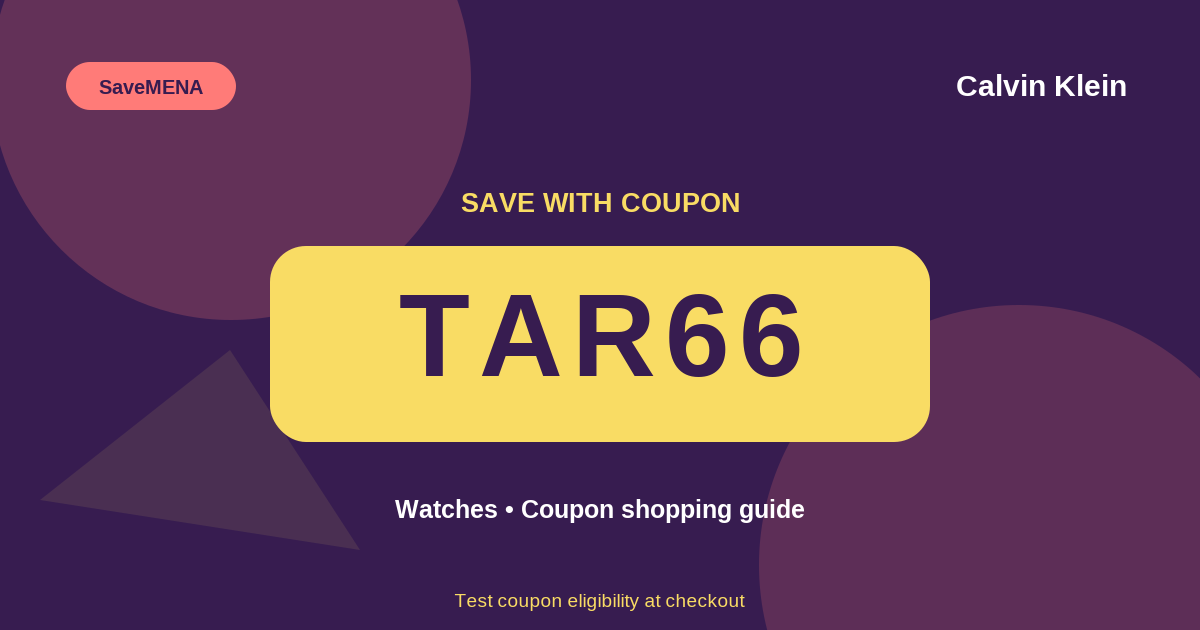
Codes available to try while comparing
These codes are not guaranteed for the article topic or listed brands; test them at checkout and use the live result.
Choosing the Right Calvin Klein Watch Model
Begin by narrowing the Calvin Klein collection to a list of models you genuinely like. Click on each product to see its full specification sheet, which typically lists case diameter, thickness, and dial type, as well as band color options. Verify that the listed dimensions match your wrist measurement and preferred aesthetic. The model number (e.g., CK001, CK002) is essential for confirming stock accuracy when you proceed to checkout.
Once your shortlist is defined, check for model variants such as stainless steel, gold plating, or limited edition releases. Each variant may have different pricing and available features. Note any model-specific launch notes or design changes, as these will affect the final cost and the applicability of the TAR62 coupon. Confirm that your desired variant is present in the Noon UAE catalog before moving forward.
Understanding Key Specifications for Accuracy
Every watch specification—including case material, Lume coated indices, and water resistance rating—impacts its suitability for daily wear or travel. Refer to the product page for a detailed specifications list, and cross‑check each item against your usage needs. For example, a 3 ATM water resistance is fine for a casual wearer, but not for someone who mans a pool or frequent rain.
Also pay attention to the movement type (quartz vs. automatic) and the watch’s power reserve, as these features define the watch’s reliability and maintenance schedule. A mismatched model can alter the purchase price or the coupon application, so double‑check that the specifications displayed match the product card you intend to buy.
Verifying Vendor Reliability and Stock Status
On the product page, locate the seller name and read through their rating and return policy. Vendors with high ratings and transparent policies are less likely to cause order delays. The seller’s stock indicator—often displayed as “In Stock” or “Limited Availability”—helps you gauge whether the item is ready to ship immediately or if there may be a backlog.
When the stock status shows “Limited Availability,” request confirmation via the seller’s chat or support line to verify that the exact model variant is currently available.A coupon is not guaranteed; verify its result at the retailer checkout.
Confirming Delivery Options and Fees
In the checkout process, the delivery method chosen influences both the time frame and any additional shipping charges. Noon UAE typically offers same‑day delivery for certain locations, but confirm the estimated delivery window before placing the order. If you need the watch for an upcoming event, a longer shipping timeline may be preferable to reduce rush fees.
Review the shipping fees separately from the product price, as they may change based on your delivery location or the selected logistic partner. Verify that the destination address is correct and that the delivery options do not exceed your budget. Make a note of any extra charges to ensure they appear correctly in the final payment summary.
Applying the Noon UAE Coupon at Checkout
When you reach the coupon entry field in the checkout flow, type in TAR62 exactly as typed—case‑sensitive, no spaces. The system does not guarantee that the coupon will apply, but entering it correctly is the first prerequisite. Watch for on‑screen confirmation that the coupon has been processed; if it fails to apply, contact Noon support before finalizing the payment.
If the coupon does change the subtotal, notice how the discount is displayed before tax is added. Tax calculations are applied after coupon deductions, so the total payable might differ from initial expectations. This stage is the final confirmation where you can abort or adjust your order before proceeding.
Final Payment Method Selection and Security Check
Check each available payment option—card, COD, or digital wallets—and inspect for any fees or restrictions. Pay attention to security badges displayed next to the payment method, which indicate SSL encryption and fraud protection. Your preferred method should match your bank’s policies to avoid denial or delays.
For added confidence, confirm that the payment gateway displays your chosen watch model, specifications, and the final total—including any coupon deduction and shipping charges. If anything appears amiss, cancel the order and re‑enter the details, as errors here could lead to an unintended purchase with no refund possibility.
Reviewing the Checkout Summary before Paying
The checkout recap page is your audit trail. Verify every line item: product name, model code, specs, shipping, taxes, and the applied coupon. If any figure differs from earlier expectations, dive into the detail panel and correct it—do not skip this screen.
Finally, count your total payable amount once more—the coupon code the subtotal, coupon, shipping, then tax. Once you confirm that all figures align with your budget and expectations, proceed to hit the “Pay” button. This confirmation step is critical to avoid post‑payment disputes.
Storing Your Purchase Confirmation and Warranty Information
Immediately after payment, save or print the electronic receipt. It contains a unique order number, the exact watch model and specifications, and the vendor’s contact information. Keep this record in a secure location or cloud drive for future warranty claims or return requests.
Also, download or note the warranty booklet that accompanies the product, if available. Warranty details are vendor specific; the online confirmation should reference the warranty period, coverage scope, and necessary procedures for non‑delivery, defects, or maintenance. Having all this data off‑hand guarantees that any post‑purchase issues are handled swiftly.
Related SaveMENA pages
Related articles
Official sources to check
Frequently asked questions
Will the TAR62 coupon always apply to my Calvin Klein watch purchase?
Adding TAR62 in the coupon field is the first step, but Noon UAE does not guarantee coupon applicability. Check for any failures or error messages during checkout, and consider contacting Noon support if the discount does not apply.
What should I do if the watch specifications differ from what I saw on Noon?
If the specifications shown during checkout differ from the product page, pause the purchase. Verify with the vendor or Noon support, and cancel if necessary to prevent receiving an unwanted model.
Which delivery options are best for urgent deliveries?
Same‑day or next‑day delivery options are usually faster, though they may incur higher shipping costs. Confirm the estimated delivery time and ensure the selected method aligns with any urgency you need.
How can I avoid extra hidden fees during checkout?
All shipping, tax, and coupon details appear in the checkout summary before the final pay button. Scrutinize this page to ensure no additional fees appear after you commit to the purchase.