Nike Women’s Fashion on Noon UAE: model specifications — checkout checklist · TAR78
Before you hit the final payment button, a quick checkout checklist will save you time, money, and hassle, especially when purchasing Nike women’s fashion on Noon
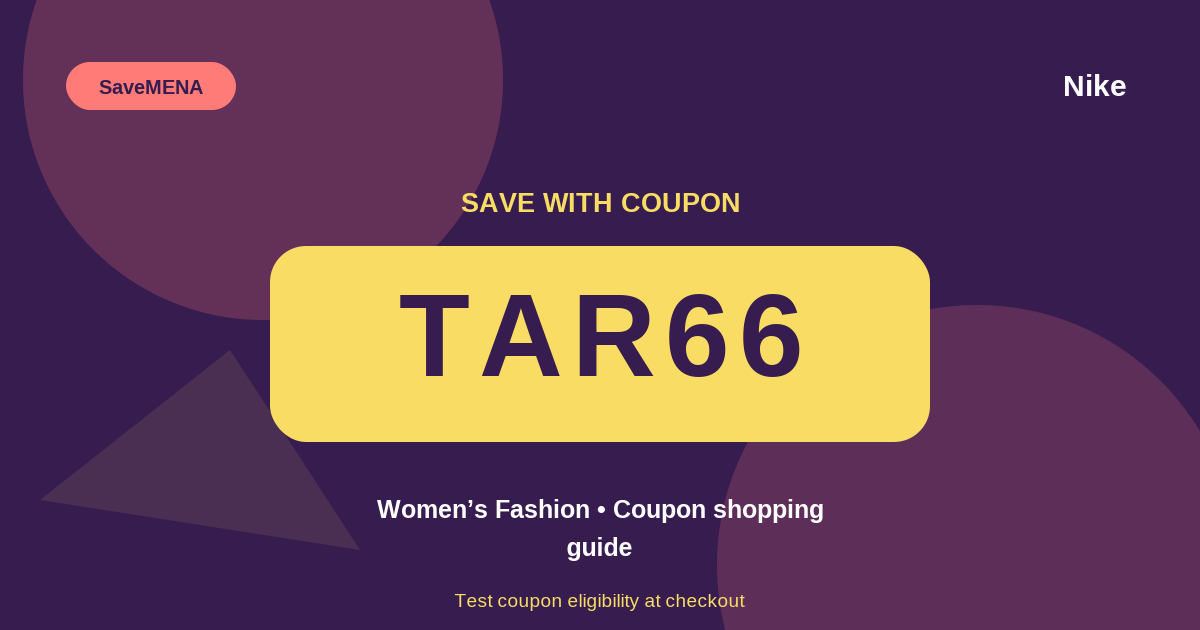
Codes available to try while comparing
These codes are not guaranteed for the article topic or listed brands; test them at checkout and use the live result.
Understanding Model Details for Your Nike Purchase
The first part of any model‑centric checkout checklist is the official model name and number. For example, when looking at a Nike women’s running outfit, ensure the model string – such as “Nike Air Pegasus 38” – matches the title on the product page. Verification means double‑checking that the model number appears in the product description, SKU, and specifications list. Matching these identifiers guarantees you’re seeing the exact same item you intend to buy, rather than a look‑alike or a different iteration. This step is often overlooked, but it prevents many returns triggered by model mismatches, especially within large brands like Nike.
Next, use the search filters or the “Compare” feature, if available, to view the same model across multiple sellers. This cross‑sell comparison can expose hidden variations, such as colorways or gender‑specific fits, that might change the user experience. Once you confirm the model is identical between the listing you see and the seller’s inventory, you can proceed with confidence. This ensures you’ll receive the exact gear you desire, aligning with your brand loyalty to Nike and your fashion preferences.
Specifications That Matter: Fit, Fabric, and Feature Check
With the model identified, dive into the specifications that affect your day‑to‑day performance. Inspect the fabric composition listed under “Materials” – cotton blends, polyester moisture‑wicking, or nylon blends will all influence comfort. If the product details mention a specific technology like “Dri‑FIT” or “Ventilated Mesh,” verify that it is present in the item’s description. These are key factors that justify a model’s reputation for quality in Nike women’s fashion.
Assess the fit by reading the sizing chart and the brand’s fit guidelines, which are often listed beside the measurement data. Check for labels indicating whether the item runs true‑size, runs small, or fits wide. Such details are essential to avoid size discrepancies. Additionally, note any feature specifications, like reflective detailing or reinforced seams, that may be relevant to your usage scenario – whether the item is for training, leisure, or performance. Confirming these specifications at checkout is vital before you commit to payment.
Coupon Application: How TAR78 Could Impact Your Total
When you are ready to apply a Noon UAE coupon, search for “TAR78” in the coupon field. The checkout screen will immediately reflect the coupon’s effect if it is valid. While we can’t guarantee the coupon will activate—external Factors such as seller restrictions or system errors may prevent it—this step tells you whether the coupon works in real time.
Because you won’t know the discount percentage until the code is accepted under the final payable total, it is wise to keep a bracket of “expected savings” in mind. For accurate budgeting, add the uncertain coupon value to your pre‑checkout reserves. Remember that coupon eligibility appears only at the payment page, where any new‑user, minimum spend, or app‑only rules would surface. Confirming this at the very last moment ensures no surprise gaps in your payment plan.
Weight, Size, and Shipping: The Practical Edition
Before you finalize payment, request the item’s weight from the product page or seller profile. This information is crucial for estimating shipping fees where applicable—particularly for items that exceed a certain weight threshold. If the product page does not list weight, note that you should ask the seller. Knowing the weight also helps you plan for packaging if you intend to resell or gift the product.
Size confirmation comes early in the checkout flow. When you input your size # in the cart, confirm the “Available” indicator and read the shipping timeline. For Nike women’s fashion, large or small runs may cause back‑orders. Additionally, review any standard shipping fees or local delivery charges posted at this step; these charges will adjust the final price you see before payment.
Pricing, Fees, and Final Payable Total at Checkout
At checkout, you will see the exact unit price, any applicable tax, the selling platform fee, and the chosen shipping cost. These items combine to form the subtotal, which the coupon then potentially reduces. Because the coupon’s exact effect is only shown just before you hit the payment button, double‑check that the final total displayed matches the amount you intend to pay.
Once the coupon is applied—or if it fails—you should verify the final payable total again to see any changes. This is the ultimate green‑light stage. Nothing that appears on this screen can be altered thereafter unless you back out of the purchase or reconsider the order entirely. A cautious approach is to compare this number with the original catalogue price and the coupon‑adjusted estimate you noted earlier.
Payment Options and Security for Noon UAE
When selecting a payment method, choose the one that offers the best protection for your purchase. Noon UAE supports credit or debit cards, digital wallets, or COD for certain categories. For women’s fashion, credit cards often provide higher purchase protection limits, while wallets such as Apple Pay can give instant confirmation.
In addition to choosing a method, read the terms of the payment gateway. Some methods engage a higher processing fee that will still be visible in the final price. Ensure that your chosen method does not have any extra charges that could surprise you. You’ll also want to verify that your card has sufficient balance or credit line to cover the total, especially if the coupon only partially reduces the amount.
Return Policy and Warranties for Women’s Fashion Items
Even after a meticulous checkout check, some buyers prefer a safety net. Verify the return policies for Nike women’s fashion on Noon UAE before completing payment. Look for the stipulated return window—often ranging from 14 to 30 days—and requirements such as original tags and packaging. The policy is usually displayed on the product page or in the “Return & Refund” section of your order summary.
Additionally, check whether the Nike shoes or apparel come with a manufacturer warranty, such as a limited‑time guarantee against defects. If a warranty is listed, confirm the coverage period and whether the No. of days extends beyond the return window. Knowing this helps you gauge any future support or claim you might file.
Final Verification: Five‑Step Checkout Checklist
Before you hit “Pay Now,” take one more pause to tick the five essential items. First, confirm the model and specifications match your expectations. Second, ensure the size, fabric, and feature details are correct. Third, double‑check shipping cost and weight if relevant. Fourth, verify the coupon is applied or fails. Fifth, confirm the final payable amount, taxes, and any fees appear as you intend. This check ensures no uncomfortable surprises after purchase.
Once all five boxes are ticked, you can confidently complete the transaction. Your purchase order will then generate a receipt and tracking information, and your Nike item will journey from the seller’s warehouse to your doorstep. By adhering to this systematic, model‑centric approach, your checkout becomes a streamlined, risk‑mitigating process that respects both your goals and your budget.
Related SaveMENA pages
Related articles
Official sources to check
Frequently asked questions
A coupon is not guaranteed; verify its result at the retailer checkout.
No. The code is only available to try. Eligibility can vary with the live account, basket, item, seller and campaign context, so checkout is the final reference.
Where should I confirm the coupon result?
Apply the code in the Noon basket and review the live message and final payable total before payment. Do not rely on an undocumented percentage or condition.
Can the result vary by product or seller?
Yes. Eligibility and offer context can vary with the current basket details, so compare the exact item, seller, variant and final total before purchasing.
What should I do if the code does not work?
Check the market, account, item, seller, basket and payment context, then try another code available to try without guessing an unsupported reason.