Braun Beauty on Noon UAE: payment method — checkout checklist · TAR84
A coupon is not guaranteed; verify its result at the retailer checkout. This guide walks UAE shoppers through every step of the process, from verifying coupon
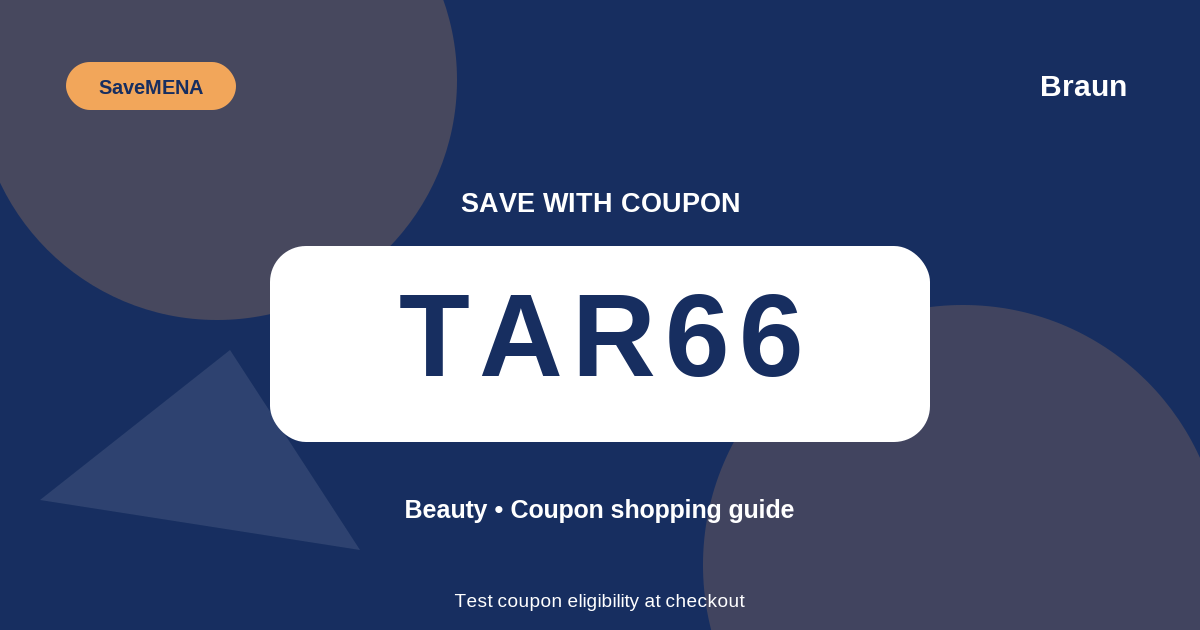
Codes available to try while comparing
These codes are not guaranteed for the article topic or listed brands; test them at checkout and use the live result.
Step 1: Verify Coupon Eligibility for Beauty Products
Begin your checkout prep by opening the “Promotions” section of Noon UAE’s cart. Input the code TAR84 to trigger the review. The platform will instantly flag whether the coupon applies to the specific Braun item you’ve chosen. Since not every beauty product is automatically eligible, double‑check that your Braun device appears without a “Not applicable” banner. If the coupon doesn’t activate, you can try again with the correct retailer or wait for a suitable promotion that matches your beauty category.
To be entirely confident, scroll to the bottom of the cart page where the discount line appears.A coupon is not guaranteed; verify its result at the retailer checkout. While we can’t guarantee the coupon’s success, most shoppers find that confirming it applies before proceeding saves them from last‑minute frustration at the payment stage.
Step 2: Confirm Price and Final Payable Total
Once the coupon status is verified, review the “Subtotal” and “Total” figures. If TAR84 has applied, the discount will reflect neatly below the item price, reducing the final amount at checkout. Because SaveMENA stresses that we do not set discount percentages, it’s vital to let Noon’s system calculate the exact reduction for you. The total displayed here should match what you pay after selecting a Braun‑approved payment method, avoiding surprise balances.
Pay attention to any additional taxes or service charges that can appear on the final price line. Some beauty items attract extra levies in the UAE, and these will not be covered by the coupon. Keeping the “Total Payable” figure on your screen will help you confirm that the discounted value plus taxes equals what you’ll submit when you click “Pay.”
Step 3: Select the Braun‑Related Payment Method
Choosing the correct payment method is crucial for Braun items on Noon UAE. After reviewing the total, tap the “Payment Options” area. If you have a Braun‑aligned credit or debit card, select it from the list. This is where the payment lens focuses; some cards offer cashback or loyalty rewards on beauty purchases. Ensure the chosen card is active and has available credit before confirming.
When confirming, Noon UAE will display the exact card number ending and the payment amount. Verify that the amount matches the final payable total shown earlier. If you’re using a pre‑loaded e‑wallet, double‑check the available balance against the required payment to avoid a failed transaction. By confirming the card details first, you lock in the payment method before any additional offers can be applied.
Step 4: Review Delivery Options and Possible Fees
With the Braun‑specific payment method set, shift focus to the shipping section. Noon UAE lists delivery charges under “Shipping Fees.” Some courier partners offer free next‑day delivery for beauty products in major UAE cities; confirm whether this applies to your Braun item. Remove any optional delivery upgrades that could inflate the cost, especially if they’re not needed for your planned usage.
Lastly, scrutinize the delivery time estimate. Beauty tools often require careful handling, and ensuring a realistic arrival window prevents missed shipping notifications. If you detect an inconsistency between the estimated delivery and your own schedule, it may be wise to adjust the shipping method or postpone the order. The payment lens remains integral; a high delivery fee would directly affect the final amount you pay.
Step 5: Inspect Item Stock and Seller Reputation
Before finalizing payment, confirm that your Braun device is in stock with the chosen seller. Noon UAE shows a “In Stock” indicator near the product title. If the item appears out of stock, the system may automatically replace it with a similar model, which could alter the coupon’s applicability. To avoid surprises, halt the checkout and reorder once the item is confirmed available.
Next, examine seller ratings and recent feedback. High‑rating sellers tend to provide reliable product descriptions and robust after‑sale support – key factors for beauty equipment. Some sellers may permit returns or exchanges, while others might not. Understanding these terms before payment ensures you’re not stuck with a device that doesn’t meet your expectations.
Step 6: Check for Additional Promotions or Bundles
Even when a coupon is in place, some beauty categories feature bundle offers or additional discounts. Hover over the “Offers” section to see if any other promotions apply to Braun products. These could be in the form of “Buy one, get another at X% off” and may not be visible until you move to the payment screen.
Remember, additional offers usually stack after the primary coupon has been applied. Inspect that the final total reflects all eligible reductions. If an extra discount packet appears, weigh whether the bundled price is beneficial in comparison to the standalone item with TAR84. Adjust or remove the bundle if it raises the overall cost or conflicts with payment method eligibility.
Step 7: Confirm Gift Card or Loyalty Points Usage
Prior to unlocking payment, locate the “Gift Cards & Loyalty Points” field. If you have a Noon loyalty point balance or a pre‑purchased gift card, input it here. The system will subtract the value from your final payable total automatically, ensuring you don’t double‑pay for the same item.
Validate that the points or gift card amount does not exceed the payable balance post‑coupon. If it’s higher, the platform will apply only the required amount leaving the rest unused. This step guarantees you use every bit of value you have, aligning with the decision lens of payment method and total expense.
Step 8: Final Review Before Checkout
Now that all variables—coupon, payment method, shipping, stock, seller quality, bundle offers, and loyalty points—are accounted for, carefully review the “Order Summary.” Each line item should match what you expect: product name, price, discount applied, delivery fee, and final total.
If everything aligns, proceed to click “Place Order” and the payment will be executed through your Braun‑aligned credit/debit card. If any detail feels off, return to the corresponding section to adjust. This final checklist enables you to confirm you’re never surprised by hidden costs or eligibility issues once the transaction completes.
Related SaveMENA pages
Related articles
Official sources to check
Frequently asked questions
A coupon is not guaranteed; verify its result at the retailer checkout.
No. The code is only available to try. Eligibility can vary with the live account, basket, item, seller and campaign context, so checkout is the final reference.
Where should I confirm the coupon result?
Apply the code in the Noon basket and review the live message and final payable total before payment. Do not rely on an undocumented percentage or condition.
Can the result vary by product or seller?
Yes. Eligibility and offer context can vary with the current basket details, so compare the exact item, seller, variant and final total before purchasing.
What should I do if the code does not work?
Check the market, account, item, seller, basket and payment context, then try another code available to try without guessing an unsupported reason.