Dyson Beauty on Noon UAE: payment method — checkout checklist
Before you hit the final ‘Place Order’ button, a meticulous checkout checklist is essential, especially when you’re planning to use a Noon UAE coupon like TAR66 for
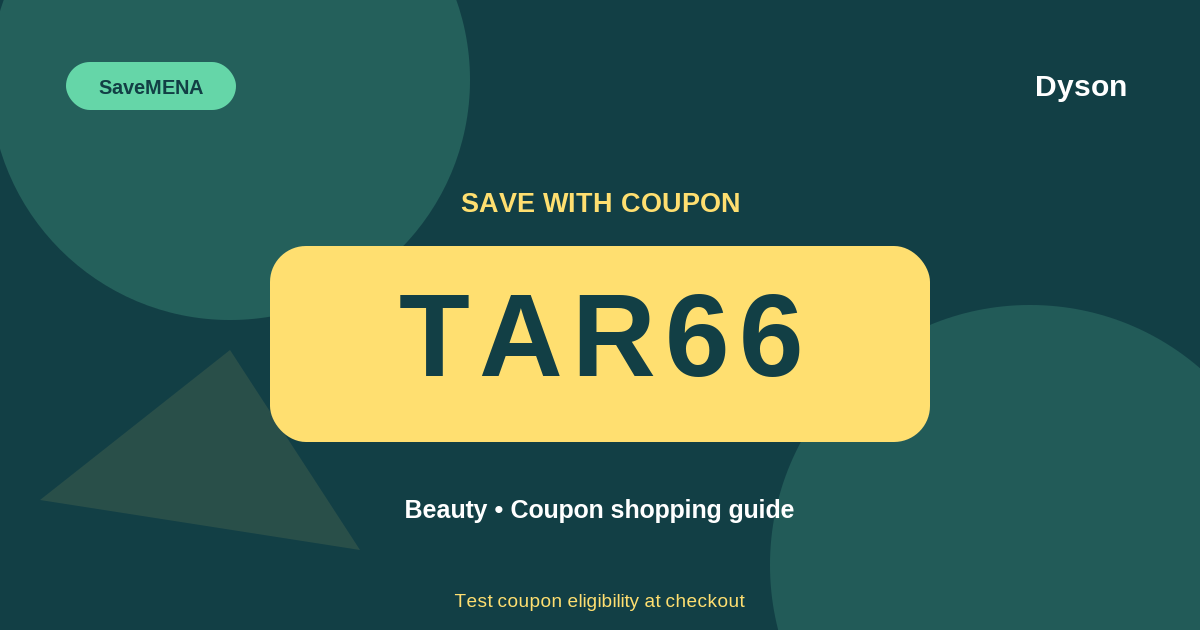
Codes available to try while comparing
These codes are not guaranteed for the article topic or listed brands; test them at checkout and use the live result.
Understanding Your Checkout Path on Noon UAE
When you add a Dyson hair‑care kit to your cart, Noon UAE presents a concise summary of your chosen items, prices, and available offers. At this point, you should double‑check that the selected variant matches your preferences—be it colour, size, or bundled accessories—because the checkout page locks in this choice. The platform will also display any active coupons in your wallet, but remember that not all coupons automatically apply; you must manually enter the code during checkout to trigger the discount potential.
Take a moment to review the estimated delivery window and any associated fees. Noon distinguishes between standard and express options, and shipping costs can vary by region of the UAE. Even if the coupon covers product price, it may not negate delivery fees, so ensuring you’re aware of the final payable amount before proceeding is crucial. If you notice any discrepancies, revisit your cart to edit quantities or swap items to align with your budget.
Pre‑Checkout: Product Quantities and Variants
Confirm the quantity of each Dyson product you intend to purchase. An order of multiple units will adjust the subtotal and may unlock bulk‑purchase privileges in certain cases. However, be mindful that coupons like TAR66 apply to the subtotal regardless of item count—state your intent clearly before applying the coupon to avoid accidental truncation of the discount. If your order includes exclusive beauty bundles that Nyshop partners have released, verify that they are still active and not out of stock before moving forward.
Inspect each variant’s specifications on the product page. Dyson’s beauty range often includes different ionic styles or motor speeds, which can influence the final price and coupon applicability. Once you lock in your selections, any subsequent changes will require you to return to the cart, potentially restarting the coupon application process. Avoid last‑minute changes at the checkout stage to maintain a smooth payment flow. Checking variant compatibility also helps prevent confusion in case the coupon is not accepted for certain limited editions.
Applying the TAR66 Coupon: Step‑By‑Step
To apply your TAR66 coupon during checkout, locate the “Promotions” or “Apply Coupon” field. Type the code exactly as it appears—caps are important—and tap the apply button. Noon will recalculate your subtotal, presenting the discounted amount in real‑time. If the code is not recognised, double‑check for typos and ensure you’re still eligible; the system will notify you immediately if the coupon cannot be applied. It’s advisable to enter the coupon before confirming your payment method to avoid any potential mismatch.
After the code is accepted, the updated total will appear beside your chosen payment method options. Keep an eye out for any changes to delivery fees, as some coupons only affect product prices. Even though TAR66 is a coupon available to try, its effect might vary based on regional offers or concurrent promotions. Don’t assume it applies automatically; confirming the deduction field will give you peace of mind before proceeding to payment.
Choosing the Right Payment Method for Beauty Items
When you reach the payment method selection, examine all the options offered by Noon UAE. Traditional cards (Visa, Mastercard), digital wallets, and sometimes local payment solutions like PayPal or local bank transfers are typically available. Your decision should consider transaction fees, processing times, and whether your payment method is supported for coupon‑deducted totals. Some wallets provide instant payment confirmation, whereas bank transfers may take longer, affecting delivery scheduling.
Given the focus keyword, consider how your payment method aligns with the phrase “use a Noon UAE coupon Beauty Dyson payment method.A coupon is not guaranteed; verify its result at the retailer checkout. A coupon is not guaranteed; verify its result at the retailer checkout.
Verifying Payment Method Compatibility with Noon & Dyson
Before finalising payment, confirm that your chosen method can process the discounted amount. Some payment methods may impose minimum or maximum transaction limits, which become relevant once a coupon reduces the total. If your account carries an outstanding balance or a misuse alert, the payment might reject the order. Checking your account health in the Noon app or website can prevent last‑minute hiccups.
When dealing with Dyson products, especially deluxe kits, it’s wise to review any manufacturer‑level payment safeguards. Dyson may include special financing or loyalty credits that apply in addition to Noon coupons; however, these may not de‑prioritise the coupon. If your payment method can capture such credits, ensure they are processed before confirming the total. If unsure, it’s safer to keep the payment method simple and verify the final amount afterward.
Final Price Breakdown before Confirming Payment
On the confirmation screen, Noon lists a detailed breakdown: product subtotal, coupon deduction, shipping fees, taxes, and the grand total. Cross‑check each line item against your expectations to ensure no hidden charges appear. While the coupon might only affect the product price, some tax regulations apply to the discounted total, altering the final payable amount. If the interface is ambiguous, click on the “Details” link for a clearer view of how the final price is composed.
At this juncture, review the chosen payment method’s displayed balance or credit line. If you’re using a card, verify you have sufficient funds or credit limit left. For digital wallets, ensure the wallet balance covers the payable amount plus any potential fees. Confirming the exact figures will give you confidence that the payment will process without errors, avoiding post‑purchase resends or refunds.
Handling Post‑Checkout Doubts: What to Contact
If after placing your order you discover a discrepancy—such as the coupon not reflecting the anticipated discount or a mismatch in your payment amount—contact Noon UAE support promptly. The support portal allows you to mention your order number, the applied coupon code, and the specific issue. Response times are generally within 24 hours, but it's advisable to note any urgent concerns in the message to expedite handling.
In cases where a Dyson product appears delayed beyond the estimated arrival window, inspect the order status. Noon typically updates delivery expectations; if the update can’t resolve your concern, special delivery inquiries can be raised within the app. When engaging with Dyson‑specific support, use the brand’s official channels or mention the product SKU to ensure accurate assistance. This proactive approach can prevent unnecessary delays or returns.
Transitioning to Your Updated Order Summary
Once payment is processed successfully, you’ll receive an updated order summary email or notification. This summary contains the final amount paid, any coupon credit applied, and the remaining shipping confirmation. Verifying the card or wallet charge on your statement against the summary will confirm that the transaction matched the agreed amount, preventing future disputes.
Store your order number and any related confirmation codes for reference; they come in handy if you wish to track delivery progress or request changes. If you anticipate needing to return or exchange a Dyson beauty item, be aware of the return policy timeline—usually 15 days from receipt—which will be outlined in the summary. Keeping all documentation accessible ensures a smooth post‑purchase experience.
Related SaveMENA pages
Related articles
Official sources to check
Frequently asked questions
How do I check if the TAR66 coupon is still valid during checkout?
The checkout page will display an acknowledgment once the code is applied. If the coupon is inactive or expired, a notification will appear instantly, prompting you to try a different or alternative offer. Always verify this step before proceeding to payment.
Can I use multiple coupons for the same Dyson beauty order?
No. Noon generally allows only one coupon per order. If you have more than one coupon, you need to choose the one that offers the better discount before applying it. This ensures you’re maximizing savings while keeping the order simple.
What happens if my payment method fails after I’ve applied the coupon?
Once you confirm payment, the coupon is applied, and the total is locked. If the transaction fails, the order will be cancelled, and the coupon will be released for future use. You can then retry with a different payment method.
Does the TAR66 coupon affect my delivery fee?
Typically, coupons reduce only product costs, not shipping or handling fees. The delivery fee will remain unchanged unless Noon explicitly includes it in the coupon’s terms. Verify the break‑down at checkout.