Logitech Computer Accessories on Noon UAE: payment method — checkout checklist · TAR98
Step one in the checkout process is to review the shopping cart. Open the cart page and double‑check every line item.
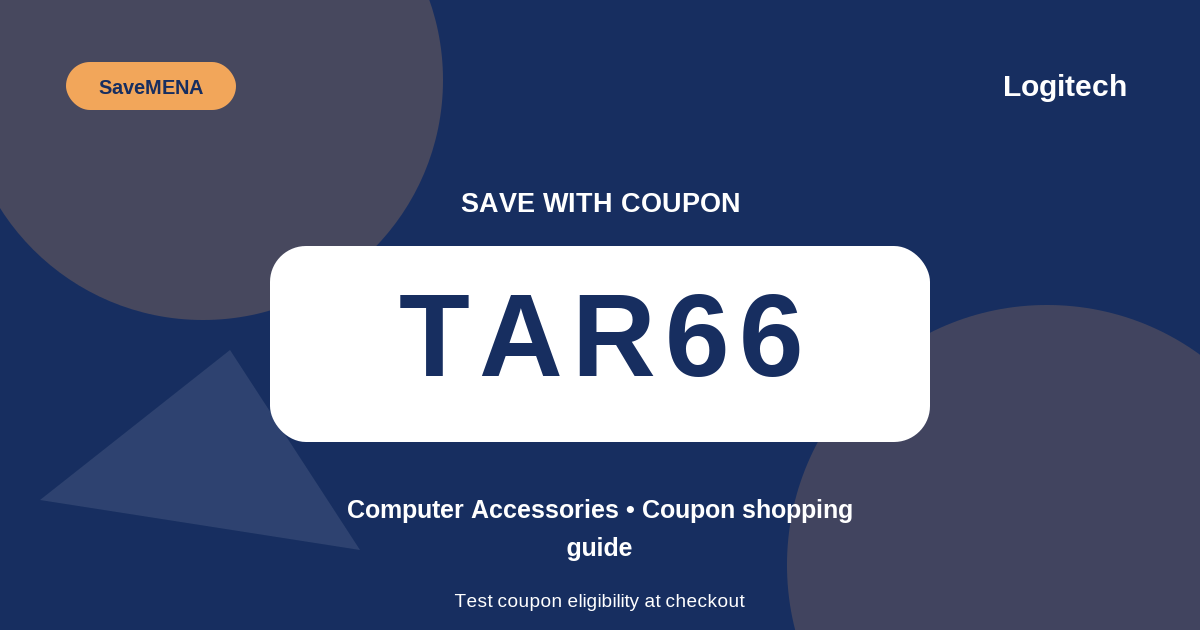
Codes available to try while comparing
These codes are not guaranteed for the article topic or listed brands; test them at checkout and use the live result.
Step 1: Cart Confirmation – Are All Computer Accessories Correct?
Step one in the checkout process is to review the shopping cart. Open the cart page and double‑check every line item. Verify that the product model numbers match the ones you intended to purchase, especially when ordering Logitech keyboard or mouse models that have multiple variants. Ensure quantities are accurate—many buyers add a single accessory but inadvertently leave a second item in the cart due to a sticky click. Also confirm that the correct specifications, such as color or connectivity type (USB, Bluetooth), appear for each product. Minor missteps at this stage can lead to delayed shipping or a return.
Cross‑reference the cart totals with the listed unit prices to catch any automatic adjustments made by the system. Look for unexpected charges, for instance, for premium shipping, that may have been applied automatically when you selected a quick delivery option. If something seems off, use the product detail page link within the cart to compare the item’s specifications with the current SKU. Once you are certain that every computer accessory is that which you want, you can move on without the risk of an accidental order.
Step 2: Coupon Activation – How to Try the TAR98 Code
After confirming the cart contents, locate the coupon entry field on the checkout summary. Some retailers allow coupon codes to be entered before selecting a payment method, while others amass the discount after payment confirmation. On the Noon UAE checkout page, simply type the code TAR98 into the designated field and press the apply button. If the coupon is valid for your items, the system will recalculate the subtotal, reducing the final amount due. If it does not apply, you will be notified and can proceed without it.
Keep in mind that the coupon availability to try does not guarantee that it will work for every computer accessory or payment method. Eligibility can be contingent on factors such as the seller, the item category, or the total order amount. Verify in the cart summary after applying the coupon that the promotion has been factored in; if no change is reflected, the code may be inactive for your particular selection.A coupon is not guaranteed; verify its result at the retailer checkout.
Step 3: Payment Method Options – Choosing the Right One for Your Order
Choosing the correct payment method can influence more than just the transaction speed. In the UAE, you have multiple avenues: major credit cards, debit cards, Apple Pay, Google Pay, and other digital wallets that Noon supports. Each option has its own processing fees, security protocols, and potential loyalty benefits. For instance, some cards offer automatic reward points per transaction, while others provide a dedicated emergency refund guarantee. Assess what matters most to you—quick completion, additional security, or loyalty perks—before selecting the method that aligns with your priorities.
When you open the payment gateway, look for any specific instructions tied to each method. Certain cards may require you to verify the transaction via SMS or an e‑notification, especially on first‑time transactions. Digital wallets often prompt a quick login and a single‑click confirmation that bypasses traditional PIN entry. As you decide, record your choice next to the invoice; this simple note acts as a reference during the final review of charges and ensures you aren’t surprised by hidden surcharges that some payment methods might impose.
Step 4: Network Security – Safeguarding Your Payment Details
Security is paramount when transmitting payment information online. Every reputable checkout page will display a padlock icon in the browser address bar and use HTTPS encryption, ensuring that your card number and personal data stay unreadable to third parties. In the UAE, regulators enforce strict data protection guidelines, but as a shopper you can enhance safety by checking that the merchant’s domain is legitimate and not a look‑alike copy. Avoid logging in through suspicious links; instead, navigate directly to Noon from your saved URL or app.
Additionally, enable two‑factor authentication on your banking and digital wallet accounts whenever possible. Some payment providers offer extra layers like biometric verification or one‑time passwords, which can prevent unauthorized use even if your credentials are compromised. Keep your devices updated with the latest security patches, and install reputable antivirus software to guard against malware that could intercept login details. After setting up these precautions, proceed with confidence that your payment method is fortified against common threats.
Step 5: Order Summary Review – Checking the Final Total
Once the payment method is selected, scroll to the order summary section to verify the entire transaction breakdown. Every item price, the applied coupon adjustment, any shipping fees, and the final payable total should be explicitly listed. Pay close attention to any added lines such as handling, subscription fees for premium security services, or waived delivery charges linked to the selected payment method. In the UAE, some payment gateways insert a fee for certain card types; ensure that this is reflected correctly in the final figure.
If at this point you notice an unexpected line item or a mismatch between the subtotal and the detailed list, pause the checkout. Most platforms offer a modify button that allows you to edit the cart or the payment method without restarting the entire process. Verify that the coupon code has been applied by looking for a discount line. When everything aligns with what you originally intended to purchase, you’re ready to move to the final confirmation stage.
Step 6: Delivery Options – Impact on Payment Calculations
Choosing a delivery speed can affect the final amount you pay, especially in the UAE where premium shipping options are commonly sold separately. Some services add a delivery surcharge that is only applied if a particular payment method is chosen; for instance, cash on delivery might have a higher fee than online payment. Check the shipping calculator before confirming to view all applicable charges. Ensure the items you selected, such as a Logitech mouse, are available for the quickest delivery or the most cost‑effective service based on your location.
After you finalize delivery preferences, the checkout engine will recalculate the total, incorporating any new fees. This step is vital because some payment methods may cap the maximum transaction amount or trigger additional charges for large orders. If the total changes, double‑check the breakdown to confirm that the delivery fee corresponds to the service you chose. A miscalculation here could lead to an overcharge that you might only notice after the payment is processed.
Step 7: Reaching Out for Support – When Payment Issues Arise
Despite careful preparation, issues can still surface—perhaps a declined card, a coupon that fails at the last moment, or a mysterious surcharge. In such cases, contacting Noon’s customer support is your quickest remedy. The support portal offers a live chat tool that operates during business hours, a toll‑free number for urgent inquiries, and an email address for detailed explanations. Provide the order reference, specify the payment method used, and describe the problem exactly as it appears on the screen to expedite resolution.
Keep any confirmation or error messages handy, and if you are using a digital wallet, have your provider’s app open to share logs or screenshots. Note that resolving payment hiccups often requires a short wait time for the platform to update the transaction status. Once the issue is corrected, you may need to retry the payment; ensure you record the new authorization code captured during the retry so you can verify that the transaction is recorded correctly in your account.
Related SaveMENA pages
Related articles
Official sources to check
Frequently asked questions
What should I do if my Noon UAE coupon doesn’t apply?
If the coupon code TAR98 fails to attach during checkout, double‑check for typos, ensure that the items in your cart are eligible, and confirm that the promo is not limited to a different category or seller. If the problem persists, contact Noon customer service for clarification.
Can I use multiple payment methods on the same order?
No. A single payment method must cover the entire amount for a Noon UAE transaction. If you want to split payments, you’ll need to place separate orders, each with its own checkout and payment confirmation before shipping.
Will there be any extra fees for using a digital wallet?
Digital wallet fees depend on the provider and the card association. Normally, the checkout will display any wallet‑specific surcharge before the final total is finalized. Review the final payment summary for such an item and confirm that it is acceptable before authorizing the transaction.
How can I verify the security of my payment information during checkout?
Look for an HTTPS lock icon in the browser bar and confirm the merchant’s domain is correct. Enable two‑factor authentication for your bank or wallet, keep your device updated, and avoid saving card details on unsecured sites. Use the buyer’s protection policy for peace of mind.