Logitech Gaming on Noon UAE: payment method — checkout checklist · TAR84
A coupon is not guaranteed; verify its result at the retailer checkout. ” Whether you’re upgrading your mouse for competitive play or choosing a new headset for
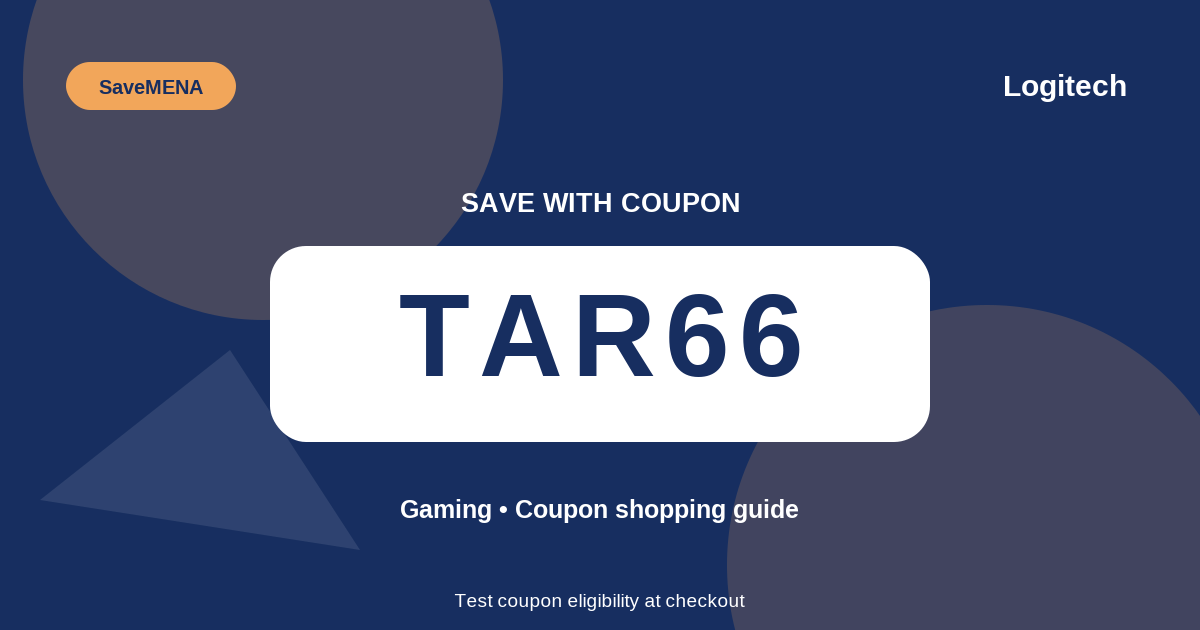
Codes available to try while comparing
These codes are not guaranteed for the article topic or listed brands; test them at checkout and use the live result.
Navigating Gaming Gear on Noon UAE
Start by narrowing your search to the Gaming category on Noon UAE’s website or mobile app. Filter results by brand, such as Logitech, to locate the full range of mice, keyboards, headsets, and accessories that align with your play style. Pay attention to product details, including connectivity, DPI settings, and compatibility with your system, to ensure the gear meets your requirements before adding it to the cart. This preparation saves time and prevents irreversibly adding unsuitable items later.
Once you’ve identified the gadgets you need, double‑check that each item’s availability status is “In Stock” and that the seller is reliable. Hover over the product image to view additional photos or read any included specifications. Sentinel against missing instructions or awkward shipping notes by reviewing the seller’s profile and overall feedback. These preliminary checks provide confidence that you’re selecting verified Logitech products with straightforward delivery to the UAE.
Choosing the Right Logitech Accessories
Logitech offers dedicated gaming solutions, from wired mice with high‑resolution sensors to ultra‑light wireless headsets. Prioritize the features that matter most: for mice, consider adjustable DPI and programmable buttons; for keyboards, look at key travel and RGB lighting; for headsets, evaluate soundstage and comfort over extended sessions. Selecting items that match your gaming setup reduces the likelihood of returns or exchanges.
Verify that the chosen Logitech product is listed under the ergonomics or Performance tags if you want quality and durability. Checkout the product description for any updates or firmware compatibility. If the game you play requires low input lag, opt for a wired design or a model with a proven low‑latency wireless option. This selection step is essential to avoid post‑purchase regret, especially when spending a premium on high‑performance gear.
Applying a Noon UAE Coupon (TAR84)
When you’re ready to add items to the cart, look for a “Coupon” field in the checkout page. Input the code TAR84 and press “Apply.” Notice that the coupon may or may not be valid for your selected Logitech product; Noon UAE’s cashier will confirm eligibility immediately. If the code fails, double‑check spelling and whether any email verification step is required.
After the application attempts, review the updated subtotal. The system will show a discount line or note that the coupon isn’t valid, neither of which guarantees an actual savings. Keep a record of the voucher status for future reference, especially if you plan to use the same code on a different day or device. Councils it to confirm that the coupon code has indeed made an impact on the final amount before proceeding.
Selecting a Secure Payment Method
Payment method selection is a critical checkpoint. Noon UAE allows several options: credit/debit cards, Noon Wallet, or pay‑on‑delivery. If you wish to use a card, ensure it’s a supported U.S., UAE, or regional bank card. For online winnings, check that the card processing is compatible with Noon’s security protocols.
If you prefer a Noon Wallet, load the balance through a linked card or a fund‑transfer service before checkout. Note that the wallet may have a minimum top‑up requirement, something you must confirm in the wallet dashboard. Pay‑on‑delivery can be convenient; however, you’ll be limited to cash or cash‑on‑delivery to certain logistics partners, so verify the available courier list for your address.
Verifying Your Order Before Checkout
In the order summary, double‑check the quantity, SKU, and total price listed. Hover over each line item to view the full description, confirming that the product is the exact Logitech model you intended. The summary will also display any applied discount, shipping fee, or tax; if an unexpected fee appears, investigate whether it’s a local VAT or courier handling cost, which Noon may automatically add.
Ensure your shipping address inputs are complete and accurate. A typo can delay delivery or cause misdelivery; confirm postcode, building number, and apartment ID. Also, review the estimated delivery window and proceed only when you’re comfortable with it. Any misstep here could inflate your final payable amount or risk delays in a gaming season.
Finalizing Payment and Confirmation
Once the order summary matches your expectations, click “Place Order” to initiate the payment process. The payment interface will prompt you to review the final total, which reflects any coupon adjustments. This is the last chance to spot a discrepancy; you will see a “Confirm Order” page before the system processes the transaction.
After confirming, you receive an order receipt via email and a notification on the Noon app. The receipt will include an order reference number, tracking ID, and an estimate of when the Logitech device will arrive. Keep this information handy for customer support or if you need to file a return.
Tracking Your Shipment and Warranty
Use the tracking number given in the confirmation to monitor delivery status in real time through Noon’s shipping portal. The tracking log typically indicates courier, expected date, and any hold‑up points. For gaming gear, especially high‑end Logitech products, confirm that a warranty sticker or documentation accompanies the shipment.
If the product arrives damaged or missing components, contact Noon’s return center within the period specified in the shipping confirmation. Even though the device is locally sourced, the vendor’s warranty can cover repair or replacement; retain the purchase receipt and product serial number for expedited claims.
After the Purchase: Support and Returns
Should you encounter issues with the Logitech device, start by consulting the product FAQ section on Noon. Many common problems—Bluetooth pairing or unresponsive buttons—are resolved through simple firmware updates or configuration tweaks. If a hardware defect exists, you can initiate a return or exchange following Noon’s return policy, which usually requires a return shipping label.
Logitech’s own support portal also provides firmware downloads, community forums, and direct contact options for customers in the UAE. For premium or custom gaming setups, consider registering the product online to enable access to exclusive updates. Staying proactive here can protect your investment and extend the life of your gaming gear.
Related SaveMENA pages
Related articles
Official sources to check
Frequently asked questions
What should I check after I enter the TAR84 coupon code?
After applying TAR84, confirm that the discount line appears next to the subtotal. If no change occurs, the coupon might not be applicable to the selected Logitech item or it could be expired. In that case, review the coupon’s terms or try a different code.
Can I use the Noon Wallet if my card isn’t working?
Yes, once the wallet has sufficient balance, you can select it during checkout. Make sure you top‑up the wallet via a valid card or bank transfer before initiating payment.
A coupon is not guaranteed; verify its result at the retailer checkout.
No. The code is only available to try. Eligibility can vary with the live account, basket, item, seller and campaign context, so checkout is the final reference.
Where should I confirm the coupon result?
Apply the code in the Noon basket and review the live message and final payable total before payment. Do not rely on an undocumented percentage or condition.