JBL Headphones on Noon UAE: payment method — checkout checklist
Start by revisiting the product page for the JBL headphones you wish to buy. Make sure the specific model number or variant matches the one you intend to purchase
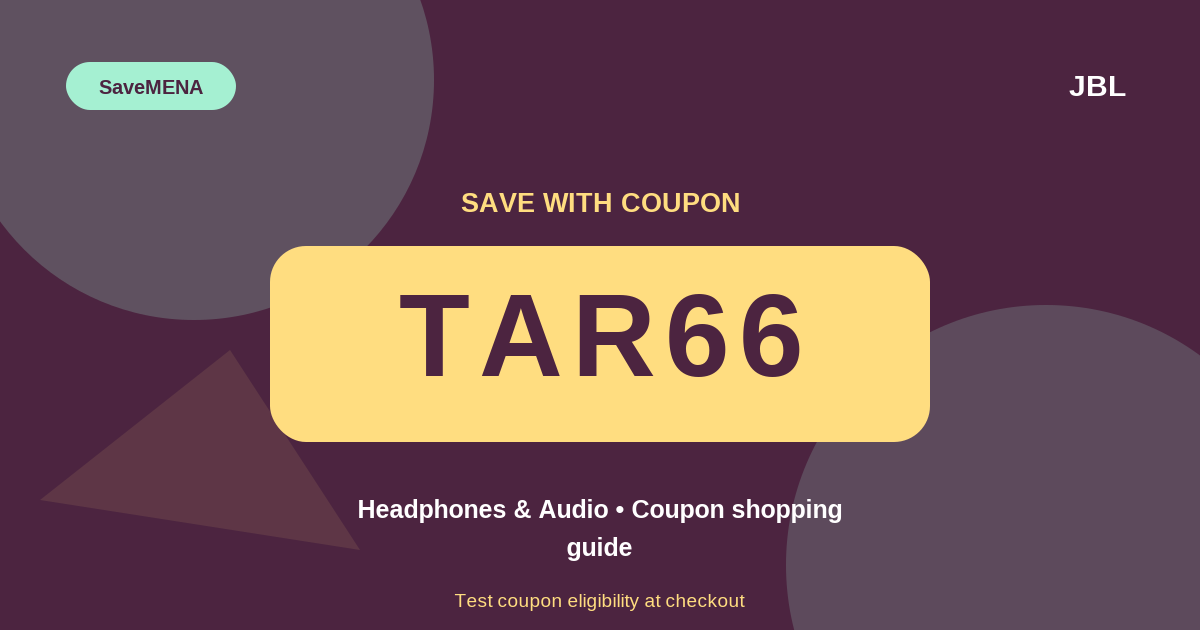
Codes available to try while comparing
These codes are not guaranteed for the article topic or listed brands; test them at checkout and use the live result.
Confirm Your JBL Headphones Selection
Start by revisiting the product page for the JBL headphones you wish to buy. Make sure the specific model number or variant matches the one you intend to purchase, as Noon offers multiple JBL options ranging from on‑ear to studio‑grade over‑ear. Pay attention to any colour or battery‑life specifications that differentiate one variant from another. This small detail prevents receiving a product that doesn’t align with your usage needs or brand preferences, especially if you’re managing a suite of audio gear for work or home. The goal is a flawless match between what you see on screen and the item that will arrive at your doorstep.
After confirming the variant, add the headphones to your cart and verify the quantity. A single purchase can still carry hidden nuances, such as different shipping classes or packaging preferences. If you have a larger budget or a need to bulk‑order for events, checking the stock across multiple SKUs at the same time helps avoid back‑orders or partial shipments. Once you’re satisfied, proceed to the cart page where you’ll review all details before moving to the next stage. This simple precaution ensures your checkout journey starts on solid footing.
Verify Stock and Delivery Details
On the cart or checkout overview, locate the availability status labeled by Noon. Uninterrupted delivery is the first prerequisite; the system typically displays whether the item is in‑stock, will ship within a set timeframe, or needs to be back‑ordered. If the product appears to be out of stock, look for alternative listings or contact Noon support for clarification. Relying on a seller’s update helps you plan arrival times, which is useful if you’re coordinating returns, gifts, or launches. Keeping a finger on the stock gauge prevents disappointment later in the process.
Next, review the shipping address you entered. Noon usually offers a visual map or confirmation prompt to guarantee the location field is exact, thereby eliminating routing errors or postal delays. If you’re travelling or have multiple delivery points, cross‑check that the zone or region aligns with Noon’s shipping coverage. When the address is validated, you’ll have a definitive delivery path: either free shipping, a small fee, or a premium rush option. Confirm that the chosen route fits your timeline, especially if you plan to use the headphones for an upcoming event or deadline.
Apply the TAR66 Coupon Strategically
In the coupon field on the cart summary, type the code TAR66 and press apply. Noon will verify the code against current promotions and list the discount if it qualifies. Because the coupon may be generic, the discount may apply to the total cart rather than only to JBL headphones. If the code does not work, double‑check for typos, spacing, or any eligibility restrictions that might not be immediately obvious. Patience here pays off when you attempt alternative coupons or wait for a system update.
After the discount settles, see the updated subtotal displayed in real time. The coupon will not alter shipping or taxes directly, but reducing your cart value can influence overall spend and future rebates.A coupon is not guaranteed; verify its result at the retailer checkout. By confirming that the discount stays tied to your final purchase amount, you save from any last‑minute confusion or hidden recalculations.
Choose the Right Payment Method for Noon UAE
Noon UAE offers several payment method options including card, wallet, cash on delivery, and other online platforms aligned with UAE banking infrastructure. Review the list to understand fees, transaction limits, and timeframes for each. If you aim to use a Noon UAE coupon with your payment, ensuring the method is accepted for promotional usage may prevent a cancellation or applied rebate after payment. The selection screen typically highlights any cards that support auto‑funding or smart‑payment features tailored to the marketplace.
When picking your payment method, consider any loyalty or credit points you might have accrued with Noon. Many customers see an additional benefit when using Noon’s own wallet or linked credit, as it could improve the overall offer or speed up approval. Verify that the method shows as “Eligible” on the final payment prompt before proceeding. If you’re new to Noon, check that your account is verified and set to the correct country for the transaction. All these steps guarantee the payment method will accept the applied coupon and complete without hiccups.
Review the Final Checkout Summary
On the final summary page, you will see a detailed breakdown, including product, price, applicable coupon, shipping fees, taxes, and the total to be charged. This is the moment to verify that the headphones are the correct model, that the bundle is complete, and that the quantity is as intended. If an error appears, such as a wrong variant or missing accessory, the system allows you to click back and correct the selection. Accuracy here prevents post‑purchase disputes or returns.
While reviewing, double‑check that the coupon code still appears and that its discount amount recalculate correctly. Most checkout pages will display the new total promptly after a coupon is verified. If the discount is absent, revisit the coupon section and ensure no changes were made inadvertently. It's essential to cross‑reference that the payment method chosen is still listed as the chosen method. The final screen serves as a comprehensive snapshot; verify every component before you commit the payment.
Double‑Check Payment Method Eligibility
Before clicking “Place Order,” access the payment method subsections to confirm that the chosen method is fully compliant with Noon’s terms. Some methods may have transaction caps or require additional authentication, especially for higher‑priced items. For instance, using a credit card might trigger a liability check; a wallet could refuse large transactions if the balance is low. Verify that the system flags any restrictions and that you have a backup method ready.
If you’re using a Noon UAE coupon, confirm that the discount is still applied after changing the payment method. Some promotions only apply to specific payment types; switching midway may deactivate them. If you encounter a message indicating that the coupon cannot be used with the new method, revert to the earlier option or reach out to customer support. This proactive verification step saves time and ensures that the checkout proceeds smoothly without unexpected rollbacks.
Resolve Common Payment Glitches
Occasionally the checkout may fail due to internet interruptions, incorrect card details, or service outages. If the screen freezes or shows an error, pause, refresh, and re‑enter the necessary details. It’s advisable to keep your card or wallet credentials short‑listed, but double‑check for typos. If you’re using a mobile device, a browser update can resolve handshake problems that frequently cause unavailable payment prompts.
In the rare event that the payment fails after the order has been placed, Noon typically provides a refund within a short period. You can view a status window that updates the transaction as “Processing” or “Cancelled.” If a coupon was applied during a failed attempt, refunding any discount or bonus points will be handled automatically. Should any discrepancies arise, contact Noon’s customer service with your order ID; they usually expedite investigation in a matter of hours. These steps help maintain confidence in the safety of your financial information.
Secure Your Transaction and Track Your Order
Once the payment is confirmed, Noon will send an order confirmation email or push notification on the app. This message confirms the transaction, includes the final price after coupons, and provides a tracking number. Copying the confirmation to a secure document or screenshot adds an extra layer of safety for your records, especially if you plan to track the shipment or file a claim.
Using Noon’s delivery update tools, you can monitor the shipment stage: when the item is dispatched, in‑transit, and delivered. If the tracking timeline alters or a delay occurs, the app usually offers a notification. In such cases, you can reach out to the customer service portal for clarification. By staying informed, you not only confirm your purchase but also enjoy the transparency that Noon promises for its delivery service.
Related SaveMENA pages
Related articles
Official sources to check
Frequently asked questions
What should I check first before using a Noon UAE coupon?
Begin by verifying that the exact JBL headphones variant is in stock and that its price is displayed correctly in the cart.A coupon is not guaranteed; verify its result at the retailer checkout.
Can I change my payment method after applying the coupon?
Yes, but some coupons may be tied to specific payment types. If you switch methods, double‑check that the discount remains displayed or revert to the original method to avoid losing the coupon.
Is there a limit on how many Noon coupons I can use for one order?
The platform typically allows only one coupon code per transaction. After applying a code like TAR66, other coupons cannot be entered unless the system updates its policy.
What if my payment fails after placing the order?
If payment fails post‑order, Noon’s system usually initiates a refund or cancelation automatically. Contact support with the order ID for a quick resolution, as the platform prioritizes customer protection.