Home Appliances on Noon UAE: payment method — checkout checklist · TAR84
, ... etc. Let's write. When you’re ready to purchase a new home appliance on Noon UAE, the final step we all dread is confirming our payment details.A coupon is
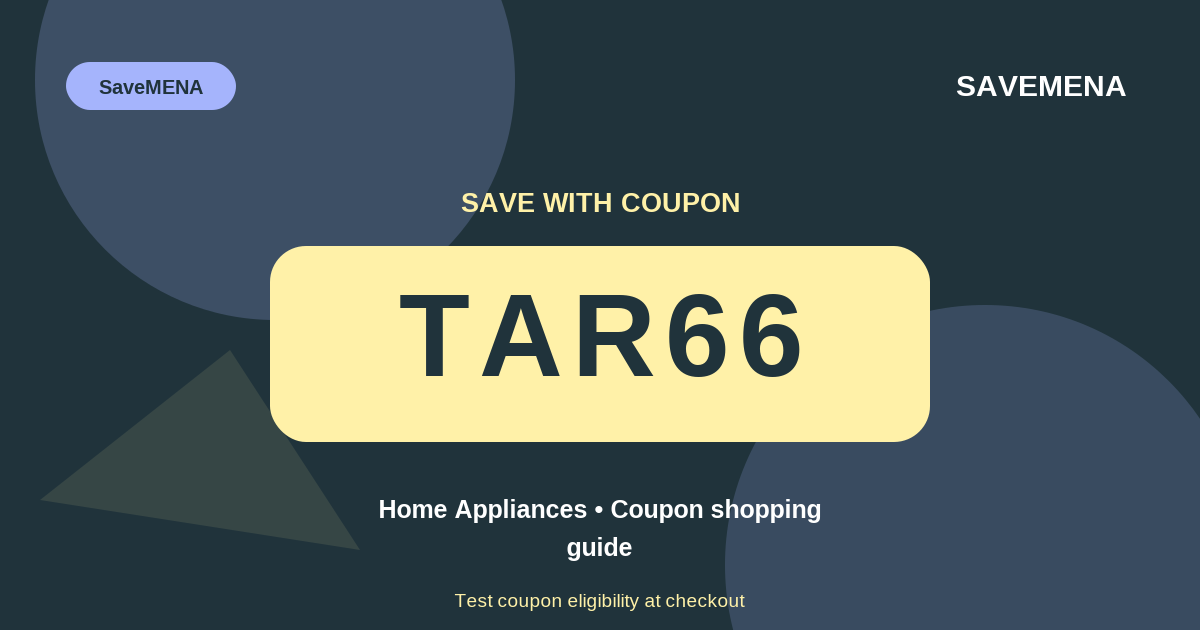
Codes available to try while comparing
These codes are not guaranteed for the article topic or listed brands; test them at checkout and use the live result.
Choosing the Right Payment Method for Home Appliances
In the UAE, Noon supports several payment avenues: credit or debit cards, NoonPay, Apple Pay, and bank transfer options. For high‑value home appliances, many shoppers prefer card payments because they offer insurance protection for consumers, and the card issuer can flag unauthorized charges quickly. When you select “Debit or Credit Card” during checkout, the platform will prompt for card number, expiry date and CVV – all mandatory to complete the transaction.
However, some shoppers opt for NoonPay, a digital wallet tied to Noon’s own reward points. It can be advantageous for users who already have a NoonPay balance, as the merchant automatically deducts the purchase value. Yet, unlike cards, NoonPay may have a lower global acceptance rate; if you’re traveling in the UAE or plan to return the appliance, a card will be more flexible. Opt for the method that most aligns with your banking convenience and your appetite for rewards versus risk.
Verifying Coupon Eligibility Before Adding to Cart
While the coupon code TAR84 is available to try, it does not carry any legal guarantee of a discount for home appliances. Therefore, before you add a blender, washer, or air purifier to your cart, enter the coupon in the promo code box at the top of your cart’s summary. The system will immediately tell you whether the voucher applies or not – if the coupon is invalid, not current or the product’s seller doesn’t accept it, you’ll see a message stating so.
Because Noon lists multiple sellers per item, coupon eligibility can differ even within the same product category. If the application is refused, you can either look for a different seller whose catalogue accepts the code or proceed without it. This way, you’re sure the coupon’s status is current before you lock in the list price, saving you the hassle of a failed payment later.
Checking the Final Payable Amount at Checkout
The last detail before hitting the “pay” button is the total figure on the screen labelled “Final Amount.” This figure includes product price, any applicable delivery fee, taxes and any confirmed coupon impact. If you added the TAR84 coupon, the system would have adjusted the subtotal automatically. Check that the final amount matches the sale price shown earlier in the cart page; any discrepancies could mean hidden fees.
When reviewing the final amount, verify that it matches the variant you selected, the quantity you bought, and that currency is AED. A simple slip‑up could accidentally add or strip a delivery fee, especially for items in bulk. If the figure surprises you, double‑click each cost line to see a breakdown and make sure you’re good to confirm.
Understanding Delivery Fees and Timing for Home Appliances
Heavy appliances often have higher delivery charges, and the cost can be variable based on distance from the nearest distribution centre to your address. To keep track, check the “Delivery Fee” line in the order summary; Pepper this in the final amount. You can also view a quick estimate by entering your address on the “Checkout” page before confirming the payment, which will give you the fee value and expected delivery window.
High‑volume items are usually scheduled for pickup by a delivery partner or the Noon logistics team. Delivery times are often displayed in days, not hours, reflecting the need for safe packing and a possible installation fee we endorse only if the seller offers it. If you need the appliance installed on the same day, a different seller or a third‑party service may be required, so ask about that before payment.
Secure Payment Practices and Fraud Protection
When you choose a payment method, the platform’s security protocols protect your card or wallet details. For card payments, Noon employs tokenisation – your actual card number never travels to the merchant; the system uses a disposable token instead. This limits potential exposure if the data is intercepted.
To verify you’re using a secure connection, look for the padlock icon in the address bar and an HTTPS URL while on the payment page. If you notice any “Not Secure” warning, cancel the payment and revisit the checkout. Also, keep an eye on your bank statements for a dinner‑restaurant‑style number from Noon to detect unauthorized charges quickly.
Leveraging Loyalty Points and Other Promotions
Many users add credit card points or store loyalty points into their NoonPay or card accounts. These points can offset purchase price, but rarely combine with discount coupons like TAR84. Before finalising, toggle the “Redeem Points” slider to see exact credit applied to the balance. If the application is denied, the screen will justify that the points can't stack with coupon promotions.
When you’re near checkout, you can also explore if any flash sale or buy‑one‑get‑free offers are active for the same item. Although Noon’s coupon rules don’t apply to home appliances, occasional flash discounts are product‑specific. A quick glance at the promotional banner on the cart page can inform whether you saved cash or simply saved waiting time.
Handling Payment Disputes and Refunds
If a payment fails or a refund request is triggered, Noon’s support portal typically presents a “Disputes” tab under your order history. From there, you submit a request for detail confirmation. If the product is faulty, return it within the return period; most supermarkets allow return or exchange as per Noon’s standard warranty guidelines.
When a refund is granted, the amount will be credited back to the same payment method used in the purchase – for cards, the refund will appear in your bank’s electronic statement. Tracking the refund’s arrival on the card’s statement after 3–5 business days is essential for confirming the transaction has resolved fully.
Enhancing Your Checkout Experience with Third‑Party Apps
For UAE shoppers who prefer a smoother checkout, some third‑party wallets like Fawry or Hyperpay can be integrated as alternative payment options if Noon lists them during the payment step. These wallets often have a single‑click authentication, saving you from entering card details each time and reducing checkout times.
However, the trade‑off is that some apps don’t support coupon codes or loyalty points. If you intend to use TAR84 in any case, the traditional card or NoonPay route is the most reliable, because these methods show coupon eligibility in real time on the final summary screen.
Related SaveMENA pages
Related articles
Official sources to check
Frequently asked questions
Does the TAR84 coupon automatically apply to all home appliances?
Only if the seller accepts it and the product is eligible during the coupon’s active period. The platform will inform you during checkout; otherwise, you’ll have to proceed without the coupon.
Is it safer to use NoonPay or a credit card for a large purchase?
Both methods offer fraud protection; credit cards allow disputes through your card issuer, while NoonPay reflects Noons' own protection policies. Choose what aligns with your preferred dispute channels.
Will my delivery fee disappear if I use a coupon?
Coupons typically affect product price only; delivery fees and taxes remain unchanged unless explicitly stated or within a bundled promotion.
How do I track a refund back to the exact payment method?
Your refund will auto‑credit the method you used for payment. Check your bank or wallet statement, or use the transaction history in the Noon app to match the refunded amount.