Dell Laptops on Noon UAE: payment method — checkout checklist · TAR98
The moment you add a Dell laptop to your cart, take a moment to double‑check the model, processor, RAM, storage, and any optional accessories.
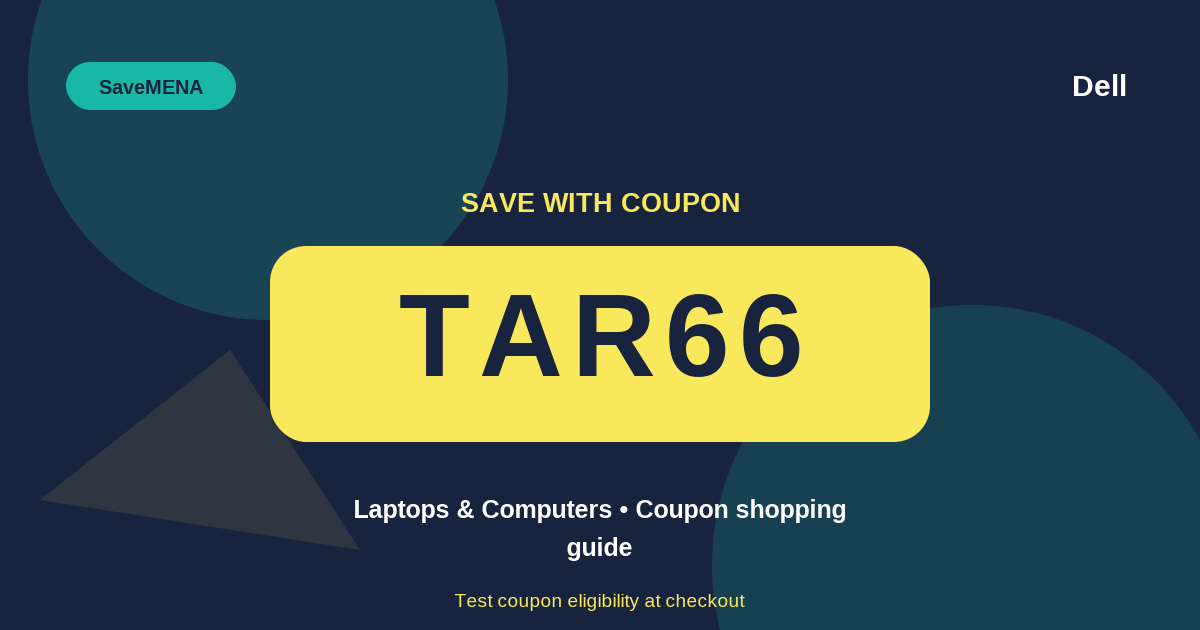
Codes available to try while comparing
These codes are not guaranteed for the article topic or listed brands; test them at checkout and use the live result.
The First Step: Review Your Selected Item and Cart Totals
The moment you add a Dell laptop to your cart, take a moment to double‑check the model, processor, RAM, storage, and any optional accessories. UAE customers often overlook bundled accessories that can significantly affect price and shipping weight. Ensuring the correct variant will prevent cart modifications that might change the applicable payment method eligibility or obscure the coupon’s validity. A clear item description also aids when you review post‑order updates and returns.
After confirming the item details, glance at the cart’s subtotal. This figure doesn’t yet include delivery fees or potential excess warehousing charges that some sellers outline at checkout. Keep an eye on the subtotal as you will later compare it to the final total after coupon application. Accurate cart totals are your baseline for any subsequent discount or payment method evaluation.
Choosing the Right Payment Option on Noon UAE
Noon UAE offers several payment avenues: credit/debit cards, digital wallets, and Buy‑Now‑Pay‑Later (BNPL) plans. Each has its own terms—for instance, BNPL may postpone upfront costs but can add interest if not paid on time. For a Dell laptop purchase, most buyers opt for card payments to speed delivery and avoid interest charges. If you prefer BNPL, check that the seller accepts it and that you’re aware of the repayment schedule.
Once you determine your preferred payment method, confirm it before you apply any coupons. Certain payment options might be excluded from coupon coverage, and others require additional verification steps. By locking in your payment method early, you prevent the need for a mid‑checkout change that could trigger extra charges or void a coupon.
How to Apply a Noon UAE Coupon for Your Dell Laptop
With your payment method chosen, locate the coupon field during checkout. Enter the code TAR98 to see if it applies to your Dell laptop purchase. Although the coupon is available to try, Noon UAE may ask you to confirm its validity on the final order page. If it doesn’t apply, double‑check that you’re using the exact code, and review any seller‑specific limitations.
After you confirm coupon application, the final price will adjust automatically in the checkout summary. Pay close attention to smaller elements of the summary—sometimes a coupon takes effect only on the product price and not on delivery costs. Confirm that the savings appear where intended so you won’t be surprised once the order is confirmed.
Dell Laptop-Specific Considerations for Payment
Dell laptops typically come with warranties that could extend with certain payment methods. For instance, using a card may enable auto‑renewal guarantees, while some store‑specific payment plans might offer extended battery guarantees. Verify the warranty terms before finalizing payment, as this can influence your post‑purchase peace of mind.
Additionally, if you’re purchasing high‑spec Dell models, check that the chosen payment method can support the transaction volume. Some cards have daily limits that, if exceeded, could delay your order. Confirming your capability with your bank or digital wallet before applying the coupon reduces the risk of a half‑mid‑checkout interruption.
Calculating Your Final Payable Total
At this point, Noon UAE will display a summary that lists item price, coupon deduction, delivery fee, taxes, and the payment method handling charges, if any. Review each line to ensure consistency with your expectations. The subtotal shown should match previous checks, minus the coupon. Shipping should reflect the predetermined rate for your delivery address.
In some cases, the payment method selected may add a small fee or discount that is not immediately obvious. Make sure you see any card processing fees or BNPL interest if applicable. The final payable amount is the figure you’ll authorise with your card or wallet; misreading this can cost you extra.
Spotting Hidden Fees and Surprises
Even with a coupon applied, some sellers list ancillary fees—like a “service fee” or a “seller handling fee”—that may not appear in earlier price displays. Pay close attention to the final breakdown; if any line item seems unfamiliar, reach out to customer support for clarification before authorising payment.
Delivery services in the UAE can sometimes add a surcharging fee if the chosen payment method is foreign or a mobile wallet. Verify that these charges are shown in the final scene of the checkout before clicking “Confirm.” This final check guards against unseen costs that could overturn the coupon savings.
Final Verification Steps Before Authorising Payment
Before you finalize the transaction, reconfirm the delivery address, contact number, and any special instructions. Incorrect delivery details can prompt delays or additional shipping charges. If you’re ordering a delivery to a hotel or office, double‑check the working hours to avoid a missed delivery that might trigger extra costs.
Double‑check the payment details: the card number shown must match your own, the expiry date should be current, and if a BNPL plan is chosen, confirm the repayment schedule. A tiny discrepancy can trigger a payment decline, and you’ll have to restart the process, potentially losing or invalidating the applied coupon.
Why SaveMENA Reviews Matter in Your Checkout Journey
While the coupon and checkout steps are crucial, the quality of product reviews can shape post‑purchase satisfaction. By reviewing comprehensive SaveMENA assessments of Dell laptops, you’ll gain deeper insight into battery life, build quality, and after‑sales support—all vital factors that payment method and coupon savings alone cannot cover.
When you verify the final payable total on Noon UAE, supplement that knowledge with SaveMENA analysis to confirm you’re getting the best overall value. A solid product review can reassure you that the chosen Dell laptop meets all your performance expectations, making the payment method and coupon code a worthwhile part of a broader purchase decision.
Related SaveMENA pages
Related articles
Official sources to check
Frequently asked questions
How do I apply the TAR98 coupon during Noon UAE checkout?
Enter the code Tajab000 in the coupon field on the Noon UAE order summary page. Verify that it applies to your Dell laptop before proceeding to payment. If it does not apply, double‑check the exact code and seller restrictions.
Can I change my payment method after applying a coupon?
While most sites allow payment method changes before final confirmation, it may invalidate the coupon. Confirm the coupon’s validity with your chosen payment method early in checkout to avoid complications.
Will applying a Noon UAE coupon affect delivery fees?
Usually coupons subtract from the item price only. Delivery fees are independent. Confirm on the final order summary whether your coupon appears to reduce shipping costs.
What should I do if I see a fee I don’t recognize?
Consult the final order breakdown. If a fee is unfamiliar or unlisted, contact Noon UAE customer support for an explanation before authorising payment.