Xiaomi Mobiles on Noon UAE: payment method — checkout checklist · TAR84
We need 8 sections each exactly 2 paragraphs, each paragraph 80-100 words, about 140-180 words intro.
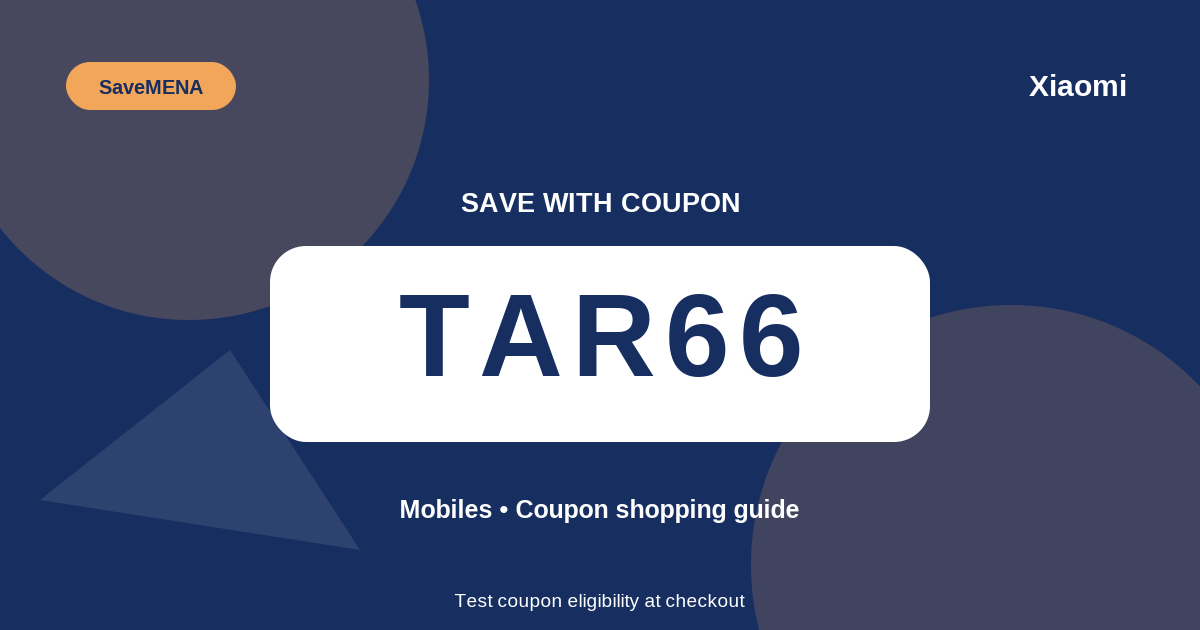
Codes available to try while comparing
These codes are not guaranteed for the article topic or listed brands; test them at checkout and use the live result.
Understanding Your Order Details on Noon for Xiaomi Mobiles
Start by reviewing the product page for your chosen Xiaomi device. Double‑check the model, color, and storage configuration, as well as the seller’s information, delivery time estimates, and any available customer questions. Confirm that the item matches your exact needs, because once you proceed to checkout, item substitutions or back‑orders may interrupt the payment flow. By having a clear picture of what you’re purchasing, you eliminate the risk of unintended changes that would affect the final total.
Next, add the selected variant to your cart and pause. Within the cart screen, review the quantity, subtotal, and any potential add‑on services such as extended warranty or protective cases. These additions can subtly shift the final amount, impacting whether a coupon remains applicable. At this stage, the key is to lock the chosen configuration before moving to the next step, ensuring your payment totals reflect exactly what you intended.
Verifying the Availability of the TAR84 Coupon
Once your cart reflects the desired Xiaomi mobile, check the coupon eligibility screen. Enter TAR84 in the discount field and observe whether the platform recognizes the code. A successful entry will prompt a thin confirmation line; a failure will usually display a brief message explaining the cause. Because coupon availability can vary, rely on the real‑time feedback from Noon’s interface to confirm that the code is still active for your order.
It’s essential to remember that the coupon is offered as an option, not a guarantee. Hence, validate the status each time you reach the checkout page, especially if you modify the cart after entering the code. Avoid multiple attempts, as repeated failures may trigger a temporary block on new coupon entries. Once approved, you’ll see a subtle discount slider indicating its application, setting the stage for the payment method evaluation.
Ensuring Compatibility with Selected Payment Options
With the coupon active, review the list of available payment methods presented on Noon’s payment screen. Options can include credit/debit cards, digital wallets, cash on delivery, or finance plans. Since your focus is on the payment method lens, pay close attention to any noted restrictions—some methods might not honor promotional codes, while others could require additional verification steps.
Take note of any required credentials or linking steps before finalizing the selection. For instance, digital wallets may prompt you to sign in to a third‑party app, whereas card options often trigger a two‑factor authentication prompt. Being prepared for these actions ensures the payment process is uninterrupted, keeping the time to complete the transaction short and straightforward.
Checking Delivery Terms and Additional Fees
On the final review screen, locate the delivery section detailing shipping options. Although specifics can differ, the interface often lists free or cost‑based delivery tiers. Confirm whether any additional handling charges, local delivery surcharges, or service fees apply to your pickup location, as these can subtly influence the total pay‑able amount and may also affect coupon applicability.
When you see the delivery fee display, double‑check that it’s consistent with earlier estimations shown in the cart. The goal is to ensure no hidden fees appear after the coupon has been applied. If a discrepancy arises, contact Noon’s support or revisit the payment method list, because some payment options might offer waived delivery fees that could change your final payment.
Confirming Order Summary and Total Before Finalizing
At this juncture, the order summary should show a consolidated line that aggregates the product subtotal, any add‑on fees, the applied coupon deduction, and the delivery charge. Because we’re focusing on payment method, confirm that the displayed total matches what you expect, and verify that the coupon reduction has been correctly factored into the final sum.
Before proceeding to the payment method pick, scroll through the entire order list to ensure no hidden item or tax appears. Small items like accessories can sometimes be attached automatically. If anomalies surface, rectify them by editing the cart or applying an alternative coupon to see if it influences the deduction.
Applying the Coupon Safely During Checkout
A coupon is not guaranteed; verify its result at the retailer checkout. Re-entering the code, if necessary, will help maintain the discount and confirm that the coupon is still recognized for the transaction. If the coupon input line disintegrates, consider clearing your cart and re‑adding the items from scratch.
Each time the coupon is validated, the total should update responsively. The goal here is to lock the coupon in place, as the next step—choosing a payment method—ideally proceeds without a second discount wipeout. If you see an unexpected increase in the total after coupon re‑entry, double‑check shipping charges or any region‑specific fees that may not have applied earlier.
Selecting the Preferred Payment Method Post Coupon
With the coupon secured, choose your desired payment method. Since the checkout checklist revolves around payment, ensure that the chosen method aligns with your financial preferences and the security guidelines of the platform. If you plan to use a digital wallet, sign‑in procedures should be ready; if it’s a card, have your card details handy.
After selecting the method, the platform typically updates the final total again to confirm that the payment gateway will process the updated amount without miscalculation. This step reassures you that the coupon deduction, any delivery fees, and the payment method’s potential fees or instalment structure remain coherent before the final payment.
Related SaveMENA pages
Related articles
Official sources to check
Frequently asked questions
How can I confirm that the coupon has been applied correctly?
Before you hit the final confirm button, double‑check the order summary line that shows the product total minus the coupon amount. A subtle discount indicator—usually a line with a minus sign—confirms its application. Any discrepancy should prompt you to re‑enter the code.
Will selecting a cash on delivery option affect my coupon?
Cash on delivery usually supports coupons, but each transaction is still verified at the payment gateway. Make sure the coupon appears in the final total before confirming the order to avoid last‑minute changes.
Can I change my payment method after confirming the order?
Once you’ve confirmed the purchase, the payment method is finalized. If you wish to change, you’ll need to cancel the order (if not yet shipped) and start a new transaction with a different payment option.
What should I do if the final total increases after selecting a payment method?
Check for any hidden fees linked to the chosen payment gateway. Some methods, especially finance plans, add a small service fee. Review the final summary and, if needed, try an alternative payment method that keeps the total unchanged.