Calvin Klein Perfumes on Noon UAE: payment method — checkout checklist · TAR84
Checking out your favorite perfume on Noon UAE can take a mix of excitement and caution. For shoppers in the UAE looking to pay for Calvin Klein scents, the process
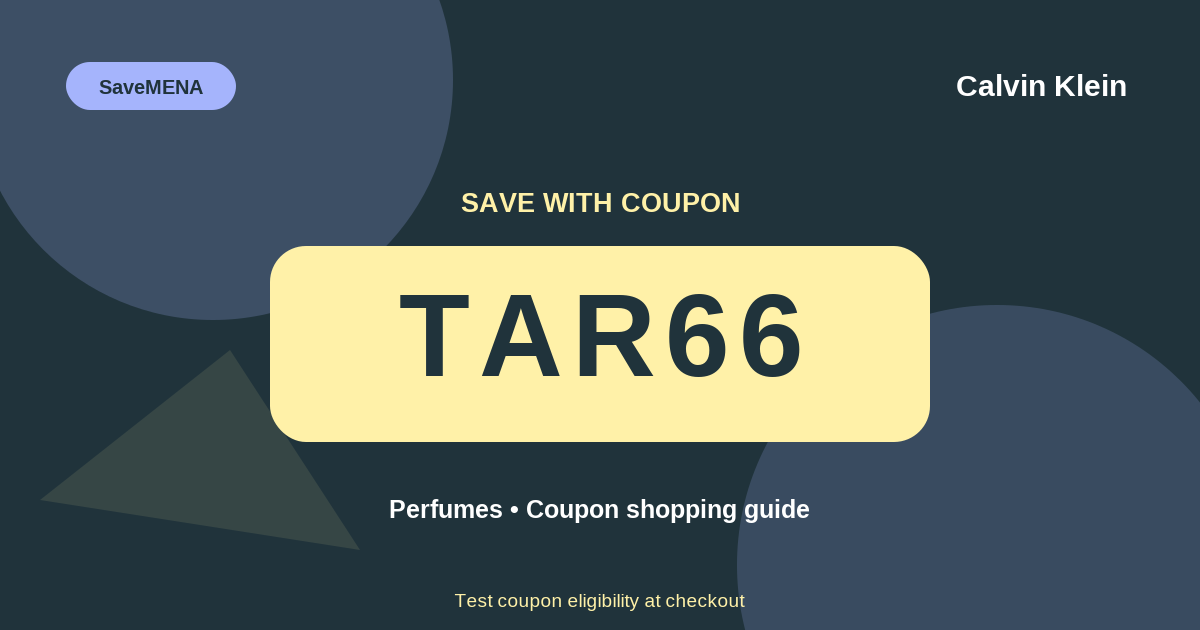
Codes available to try while comparing
These codes are not guaranteed for the article topic or listed brands; test them at checkout and use the live result.
1. Understanding the Checkout Roadmap for Perfume Purchases
When you first reach Noon’s checkout page, a series of mandatory fields appear. The first nine steps typically cover standard items: personal details, shipping address, delivery preferences, basket finalization, and coupon application. While the FAQ on Noon’s site usually covers address format, the key for perfume shoppers is confirming that the product is indeed a scented bottle under “Perfumes” and that it is a verified Calvin Klein brand. If the perfume is free‑gift packaging or has a promotional label, an extra verification flag may appear, so it is wise to double‑check the product title and seller rating, as counterfeit or misbranded items may trigger a different checkout flow. Each of these steps generates an internal payment token that Noon's system uses to calculate your final payable amount. Overlooking any of them can cause reverting to a higher price or a missing coupon.
Another layer that often trips up users is the “save and continue” option that Noon offers for frequent shoppers. While this can keep your contact and address information for future purchases, it also locks the specific payment method selected at the time. For example, if you paste a Barclays credit card on the first checkout and then navigate away, Noon may revert to a default payment gateway that unsuitable for your region. As a result, you should quickly scan the “Payment method” section, link your wallet or card, and keep the details ready before diving into the final payment stage. This step ensures that you don't unknowingly switch to an offshore method that could result in higher transaction fees or delayed authorizations.
2. Choosing the Right Payment Method to Maximize Your Savings
Payment method choice is often the springboard for additional savings or hidden costs. Noon UAE supports a broad range of options: UAE debit/credit cards, PayPal, COD (Cash on Delivery), and flight smart wallets. For perfume purchases priced at a high threshold, the EMI option is a favourite among UAEs shoppers who want to spread out the cost. However, each method comes with distinct policies. For example, PayPal users may face a service fee for foreign currency conversion, while COD has a lower discount potential because Noon's system can’t apply a coupon post‑payment. Selecting a debit card from a UAE bank typically avoids foreign transaction fees and is the recommended route for buyers who want complete control over coupon extraction.
Using a Noon UAE coupon, such as TAR84, with a debit or credit card unlocks potential savings that are only visible pre‑payment. While the CUP offers undisclosed savings, the calculator on Noon will recalculate the final price instantaneously once you hit “Apply Coupon.” Ensure the card you use is set to the same currency as the item, as cross‑currency transactions could trigger a higher processing fee, negating the coupon’s benefit. In addition, if you’re a Noon member or on a corporate purchase, you might have a special invoice number to attach at checkout. However, some paid packages—like Noon premium—allow an exclusive “cashback” program that can be tied to your card. Checking these options ahead of final payment guarantees you capture all possible discounts.
3. Applying the Noon UAE Coupon Code (TAR84) at Checkout
With your payment method sorted, locate the “Coupon code” field just below the shipping calculator. Input TAR84 carefully; UAE supports both uppercase and lowercase but spurious spaces may prevent recognition. Once you hit “Apply,” a pop‑up should confirm that the coupon is valid. Do not rely solely on the visual confirmation; the discount is only finalised when you hit “Proceed to Payment.” At this point, your checkout dialog will recalculate the total, showing an updated “Amount to Pay” figure. If the figure changes, double‑check the the coupon code falls within the same category as the perfume as some coupons behave differently for perfume vs. other beauty sectors. Missing a coupon code on the earlier step can postpone the discount to the payment stage, at which point the system might not allow it.
It is prudent to review the revised price for at least two extra minutes after applying the coupon. A quick scroll can reveal hidden charges—for example, a small service fee that Noon adds on top of certain payment methods. You can also find promo codes associated with specific sellers that show up in the “Seller promotions” section. If you spot an additional discount or the absence of a normally included promotion, the next step is to hit “Apply” again on the payment method screen, as some changes will only finalize after the payment gateway reloads. Once all figures look consistent, it is safe to store the coupon for future use at other Noon.com locations, as it is not tied to a specific product line.
4. Verifying Coupon Eligibility for Calvin Klein Perfumes
Coupon eligibility is a common stumbling block; Noon does not always display a transparent chart.A coupon is not guaranteed; verify its result at the retailer checkout. ” If the tag includes “Calvin Klein” and the listing is from an official or verified seller, the coupon should typically be accepted. If the item says “Calvin Klein – Limited Edition” or “Calvin Klein – Only in Outlet”, the system might treat it as a premium line with separate discount rules, thereby rejecting the coupon. If in doubt, manually check the item detail preview; a discontinuation icon or “Caution: Limited Stock” often indicates a separate handling protocol.
If the coupon still does not preview a price reduction, it may be a case of a product-level restriction. Certain sellers apply their own discount codes, or they may not accept third‑party coupons to maintain their unique promotion. This situation can only be resolved by purchasing with the “Noon” default payment and verifying at the final validation step. As an alternative, you can attempt a “price watch” by saving the item to a wishlist that triggers a reminder of any coupon updates; nevertheless, until the coupon appears on the basket page, you should not assume it will work to offset the cost. If you still encounter a “Coupon Not Valid” error post‑payment, contact Noon’s customer service, reference the coupon code TAR84, and let them verify if the code is active for your brand.
5. How to Complete the Payment Process Document
Once the final digital receipt is ready, the next pivotal phase is executing the payment. For UAE shoppers, the default gateway is a secure SSL‑encrypted connection to your payment provider. If you’re using a debit credit card, Noon will prompt for card number, expiry, CVV, and sometimes a tokenized ‘one‑time’ password (OTP) that resets on each transaction. For COD, the system will only gather your shipping address and sign agreement; no payment authorization occurs until a delivery worker arrives.
For those using PayPal, you will be redirected to PayPal to log in and confirm the purchase.A coupon is not guaranteed; verify its result at the retailer checkout. Once your payment registrar receives a “Success” signal, Noon’s internal order engine triggers a “Pending” status, which means the currency conversion, if any, has finalized. At this juncture, it is essential to verify that the total displayed on the receipt matches the number you just paid. If there is a discrepancy—particularly a higher amount—contact Noon support immediately; they can use your order ID to trace the payment queue and rectify potential extra charges.
6. Tracking Order Status and Delivery After Payment
After the payment stage, your order moves into the logistics phase. Noon typically updates the order status in real‑time on the dashboard. The first status is “Order placed,” followed by “Confirmed,” “Shipped,” and “Delivered.” For perfume items, the delivery window is usually 1–3 business days, depending on the seller’s fulfillment center. If your crown jewels—like the new Calvin Klein fragrance—are from a high‑volume store, track the delivery via an in‑app notification feature or SMS updates. If a tracking ID is provided, use Noon’s “Track & Trace” portal to see the exact location of your package in the final warming zone.
Should you encounter an unexpected delay (e.g. status stuck at “Shipped” for over 48 hours) or if the package arrives damaged, Noon requires a claim to be filed within 48 hours of receipt. Attach photographic evidence and use the “Order Details” section to fill out the claim. Your refund or replacement will then be processed under Noon’s Policies, and the payment method used (credit, debit, or PayPal) will be credited accordingly. This keeps the customer assured that the transaction remains safe despite potential mishaps.
7. Managing Return & Refund Policies Post-Payment
Return policies for perfumes tend to be strictly regulated due to hygiene concerns. Noon’s policy states that returns are accepted within 7 days of receipt, but the return must be unopened, accompanied by original packaging, and verified by the seller. For Calvin Klein perfumes purchased at a discounted rate, returns are typically processed against the original paid amount, not the discounted price, if the coupon was used at checkout. Verify your final receipt to ensure your refund will be issued to the same payment method. Certain payment methods, like PayPal or digital wallets, may experience slight delays due to settlement cycles. Contact the payment provider directly if refund processing takes longer than 7 business days.
In the event of product dissatisfaction or quality concerns, Noon’s “Customer Guard” program often covers the discount shown at checkout of the refund, minus shipping costs. To initiate a claim, navigate to “My Orders,” click the “Return” button, and answer the questionnaire about product content. Attach images and an item photo if the perfume was broken. Once approved, Noon will either send you a prepaid return label or arrange for a pick‑up, depending on your region. The final step is receiving the refund, which, as mentioned, appears on your original payment instrument: either card statement, PayPal balance, or wallet credit. Double‑check your bank or PayPal dashboard to confirm receipt.
8. Final Checklist: From Cart to Confirmation
In closing, the key actions to secure a seamless purchase include: verifying the product title, confirming the seller’s rating, checking for coupon eligibility, selecting the appropriate payment method, applying the TAR84 code before the payment stage, and ensuring the final price matches the displayed figure. It also helps to note down your order ID on a sticky note; this ID becomes the lifeline for contacting Noon support if anything deviates from the expected path. If you remain silent after the payment confirmation, the order will arrive within the promised window, delivered securely to your doorstep.
Remember that SaveMENA only provides editorial guidance and is not affiliated with Noon. All procedures should be validated at checkout where they apply. Using a Noon UAE coupon with Calvin Klein perfumes can be a savvy move if followed carefully—especially when considering the payment method’s influence on the final amount. Keep this guide handy and enjoy a hassle‑free perfume purchase from Noon without surprises.
Related SaveMENA pages
Related articles
Official sources to check
Frequently asked questions
Does the TAR84 coupon work with COD?
While the coupon may appear in the cart, Noon typically applies it before the payment transmission. For COD, the discount is usually not subtracted during the payment phase, so the final amount might stay unchanged. Verify at checkout if the amount decreases after you add the code.
Can I use my UAE credit card with Noon to get a better rate?
Using a local UAE credit card usually avoids foreign transaction fees and may trigger Noon's partner discount. However, the coupon’s impact is independent of the card type, so apply it prior to final authorization for best results.
What happens if the coupon is not accepted at the end?
If Noon flags the coupon as invalid during final authorization, the order amount will reflect the full price. You can then contact Noon support with the order ID and coupon code; they will investigate whether it’s an eligibility issue or a system glitch.
Will I see the discount instantly in my bank statement?
After payment is completed, the waived amount is reflected in the bank statement as a single transaction. If you have applied a coupon, the net credited amount will be lower by the coupon's value, but editorial reminders say the coupon is only a try.