Perfumes on Noon UAE: payment method — checkout checklist
Understanding every step of the checkout on Noon UAE is essential for a smooth perfume purchase. After you’ve browsed the scent selection and chosen a fragrance
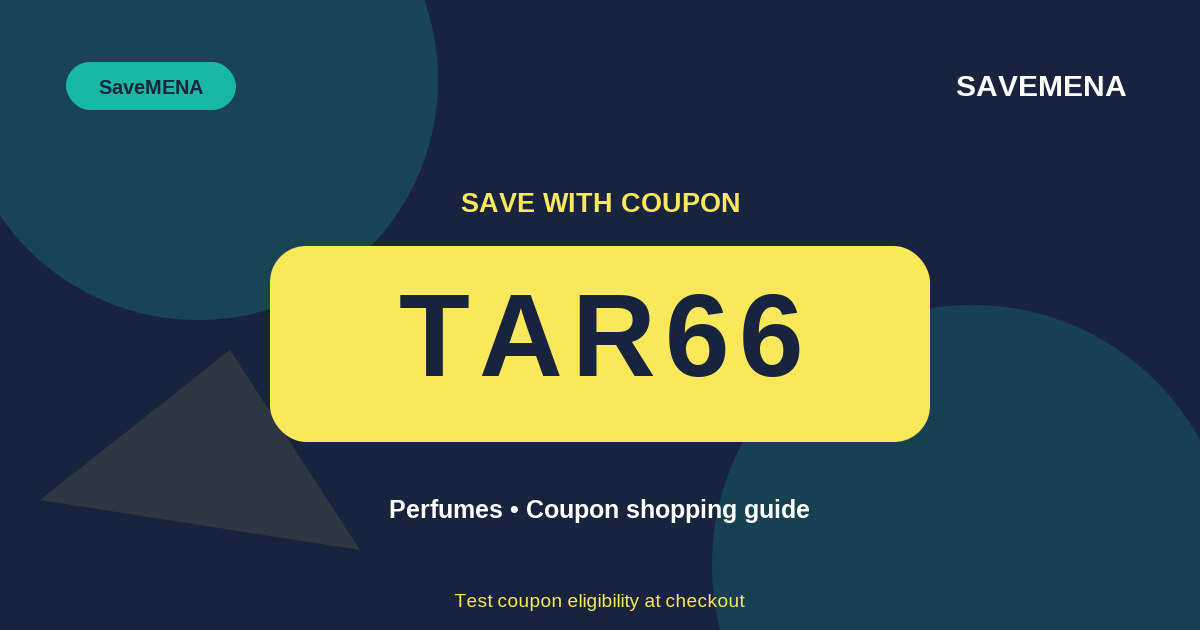
Codes available to try while comparing
These codes are not guaranteed for the article topic or listed brands; test them at checkout and use the live result.
1. Understanding the Noon UAE Coupon Process
When you decide to use a Noon UAE coupon, the first action on the checkout page is to locate the coupon field, usually positioned under the delivery details. Enter the code “TAR66” into the designated box and press the apply button. The platform will instantly recalculate your cart value and present the adjusted subtotal, ensuring you’re aware of any new pricing before proceeding. If the coupon fails, the page will display a clear error message prompting you to review the code or contact customer support.
It’s important to remember that the coupon’s benefit only becomes active once you’re at the final payment step. Prior to this, the system will leave the original price unchanged, which could mislead you if you hastily proceed. Make a habit of noticing whether the “Discount Applied” line appears; it signals the coupon’s successful activation. If absent, double‑check the spelling or look for any hidden spaces that may prevent processing.
2. Selecting the Right Perfume Variety
Choosing a perfume that reflects your personal style involves more than just fragrance notes. Browse Noon’s curated categories—from unisex blends to gender‑specific lines—ensuring each option matches the intended usage, such as daily wear versus special occasions. Pay attention to the bottle size, which can dictate usage patterns and long‑term satisfaction. While the inventory may shift, focus on the product description and customer queries for accurate information.
Before adding an item to your cart, confirm that the seller’s rating and delivery times are listed in the product page. Noon often highlights local and international suppliers, so you can compare shipping times without leaving the selection screen. Double‑check that the fragrance’s description aligns with your scent preferences—this will prevent post‑purchase adjustments at checkout.
3. Reviewing Seller Credentials Before Finalization
Once items are in the cart, the next checkpoint is to verify the seller listed next to each perfume. Noon displays the seller’s store name, a brief description, and an overall rating in the cart view. If you have preference for local dealers or specific label distributors, focus on the information shown rather than relying on external assumptions.
Seller credibility plays a vital role in delivery speed and authenticity assurance. Notice any flagged warnings, such as “Limited Stock” or “Special Handling,” and use these signals to guide your decision. If you encounter an unfamiliar store name, consider switching to a product with a reputable brand or a well‑rated seller for peace of mind.
4. Confirming the Applied Coupon Code
After entering “TAR66,” the subtotal should update instantly. This visual confirmation is essential before moving to payment. Keep the coupon text fixed in your mind; Typos or the wrong code will prevent discount application. The checkout interface typically changes the price line to show a reduction, which clearly indicates the coupon’s effect.
Noon does not publish discount percentages publicly; instead, the result is revealed once applied. If the subtotal remains unchanged, the system may interpret a mismatch. Review the coupon section again or visit the FAQ for troubleshooting steps, ensuring you’re ready to proceed with the outlined price.
5. Choosing the Optimal Payment Method
Paying for perfumes on Noon UAE offers several options, but the key is to select the one that best suits your convenience and financial preference. The checkout page lists all available payment methods in a clear order. If you prefer card transactions, choose “Credit or Debit Card” and input the card details securely.
Alternatively, Noon’s “Cash on Delivery” may be available for select items and regions; this method allows you to pay in person upon delivery. When using COD, verify that the dealer accepts it, because not all sellers offer this option. For e‑wallet or loyalty point redemption, simply toggle the selection before final submission to ensure the transaction reflects your chosen route.
6. Verifying Delivery Options and Charges
Next, examine the delivery address and mail option. Noon provides a list of available pick‑up points or home delivery coordinates. If you wish to save on shipping, check whether the sales page offers “Free Delivery” for certain weight thresholds, but keep in mind this detail may only surface during checkout.
Also review the estimated delivery window; if the perfume is a fragrance that you intend to gift quickly, check for express options. The platform’s charges for delivery are summed in the “Total” line once you finalize the payment method, so it’s crucial to confirm that these fees are accurate and in line with your expectations.
7. Checking Order Summary and Tax
At the final order summary, Noon presents a full breakdown: item price, coupon deduction, delivery fee, and applicable VAT. These figures must be scrutinized before hitting “Confirm Payment.” Pay particular attention to the VAT line, as it is a mandatory charge in the UAE.
Some sellers might offer a tax‑free exemption for specific purchases; however, any such exceptions will appear on the summary page, not in the product description. Verify that the displayed VAT calculation matches the country’s legal rate. Also confirm that the coupon code is shown as applied in the final breakdown, preventing any confusion over the actual deferral of discount.
8. Finalizing Checkout and Confirmation Steps
Once all of the above checkpoints—coupon validity, seller review, payment method selection, delivery details, and final tax breakdown—are confirmed, you can safely press the “Confirm Payment” button. This action records your order and initiates the payment process. Always allow the page to fully reload to ensure the transaction is processed.
After confirming, Noon will display an order confirmation number, a quick summary, and expected delivery date. Keep this information handy by photographing the screen or copying the number. If the platform provides an order tracking link, use it to monitor the state of your perfume’s journey. Should any discrepancy surface, reach out to Noon’s support immediately, referencing the confirmation details as proof of the transaction.
Related SaveMENA pages
Related articles
Official sources to check
Frequently asked questions
How do I enter the Noon UAE coupon “TAR66” during checkout?
You locate the coupon input box just below the delivery options. Type “TAR66” exactly, then press the apply button. The subtotal will update automatically if the code is valid. If it’s not recognized, double‑check for typos or contact support.
What payment method gives me the most flexibility for fragrance orders on Noon?
The most flexible option is usually a credit or debit card, as it offers immediate clearance and a complete payment record. Cash on delivery is an alternative if you prefer holding receipts in person, but COD may not be available for all sellers or locations.
Can I apply the coupon after selecting my shipping method?
Yes, you can apply the coupon at any point before confirming the payment. Once it’s activated, the updated total will reflect across all sections, ensuring you’re not charged a higher price under a different shipping method.
What if my order total changes after I confirm the payment?
It’s uncommon for the total to change after confirmation. If it does, immediately check the confirmation page for any additional fees or VAT updates. If uncertainty remains, contact Noon support with your order number for clarification.