School & Stationery on Noon UAE: payment method — checkout checklist
The first step toward a smooth school and stationery purchase is knowing exactly how to use a Noon UAE coupon School & Stationery payment method.
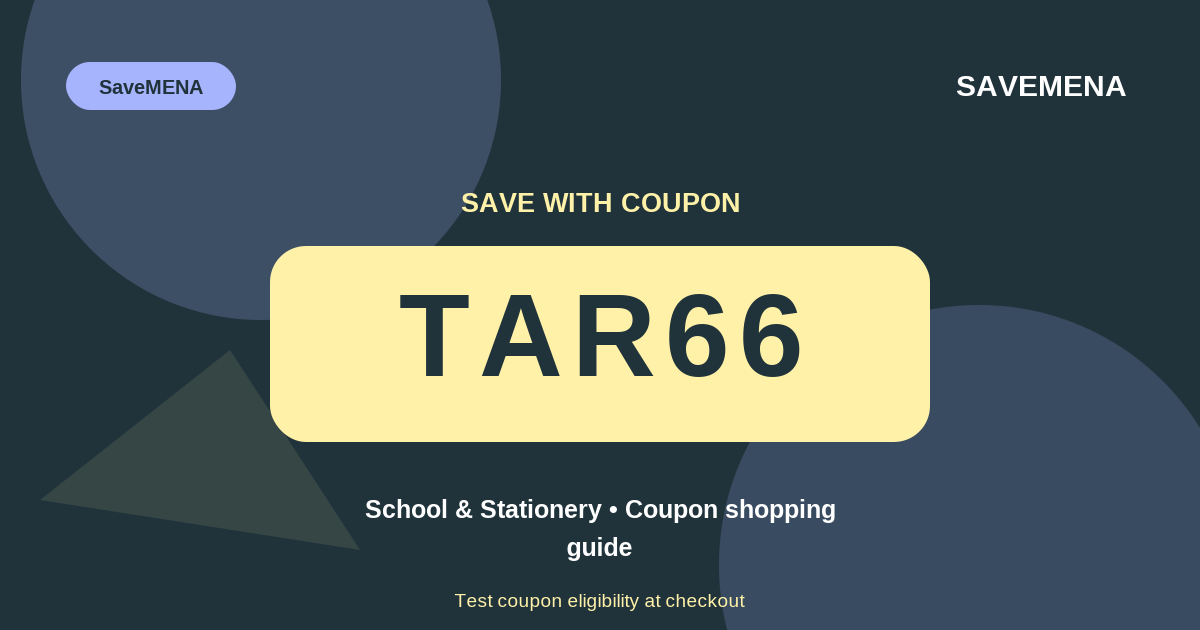
Codes available to try while comparing
These codes are not guaranteed for the article topic or listed brands; test them at checkout and use the live result.
Understanding the Pay‑As‑You Shop Flow
Noon’s checkout gathers all of your selected items into a single billing page. It displays the subtotal, taxes, shipping, and any applied coupon credits. The payment method section appears last; it is the point where your saving effort is finalized. If you aim to use a Noon UAE coupon School & Stationery payment method, you should confirm that the coupon has been properly applied before you reach this screen. The display of the discount is usually refreshed right after you hit “Apply Coupon.” If the discount amount is missing, you’ve probably skipped a step or entered the code incorrectly.
When you are on the payment method screen, the order summary updates to show the total you will actually pay. This figure should include the coupon benefit, taxes, and any shipping charges. If the total seems higher than expected, double‑check that your coupon code has not been double‑entered or that it is still active. A quick scroll through the summary may reveal hidden or misapplied details which, if unverified, can cause delayed refunds or unexpected costs later.
Preparing Your School & Stationery Cart
Before you even reach the coupon entry point, it’s wise to verify that your cart only contains items you want to buy. For school and stationery supplies the list can get long – pens, notebooks, binders, gadgets, or even back‑to‑school gadgets. Each item’s quantity and variant should match the exact model you need. If you need a specific color or size, re‑check each product detail line to confirm compliance; otherwise, you risk being unable to apply the coupon if the cart total falls outside the coupon’s scope.
Also, it helps to check for bundle offers or combinations that could affect your coupon eligibility. For instance, some bundles may automatically waive certain discounts, which rarely shows until the coupon code is entered. Use the “Edit” function in your cart to remove or change any items that might conflict with the coupon’s requirements. By cleaning up the cart early, you reduce the chance of coupon rejection at checkout.
Accessing and Applying the TAR66 Coupon
At Noon, you will find a “Coupon & Promo Code” field in the cart or checkout page. When you wish to use a Noon UAE coupon School & Stationery payment method, type the code TAR66 exactly as presented. Pay attention to capitalization and avoid adding any spaces or punctuation; the interface typically rejects the code if it is entered incorrectly.
After entering TAR66, tap “Apply” and watch the screen refresh. A confirmation message indicating “Coupon applied” usually appears; it may also show the new subtotal. If you do not see this confirmation, you may have inadvertently entered an invalid code or one that does not apply to your category of items. In that case, double‑check that you are on the correct page and that the coupon code is still valid. If the discount does not appear, revisit the cart to confirm no single items are disqualifying the discount.
Selecting the Right Payment Method for Noon UAE
Noon offers several payment options: debit cards, credit cards, net banking, and sometimes digital wallets or store credits. When you aim to use a Noon UAE coupon School & Stationery payment method, choose an option that best aligns with your preferred savings retention. Debit cards generally incur no extra surcharge, whereas credit cards might add a small fee. It is important to read the fee schedule if it is visible, or else ask Noon’s customer support for clarification on any potential hidden surcharge before confirming your choice.
Enter your card details securely; Noon requires the card number, expiry date, CVV, and sometimes the CVV at the top of the card. Be sure that the billing address matches the one registered with your card. Some payment systems also ask for contact information – provide the phone number or email that can receive a verification code if needed. When the system confirms that your card is accepted, the payment method screen will show a green checkmark next to the selected option, which indicates that your transaction is ready to host the validated *TAR66* coupon.
Finalising the Checkout: Review & Confirmation
Once the payment method is accepted and the coupon benefit is visible, you should look over the entire summary again. Verify the final payable total, the list of items, quantities, selected variants, shipping destination, and chosen payment method. The refund, cancellation, or return policy linked to each article should also be checked at this point to ensure you understand your options after the order has gone out.
Click the final “Place Order” or “Confirm” button only after you are confident that the displayed amount includes the *TAR66* coupon benefit. Some platforms automatically recalc the total after the final click; watch for a brief redirection to a “processing” screen that confirms your transaction is underway. If you notice a discrepancy, pause and revisit the coupon or shipment details. The buy‑now button often locks in the last accepted payment method, so final confirmation is crucial.
Managing Post‑Purchase Issues
Occasionally, after placing an order, the receipt or confirmation email may show a different total than the one displayed during checkout. In that scenario, verify that the email’s details match the actual paid amount in your Noon account. If a discrepancy persists, reach out to Noon immediately with your order number and the difference noted. This record‑keeping step will assist in a swift resolution, as the support team can trace the transaction record.
If the *TAR66* coupon was not reflected correctly in the final payment, or if you believe an extra fee was added mistakenly, the Noons customer service portal allows you to submit a case. The support process usually requires the order ID, the original coupon code, and an explanation of the issue. Documenting your attempt to apply the coupon and the final amount billed can streamline the investigation and improve your chances of a refund or adjustment.
Keeping Your Payment Information Secure
When using a Noon UAE coupon School & Stationery payment method, it’s essential to ensure that the platform’s security settings are up to date. After confirming a purchase, double‑check that your card number does not appear in any personal log‑in areas or saved card lists unless you intend to store it. If you suspect an unauthorized access attempt, you can block the card through your bank’s app and remove the saved preferences on Noon.
If you are using a contactless or mobile wallet, keep the phone and wallet password protected. Some services allow you to turn on biometric authentication for additional safety. Each successful payment method approval is recorded in your Noon order history; review this history monthly to spot any unfamiliar charges or duplicate entries. Being proactive in monitoring helps avoid fraud and keeps your purchase experience trustworthy.
Compare alternatives without guessing
When you compare another option in School & Stationery, keep the specifications, quantity and seller as consistent as possible and compare the total shown at checkout. A different coupon does not automatically make a deal better because delivery, fees and the live basket context can change the outcome. Use the final payable total as the practical comparison point.
If the retailer shows a specific condition, rely on that visible message; if it does not, do not turn an assumption into a general rule. Test available options one at a time and note any real change in the total or eligibility message. That creates a verifiable shopping comparison instead of a recommendation built on an unsupported marketing claim.
Related SaveMENA pages
Related articles
Official sources to check
Frequently asked questions
How do I confirm that my coupon code applied before I complete payment?
During checkout, after you click “Apply” next to the coupon entry field, a confirmation message usually appears and the total amount updates.A coupon is not guaranteed; verify its result at the retailer checkout.
Can I use the same coupon code on multiple orders?
Coupon rules are set by Noon and can vary. Verify if your code allows multiple uses or is limited to a single order. Checking the order confirmation or contacting support can clarify any restrictions.
What if my payment fails after I confirm the order?
Check the email confirmation and your Noon account for any error messages. If the payment did not go through, contact your bank first. If the bank approves, reach out to Noon’s support with your order ID for assistance.
Are there additional fees when using certain cards on Noon?
Some cards may incur a small transaction fee. Noon’s payment section usually lists any potential charges or you can ask a customer service representative for exact figures.