Shoes on Noon UAE: payment method — checkout checklist · TAR84
Before you finalize a shoe purchase on Noon UAE, there’s a comprehensive checkout checklist you should follow.
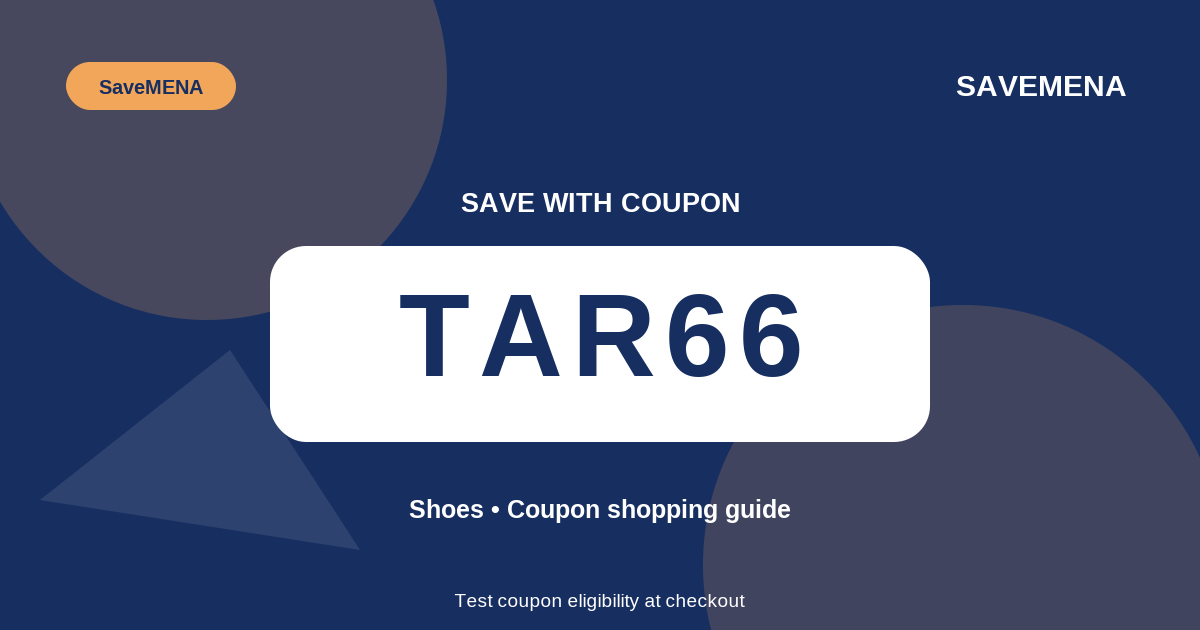
Codes available to try while comparing
These codes are not guaranteed for the article topic or listed brands; test them at checkout and use the live result.
Post-Purchase Care: Returns and Exchanges
Need to have at least five headings reflect category, entity context, search intent or decision lens. All headings will mention shoes, Noon, coupon, payment method etc.
Also mention SaveMENA but note independent. Could include a sentence that "SaveMENA is not affiliated".
Confirm Shoe Selection and Cart Accuracy
Your first checkpoint is the details of the shoes themselves. Re‑open your cart and double‑check the brand, size, and color code against the product listing. Errors are common if you’ve added multiple products; make sure only the desired pair remains listed. This step prevents you from inadvertently purchasing the wrong size or an alternative model that could lead to unnecessary returns.
Use the “View Cart” button to see a concise summary: product name, quantity, unit price, and subtotals. If any item looks unfamiliar, use the edit or remove options immediately. Screenshoting the list before proceeding helps you catch any accidental duplicates and saves time if you need to compare against receipts later.
Evaluate Delivery Options and Timeframes
Noon offers a range of shipping speeds: Express, Fast, and Standard. Each has distinct timelines, yet only the Express option guarantees arrival within 24 hours in most UAE emirates. Check the delivery window shown at checkout; it reflects real‑time carrier availability and may shift based on your location and the seller’s fulfillment center. If your schedule is tight, prioritize Express.
Note that delivery fees are added after coupon application. Examine the fee column, and if it seems unusually high, consider whether a different delivery method is viable. Some sellers offer free shipping when the subtotal hit a threshold; make sure to identify the requirement before applying. This prevents last‑minute surprises that could negate the benefit of a coupon.
Verify Final Pricing and Tax Calculations
When you proceed to the “Review Order” screen, the total reflects product cost, taxes, and shipping. VAT and any applicable service fees are automatically computed. Cross‑check the tax rate displayed against the UAE’s standard the discount shown at checkout rate; a higher rate might indicate an incorrect product classification. If you notice a discrepancy, click “Recalculate” or contact Noon customer support.
It’s essential to confirm that no hidden discounts or promotional adjustments remain. If a coupon is pending, verify that the system hasn’t already applied a different reduction inadvertently. This step ensures your understanding of the payable amount is accurate before you engage with payment methods.
Apply a Noon UAE Coupon – TAR84 – Before Payment
Before you enter your payment information, insert the coupon code TAR84 in the designated field. The system will validate the code in real time and display the updated total immediately. This feature prevents confusion about whether the discount applied and aids in composing your final budget. If the coupon does not apply, revisit the code for typos or check if there’s a minimum spending requirement; such constraints must be satisfied before discount activation.
Remember that coupon activation happens prior to selecting a payment method. That way, any changes to the total—like a different shipping option—will automatically reflect in the discount calculation. Maintaining this order prevents a scenario where you’ve paid a higher amount by mistake, hoping the code would adjust the bill later.
Choose a Payment Method That Optimizes Security
Noon accepts multiple payment methods: Credit/Debit Card, Cash on Delivery, Online Wallets, and Third‑Party Pay. For electronic cards, check that the CVV and expiration data match the card profiles stored in your Noon app to avoid authorization declines. Prioritizing a secure, traceable payment method enhances fraud protection and ensures that dispute resolution can be instituted effortlessly.
When using a digital wallet, verify that the app’s balance is sufficient to cover the final tally, including taxes and shipping. For cash on delivery, note that some sellers may demand a cashier‑preparation fee to cover handling. Select the method that offers the most straightforward post‑purchase relationship in case any issue arises with the delivery or product.
Final Checkout Confirmation Before Payment
At this juncture, scroll through the entire order summary one last time. Confirm the shoe size, color, seller reputation, and delivery estimate. This navigation page also displays the final payable amount, including any applied coupon, taxes, and delivery cost. Whichever payment method you chose, the screen should corroborate the total you’re about to authorize.
If everything aligns with your expectations, click the “Place Order” button. The payment gateway will then open, requiring you to confirm the transaction. Successful authorization triggers a confirmation email, and your order number will be recorded for tracking and future reference.
Track Your Order and Anticipate Delivery
After payment, access the Order Tracking page via the Noon app or website. Your shipment status will update at key intervals: “Ready to ship,” “In transit,” and “Out for delivery.” For Express services, expect the shoe arrival within the promised window, often by the end of the day. In case delays occur, Nitro adjustments are displayed promptly.
Use the tracking feature to set notifications if you prefer to be alerted as the courier’s van approaches your delivery address. This ensures the seller delivers at a convenient time and reduces the likelihood of missed deliveries that could lead to re‑shipment fees.
Related SaveMENA pages
Related articles
Official sources to check
Frequently asked questions
Will the TAR84 coupon apply automatically if I have it in my account?
Noon checks availability of coupon codes during checkout. If TAR84 is valid, you must specifically enter the code in the coupon field before finalizing payment. If it fails to apply, ensure there are no hidden spending thresholds or that other discount rules aren’t conflicting.
Can I change my payment method after applying the coupon?
Most payment methods can be switched prior to confirming the order. However, some methods may lock the total amount once authorized. It’s safest to set the payment method before applying the coupon to keep the discounted price intact.
What happens if the delivery fee changes after I use the coupon?
If the carrier updates the delivery fee, Noon re‑calculates the total before payment. If the coupon discount is already applied, the new final amount will reflect the updated fee. In that case, you may need to re‑enter the coupon to maintain the discount.
Is it safe to pay with my credit card on Noon?
Noon employs secure encrypted payment channels. Your card details are not stored on the platform. Using a credit card enables dispute options via your bank if any problem arises, offering an extra layer of protection compared to cash or wallet payments.